Use case
Watch a Federal Agency for New Contracts
Follow one buying agency (e.g. Veterans Affairs) and get its new contract opportunities as they post — deadline, set-aside, NAICS, and SAM.gov link.
Say you run a facilities-services firm that has done two jobs for the Department of Veterans Affairs. You know their buying patterns, you know their contracting officers, and your win rate there is better than anywhere else — so VA is the account you want to grow. Which means you want to see every VA notice, not just the ones that happen to fall under the NAICS codes you already bid, and you want to see them early enough that the response deadline is still a few weeks out rather than a few days.
The obvious way is to keep a SAM.gov search open and check it. It works, right up until the week nobody checks it, and a solicitation you would have won closes without you.
The manual way, and what it costs
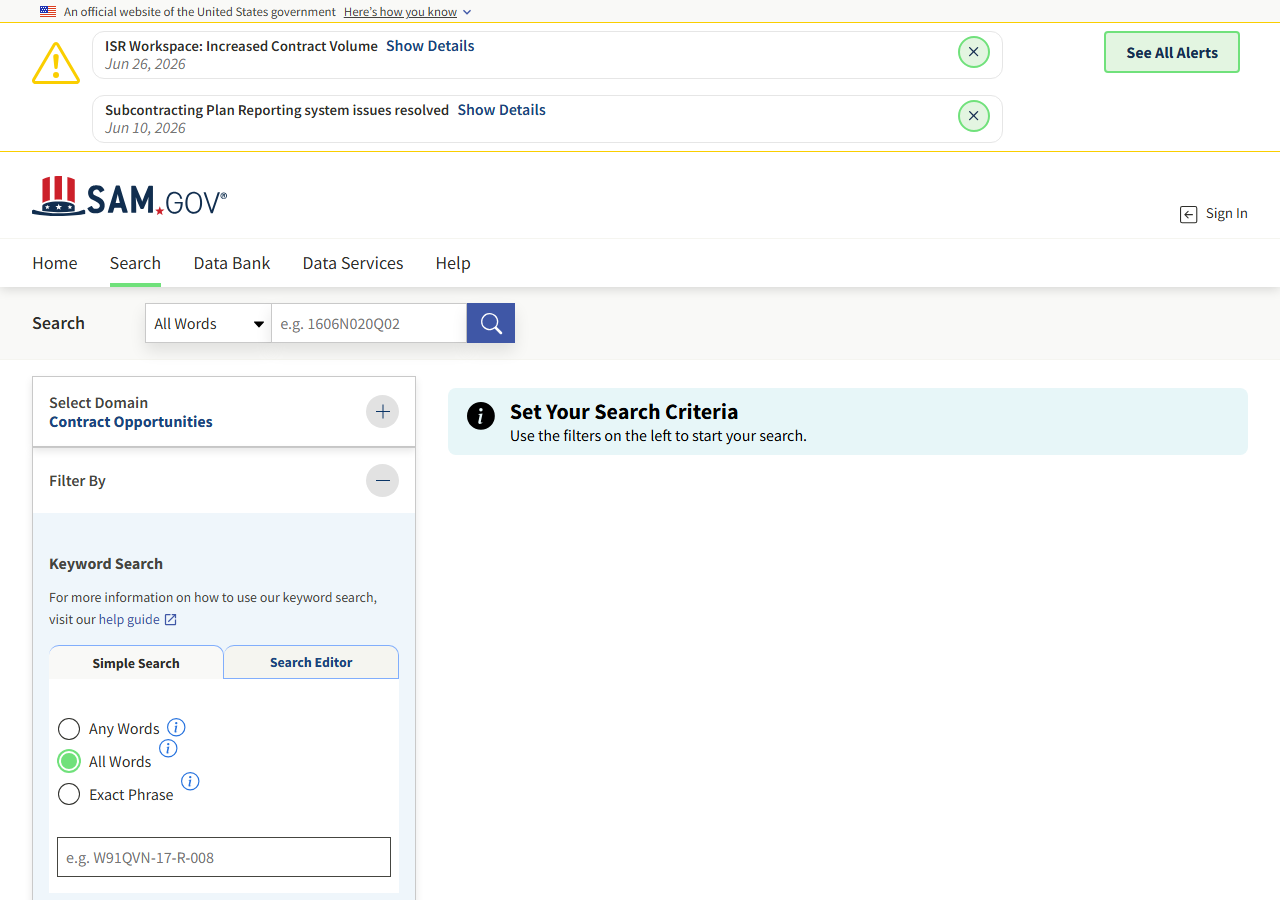
SAM.gov’s search is free, public, and genuinely good. You pick Contract Opportunities in the domain selector, open the Filter By rail on the left, set the department to Veterans Affairs, and you have your list — no login needed to look. If you’re watching one agency and you check it a couple of times a week, this is the right answer and you should stop reading here.
Where it stops being reasonable is when the search becomes a routine. Every run is a human sitting in front of a browser: load the page, re-apply the filters, scan the results, work out which ones are new since last time (SAM.gov won’t tell you), open each one to get the deadline and the contracting officer, then paste it all somewhere your team can see it. That’s the same fifteen minutes every morning, it only happens on days someone remembers, and the output lives in whatever tab it was copied into rather than in your CRM.
The faster way
SAM.gov Federal Contract Opportunity Alert does the same search once and hands back every row at once.
{
  "agency": "VETERANS AFFAIRS, DEPARTMENT OF",
  "lookbackDays": 3,
  "maxResults": 100
}
One filter, deliberately. agency is the buying department name exactly as SAM.gov writes it —
VETERANS AFFAIRS, DEPARTMENT OF — and no NAICS code, because the whole point of an agency watch is
to see the work you didn’t know they bought. lookbackDays: 3 is the interesting choice: it means a
run picks up anything posted in the last three days, so a Monday run still catches what went up on
Saturday. The trade is that if you run this daily, a notice posted today shows up in today’s run and
again in the next two — the actor searches, it doesn’t remember, and you’re charged $0.01 per row
returned each time. Match the window to the schedule: daily runs want lookbackDays: 1; a Monday and
Thursday cadence wants 3 or 4. maxResults: 100 is the ceiling on both rows and spend.
What comes back
{
  "notice_id": "abc123def456",
  "title": "IT Support Services",
  "solicitation_number": "W912-26-R-0001",
  "agency": "DEPT OF DEFENSE.DEPT OF THE ARMY.ACC",
  "notice_type": "Solicitation",
  "naics_code": "541512",
  "set_aside": "Total Small Business Set-Aside (FAR 19.5)",
  "posted_date": "2026-06-20",
  "response_deadline": "2026-07-05T17:00:00-04:00",
  "archive_date": "2026-07-20",
  "place_of_performance_state": "VA",
  "contact_name": "Jane Doe",
  "contact_email": "jane.doe@army.mil",
  "ui_link": "https://sam.gov/workspace/contract/opp/abc123def456/view",
  "source_url": "https://sam.gov/workspace/contract/opp/abc123def456/view"
}| Field | Example value | Meaning |
|---|---|---|
notice_id | abc123def456 | SAM.gov notice ID |
title | IT Support Services | Opportunity title |
solicitation_number | W912-26-R-0001 | Solicitation number |
agency | DEPT OF DEFENSE.DEPT OF THE ARMY.ACC | Buying agency / department hierarchy |
notice_type | Solicitation | Notice type (Solicitation, Combined Synopsis, etc.) |
naics_code | 541512 | NAICS industry code |
response_deadline is the field that closes the loop. It’s the only column that tells you whether a
notice is worth a bid decision this week or is already effectively gone, and it’s the one you sort
by. agency gives you the full department hierarchy — the sub-command inside VA that’s actually
buying, which is what tells you whether this is a group you’ve dealt with before. ui_link takes
whoever picks it up straight to the notice, and contact_name / contact_email give you the
contracting officer to call, when SAM.gov publishes one.
What you’d do with it
Schedule the run and point Apify’s Slack or email integration at new dataset items, so each run’s
rows land in the channel where your capture people already live — deadline, title, and link, enough
to make a bid/no-bid call without opening SAM.gov. If you’d rather it went into a pipeline, export
the dataset to CSV or pull it from the Apify API and import it as opportunities in your CRM, keyed on
notice_id so re-runs collapse onto the same record instead of duplicating it.
Worth knowing
Each run returns the current matches inside your look-back window. It does not dedupe against previous runs — nothing is flagged as new, and a notice inside the window comes back on every run that covers it, charged each time. Contract value isn’t available either: SAM.gov only publishes a dollar amount on awarded notices, not open solicitations, so you cannot filter or sort by size. And the coverage is the SAM.gov Contract Opportunities dataset and nothing else — if VA buys through a vehicle that isn’t posted there, this won’t see it.
Run it yourself: How to run SAM.gov Federal Contract Opportunity Alert walks the whole thing step by step.
If it’s an industry rather than an agency you’re watching, use Alert: New Federal IT Services Contracts, which filters by NAICS code instead. And once you’re picking teaming partners for a VA proposal, the Multi-State Contractor & Trade License Lookup is the one that checks their licence is real before you put their name on it.
Last updated 2026-07-13