Use case
Alert: New Federal IT Services Contracts
Get new SAM.gov contract opportunities under IT-services NAICS codes (541512 and more) the day they post — title, agency, deadline, and link.
Say you run a twelve-person systems-integration shop. You bid federal IT work under three NAICS codes — 541511 custom programming, 541512 systems design, 541519 other IT services — and your problem isn’t finding opportunities, it’s finding them in time. A combined synopsis/solicitation can go up with a two-week response window. By the time it filters through to you second-hand, you have a weekend to write a proposal, and you no-bid something you could have won.
So you want the day’s IT-services notices in front of you on the day they post, in a form you can triage in five minutes rather than a form you have to go looking for.
The manual way, and what it costs
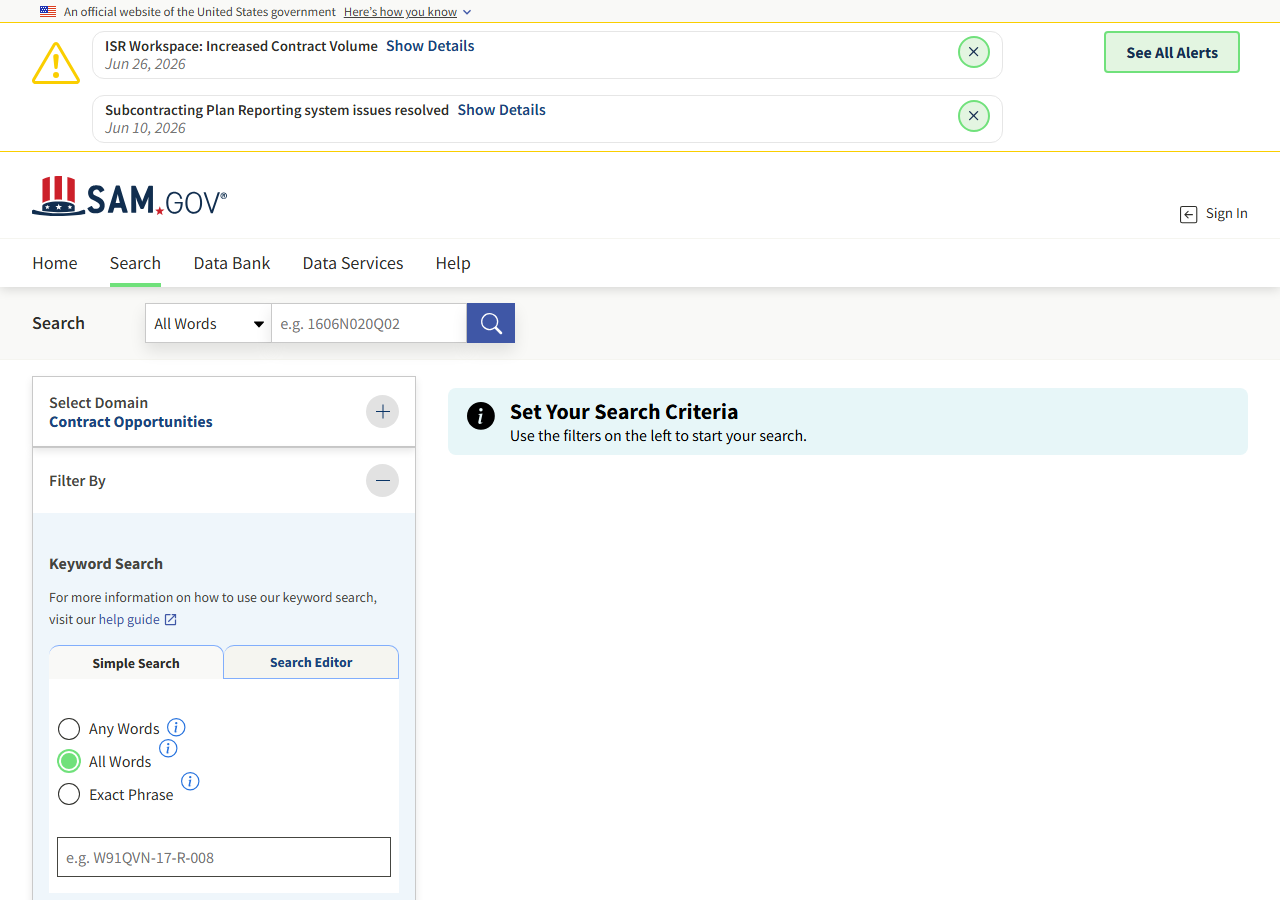
SAM.gov’s search is free and public and it does this. Pick the Contract Opportunities domain, open the Filter By rail, put your NAICS codes in, and read the results. There’s no paywall and nothing is hidden from you. If you’re checking one code now and then, that is the correct amount of machinery and you should close this tab.
The cost shows up when it becomes a daily habit across three codes. It’s a browser session every morning: re-run the search, work out which notices are new — SAM.gov doesn’t mark them, so you’re comparing against yesterday’s memory or yesterday’s spreadsheet — open each one for the deadline and the set-aside, and paste the survivors somewhere. Nothing about it is hard, which is exactly why it’s the first thing to get skipped in a busy week. And it stops on the days nobody does it.
There’s a third option worth naming: the same data is available from GSA’s public API with a free data.gov key. If you have an engineer and an afternoon, write the client and own it. This actor is what you use when you’d rather not.
The faster way
SAM.gov Federal Contract Opportunity Alert does the same search once and hands back every row at once.
{
  "naicsCodes": [
    "541512",
    "541511",
    "541519"
  ],
  "lookbackDays": 1,
  "maxResults": 100
}
Three NAICS codes, one day of look-back. The codes are the whole filter — no agency, because you’ll
take IT work from anyone, and no set-aside, because you want to see full-and-open solicitations too
and decide for yourself. lookbackDays: 1 is what makes this cheap on a daily schedule: each run
returns only what posted since roughly this time yesterday, so you’re paying $0.01 a row for a
handful of rows, and nothing at all on the days nothing posts. Don’t be tempted to widen it “just in
case” — the actor has no memory between runs, so lookbackDays: 7 on a daily schedule means paying
for the same week of notices seven times over. If you miss a day, run it once with a wider window and
put it back.
What comes back
{
  "notice_id": "abc123def456",
  "title": "IT Support Services",
  "solicitation_number": "W912-26-R-0001",
  "agency": "DEPT OF DEFENSE.DEPT OF THE ARMY.ACC",
  "notice_type": "Solicitation",
  "naics_code": "541512",
  "set_aside": "Total Small Business Set-Aside (FAR 19.5)",
  "posted_date": "2026-06-20",
  "response_deadline": "2026-07-05T17:00:00-04:00",
  "archive_date": "2026-07-20",
  "place_of_performance_state": "VA",
  "contact_name": "Jane Doe",
  "contact_email": "jane.doe@army.mil",
  "ui_link": "https://sam.gov/workspace/contract/opp/abc123def456/view",
  "source_url": "https://sam.gov/workspace/contract/opp/abc123def456/view"
}| Field | Example value | Meaning |
|---|---|---|
notice_id | abc123def456 | SAM.gov notice ID |
title | IT Support Services | Opportunity title |
solicitation_number | W912-26-R-0001 | Solicitation number |
agency | DEPT OF DEFENSE.DEPT OF THE ARMY.ACC | Buying agency / department hierarchy |
notice_type | Solicitation | Notice type (Solicitation, Combined Synopsis, etc.) |
naics_code | 541512 | NAICS industry code |
The triage happens on three columns. response_deadline tells you whether there’s time to write
anything — that’s the no-bid filter, and it’s the one you sort by. notice_type tells you what
you’re even looking at: a sources-sought notice wants a capability statement, a combined
synopsis/solicitation wants a full proposal, and confusing the two wastes a week. set_aside tells
you whether you’re allowed to bid it at all. Then ui_link takes whoever’s writing straight to the
notice and its attachments.
What you’d do with it
Put it on a daily schedule and wire Apify’s Slack integration to new dataset items, so the morning’s
IT notices arrive in your #govcon channel as rows with a deadline and a link. Triage happens in the
channel; anything that survives gets pulled into your proposal tracker, keyed on notice_id, with
response_deadline becoming the deadline on the task. If you’d rather work in a sheet, export the
dataset to CSV — the columns are already the columns you’d have typed by hand.
Worth knowing
Each run returns everything currently matching inside your look-back window. There is no “new since last run” — the actor does not dedupe across runs, doesn’t flag anything as new, and charges per row every time, so overlapping windows mean paying twice for the same notice. It also won’t filter by contract size: SAM.gov publishes a dollar amount only on awarded notices, not on open solicitations, so a $40,000 help-desk job and a $40m integration program arrive looking identical until you open them. And a NAICS filter is only as good as the NAICS code the contracting officer picked — work that belongs to you but got coded elsewhere won’t appear.
Run it yourself: How to run SAM.gov Federal Contract Opportunity Alert walks the whole thing step by step.
If you’re small-business certified, narrow this further with Monitor Small-Business Set-Aside Opportunities, which drops the full-and-open notices you can’t win anyway. Working the commercial side of the market too? Shopify App & Theme Detector is the equivalent move for e-commerce prospects rather than federal buyers.
Last updated 2026-07-13