Use case
Monitor Small-Business Set-Aside Opportunities
Track federal solicitations set aside for small business — run it on a schedule and get the matching opportunities each time, from the official SAM.gov registry.
You went through the paperwork to get certified — small business, maybe 8(a), maybe WOSB or SDVOSB. That certification is worth something specific: it makes you eligible for solicitations that are closed to your bigger competitors. It’s only worth anything if you actually see those solicitations while the response window is still open.
The failure mode is not dramatic. You bid a full-and-open contract against a company ten times your size and lose, while a set-aside in the same NAICS code you’d have been a favourite for closes the same week without you ever having read it. Your proposal capacity is small, so the whole game is spending it on the notices where the field is narrowed in your favour.
The manual way, and what it costs
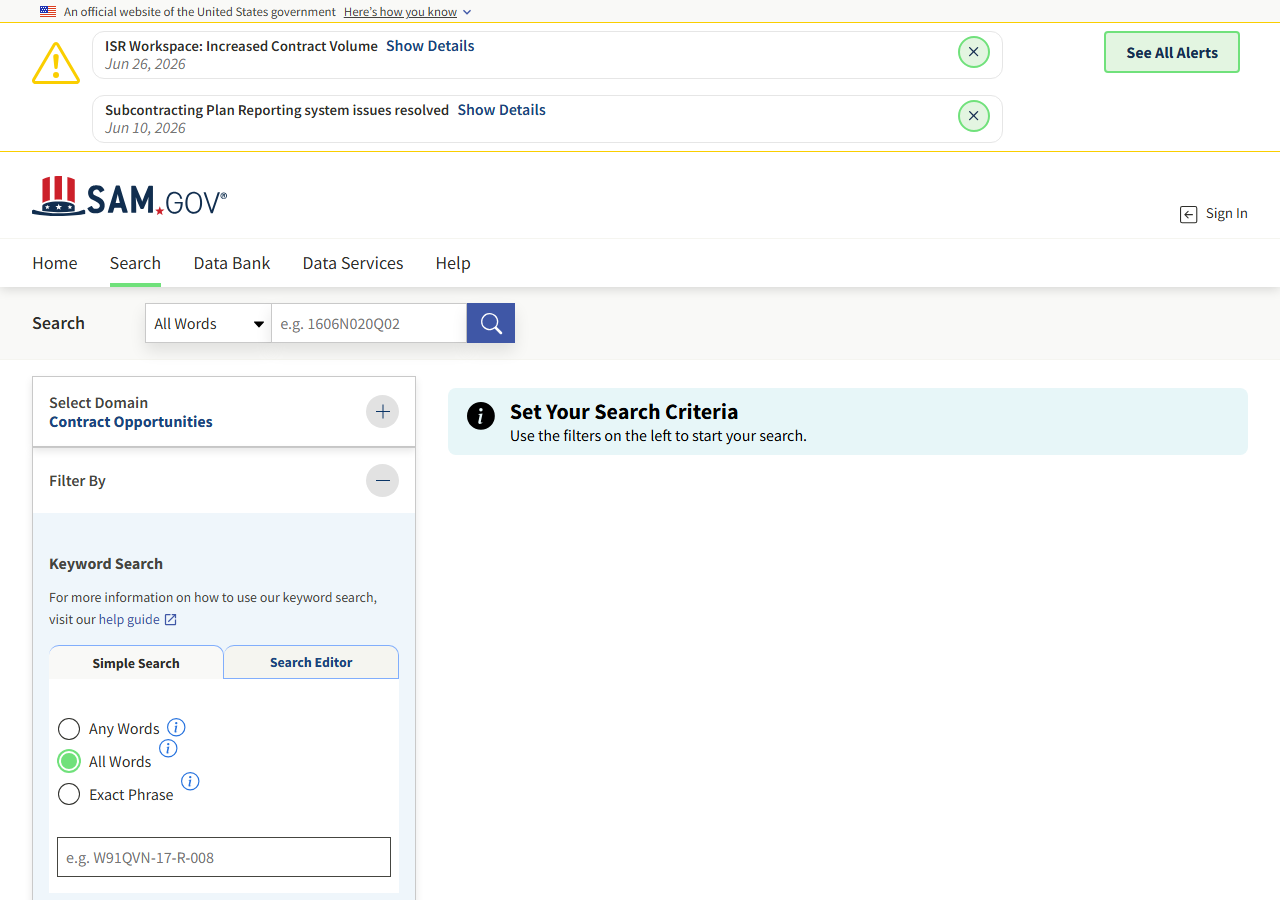
SAM.gov has a set-aside filter, it’s free, and it needs no account to search. Choose the Contract Opportunities domain, open Filter By, tick the set-aside you hold, and you have the list. If you bid a few times a year and check in weekly, that is genuinely all you need — nobody should pay for a tool to replace a search they run once a week.
The break-point is the schedule, and it’s the same break-point every time. To be sure you haven’t missed a set-aside you’re eligible for, someone has to run the search often — and the search itself gives you no help: it doesn’t tell you what’s new since your last visit, so you’re either scanning the same notices over and over or maintaining a spreadsheet of ones you’ve already seen. You can’t put a browser tab on a cron. On the week you’re heads-down writing a proposal, nobody runs it, and that’s precisely the week something posts.
The faster way
SAM.gov Federal Contract Opportunity Alert does the same search once and hands back every row at once.
{
  "setAside": "SBA",
  "lookbackDays": 1,
  "maxResults": 100
}
setAside: "SBA" is the total small-business set-aside code, and on its own it’s a broad filter —
every small-business solicitation across the whole federal government, every industry. That’s
deliberate here: it’s the widest version of the question, and it’s the one to start with so you can
see the volume before you narrow. Swap the code for the certification you actually hold — 8A,
WOSB, SDVOSBC — and add your naicsCodes once you know how much is coming back, because at
$0.01 a row an unfiltered federal-wide sweep is a real number. lookbackDays: 1 pairs with a daily
schedule: one day of postings per run, no overlap. Run it weekly instead and set it to 7. What you
should not do is run a wide window on a tight schedule — every run re-fetches and re-charges for the
whole window, since the actor searches fresh each time and keeps no record of what it already showed
you.
What comes back
{
  "notice_id": "abc123def456",
  "title": "IT Support Services",
  "solicitation_number": "W912-26-R-0001",
  "agency": "DEPT OF DEFENSE.DEPT OF THE ARMY.ACC",
  "notice_type": "Solicitation",
  "naics_code": "541512",
  "set_aside": "Total Small Business Set-Aside (FAR 19.5)",
  "posted_date": "2026-06-20",
  "response_deadline": "2026-07-05T17:00:00-04:00",
  "archive_date": "2026-07-20",
  "place_of_performance_state": "VA",
  "contact_name": "Jane Doe",
  "contact_email": "jane.doe@army.mil",
  "ui_link": "https://sam.gov/workspace/contract/opp/abc123def456/view",
  "source_url": "https://sam.gov/workspace/contract/opp/abc123def456/view"
}| Field | Example value | Meaning |
|---|---|---|
notice_id | abc123def456 | SAM.gov notice ID |
title | IT Support Services | Opportunity title |
solicitation_number | W912-26-R-0001 | Solicitation number |
agency | DEPT OF DEFENSE.DEPT OF THE ARMY.ACC | Buying agency / department hierarchy |
notice_type | Solicitation | Notice type (Solicitation, Combined Synopsis, etc.) |
naics_code | 541512 | NAICS industry code |
set_aside is the field you came for, and it’s the one that repays reading closely: it comes back as
the full description SAM.gov publishes — Total Small Business Set-Aside (FAR 19.5) — not a bare
code, so you can tell at a glance whether it’s the certification you hold or a neighbouring one you
don’t. response_deadline decides whether your proposal capacity can reach it. naics_code tells
you whether it’s work you can credibly claim. Those three, plus ui_link, are a bid/no-bid decision
without opening SAM.gov once.
What you’d do with it
Schedule the run daily and connect Apify’s email or Slack integration to new dataset items — the
morning’s eligible solicitations arrive as rows, and the only ones you open are the ones whose
response_deadline leaves room to write. Anything you commit to gets copied into your proposal
tracker keyed on notice_id, so the deadline lives in the same place as the rest of your work rather
than in a browser tab. Export the dataset to CSV if you’d rather keep the pipeline in a sheet.
Worth knowing
There is no “only the ones you haven’t seen”. Each run returns everything currently matching inside your look-back window — no cross-run dedupe, no new-since-last-time flag — and you’re charged per row each run, so an overlapping window means paying for the same notice more than once. You also can’t filter by contract value: SAM.gov publishes a dollar amount only on awarded notices, not on open solicitations. And the set-aside filter is only as honest as the notice — you’re reading what the contracting officer coded, so a solicitation that will end up as a set-aside but wasn’t tagged as one at posting time won’t be in your results.
Run it yourself: How to run SAM.gov Federal Contract Opportunity Alert walks the whole thing step by step.
If your eligibility is broad but your industry is narrow, pair this with Alert: New Federal IT Services Contracts, which filters on NAICS codes instead of certification. And when a set-aside win means teaming with a subcontractor, the Multi-State Contractor & Trade License Lookup checks their licence is current before their name goes into your proposal.
Last updated 2026-07-13