How-to
How to run SAM.gov Federal Contract Opportunity Alert
Step-by-step: the exact input, what each field does, and the real rows that come back from SAM.gov.
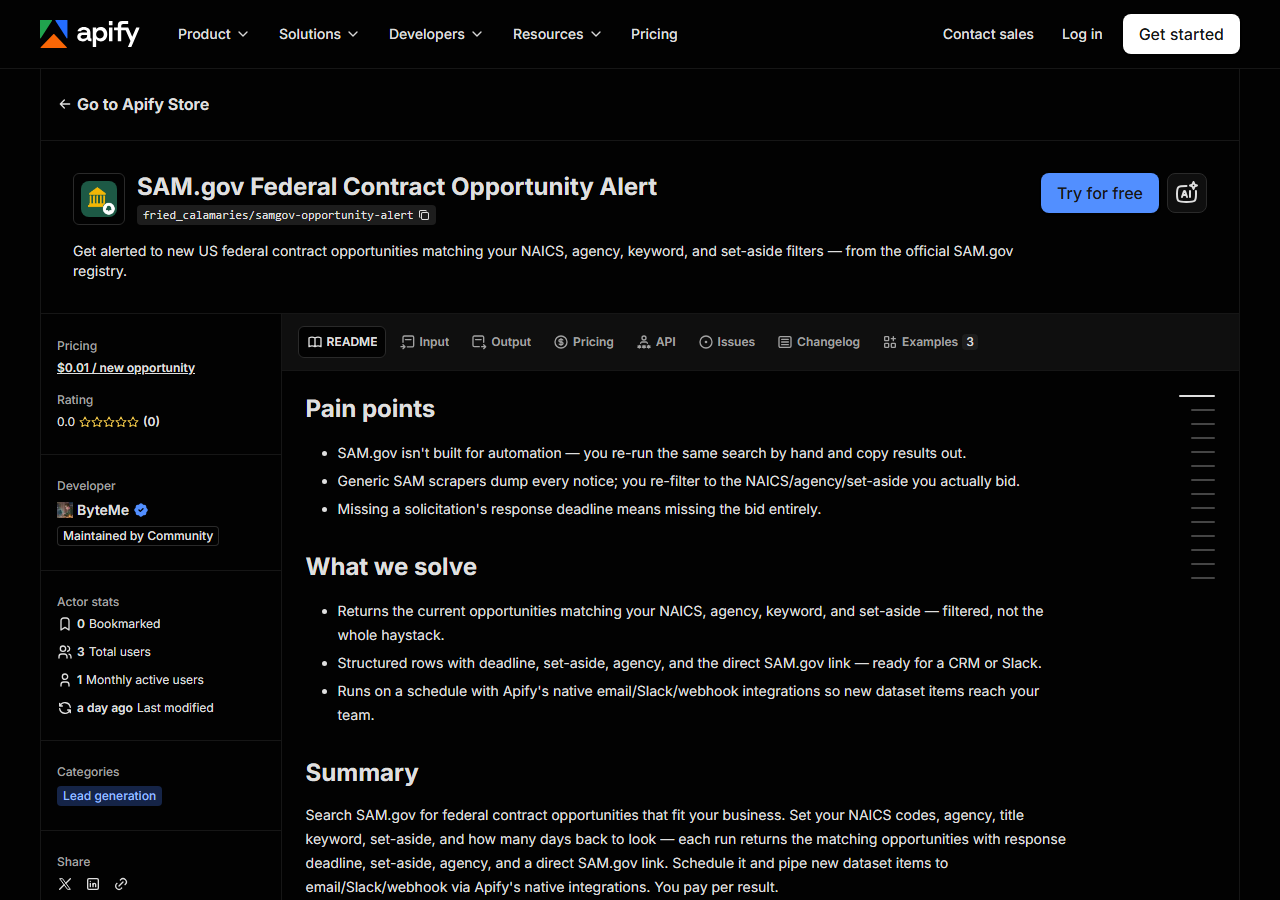
If you bid federal work, you already have a search saved on SAM.gov: your NAICS codes, maybe an agency, maybe a set-aside. Someone re-runs it every morning, reads the hits, and copies the ones worth chasing into a spreadsheet or a CRM. That is fine at low volume and it is free. It stops being fine when it is three or four searches a day across several NAICS codes, when the person doing it is on holiday, or when you want the results to land somewhere other than a browser tab. This actor runs that search for you on a schedule and hands back structured rows.
Be clear about what it is: an on-demand search, not a subscription to a change feed. Every run asks SAM.gov the same question you would ask, and returns whatever currently matches inside your look-back window. There is no memory between runs — nothing is marked “new”, nothing is suppressed because you saw it yesterday. You pay per row returned, every run.
What you’ll need
Nothing but an Apify account. The actor talks to SAM.gov directly.
You don’t need a data.gov API key. The actor carries its own, so there is no signup, no key to rotate, and no proxy or CAPTCHA cost in the middle. If you’d rather not pay per row, note that a data.gov key is free and the same API is public — wiring it up yourself is a perfectly good option, and it’s covered under “What it costs” below.
Step 1 — Open the actor
Open SAM.gov Federal Contract Opportunity Alert on the Apify Store and press Try for free. The actor’s own page on this site lists its live health and pricing.
Step 2 — Fill in the input
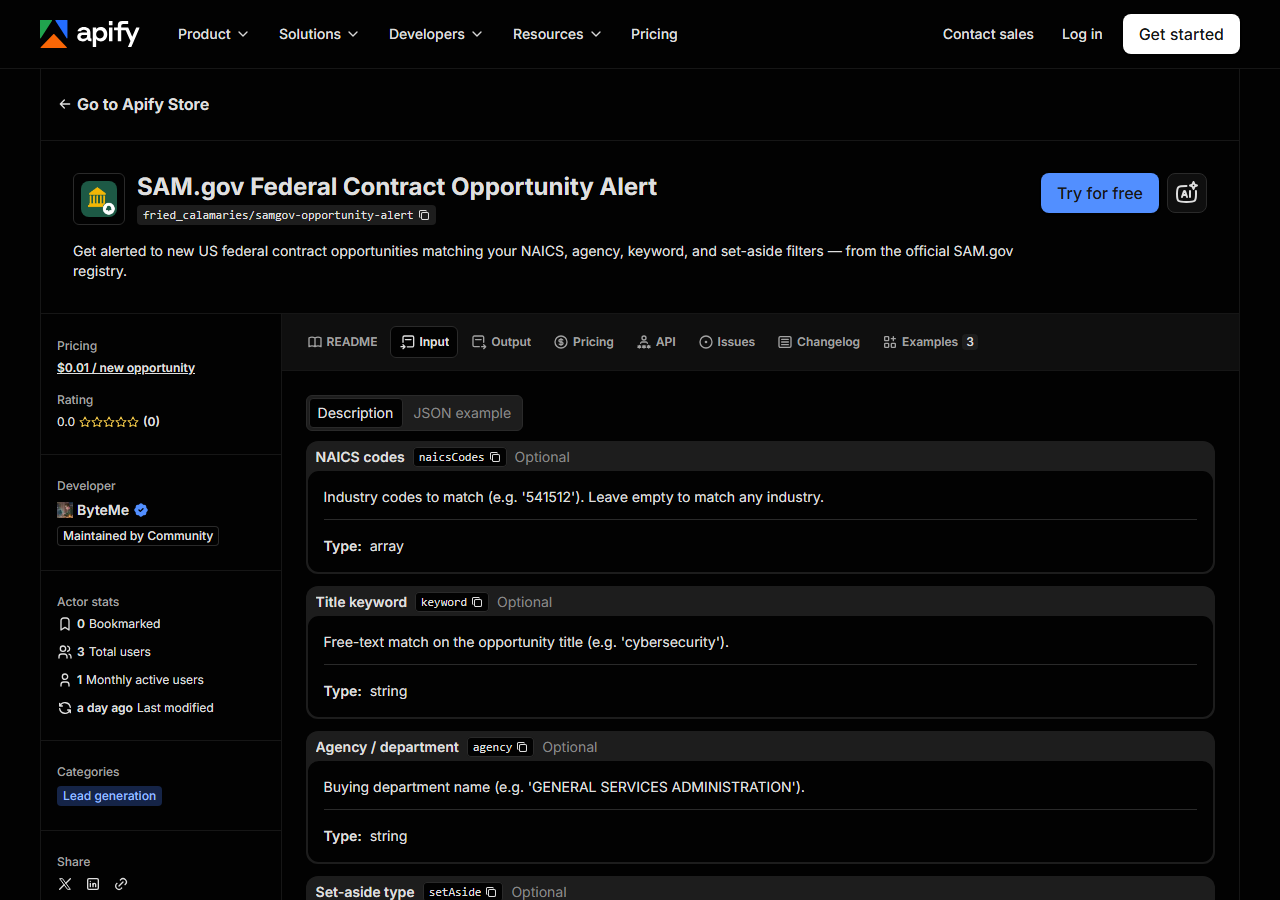
| Field | Type | Required | What it does |
|---|---|---|---|
naicsCodes | array | no | Industry codes to match (e.g. ‘541512’). Leave empty to match any industry. |
keyword | string | no | Free-text match on the opportunity title (e.g. ‘cybersecurity’). |
agency | string | no | Buying department name (e.g. ‘GENERAL SERVICES ADMINISTRATION’). |
setAside | string | no | Set-aside code, e.g. SBA (small business), 8A, WOSB, SDVOSBC. Leave empty for all. |
lookbackDays | integer | no | Fetch opportunities posted within this many days. Every run returns everything in the window that matches, so a wide window on a frequent schedule returns the same notices again. (default 1) |
maxResults | integer | no | Cap on opportunities fetched per run. (default 100) |
Two fields decide almost everything, and they are the two people get wrong.
lookbackDays is a window, not a bookmark. At 1 — the default — a run returns notices posted in
the last day. At 30, it returns everything from the last 30 days, and it will return those same
notices again on tomorrow’s run, because the actor has no memory of what it gave you before. Since
you’re charged per row, a daily schedule with lookbackDays: 1 is the cheap combination and a daily
schedule with lookbackDays: 30 is the expensive one that tells you almost nothing new. Widen the
window when you’re doing a one-off sweep of what’s already open; keep it tight when you’re running
on a timer.
maxResults is your ceiling on both rows and spend — it caps what a run can fetch, and therefore
what a run can cost you. If your filters are broad (no NAICS, no agency, no set-aside), leave it low
until you’ve seen what a run actually returns.
A working input:
{
  "naicsCodes": [
    "541512"
  ],
  "setAside": "SBA",
  "lookbackDays": 1,
  "maxResults": 100
}
Step 3 — Run it
Press Start. Rows are pushed to the dataset as they’re found, so the run log fills in as it works.
This is one public JSON API call per page of results — no browser, no rendering, no proxy — so a run
is short and the row count is whatever SAM.gov currently has for your filters, up to maxResults.
An empty run is a normal result, not a failure. With lookbackDays: 1 and a narrow NAICS plus a
set-aside, plenty of days simply have no new matching notices. Empty runs return nothing and cost
nothing. If you want to check the filters themselves rather than wait, widen lookbackDays to 30
once and see whether anything at all comes back — if that’s still empty, the filter combination is
too narrow, not the actor. The one genuine error you’ll see is an API failure from SAM.gov itself,
which the run log reports verbatim (status code and message) rather than swallowing.
Step 4 — Read the output
Each run returns a labelled table, not raw JSON:
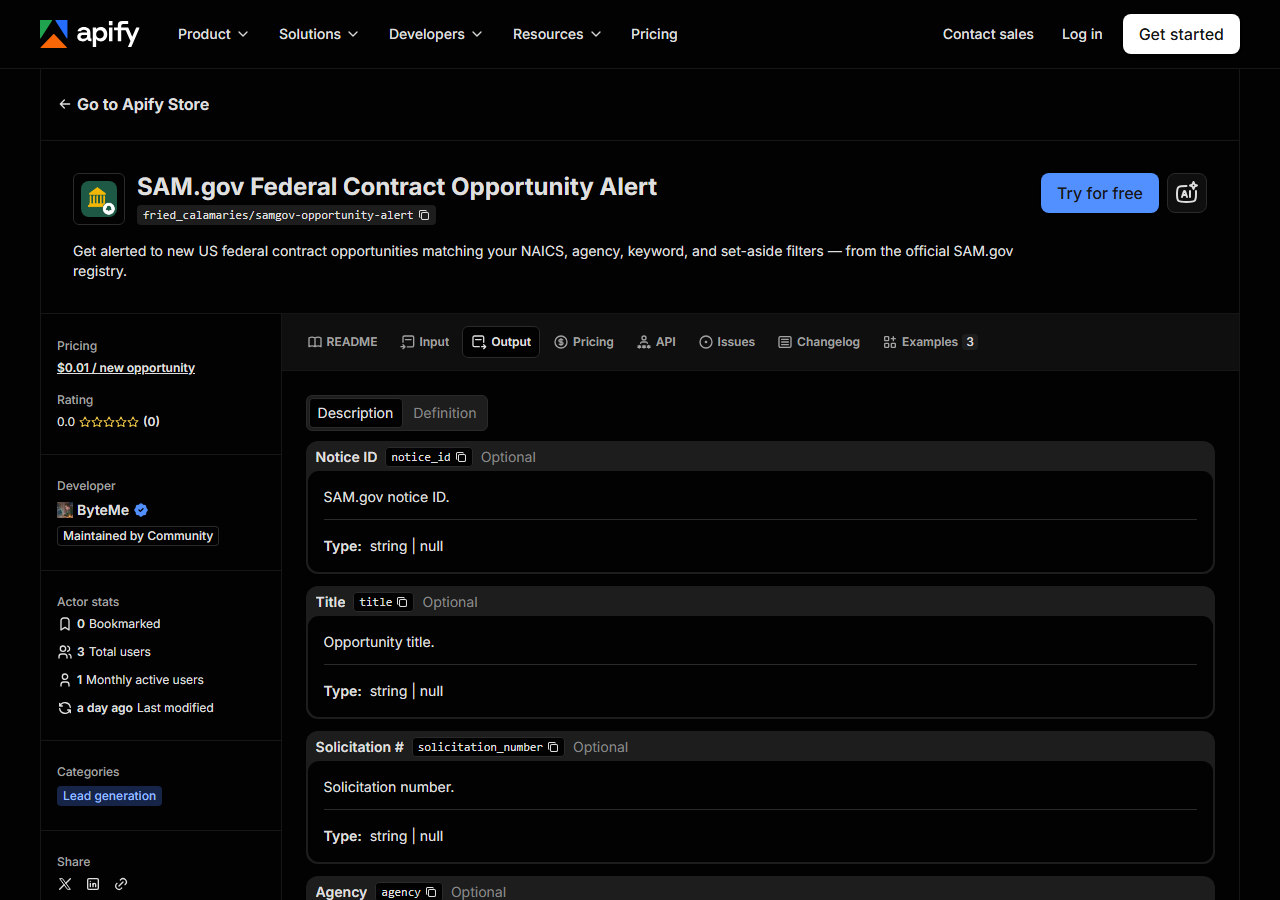
Every row looks like this — a real row from a real run:
{
  "notice_id": "abc123def456",
  "title": "IT Support Services",
  "solicitation_number": "W912-26-R-0001",
  "agency": "DEPT OF DEFENSE.DEPT OF THE ARMY.ACC",
  "notice_type": "Solicitation",
  "naics_code": "541512",
  "set_aside": "Total Small Business Set-Aside (FAR 19.5)",
  "posted_date": "2026-06-20",
  "response_deadline": "2026-07-05T17:00:00-04:00",
  "archive_date": "2026-07-20",
  "place_of_performance_state": "VA",
  "contact_name": "Jane Doe",
  "contact_email": "jane.doe@army.mil",
  "ui_link": "https://sam.gov/workspace/contract/opp/abc123def456/view",
  "source_url": "https://sam.gov/workspace/contract/opp/abc123def456/view"
}| Field | Example value | Meaning |
|---|---|---|
notice_id | abc123def456 | SAM.gov notice ID |
title | IT Support Services | Opportunity title |
solicitation_number | W912-26-R-0001 | Solicitation number |
agency | DEPT OF DEFENSE.DEPT OF THE ARMY.ACC | Buying agency / department hierarchy |
notice_type | Solicitation | Notice type (Solicitation, Combined Synopsis, etc.) |
naics_code | 541512 | NAICS industry code |
set_aside | Total Small Business Set-Aside (FAR 19.5) | Set-aside type (e.g. Total Small Business) |
posted_date | 2026-06-20 | Date the notice was posted |
The field people actually came for is response_deadline — the date that decides whether an
opportunity is worth opening at all — closely followed by ui_link, which drops you straight onto
the notice in SAM.gov so nobody has to re-find it.
Two things to watch. First, dates are not one shape: posted_date and archive_date come back as
plain dates, while response_deadline is a full timestamp with a timezone offset
(2026-07-05T17:00:00-04:00). If you’re sorting or filtering in a spreadsheet, normalise it. Second,
any field can be null. SAM.gov doesn’t guarantee a point of contact, a set-aside, or even a
solicitation number on every notice, and the actor passes through what the API gives rather than
inventing a filler value — so treat contact_email, set_aside and place_of_performance_state as
nice-to-have, not as columns you can key a workflow off. notice_id and ui_link are the reliable
identifiers.
The actor asks SAM.gov for open-opportunity notice types — solicitations, combined synopsis/solicitations, presolicitations and sources-sought notices. Award notices are not part of what it returns.
Step 5 — Export it
Open the Dataset tab and export to CSV, JSON, or Excel — or pull the same rows from the API, which is what you want if this is going to run on a schedule.
What it costs
You pay $0.01 per opportunity returned, every run — there is no discount for a row you’ve seen before, because the actor doesn’t know you’ve seen it. A run that matches nothing returns nothing and costs nothing. Apify’s own platform usage is billed separately on top, and this actor is a plain JSON fetch, so that part is small.
So a realistic daily schedule on a narrow filter — one NAICS code, one set-aside, lookbackDays: 1 —
is a handful of rows on the days something posts and $0 on the days nothing does. The way to make it
expensive is a wide look-back on a frequent schedule: lookbackDays: 30 run daily re-charges you for
the whole 30-day window every single morning. Set maxResults to a number you’re willing to pay for
and it can’t surprise you.
And the honest comparison: SAM.gov’s search is free and public, and the GSA Get Opportunities API behind this actor is free too — you just need a data.gov key. If you’re happy running the search by hand, or happy writing and hosting the API client, the data costs you nothing. What you’re buying here is the wiring: no key, no client, no cron box, just structured rows on a schedule.
Where the data comes from
This reads SAM.gov directly. The target is Official SAM.gov JSON API. Every night a canary runs this actor against that live source and diffs the result against a frozen fixture — what “verified” means.
SAM.gov is the federal government’s own registry of contract opportunities, and the actor reads it
through GSA’s public Get Opportunities API — not a scraped copy, not a resold aggregator. There is no
anti-bot wall here and nothing to defeat; the annoyance is bureaucratic rather than technical. You
need a data.gov key, the date parameters want MM/dd/yyyy, filters are opaque codes rather than
labels (SBA, 8A, WOSB, SDVOSBC), the notice types you want have to be requested explicitly or
you get award notices mixed in with live solicitations, and the interesting values — the set-aside
description, the place of performance, the point of contact — sit nested inside the JSON rather than
on the top level of each record. It is an afternoon of work to get right and then a thing you own
forever. The actor is that afternoon, already done, plus a nightly check that it still parses.
See it used
- Alert: New Federal IT Services Contracts — one NAICS-code filter for the IT-services codes, on a daily schedule.
- Watch a Federal Agency for New Contracts — follow a single buying department instead of an industry.
- Monitor Small-Business Set-Aside Opportunities — filter to the solicitations you’re actually eligible to win.
If it’s the bidders rather than the bids you’re after, reach for the Multi-State Contractor & Trade License Lookup instead — that one verifies a contractor’s licence across several states, which is the check you run on a subcontractor before you put them on a proposal.
Last updated 2026-07-13