Use case
Look Up Oregon Contractors by Name
Search Oregon CCB contractor licenses by business or person name — license number, status, bond, and insurance — in one run.
Say you underwrite small-contractor policies and a submission lands on your desk with a business name, an address in Salem, and no licence number. Before you can quote it you need three things: that the CCB registration exists, that it’s current, and what surety bond and general-liability carrier the board has on file — because that’s the difference between a clean bind and a follow-up email that costs you a day. Oregon’s CCB search will tell you, if you can guess the name the way the board spelled it. The board’s own page warns you about this before you even type.
The manual way, and what it costs
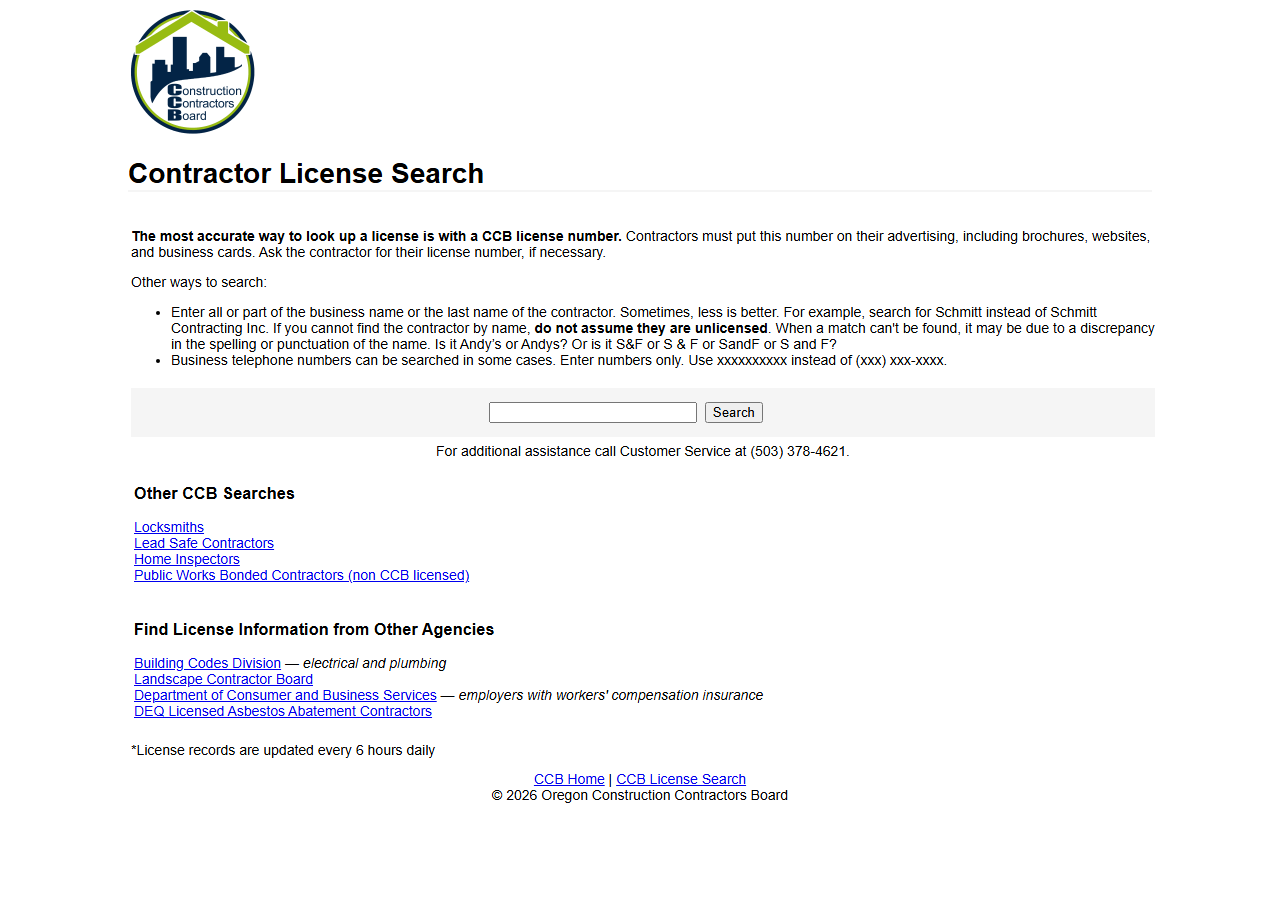
That is the actual CCB Contractor License Search: one text box, one button. Read the guidance around it and you can see where the time goes — “Sometimes, less is better. For example, search for Schmitt instead of Schmitt Contracting Inc… Is it Andy’s or Andys? Or is it S&F or S & F?” Name searching a state registry is a spelling negotiation, and each attempt is a page load, a scan of the results, and a click into a record to get the bond and insurance detail. For one submission that’s a few minutes, and you should just do it — it’s free, it’s the official record, and it’s updated every six hours.
The arithmetic changes when the names arrive in batches. Forty submissions a week, two or three name attempts each, plus a click-through per hit to read the bond, is a morning of clicking, and the page gives you nothing to export at the end of it. The other thing it can’t do is stay running: there’s no way to put “re-check these 200 registrations monthly” behind that search box.
And say the quiet part: Oregon publishes this same CCB data as an official Socrata open-data API, free and documented. Someone who writes SoQL can query it directly and pay nothing. Access is not what’s for sale here.
The faster way
Multi-State Contractor & Trade License Lookup does the same search once and hands back every row at once.
{
  "query": "construction",
  "states": [
    "OR"
  ],
  "maxResults": 25
}
states: ["OR"] keeps the search to the board you care about. query is matched as a substring
against CCB’s full_name field, which is exactly the “less is better” advice the board gives, made
mechanical: pass the distinctive part of the name — epping, not Gary Epping Construction Co Inc —
and every registration containing it comes back at once, so you don’t have to guess the punctuation.
The same query is also tried as an exact licence-number match, so if the submission does include a
number you can paste it straight in. maxResults: 25 caps what a loose fragment can cost you, since
billing is per row returned.
What comes back
{
  "state": "OR",
  "license_number": "100362",
  "business_name": "GARY EPPING CONSTRUCTION CO INC",
  "person_name": "GARY EPPING",
  "license_type": "Residential General Contractor",
  "status": "Active",
  "issue_date": "1990-05-01T00:00:00.000",
  "expiration_date": "2026-05-01T00:00:00.000",
  "city": "SALEM",
  "county": "MARION",
  "bond_amount": "25000",
  "bond_company": "Western Surety Company",
  "insurance_company": "Oregon Mutual",
  "matched_by": "business_name",
  "source_url": "https://search.ccb.state.or.us/search/"
}| Field | Example value | Meaning |
|---|---|---|
state | OR | State the license is from (2-letter code) |
license_number | 100362 | The license/registration number |
business_name | GARY EPPING CONSTRUCTION CO INC | Licensed business name |
person_name | GARY EPPING | Associated person (owner/principal/responsible individual), where published |
license_type | Residential General Contractor | License classification / trade |
status | Active | License status (where the state publishes it) |
Oregon is the state that gives you the underwriting answer on the row itself. bond_amount,
bond_company and insurance_company are the three fields that would otherwise be a click-through
per record — no other state in this actor publishes all three. license_number is the key you write
back onto the submission; license_type tells you it’s a Residential General Contractor rather than
something narrower; person_name is CCB’s responsible managing individual, which is how you match a
company to the person actually named on the policy. expiration_date sets your diary date.
What you’d do with it
Export to CSV and paste the licence number, bond and carrier straight into the submission record — that’s the follow-up email you no longer have to send. For a book of business rather than a single quote, run the roster on an Apify schedule and diff each export: a registration that vanishes from the feed, or a bond amount that moves, is a flag on an in-force policy, and you’ll see it without anyone re-typing a name into a search box.
Worth knowing
Read Oregon’s status carefully. It always comes back Active — the CCB open-data feed is the
active-licence list, so a registration that has lapsed is not in it at all. Absence is the signal;
the column is not a live status check, and if you need proof of a lapse you want the board’s own
record. The data is as-published by the state, refreshed on the state’s cadence, so it can lag CCB’s
live screen. The actor covers WA, OR, TX and CT only, and each state publishes different fields —
anything Oregon doesn’t publish comes back null. A name that finds nothing means the feed has no
matching name, not that a contractor is unregistered.
Run it yourself: How to run Multi-State Contractor & Trade License Lookup walks the whole thing step by step.
- Verify a Washington Contractor License — the same lookup one state north, where the status column is real but there’s no bond.
- OSHA Violation Risk — when licensed-and-bonded isn’t the whole question and you want the contractor’s federal inspection and violation history too.
Last updated 2026-07-13