Use case
Check a Connecticut Home Improvement Contractor
Verify a Connecticut home-improvement contractor (HIC) registration by number or business name — status and expiration.
Say you run a home-services marketplace and you’re opening up Connecticut. Before a remodeler can take leads from you, they have to hold a current Home Improvement Contractor registration — that’s the whole basis of your “vetted pro” badge, and it’s the thing a homeowner will hold you to if the job goes wrong. You have 60 applicants in a spreadsheet, business names and registration numbers, and a launch date. Connecticut’s eLicense lookup will confirm every one of them, one at a time, in a browser, by hand.
The manual way, and what it costs
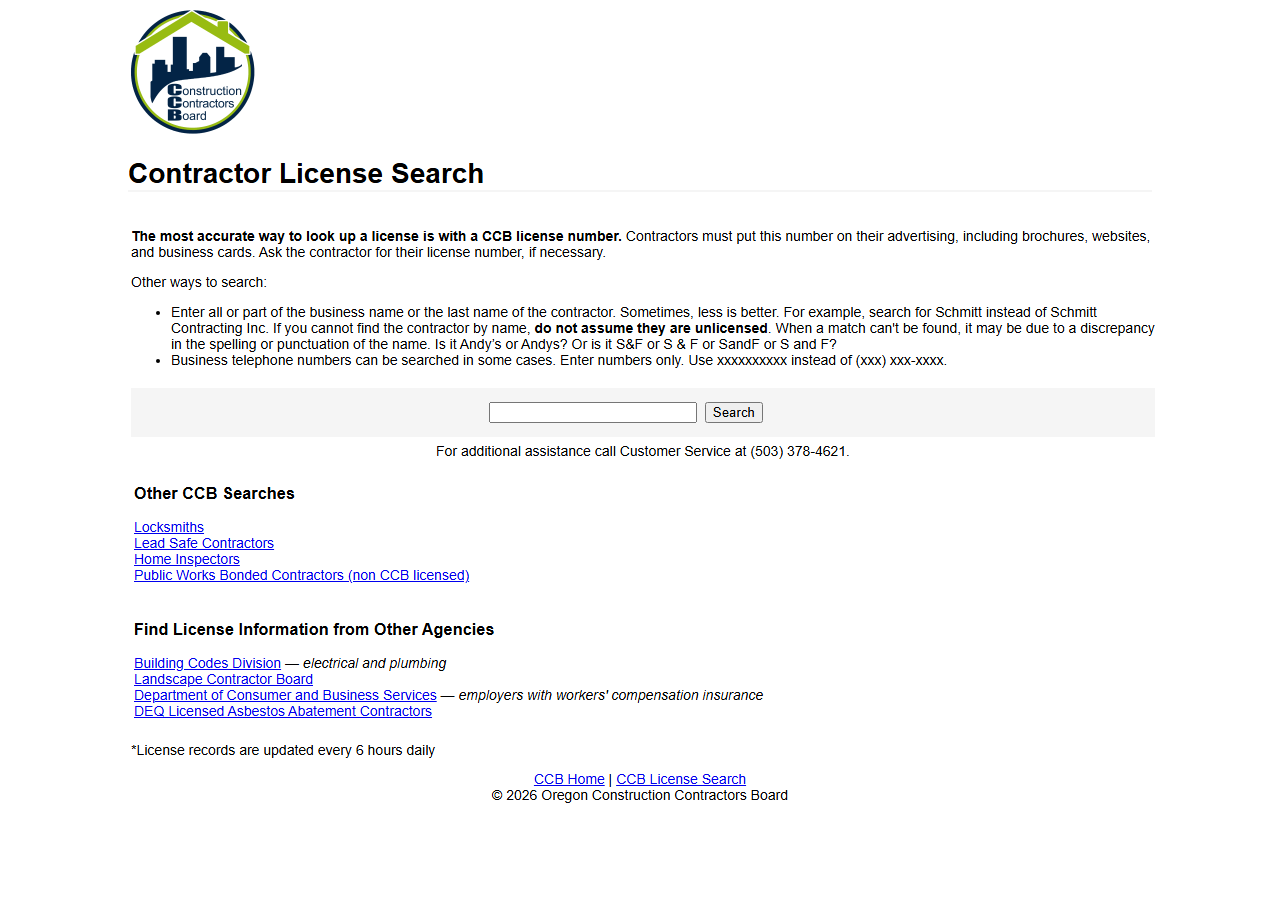
The form above is Oregon’s, but it’s the same shape as Connecticut’s eLicense lookup and every other board here: one search, one record, no export. Onboarding one contractor? Use it. It’s free, it’s the state’s own record, and a single check takes a minute.
Sixty applicants is sixty searches, sixty result pages, sixty rows hand-copied into your onboarding sheet — and then you get to do it again at renewal, because a registration that was current in January is a liability in December. That’s the shape of the cost: not one search being slow, but the same search being repeated forever with no export at the end of it.
Be clear about the alternative, though. Connecticut publishes its credential data as an official
Socrata open-data API — free, public, documented. Write the SoQL yourself and you’ll get the same
rows for nothing. What you’d be paying for here is that Connecticut’s credentialnumber and
businessname come back in the same shape as Washington’s contractorlicensenumber and Oregon’s
full_name — and that when one of those four states renames a column, it isn’t your problem.
The faster way
Multi-State Contractor & Trade License Lookup does the same search once and hands back every row at once.
{
  "query": "construction",
  "states": [
    "CT"
  ],
  "maxResults": 25
}
states: ["CT"] keeps it to the board you’re onboarding against. query is tried two ways in one
run: as an exact match on the HIC registration number, and as a substring match on CT’s businessname
field — so you can paste a number straight off an application, or search a name fragment when the
applicant typed their company slightly differently than the state has it. maxResults: 25 bounds the
bill, since you pay per row returned and a short name fragment can match more registrations than you
meant to buy.
What comes back
{
  "state": "OR",
  "license_number": "100362",
  "business_name": "GARY EPPING CONSTRUCTION CO INC",
  "person_name": "GARY EPPING",
  "license_type": "Residential General Contractor",
  "status": "Active",
  "issue_date": "1990-05-01T00:00:00.000",
  "expiration_date": "2026-05-01T00:00:00.000",
  "city": "SALEM",
  "county": "MARION",
  "bond_amount": "25000",
  "bond_company": "Western Surety Company",
  "insurance_company": "Oregon Mutual",
  "matched_by": "business_name",
  "source_url": "https://search.ccb.state.or.us/search/"
}| Field | Example value | Meaning |
|---|---|---|
state | OR | State the license is from (2-letter code) |
license_number | 100362 | The license/registration number |
business_name | GARY EPPING CONSTRUCTION CO INC | Licensed business name |
person_name | GARY EPPING | Associated person (owner/principal/responsible individual), where published |
license_type | Residential General Contractor | License classification / trade |
status | Active | License status (where the state publishes it) |
The sample row is an Oregon one — every state normalises to the same columns, and a Connecticut row
is the same shape with state: "CT" and fewer fields filled in. Two of them decide whether an
applicant gets the badge: status and expiration_date. license_number is the registration number
you store against the account so the next check is an exact match rather than a name guess, and
license_type will read Home Improvement Contractor on every CT row — Connecticut’s feed is that
one registration type, so it’s a label, not a discriminator.
What you’d do with it
Export the dataset to CSV, join it to your applicant sheet on the registration number, and the ones
that came back with no row or a past expiration_date are your rejection and chase lists. Put the
same run on an Apify schedule against your live roster and each month’s export re-verifies everyone
you’ve already badged — the registration that quietly lapsed shows up as a diff, before a homeowner
finds it for you.
Worth knowing
Connecticut publishes less than the other states, and the row shows it: no person name and no
street address — those come back null, so you cannot use this to confirm who owns the business or
where it operates from. Coverage is Home Improvement Contractors only; Connecticut’s electricians and
plumbers are a different credential and are not in this feed, so an absent match is not proof someone
is unregistered. And this is the state’s published open-data feed, refreshed on the state’s own
cadence, so it can lag eLicense’s live record — for a decision with legal weight, confirm against the
board.
Run it yourself: How to run Multi-State Contractor & Trade License Lookup walks the whole thing step by step.
- Verify a Texas Trade License (TDLR) — the other narrow-scope state, where trades are licensed but general contractors aren’t.
- South Carolina Contractor License Lookup — reach for it when you’re onboarding in SC, where the board’s record is behind a search form rather than an open-data feed.
Last updated 2026-07-13