Use case
Verify a Florida Contractor by License Number
Check a Florida DBPR contractor license by number — type, status, expiration, county, and address, from the official state registry.
Say you underwrite contractor liability policies, and every submission arrives with a license number typed into a form. A number on a bid packet is a claim, not a fact — it can be transposed, it can belong to a licence that lapsed two renewal cycles ago, or it can be the number of a qualifier who left the company. Your job is to turn each of those numbers into the state’s own record of it before the policy binds, and you have a stack of them to get through this week, not one.
The number itself is the easy part: Florida’s DBPR registry indexes by it, so every submission has a clean key. What you don’t have is a way to hand a hundred keys to the registry and get a hundred rows back.
The manual way, and what it costs
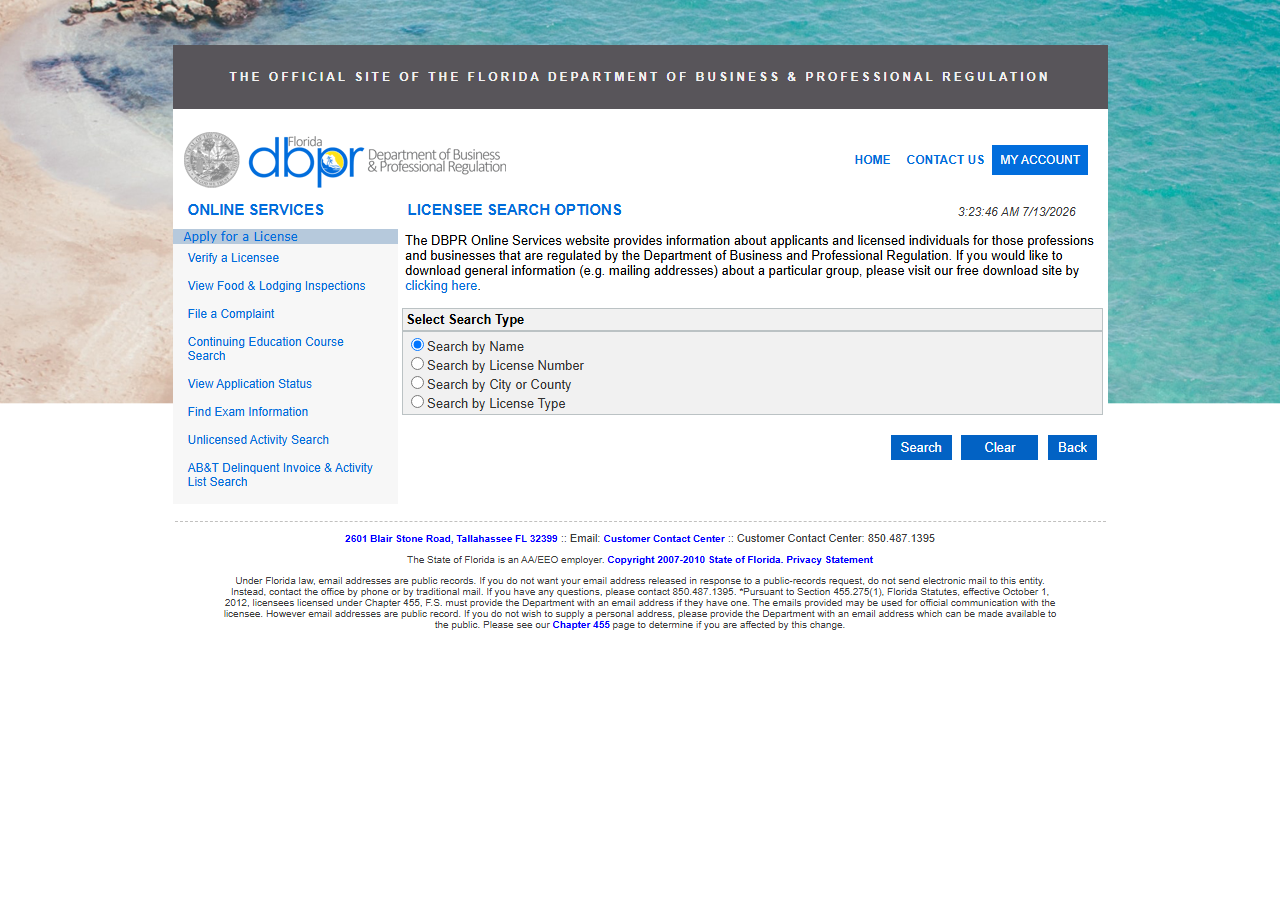
DBPR’s licensee search is public and free, and for a single license number it is genuinely the right tool. Pick Search by License Number, type the number, hit Search, click into the detail page, read the status. Nobody needs an actor for that, and if you are a homeowner checking the one contractor who quoted your roof, that is the whole answer — go do it and skip the rest of this page.
The cost shows up when the count goes up. Each number is its own trip through the form: select the search type, type the number, submit, click the result, read the detail page, copy the status, expiration, licence type and address back into whatever you’re filling in — then hit Back and start over. There is no way to submit a batch of license numbers, and the search results themselves have no export; DBPR does publish free bulk downloads of general information such as mailing addresses, but that is a separate download site, not a way to get an answer for the specific licenses on your desk. So the manual path scales exactly linearly with your stack, it produces no artefact you can diff or re-run next quarter, and every field is a copy-paste — which is where transposed digits get introduced rather than caught.
The faster way
Florida Contractor License Lookup & Verify (DBPR) does the same search once and hands back every row at once.
{
  "query": "CGC1514724",
  "includeDetails": true,
  "maxResults": 1
}
query is the license number straight off the submission — a class prefix plus digits, like
CGC1514724. Because it’s a number rather than a name, the actor looks it up directly instead of
searching the name index, so there is exactly one licence it can be talking about; that’s the whole
point of verifying by number. maxResults is 1 for the same reason — you’re confirming one
licence, not exploring. And includeDetails stays on: without it you’d get the summary line
(number, name, type, status, expiration, city) but not the county, issue date, or full street
address, and the address is usually what you’re reconciling against the address on the submission.
Run this once per number, or drive it from the API and feed it the whole stack.
What comes back
{
  "state": "FL",
  "license_number": "CGC1514724",
  "business_name": "ARIZA, JOHN MARIO",
  "person_name": "ARIZA, JOHN MARIO",
  "license_type": "Certified General Contractor",
  "status": "Null and Void",
  "issue_date": "12/21/2007",
  "expiration_date": "08/31/2020",
  "city": "COOPER CITY",
  "county": "Broward",
  "address": "11671 SW 50TH COURT",
  "zip_code": "33330",
  "matched_by": "license_number",
  "source_url": "https://www.myfloridalicense.com/portalsearches/VerifyLicensee/LicenseDetail?lic=CGC1514724"
}| Field | Example value | Meaning |
|---|---|---|
state | FL | Always ‘FL’ for this actor |
license_number | CGC1514724 | DBPR license number (class prefix + digits) |
business_name | ARIZA, JOHN MARIO | Licensed business or licensee name |
person_name | ARIZA, JOHN MARIO | Individual licensee/qualifier name (detail) |
license_type | Certified General Contractor | DBPR license/board classification (e.g. Certified General Contractor) |
status | Null and Void | License status (e.g. Current,Active, Null and Void) |
status closes the loop. In the row above, the number resolves to a Certified General Contractor
whose licence is Null and Void and expired on 08/31/2020 — a submission carrying that number is
not a licensed risk today, and you found that out before binding rather than at first claim.
license_type is the second check: a Certified General Contractor and a specialty licence are not
interchangeable for the scope of work being insured, and the number alone doesn’t tell you which
you have. expiration_date gives you the renewal you’ll need to re-check. And source_url is the
receipt — it links straight back to DBPR’s own record, so anyone reviewing the file later can
confirm the answer at its source instead of taking your word for it.
What you’d do with it
Push the rows into the submission record. Each one is already a flat, labelled row, so it maps cleanly onto the fields you were re-typing: status, licence type, expiration, county, address, and a link back to the state’s page. Export the dataset to CSV for a batch you’re clearing by hand, or pull it from the Apify API and write it straight into the underwriting system so that the “license verified” flag is set by the registry rather than by a person reading a PDF. Because the expiration date comes back as data, you can also schedule the same run and have it tell you which of your in-force policies is sitting on a licence about to lapse.
Worth knowing
This covers Florida’s DBPR public licensee registry, and nothing else. A contractor licensed in another state won’t be in it. The rows reflect the live registry at lookup time and will change as DBPR updates — a status is an answer for today, not forever, which is the argument for re-running rather than storing it once. Runs are bounded (50 results by default). And the record has real holes: bond, insurance and phone fields exist in the output schema so every actor in this suite returns the same shape, but DBPR generally doesn’t publish them, so for Florida they come back null. If you need bond and insurance status as part of underwriting, DBPR is not where you get it.
Run it yourself: How to run Florida Contractor License Lookup & Verify (DBPR) walks the whole thing step by step.
No number, only a name? Look Up Florida Contractors by Name does the same job from the business or licensee name instead.
Wrong state? California Contractor License Lookup & Verify (CSLB) is the same verification against California’s board, including owner and personnel names.
Last updated 2026-07-13