Use case
Look Up Florida Contractors by Name
Search Florida DBPR contractor and trade licenses by business or licensee name — license number, type, status, and expiration.
Say you run onboarding for a home-services marketplace, and Florida contractors sign up with a company name and not much else. The signup form asks for a licence number; roughly nobody fills it in correctly, and plenty leave it blank. What you actually have is a business name — the one on the truck, the one on the invoice — and a question: does this outfit hold a Florida licence at all, and if so which one, in whose name, and is it current?
A name is a messier key than a number. One business can sit behind several licences, the state may record the licence under an individual qualifier rather than the trading name, and the same surname turns up across unrelated companies. So the search doesn’t return “the answer” — it returns a candidate set you have to look at. That’s fine. What you need is the candidate set as rows, not as a sequence of browser tabs.
The manual way, and what it costs
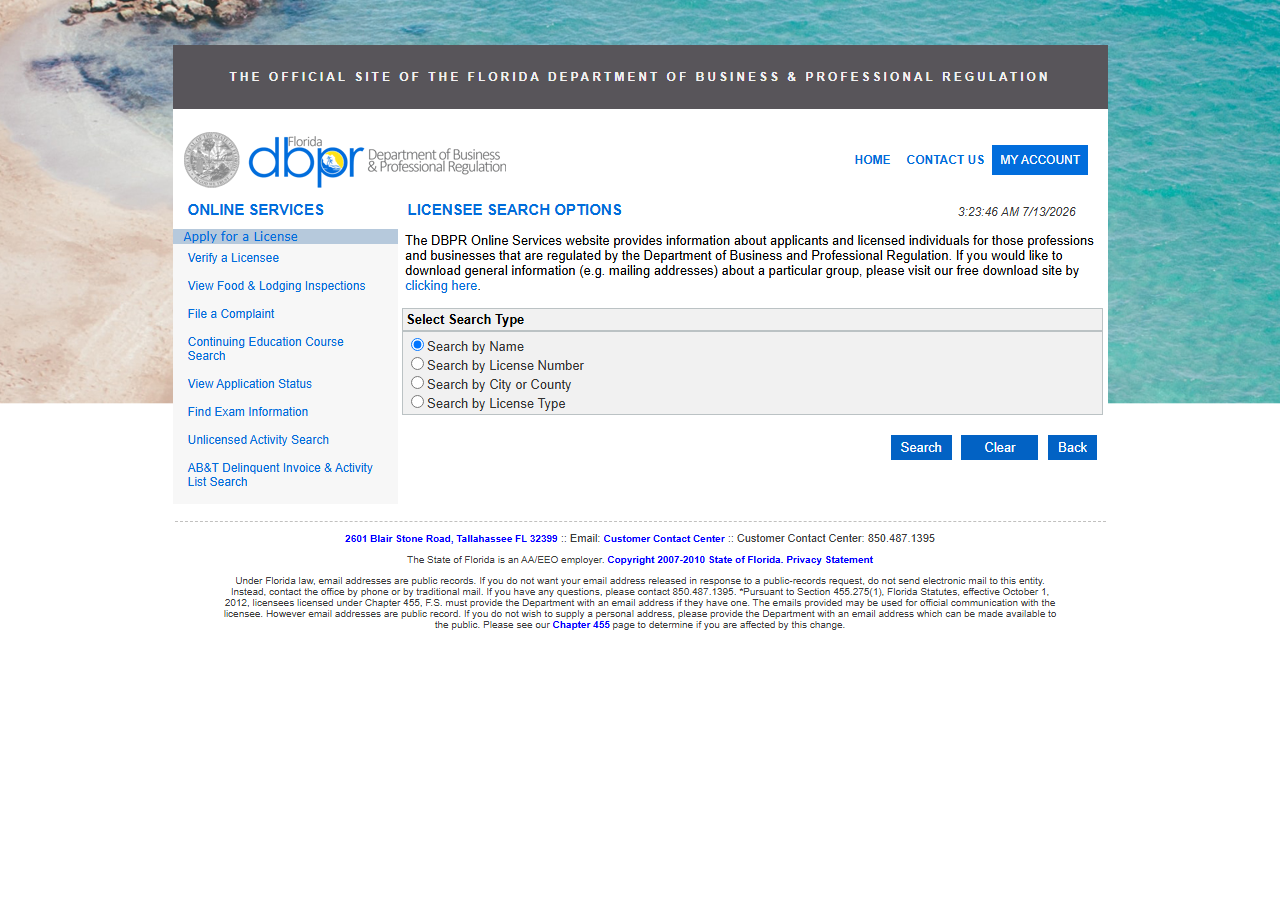
DBPR’s licensee search is public and free, and Search by Name is right there on the form. Type the name, submit, and you get a results list you can click through. For one signup, that is the correct tool — it costs nothing and it takes a minute. Use it.
The problem is what a name search actually costs when you have a queue. A name doesn’t resolve to one row, so you get a list, and the list is only a summary — the county, the issue date, the full street address, the qualifier’s name all live on the detail page behind each hit. So a single name that matched six licences is one search plus six detail pages, and none of it exports: the results list has no download, so every field you keep is copy-pasted. DBPR does offer free bulk downloads of general information such as mailing addresses on a separate site, but that’s a mailing list, not an answer to “is this specific company licensed and current”. Multiply one search, N detail pages and a dozen copy-pastes by a week’s worth of signups and it stops being a task anyone does consistently — which is how unlicensed contractors end up live on a marketplace.
The faster way
Florida Contractor License Lookup & Verify (DBPR) does the same search once and hands back every row at once.
{
  "query": "ARIZA BUILDERS",
  "includeDetails": true,
  "maxResults": 25
}
query here is a name, not a number, so the actor searches DBPR’s licensee/business name index and
returns every licence that matches, deduped by license number. maxResults is 25 because a name
search is open-ended in a way a number lookup isn’t: a distinctive company name comes back with a
handful of rows, a common surname comes back with a lot, and the cap is what keeps a broad query
from turning into a crawl. If a run hits the cap the log says so, with DBPR’s own total — you can
raise the cap (it pages until the cap is met, up to 1000) or narrow the name. Narrowing is usually
the better answer: you’re billed per row, and a thousand rows for “roofing” is rarely what you
wanted. includeDetails stays on, and here it earns its keep more than anywhere else —
it’s what turns each summary hit into the full record (licence type, issue and expiration dates,
county, full address, the qualifier’s name) so you can tell the six matches apart without opening
six pages.
What comes back
{
  "state": "FL",
  "license_number": "CGC1514724",
  "business_name": "ARIZA, JOHN MARIO",
  "person_name": "ARIZA, JOHN MARIO",
  "license_type": "Certified General Contractor",
  "status": "Null and Void",
  "issue_date": "12/21/2007",
  "expiration_date": "08/31/2020",
  "city": "COOPER CITY",
  "county": "Broward",
  "address": "11671 SW 50TH COURT",
  "zip_code": "33330",
  "matched_by": "license_number",
  "source_url": "https://www.myfloridalicense.com/portalsearches/VerifyLicensee/LicenseDetail?lic=CGC1514724"
}| Field | Example value | Meaning |
|---|---|---|
state | FL | Always ‘FL’ for this actor |
license_number | CGC1514724 | DBPR license number (class prefix + digits) |
business_name | ARIZA, JOHN MARIO | Licensed business or licensee name |
person_name | ARIZA, JOHN MARIO | Individual licensee/qualifier name (detail) |
license_type | Certified General Contractor | DBPR license/board classification (e.g. Certified General Contractor) |
status | Null and Void | License status (e.g. Current,Active, Null and Void) |
license_number is what you came for — the key you didn’t have at signup. Once the name resolves to
a number, everything downstream gets easy: you store the number, and from then on you verify by
number, which is unambiguous. The rest of the row is how you pick the right match out of the
candidate set. business_name and person_name tell you whether the licence sits under the
trading name or under an individual qualifier (in the row above, they’re the same person, recorded
LAST, FIRST as DBPR spells it). license_type tells you whether the licence covers the work
they’re signing up to do. status and expiration_date tell you whether it’s worth anything —
Null and Void with an expiry in 08/31/2020 is a match, but not the one they’d want you to find.
And matched_by records that this row surfaced from a name search, which is worth keeping when
you’re auditing later how a contractor got approved.
What you’d do with it
Export the run and reconcile it against the signup. The rows are flat, so they drop straight into a
sheet or into the onboarding record: name, licence number, type, status, expiration, county,
address, and a source_url back to DBPR’s own page for whoever reviews the file. The one that
matters most is the licence number — write it back to the contractor’s profile and every future
check becomes a by-number verification, which needs no human judgement at all. If onboarding is
continuous, schedule the run from the API against new signups so a profile can’t go live with an
unmatched or expired licence attached.
Worth knowing
A name search matches the DBPR licensee/business name index — it matches how the state spells the name, not how the contractor writes it on a van. If a company trades under one name and is licensed under a qualifier’s personal name, the trading name may return nothing; a miss is not proof of an unlicensed contractor, it’s a prompt to try the other spelling. Runs are bounded (50 results by default) and the run log reports DBPR’s true match count whenever a search returned less than it found, so you always know whether you got everything. This covers Florida’s DBPR public registry only, results reflect the live registry at lookup time and change as it updates, and the bond, insurance and phone fields in the schema come back null for Florida — DBPR generally doesn’t publish them.
Run it yourself: How to run Florida Contractor License Lookup & Verify (DBPR) walks the whole thing step by step.
Once you have the number, Verify a Florida Contractor by License Number is the unambiguous check you run from then on.
Signing up contractors in more than one state? Multi-State Contractor & Trade License Lookup checks the same person across several boards in one run.
Last updated 2026-07-13