Use case
Check a Florida Contractor's License Status
Confirm a Florida contractor's license status and expiration before hiring or onboarding — straight from the official DBPR registry.
Say you’re the compliance lead at a general contractor in Tampa, and your subcontractor roster has something like eighty Florida licences on it. Every one of them was verified when the sub was onboarded. That verification has been quietly expiring ever since. Licences lapse, they go null and void, qualifiers move on — and the state doesn’t call you when it happens. It shows up when someone tries to pull a permit, or when a claim lands and the paperwork says the sub wasn’t licensed on the day of the work.
So the check isn’t one you do once. It’s one you do again, on the whole roster, on a cadence — and that’s the part the free portal doesn’t help with, because it has no concept of “the same eighty licences, again next quarter”.
The manual way, and what it costs
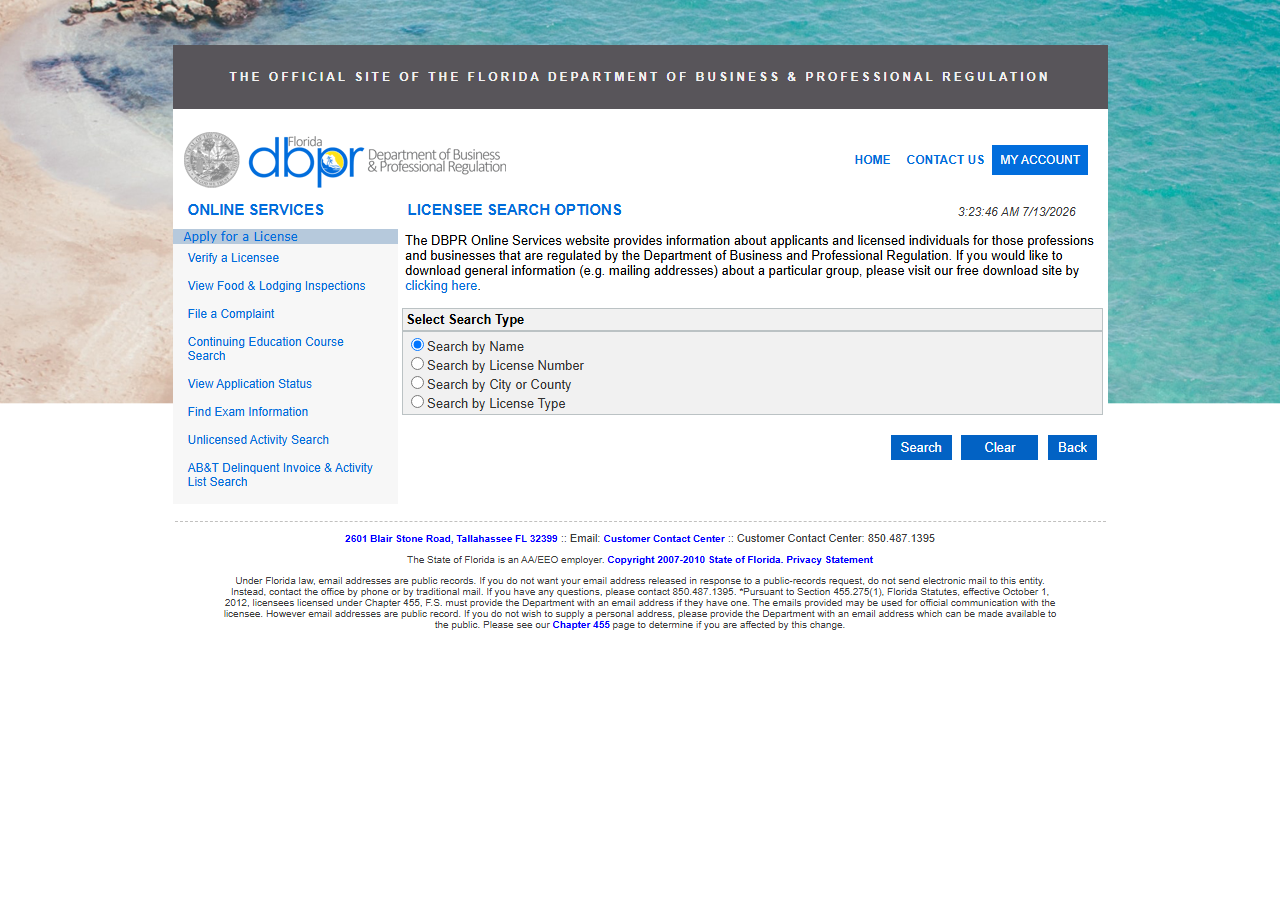
DBPR’s licensee search is public, free, and perfectly good at the thing it does: one licence, one status, right now. If you’re a homeowner checking the contractor who’s about to re-tile your bath, that page is the whole answer and you should just use it — pick Search by License Number, type the number, read the status. No tool needed, no account, no cost.
Now do it eighty times. Select the search type, type the number, submit, click into the detail page, read the status and the expiration, copy them somewhere, hit Back, repeat. That’s the roster, and there’s no batch input and no export from the results, so the output of an afternoon’s work is whatever you managed to paste into a spreadsheet — a snapshot with no structure behind it. Do it again next quarter and you get a second snapshot you have to eyeball against the first to see what changed. The manual portal is fine for a lookup and useless as a control: it gives you an answer, not a record, and it can’t be put on a schedule.
The faster way
Florida Contractor License Lookup & Verify (DBPR) does the same search once and hands back every row at once.
{
  "query": "CGC1519368",
  "includeDetails": true,
  "maxResults": 1
}
One licence here, keyed by the number you already hold on file (pass queries instead to re-check a whole list of subs in a single run). query is the DBPR number from
the sub’s record, so the actor looks it up directly rather than guessing from a name — no ambiguity,
no candidate set, exactly the licence you’re re-checking. maxResults is 1 for the same reason.
includeDetails stays on because status alone isn’t the whole answer: you want expiration_date to
know how long the current answer is good for, and the county and address to confirm you’re still
looking at the same entity you onboarded. The roster case is this input, once per licence, driven
from the API on a schedule — the run is the control, and its dataset is the record you keep.
What comes back
{
  "state": "FL",
  "license_number": "CGC1514724",
  "business_name": "ARIZA, JOHN MARIO",
  "person_name": "ARIZA, JOHN MARIO",
  "license_type": "Certified General Contractor",
  "status": "Null and Void",
  "issue_date": "12/21/2007",
  "expiration_date": "08/31/2020",
  "city": "COOPER CITY",
  "county": "Broward",
  "address": "11671 SW 50TH COURT",
  "zip_code": "33330",
  "matched_by": "license_number",
  "source_url": "https://www.myfloridalicense.com/portalsearches/VerifyLicensee/LicenseDetail?lic=CGC1514724"
}| Field | Example value | Meaning |
|---|---|---|
state | FL | Always ‘FL’ for this actor |
license_number | CGC1514724 | DBPR license number (class prefix + digits) |
business_name | ARIZA, JOHN MARIO | Licensed business or licensee name |
person_name | ARIZA, JOHN MARIO | Individual licensee/qualifier name (detail) |
license_type | Certified General Contractor | DBPR license/board classification (e.g. Certified General Contractor) |
status | Null and Void | License status (e.g. Current,Active, Null and Void) |
status is the answer and expiration_date is its shelf life. The row above is what a failed check
looks like: a Certified General Contractor whose licence is Null and Void, expired 08/31/2020.
On a roster, that’s the sub who quietly stopped being licensed and is still being assigned work.
Read the two fields together and you get more than pass/fail — a licence that’s Current,Active
with an expiry six weeks out is a renewal to chase, not a crisis, and only structured data lets you
tell those two apart automatically. DBPR’s status strings are its own vocabulary rather than a
simple active/inactive flag, so match on the exact values the registry returns. source_url is the
audit trail: it points at the state’s own record, which is what you want attached to the file when
somebody asks how you knew.
What you’d do with it
Point it at the roster and let it run. Schedule the actor per licence number through the Apify API,
write the rows into your compliance system keyed on license_number, and let two rules do the work:
flag anything whose status isn’t the value you accept, and flag anything whose expiration_date
falls inside your renewal window. That turns a quarterly copy-paste afternoon into a report that
lands on its own, and — because each run’s dataset is kept — into a history you can diff: this
licence was current in March and isn’t now, and here’s the DBPR link that says so.
Worth knowing
This is Florida’s DBPR public licensee registry and only that — a sub licensed in another state
isn’t in it. The status you get back reflects the live registry at lookup time, which is precisely
why this is a scheduled check and not a one-off: today’s Current,Active is not a permanent
answer, and no run of this actor makes it one. Runs are bounded (default 50 results). And DBPR’s
record has gaps the schema can’t fill: bond, insurance and phone fields are present for consistency
with the rest of the license-lookup suite, but DBPR generally doesn’t publish them, so they come
back null. If your compliance check requires proof of bond or insurance, this verifies the licence,
not the coverage.
Run it yourself: How to run Florida Contractor License Lookup & Verify (DBPR) walks the whole thing step by step.
Only have a company name for a sub? Look Up Florida Contractors by Name resolves it to the licence number you’ll re-check from then on.
Screening subs on safety as well as licensing? OSHA Violation Risk checks the same contractors against federal inspection and violation records.
Last updated 2026-07-13