Use case
Track Restocks on a Shopify Store
Get alerted when products come back in stock or sell out on a Shopify store — restock and out-of-stock signals per variant.
Say you resell cosmetics and half your margin comes from a handful of shades that sell out the day they land. The store’s own “notify me” button gives you an email — for one variant, if you remembered to click it, and often after the restock has already been picked over. What you actually need is the opposite shape: tell me every variant that came back today, across the whole catalog, in a list I can act on before lunch. And the mirror image matters just as much — knowing a shade has gone out-of-stock at your supplier before you promise it to a customer.
The manual way, and what it costs
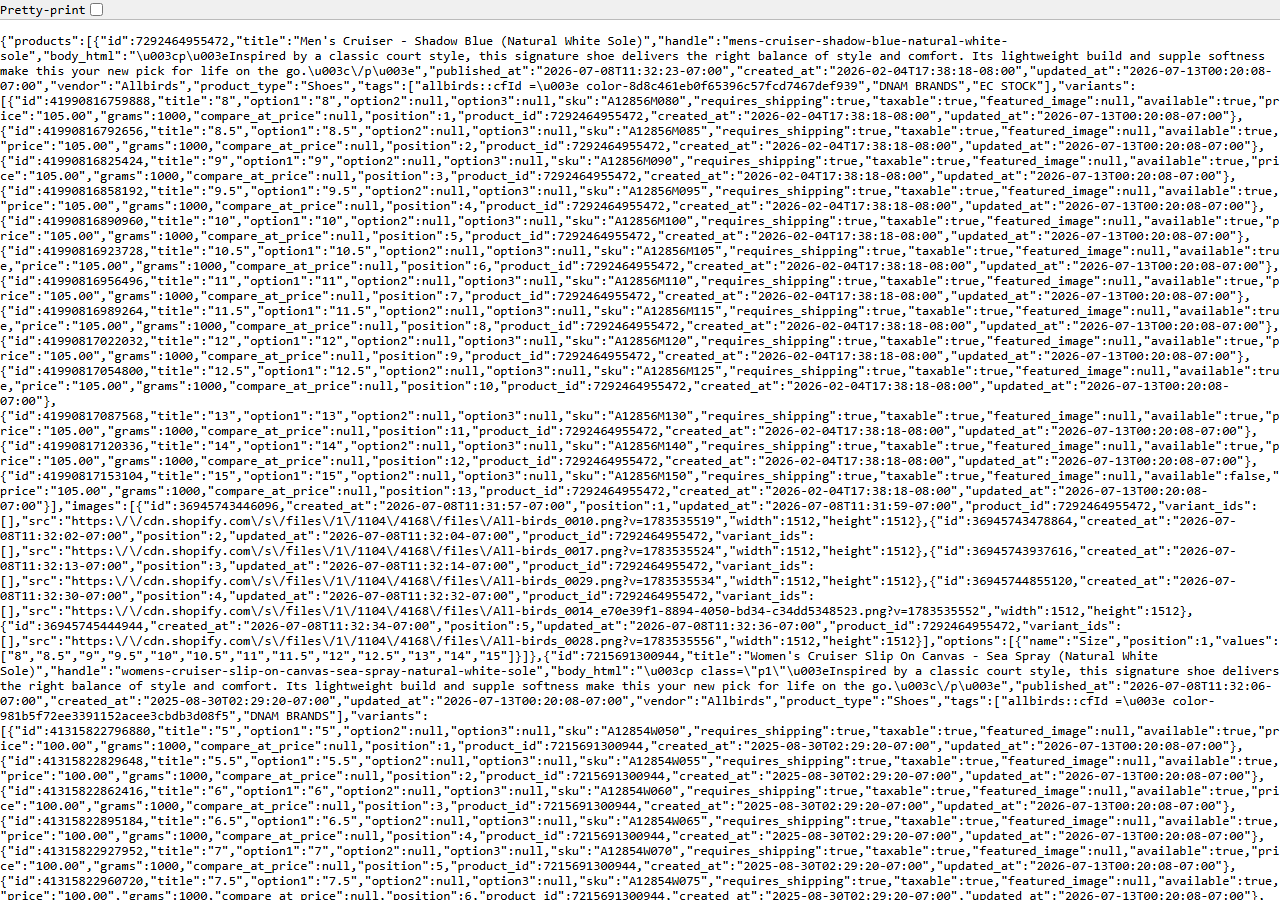
/products.json — each variant carries its own available flag. Free to read; hard to watch.Nothing is hidden here. Every Shopify store publishes /products.json, and each variant in it
carries an available flag — that’s the same true/false the product page uses to grey out the
“Add to cart” button. The screenshot is one, straight from a live store. You can open it in a tab,
hit Ctrl+F for the shade you’re chasing, and see for yourself whether it’s back.
If you’re watching one product, do exactly that. It’s free and it’s instant. The manual path breaks down when the question turns plural: which of the four hundred variants in this catalog flipped today? To answer that you’d need to hold yesterday’s flags in your head and compare them, variant by variant, against today’s — and stock flips both ways, so half of what you’re looking for is a product quietly disappearing from availability while you weren’t watching. That is a diff, and a diff is not something you do by refreshing a browser tab.
The faster way
Shopify Price & Stock Change Tracker reads that same public
endpoint on a schedule, remembers each variant’s availability, and returns one row every time a flag
flips — back_in_stock one way, out_of_stock the other.
{
  "domains": [
    "colourpop.com"
  ]
}
One domain, no filters. minPriceChangePercent isn’t in this input because it only touches price
rows — stock flips and product add/remove are always reported, whatever you set it to. (If the price
rows are noise to you, filter them out on change_type when you read the dataset, or set the
threshold high enough that only real sales get through.) The first run is a baseline: it records
every variant’s current availability, costs nothing, and produces no changes, because there is
nothing yet to compare against. Schedule it daily — or hourly during a drop window — and each run
after the first returns just the flips.
What comes back
{
  "domain": "allbirds.com",
  "change_type": "price_decreased",
  "product_title": "Wool Runner",
  "product_handle": "wool-runner",
  "product_id": 100,
  "variant_sku": "WR-9-GREY",
  "variant_id": 1001,
  "old_price": 110.0,
  "new_price": 88.0,
  "price_change_pct": -20.0,
  "old_available": null,
  "new_available": null,
  "tracked_products": null,
  "changes_found": null,
  "detected_at": "2026-02-01T00:00:00+00:00",
  "source_url": "https://allbirds.com"
}| Field | Example value | Meaning |
|---|---|---|
domain | allbirds.com | Store domain monitored |
change_type | price_decreased | price_increased, price_decreased, back_in_stock, out_of_stock, new_product, removed_product (or a free baseline/snapshot/unavailable marker) |
product_title / product_handle | — | The product that changed |
variant_sku / variant_id | — | The specific variant, for price/availability changes |
old_price / new_price | — | Price before and after the change |
price_change_pct | -20.0 | Signed percentage price change |
The row above is a price move — that’s what the price columns are for. A restock arrives in the same
shape with a different change_type: back_in_stock, with old_available: false and
new_available: true, and the price columns empty. Flip the values and you have out_of_stock. The
field that closes the loop for you is change_type — filter to those two values and you have your
morning list. variant_sku and variant_id tell you exactly which shade (the SKU is whatever the
merchant typed, so it’s sometimes blank; variant_id never is), and detected_at tells you how
fresh the signal is, which for a restock is most of its value.
What you’d do with it
Pull the dataset from the API at the end of each run and route the back_in_stock rows straight to
wherever you act: a Slack channel, a purchase-order sheet, the buying queue. Send the out_of_stock
rows somewhere quieter but keep them — they’re the early warning that a supplier is about to make a
promise you can’t keep. Both are one filter on the same dataset; the only thing you have to build is
the routing.
Worth knowing
Availability here is the storefront’s per-variant available flag — a true/false, not a number. It
does not tell you how many units came back, and it never will: real inventory counts, sales and
orders are Admin-API-only and no scraper reaches them. A store showing “available” may hold one unit
or a thousand. Diffing needs a prior run, so the first run for each store is a baseline with no
changes. Around 10–15% of stores disable /products.json entirely; those return an unavailable
marker rather than pretending. And if a storefront refuses its custom domain, the actor retries it at
the store’s <handle>.myshopify.com origin automatically.
Run it yourself: How to run Shopify Price & Stock Change Tracker walks the whole thing step by step.
If it’s the price rather than the stock you’re chasing, Monitor a Competitor’s Shopify Prices is the same runs read a different way. And before you commit to watching a supplier for months, Shopify App & Theme Detector — Store Audit & Gap Finder will tell you in one pass what that store is actually running.
Last updated 2026-07-13