Use case
Monitor a Competitor's Shopify Prices
Track a Shopify store's price changes over time — increases and decreases with old price, new price, and % change per SKU.
Say you run pricing for a DTC footwear brand and three Shopify competitors sit directly across from your catalog. Your job is not to know their prices — you can read those any time — it’s to know the hour one of them moves. A rival quietly drops a hero SKU 20% on a Thursday, and by the time someone on your team notices the following week, you’ve spent a week losing the comparison on Google Shopping. Nobody wants to argue about a repricing decision from memory, either: you want the old price, the new price, and the date, in a row you can paste into the discussion.
The manual way, and what it costs
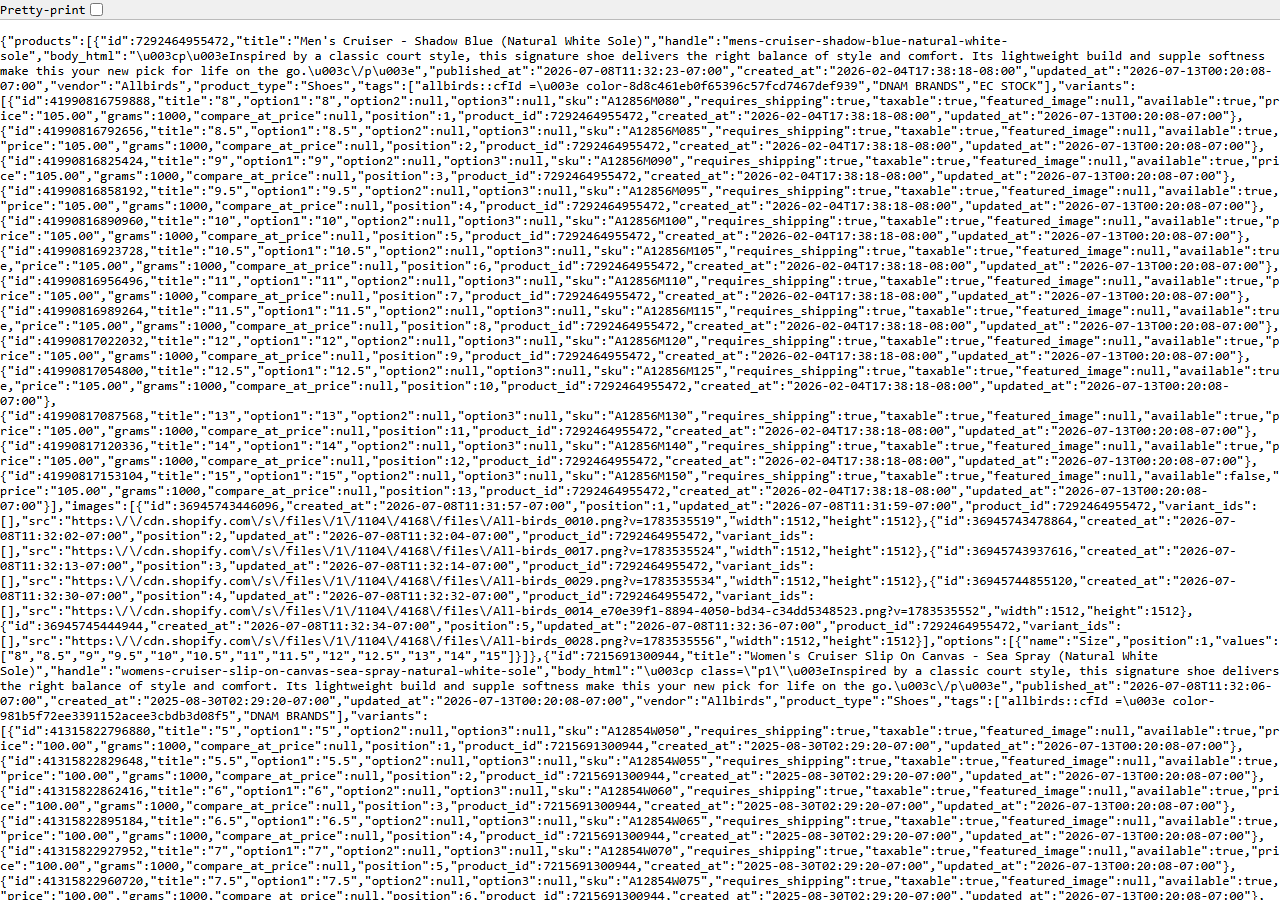
/products.json — every variant, every price, as raw JSON. Free to open, painful to compare.The manual path is real and it’s free. Every Shopify store publishes /products.json, no login
needed. Open competitor.com/products.json in a tab and there it is: the screenshot above is one —
every product, every variant, every price, right there in the open. Nobody is stopping you from
refreshing it each morning.
What stops you is the comparison. That page paginates 250 products at a time, and each product carries a dozen variants inline. To know what changed, you need yesterday’s copy and today’s copy side by side, matched up by variant id, with the ones that moved pulled out. Do that by eye across three stores, every day, before your coffee. If you’re watching one small store and only care whether a single product went on sale, honestly: just bookmark the page and look. The manual way stops being reasonable the moment you have more than one store, more than a handful of SKUs, or a need to answer “when did that price change?” three weeks later.
The faster way
Shopify Price & Stock Change Tracker reads that same public endpoint on a schedule, keeps a snapshot of each store, and returns one row per price move — with the old price, the new price, and the percentage.
{
  "domains": [
    "allbirds.com"
  ],
  "minPriceChangePercent": 0
}
One domain per competitor; each store is tracked on its own snapshot, so you can add the other two
later without disturbing this one. minPriceChangePercent: 0 means report every price move, however
small — the right setting when you’re first learning how much a store actually wiggles. Once you’ve
seen a week of it, raise the threshold to 5 and the cent-level noise stops becoming rows. Then set
the actor on a daily schedule: the first run is a baseline (it has nothing to diff against yet, and
it’s free), and every run after that returns only what moved.
What comes back
{
  "domain": "allbirds.com",
  "change_type": "price_decreased",
  "product_title": "Wool Runner",
  "product_handle": "wool-runner",
  "product_id": 100,
  "variant_sku": "WR-9-GREY",
  "variant_id": 1001,
  "old_price": 110.0,
  "new_price": 88.0,
  "price_change_pct": -20.0,
  "old_available": null,
  "new_available": null,
  "tracked_products": null,
  "changes_found": null,
  "detected_at": "2026-02-01T00:00:00+00:00",
  "source_url": "https://allbirds.com"
}| Field | Example value | Meaning |
|---|---|---|
domain | allbirds.com | Store domain monitored |
change_type | price_decreased | price_increased, price_decreased, back_in_stock, out_of_stock, new_product, removed_product (or a free baseline/snapshot/unavailable marker) |
product_title / product_handle | — | The product that changed |
variant_sku / variant_id | — | The specific variant, for price/availability changes |
old_price / new_price | — | Price before and after the change |
price_change_pct | -20.0 | Signed percentage price change |
price_change_pct is the field that closes the loop. It’s the number you take into the repricing
conversation — a signed percentage, already computed, against a named variant. old_price and
new_price are the receipts behind it, variant_sku and product_title say which shoe, and
detected_at is the timestamp you’ll want three weeks later when someone asks when the discount
started. Filter change_type to price_decreased if all you’re chasing is competitor discounts;
keep price_increased too if you’d rather be the one who notices when a rival gives you room.
What you’d do with it
Export the dataset to CSV, or pull it from the API on a schedule and drop the rows into whatever
your team already argues in front of — a pricing sheet, a Slack channel, the repricing tool’s input
queue. The useful shape is a running log: one row per SKU per move, sorted by detected_at, filtered
to the products that compete with yours. That log answers the two questions repricing always turns
into — “did they move first?” and “how far?” — without anyone reconstructing it from memory.
Worth knowing
This is the public storefront and nothing more. /products.json is the whole depth ceiling: you get
prices and a per-variant available flag, never real inventory counts, never sales, never revenue or
orders — those live behind Shopify’s Admin API, which no scraper can reach. Diffing needs a previous
run, so the first run for each store is a baseline with no changes. About 10–15% of stores switch
/products.json off; those come back marked unavailable rather than silently blank. And some
storefronts refuse their custom domain; the actor retries those at the store’s
<handle>.myshopify.com origin automatically, so there is nothing to switch on.
Run it yourself: How to run Shopify Price & Stock Change Tracker walks the whole thing step by step.
Watching for stock rather than price? Track Restocks on a Shopify Store uses the same runs to catch the back-in-stock and sell-out flips. And if the question is what a competitor’s store is built on rather than what it charges, Shopify App & Theme Detector — Store Audit & Gap Finder audits the apps, theme and stack in a single pass.
Last updated 2026-07-13