Use case
List South Carolina General Contractors in a City
Pull South Carolina general contractors in a given city by classification, straight from the SC LLR registry.
Say you sell building materials, or you’re a specialty sub — roofing, electrical, glazing — and you want to open up Columbia. Your buyers are the general contractors working there. You don’t want a directory site’s idea of who they are; you want the state’s list of who actually holds a Building license in that city, with the license numbers, so you can tell an active outfit from a shell and a current license from a lapsed one.
Google gives you the ten contractors with the best SEO. The state’s registry knows all of them. The problem is that the registry is a search form, not a list — and it makes you solve a CAPTCHA every time you ask it a question.
The manual way, and what it costs
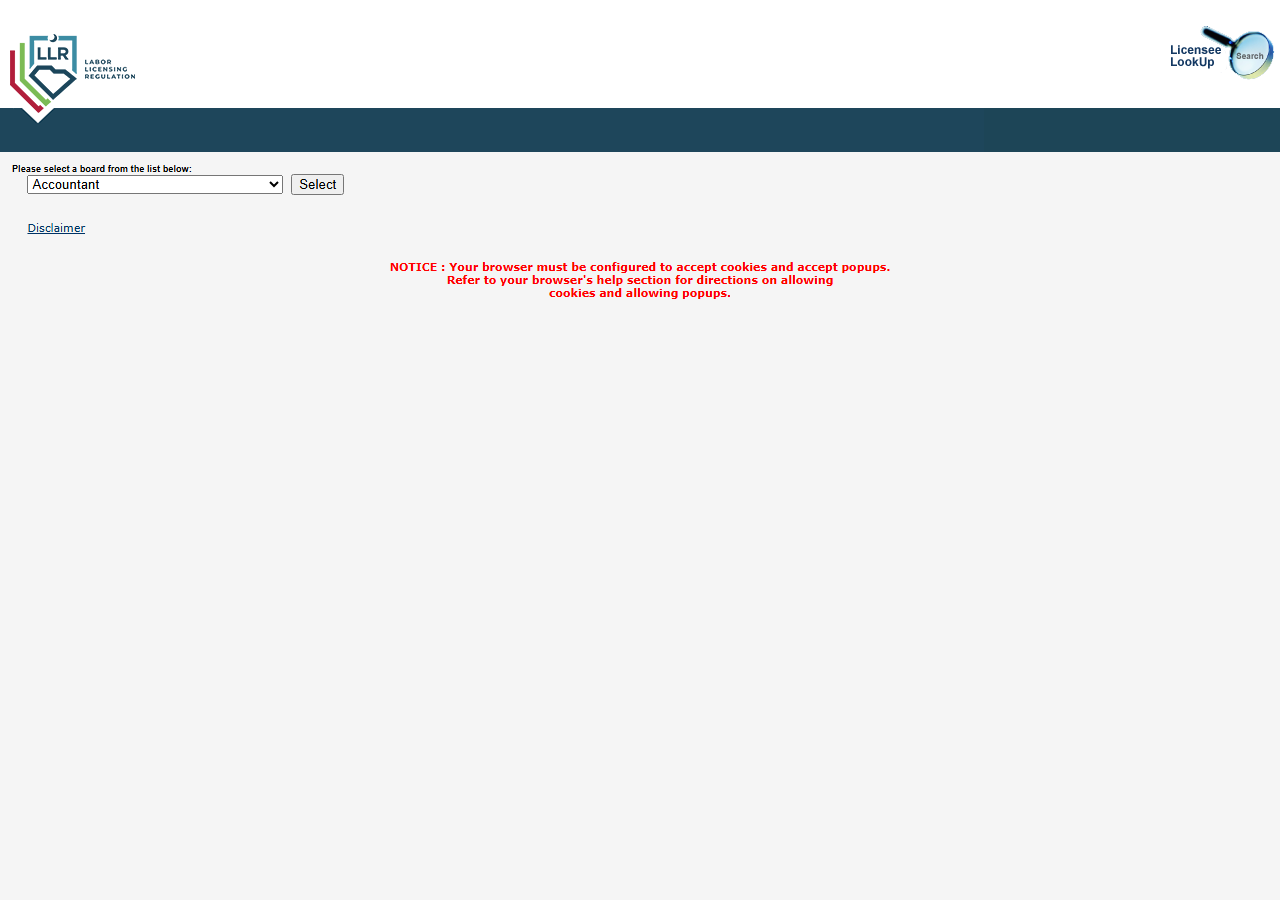
You can do this by hand and it costs nothing. Open SC LLR’s Licensee LookUp, change the board dropdown from Accountant to Contractor, press Select, set the city and the classification, solve the Google reCAPTCHA v2 on the search, and the matches come back as a page of results. If you want one city and one trade and you’re happy to read a list on screen, stop here — the free portal does the job.
It stops being reasonable the moment you want the list as data. There’s no export, no CSV, no API: you’re looking at a results page, and every row you want in your CRM is a row you retype. And a real territory plan is never one search — it’s Columbia and Charleston and Greenville, Building and Electrical and Roofing, refreshed next quarter when licenses lapse and new ones issue. Every one of those combinations is another CAPTCHA and another manual transcription of the results, and the list you built in January is quietly wrong by April.
The faster way
South Carolina Contractor License Lookup & Verify (SC LLR) does the same search once and hands back every row at once.
{
  "city": "Columbia",
  "classification": "BD",
  "maxResults": 50
}
city is the territory and classification is the trade. BD is the code for Building — pass the
code, not the label, and check the classification list in the input form if you want a different
trade (EL for Electrical, RF for Roofing, PB for Plumbing, and so on). One thing to know:
classification defaults to All, and All on its own won’t run — the portal won’t hand over every
contractor in South Carolina, so it has to be paired with a city, a name, or a license number. Here
it’s paired with the city, which is what turns a lookup tool into a list builder: one search, one
CAPTCHA solved for you, up to maxResults licenses back. Raise maxResults for a bigger city, lower
it while you’re testing — you’re charged per match returned.
What comes back
{
  "state": "SC",
  "license_number": "116578",
  "business_name": "PAUL L.W. SMITH INC — DBA: SMITH CONSTRUCTION",
  "person_name": null,
  "license_type": "GENERAL CONTRACTOR",
  "status": "Active",
  "issue_date": null,
  "expiration_date": null,
  "city": "KINGSTON",
  "county": null,
  "address": null,
  "zip_code": null,
  "phone": null,
  "bond_amount": null,
  "bond_company": null,
  "insurance_company": null,
  "matched_by": "name",
  "source_url": "https://verify.llronline.com/LicLookup/Contractors/Contractor.aspx?div=69"
}| Field | Example value | Meaning |
|---|---|---|
state | SC | Always ‘SC’ for this actor |
license_number | 116578 | SC LLR contractor license number |
status | Active | License status (e.g. Active, Lapsed) |
license_type | GENERAL CONTRACTOR | Contractor classification (e.g. GENERAL CONTRACTOR, MECHANICAL CONTRACTOR) |
business_name | PAUL L.W. SMITH INC — DBA: SMITH CONSTRUCTION | Licensed business name (and DBA, when listed) |
person_name | — | Individual licensee name (LAST, FIRST), when held by a person |
business_name and city are the list. status is the filter that makes the list worth having —
drop anything that isn’t Active and you’ve already removed the accounts that would have wasted a
call. license_type confirms you’re looking at the contractor class you targeted rather than a
near-miss, and license_number is the stable key: names change, DBAs get added, the number doesn’t.
Keep it as your account ID and re-running this search next quarter becomes a diff — who’s new, who
lapsed — instead of a fresh pile of duplicates.
What you’d do with it
Export to CSV, drop the non-active rows, and you have a clean account list for Columbia keyed by
license number, ready for a CRM import or a mail merge. Change city and run it again for the next
metro; change classification and run it again for the next trade. Put the same input on a schedule
and each run tells you what moved — a lapsed license is a churn signal, a new one is a new account
before your competitors have heard of it.
Worth knowing
This is a lead list, not a contact list. SC LLR’s results view gives you the license number, status,
type, business or licensee name, and city — and no phone, no street address, no email. Those
fields exist in the schema but come back null, because the portal’s list view doesn’t publish them.
County, expiration date, and bond and insurance details are missing for the same reason. So you get
the who and the whether they’re real; the contact details you’ll have to source elsewhere. A run
also reads only the first results page, bounded by maxResults (default 50), so a large city may hold
more licenses than one run returns — narrow by classification if you’re hitting the cap. And the
CAPTCHA on every search is why there’s a $0.02 per-search fee on top of $0.01 per match: it’s charged
even when a city-and-trade combination comes back empty, because the search still had to be made.
Run it yourself: How to run South Carolina Contractor License Lookup & Verify (SC LLR) walks the whole thing step by step.
When a single account needs checking: Verify a South Carolina Contractor by License Number takes a license number and returns that one record’s status — the check you run before you sign, not before you sell.
When you want the same kind of list somewhere else: California Contractor Directory by Trade & County (CSLB) builds contractor lists from CSLB by classification and county, at a scale South Carolina’s search form doesn’t allow. The per-search fee here pays for the reCAPTCHA v2 that SC LLR puts on every search submission.
Last updated 2026-07-13