Use case
Find Every SC Contractor License by Name
Search South Carolina LLR by a business or licensee name to pull every matching contractor license.
Say you underwrite small commercial policies and an application lands on your desk from a South Carolina builder. It gives you a company name — something like Smith Construction — and no license number. Before you can price anything you need to know what that name is actually licensed to do in South Carolina: whether the license is active, what classification it holds, and whether the operator behind it holds other licenses under a slightly different business name.
A name is a much worse identifier than a number. The registry may hold several licenses that match, and the one the applicant told you about may not be the one that matters. You want all of them, in one place, and you want to be looking at the state’s own record rather than a directory site’s copy of it.
The manual way, and what it costs
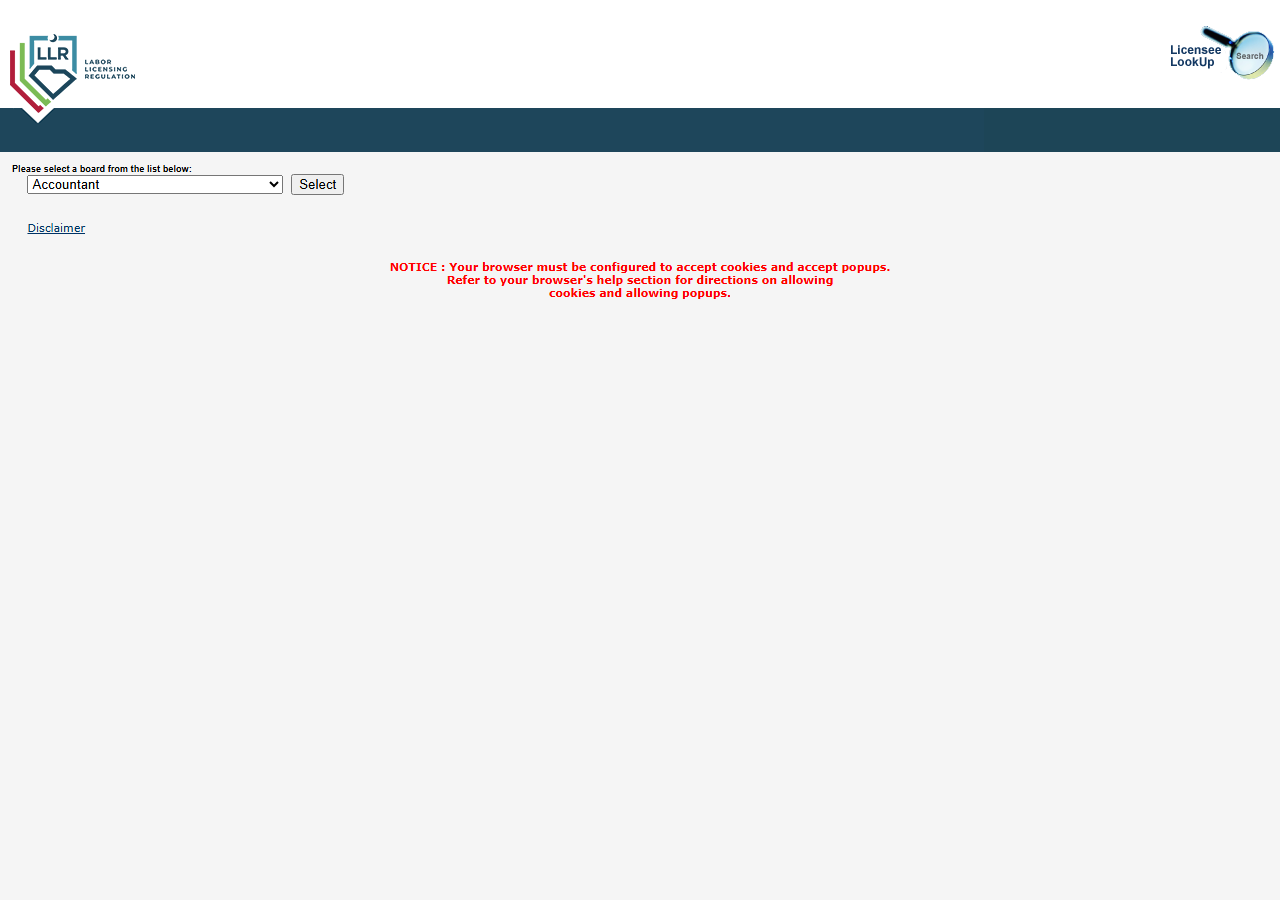
The name search is free and public, and if this is one application, do it by hand. Open SC LLR’s Licensee LookUp, pick Contractor from the board dropdown (the page opens on Accountant, so it’s easy to miss), press Select, type the name, solve the Google reCAPTCHA v2 that gates the search, and read the list that comes back.
The friction is that the list stays on the page. There’s no export, no CSV, no API — you read the matches and retype the ones you care about, then hit the CAPTCHA again for the next spelling you want to try, and again for the next applicant. A name search is exactly the kind of thing you want to run several variations of (“Smith”, “Smith Construction”, the owner’s surname), and each variation is another CAPTCHA. One applicant, a few minutes, fine. A queue of applicants, or a portfolio you re-check on renewal, and you’re spending your day proving you’re not a robot.
The faster way
South Carolina Contractor License Lookup & Verify (SC LLR) does the same search once and hands back every row at once.
{
  "lastName": "Smith",
  "maxResults": 25
}
lastName is a partial match, and it looks at both business names and individual licensee surnames —
so Smith catches Smith Construction, Paul L.W. Smith Inc, and a licensee named Smith, all in one
search. That’s deliberate here: you don’t yet know which of those the applicant is, so casting the
wide net and reading the matches is the whole point. maxResults at 25 caps what comes back (and
what you pay per match) while you’re still figuring out which record is the one. Leave city and
classification off for the first pass — a company that moved, or that holds a trade you didn’t
expect, is exactly the record a tight filter would hide from you. Narrow later, once you know what
you’re looking at.
What comes back
{
  "state": "SC",
  "license_number": "116578",
  "business_name": "PAUL L.W. SMITH INC — DBA: SMITH CONSTRUCTION",
  "person_name": null,
  "license_type": "GENERAL CONTRACTOR",
  "status": "Active",
  "issue_date": null,
  "expiration_date": null,
  "city": "KINGSTON",
  "county": null,
  "address": null,
  "zip_code": null,
  "phone": null,
  "bond_amount": null,
  "bond_company": null,
  "insurance_company": null,
  "matched_by": "name",
  "source_url": "https://verify.llronline.com/LicLookup/Contractors/Contractor.aspx?div=69"
}| Field | Example value | Meaning |
|---|---|---|
state | SC | Always ‘SC’ for this actor |
license_number | 116578 | SC LLR contractor license number |
status | Active | License status (e.g. Active, Lapsed) |
license_type | GENERAL CONTRACTOR | Contractor classification (e.g. GENERAL CONTRACTOR, MECHANICAL CONTRACTOR) |
business_name | PAUL L.W. SMITH INC — DBA: SMITH CONSTRUCTION | Licensed business name (and DBA, when listed) |
person_name | — | Individual licensee name (LAST, FIRST), when held by a person |
business_name is what you match the application against, DBA included — that’s how you tell whether
“Smith Construction” on the form is the DBA of Paul L.W. Smith Inc or a different company entirely.
license_number is what you write down, because from here on you use the number, not the name.
license_type tells you what they’re licensed to build, which is the underwriting question hiding
behind the identity question. And status says whether any of it is current. Results are deduped by
license number, so a contractor showing up twice in your table means two licenses, not one license
counted twice.
What you’d do with it
Export the matches, pick the row whose business name and city line up with the application, and carry
its license_number forward as the identifier of record — every later check keys off the number, not
the name, which is the whole reason the first search was worth running. The rows you didn’t pick are
still worth a glance: a second active license under a related name is information the application
form didn’t give you. Attach the source_url for the chosen record to the file so the next person to
open it can see the state’s own page rather than your transcription of it.
Worth knowing
One run reads the first page of results, bounded by maxResults (default 50) — a name as common as
Smith may have more licenses in the registry than a single run returns, so treat a full page as a
signal to narrow, not as a complete census. The fields are the ones SC LLR puts in its results list:
license number, status, type, business/licensee name, city. Street address, county, expiration date,
bond and insurance are not in that list view and come back null, schema columns notwithstanding.
And the CAPTCHA on the search is why this actor charges $0.02 per search on top of $0.01 per match —
you pay the search fee even when a name returns nothing, because the CAPTCHA still had to be cleared
to ask.
Run it yourself: How to run South Carolina Contractor License Lookup & Verify (SC LLR) walks the whole thing step by step.
Once you have the number: Verify a South Carolina Contractor by License Number is the exact-match check you run from then on — one license, one status, no ambiguity.
If you’re building a list rather than checking one applicant: List South Carolina General Contractors in a City searches by classification and city instead of by name. And for the same job in another state, California Contractor License Lookup & Verify (CSLB) handles CSLB, including owner and personnel names — a search SC’s registry doesn’t offer.
Last updated 2026-07-13