How-to
How to run South Carolina Contractor License Lookup & Verify (SC LLR)
Step-by-step: the exact input, what each field does, and the real rows that come back from SC LLR.
You have a list of South Carolina contractors and you need to know, for each one, whether the license is real and whether it’s still active. The state publishes all of it for free at SC LLR’s Licensee LookUp — but the free path is one search at a time, and every single search makes you pass a Google reCAPTCHA v2 before it will return anything. Ten contractors is ten CAPTCHAs, ten result pages, and ten rounds of copy-paste into a spreadsheet. This actor does the same searches against the same registry and hands you back a table.
What you’ll need
Nothing but an Apify account. The actor talks to SC LLR directly.
No API key, no proxy, nothing to configure. The CAPTCHA-solving service the actor uses to clear SC LLR’s reCAPTCHA is on our account, not yours — it’s already priced into the per-search fee below. That fee exists precisely because this actor, unlike most in the suite, has a real cash cost every time it runs a search.
Step 1 — Open the actor
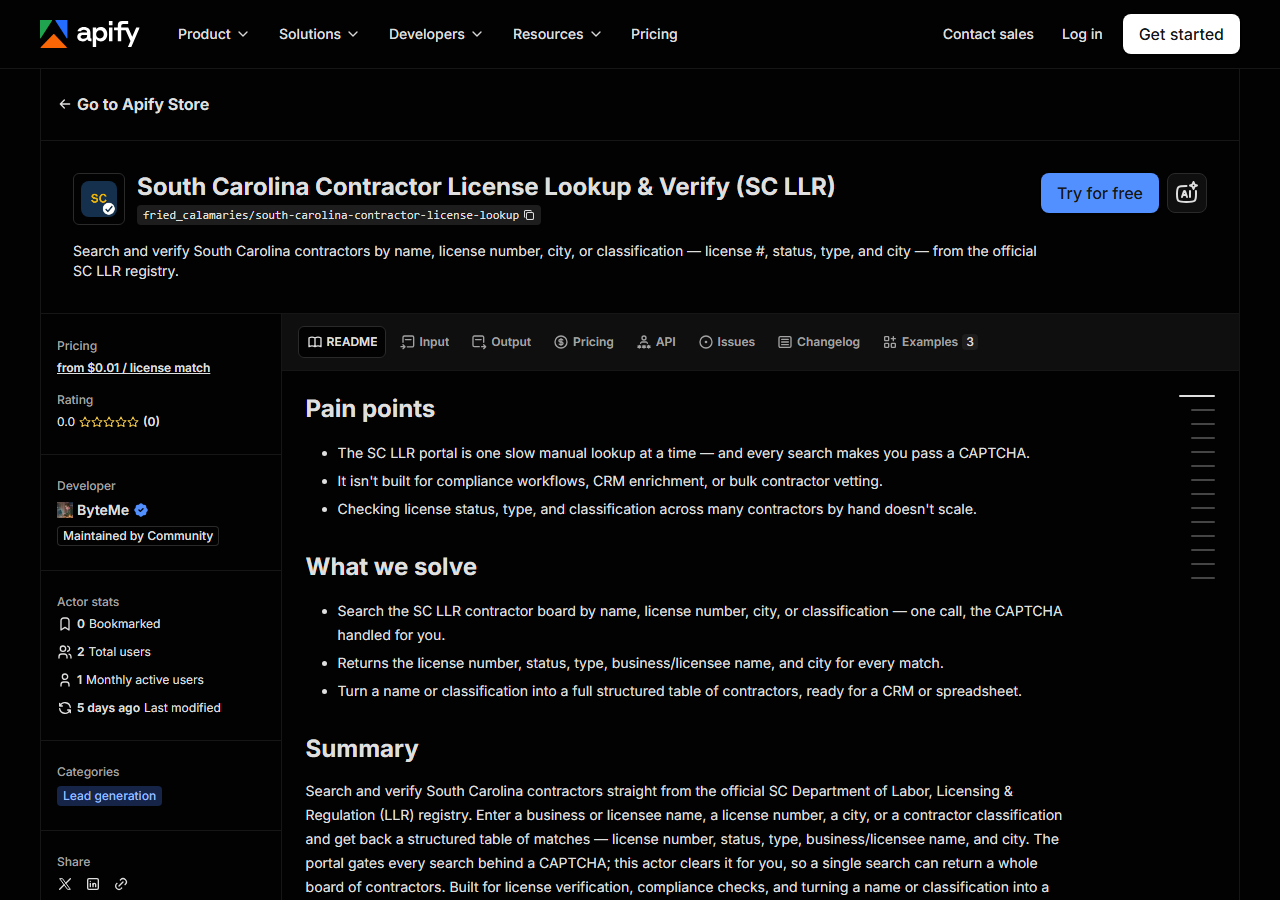
Open South Carolina Contractor License Lookup & Verify (SC LLR) on the Apify Store and press Try for free. The actor’s own page on this site lists its live health and pricing.
Step 2 — Fill in the input
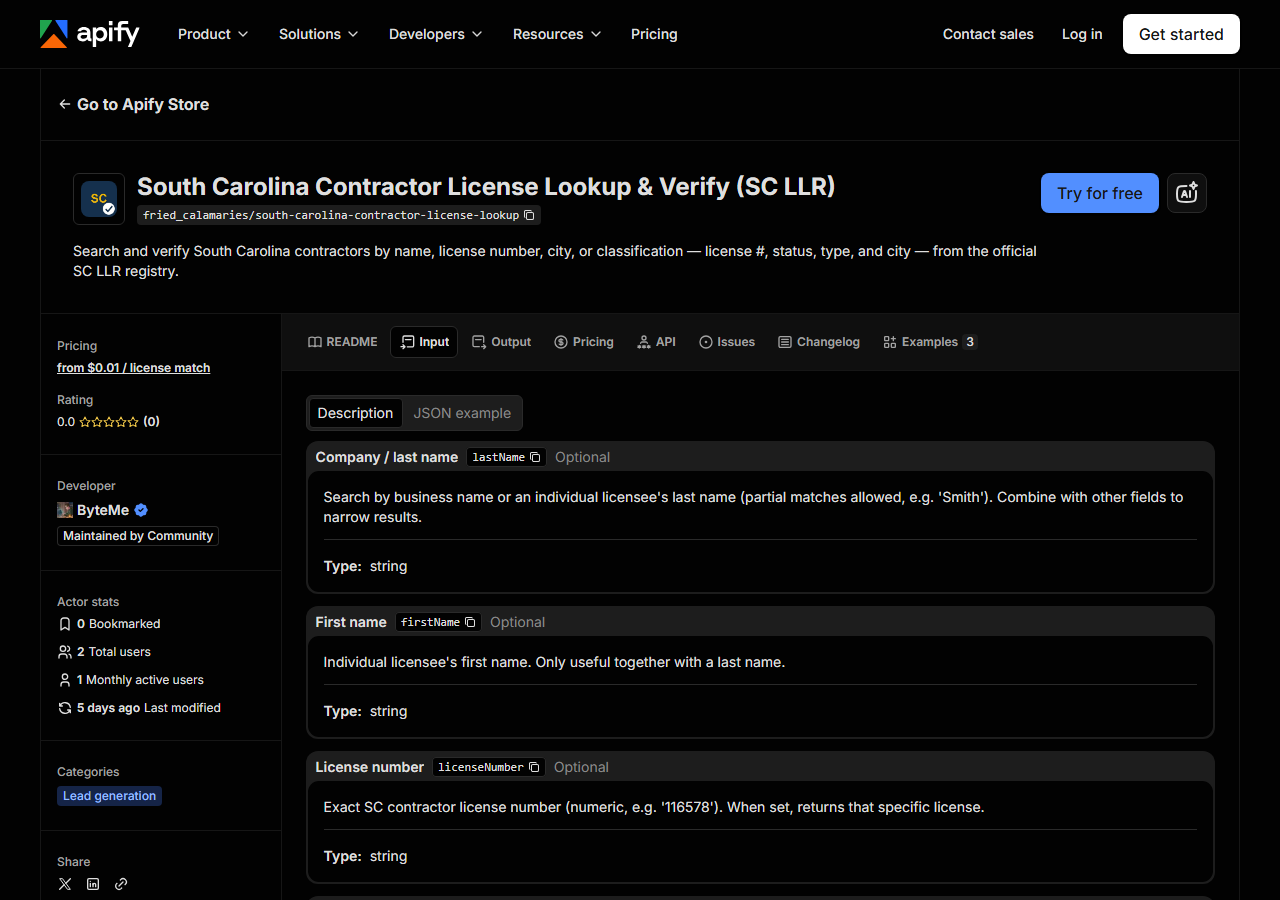
| Field | Type | Required | What it does |
|---|---|---|---|
lastName | string | no | Search by business name or an individual licensee’s last name (partial matches allowed, e.g. ‘Smith’). Combine with other fields to narrow results. |
firstName | string | no | Individual licensee’s first name. Only useful together with a last name. |
licenseNumber | string | no | Exact SC contractor license number (numeric, e.g. ‘116578’). When set, returns that specific license. |
city | string | no | Filter results to a licensee city (e.g. ‘Columbia’). |
classification | string | no | Filter to a contractor classification. ‘All’ returns every classification (must be combined with another field). Tip: a name or classification search returns many licenses from… (default All) |
maxResults | integer | no | Cap on the number of license matches returned in a single run. Defaults to 50. (default 50) |
Two fields decide what you get back. licenseNumber is the precision instrument: set it and you get
that one license, nothing else — this is the field you want when you’re verifying a contractor
someone has already given you. lastName is the wide net: it matches business names and individual
licensee surnames, and it matches partially, so Smith pulls back every SC contractor whose name
contains “Smith”. That’s the behaviour that makes one search worth paying for — a single lookup can
return a whole page of licenses.
The field first-timers get wrong is classification. It defaults to All, and All on its own is
not a search — the portal will not hand you every contractor in South Carolina. You must combine it
with something else (a name, a city, or a license number). If you want a specific trade, pass the
code, not the label: BD for Building, EL for Electrical, PB for Plumbing. maxResults caps how
many matches a run returns, and it caps what you pay per match — leave it low while you’re testing.
A working input:
{
  "lastName": "Smith",
  "classification": "All",
  "maxResults": 25
}
Step 3 — Run it
Press Start. Rows are pushed to the dataset as they’re found, so the run log fills in as it works.
A healthy run is slower than you might expect from a page this plain, and the reason is worth knowing. Before the actor can send the search, it has to get a valid reCAPTCHA v2 token, which means handing the challenge to a solving service and waiting for an answer to come back. Then it replays that token inside SC LLR’s WebForms postback. So the run sits quiet for a moment, then the rows land together. Nothing is stuck; it’s waiting on the solve.
An empty result almost always means the filter was too narrow, not that the actor is broken — a city spelled differently from the registry’s spelling, a classification code that no licensee in that city holds, a license number with a typo. Widen it: drop the classification, drop the city, search the name alone, and narrow back down from there. Note that an empty search still costs you the per-search fee, because the CAPTCHA still had to be solved to ask the question.
Step 4 — Read the output
Each run returns a labelled table, not raw JSON:
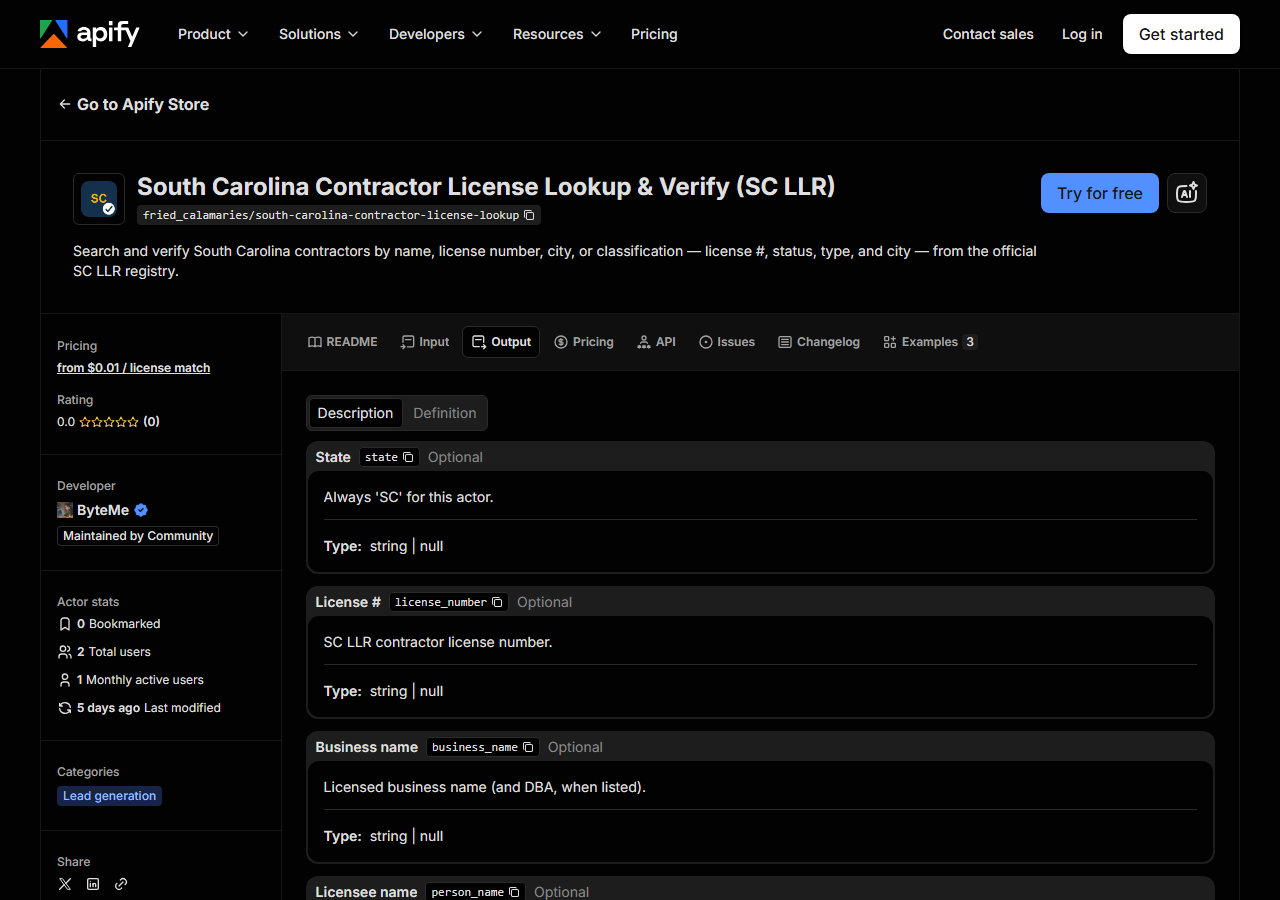
Every row looks like this — a real row from a real run:
{
  "state": "SC",
  "license_number": "116578",
  "business_name": "PAUL L.W. SMITH INC — DBA: SMITH CONSTRUCTION",
  "person_name": null,
  "license_type": "GENERAL CONTRACTOR",
  "status": "Active",
  "issue_date": null,
  "expiration_date": null,
  "city": "KINGSTON",
  "county": null,
  "address": null,
  "zip_code": null,
  "phone": null,
  "bond_amount": null,
  "bond_company": null,
  "insurance_company": null,
  "matched_by": "name",
  "source_url": "https://verify.llronline.com/LicLookup/Contractors/Contractor.aspx?div=69"
}| Field | Example value | Meaning |
|---|---|---|
state | SC | Always ‘SC’ for this actor |
license_number | 116578 | SC LLR contractor license number |
status | Active | License status (e.g. Active, Lapsed) |
license_type | GENERAL CONTRACTOR | Contractor classification (e.g. GENERAL CONTRACTOR, MECHANICAL CONTRACTOR) |
business_name | PAUL L.W. SMITH INC — DBA: SMITH CONSTRUCTION | Licensed business name (and DBA, when listed) |
person_name | — | Individual licensee name (LAST, FIRST), when held by a person |
city | KINGSTON | Licensee city |
matched_by | name | Which input surfaced this match: license_number, name, city, or classification |
status is what almost everyone came for — Active or otherwise — with license_type a close
second, because a license being active says nothing about whether it’s the right kind of license
for the job you’re hiring for. source_url is the one to keep if anybody downstream might argue: it
points at the official SC LLR record for that license, so a compliance reviewer can click through and
see the same thing you saw.
Watch the nulls. They are not gaps in the scrape, they are gaps in the page. SC LLR’s results list
carries the license number, status, type, business/licensee name and city — and nothing else. Street
address, county, expiration date, bond and insurance are simply not in that list view, so they come
back null here every time; they’re in the schema so every actor in the license suite has the same
column shape. Also expect the two name fields to trade off: a company license fills business_name
(with the DBA appended, as in the sample above) and leaves person_name null, while a license held
by an individual does the reverse and formats the name LAST, FIRST. If you’re joining this to a CRM,
coalesce the two.
Step 5 — Export it
Open the Dataset tab and export to CSV, JSON, or Excel — or pull the same rows from the API, which is what you want if this is going to run on a schedule.
What it costs
Two charges, and it’s worth understanding why there are two. $0.02 per search and $0.01 per license match. The per-search fee is charged once per search the actor performs, and you pay it even if the search comes back with nothing — because clearing SC LLR’s reCAPTCHA costs real money whether or not there’s a contractor on the other side of it. The per-match fee is charged only for records actually returned. So the run in the example above — one search, 25 matches — costs $0.27: two cents to ask, twenty-five cents for the answers. A verification of a single license number that finds its one record costs three cents. Apify’s platform usage (compute) is billed separately on your plan.
Most actors in this suite have no per-search fee at all, because their portals don’t charge us anything to ask. This one does, and pricing it in the open is better than burying it in the compute line.
Where the data comes from
This reads SC LLR directly. The target is ASP.NET WebForms (__VIEWSTATE / __EVENTVALIDATION). Every night a canary runs this actor against that live source and diffs the result against a frozen fixture — what “verified” means.
SC LLR’s Licensee LookUp is a public registry, and it is free to anyone with a browser — but it’s
built like the intranet app it is. You land on a board picker, choose Contractor from a dropdown of
every profession the state licenses, and only then reach a search form whose state lives in
__VIEWSTATE and __EVENTVALIDATION hidden fields, so every interaction is a postback that has to
carry the previous page’s state back with it. On top of that sits a Google reCAPTCHA v2 on the search
submission itself: the form will not return results without a valid token. Both have to be beaten on
every single run, which is why this is the hardest target in the portfolio — and why it’s the only
one with a per-search fee. It does not mean we beat everything: JavaScript-challenge walls
(Cloudflare, PerimeterX, DataDome) still stop us cold.
See it used
Verify a South Carolina Contractor by License Number is the one-license compliance check — you have a number, you need its status before you sign. Find Every SC Contractor License by Name goes the other way: one name in, every matching license out, which is how you catch the second license a contractor didn’t mention. List South Carolina General Contractors in a City turns a city and a classification code into a contractor list.
If you’re verifying somewhere other than South Carolina, start with Multi-State Contractor & Trade License Lookup — reach for it when you don’t know which state issued the license, or want the same contractor checked in several states at once. The other CAPTCHA-walled portal in the suite is New Mexico’s, behind a plain distorted-text image CAPTCHA rather than a reCAPTCHA — but New Mexico Contractor License Lookup & List Scraper (NM CID) reads a monthly snapshot of the whole registry instead of searching it per run, so it has no per-search fee.
Last updated 2026-07-13