Use case
Find the Top Complaints in an App's Reviews
Surface the most common complaints and most-requested features across an app's reviews — for product and VoC prioritization.
Quarterly planning is next week and someone is going to ask you what users are actually complaining about. You have opinions. You also have a support inbox, a churn dashboard, and a Slack channel where the loudest customer gets quoted the most — none of which is the same thing as the top complaint. The reviews are the one place your users volunteer what’s wrong without being asked, and they’re public, and there are more of them than you’re going to read the night before.
The manual way, and what it costs
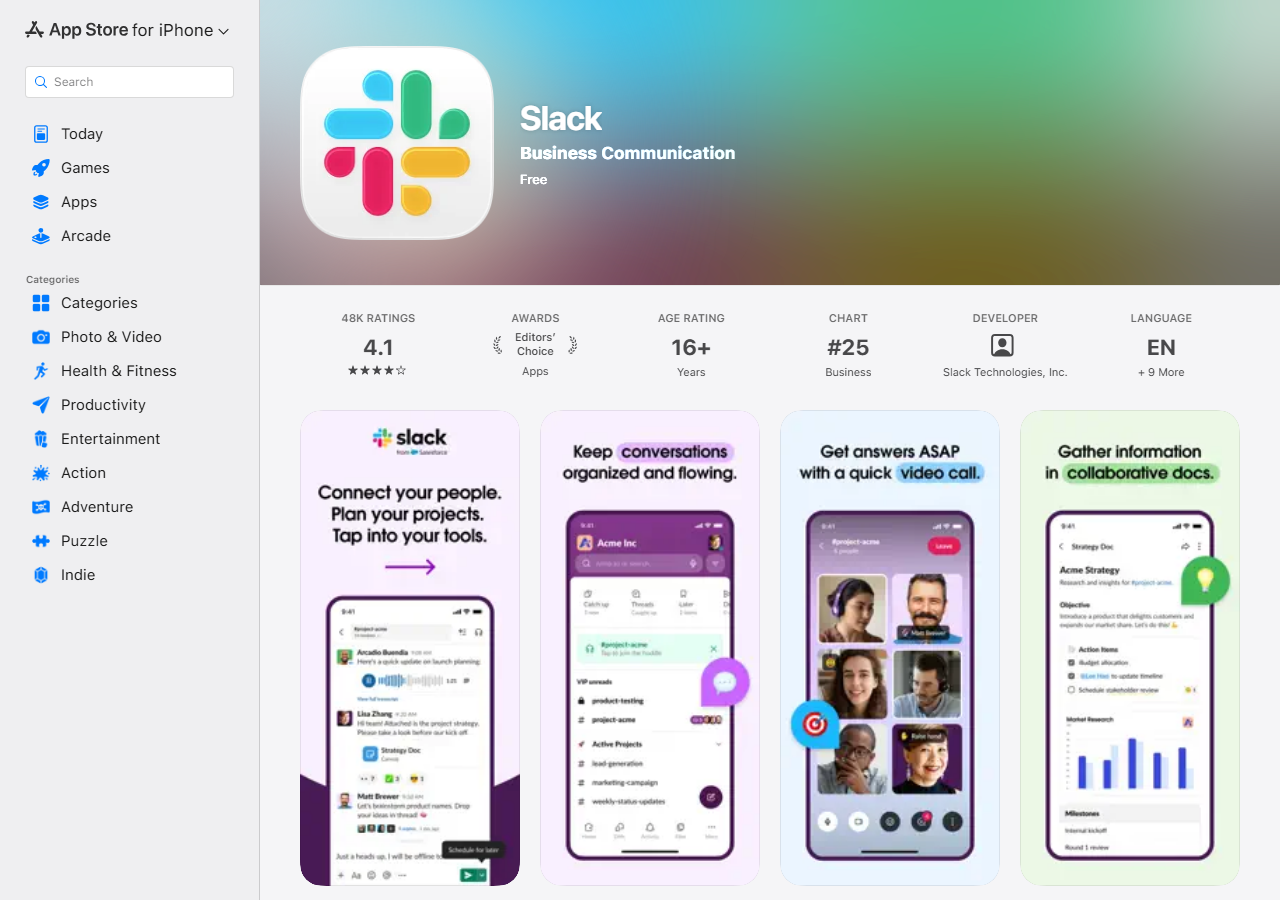
Your reviews are on your own store page, the same one anyone else sees — above, Slack’s, showing the 4.1-star average across 48K ratings that the store reports. Below the fold, the reviews load a few at a time as you scroll. There is no export, no tag, no group-by. The App Store gives you a star average and a stream of prose, and the job of turning the stream into a ranked list of complaints is yours.
If your app has thirty reviews, do it by hand. Genuinely — read all thirty, you’ll learn more from the raw text than from any summary of it, and you’ll be done before this page finishes loading. The manual path falls over at scale and at repetition: a hundred-plus reviews is an afternoon of copy-paste-and-tally, and because there’s nothing to schedule, next quarter you do the whole afternoon again from scratch — with no reliable way to tell what’s new since last time.
The faster way
App Review Teardown & Insights (AI) does the same search once and hands back every row at once.
{
  "apps": [
    "Spotify"
  ],
  "compareToPrevious": false
}
One app, and in real use that app is yours — swap Spotify for your own app’s name, App Store URL,
or Google Play package. Spotify is here because it’s a big public app anyone can run this against to
see the shape of the output; what comes back is whatever its recent reviewers happened to write, not
something we can tell you in advance. compareToPrevious is off for a first pass — there’s no prior
run to diff against yet, so the delta fields would only be nulls. Once this is a quarterly ritual,
turn it on and schedule the run: from the second run onwards it fills in emerging_complaints and
resolved_complaints, which is the actual planning question — did the thing we fixed last quarter
stop showing up, and what turned up in its place? Raise maxReviews towards its 500 ceiling if your
app has the volume to support it; the price doesn’t change with the count.
What comes back
{
  "app": "Notion",
  "app_name": "Notion: Notes, Tasks, AI",
  "apple_id": "1232780281",
  "sources": [
    "apple"
  ],
  "overall_rating": 4.78,
  "review_count_analyzed": 100,
  "teardown": {
    "summary": "Notion is praised as a powerful, flexible workspace but is dragged down by mobile bugs, a steep learning curve, and an intrusive AI button.",
    "strengths": [
      "Powerful, flexible all-in-one workspace",
      "Great for notes, tasks, and databases"
    ],
    "weaknesses": [
      "Buggy on iOS/iPad with crashes",
      "Steep learning curve on mobile",
      "Intrusive AI chat button"
    ],
    "top_complaints": [
      "app crashes / bugs",
      "confusing mobile navigation",
      "free-tier upload limits"
    ],
    "feature_requests": [
      "offline mode",
      "remove/hide the AI button",
      "better mobile editor"
    ],
    "themes": [
      {
        "theme": "Bugs and crashes",
        "sentiment": "negative",
        "mentions": 6
      },
      {
        "theme": "Power and flexibility",
        "sentiment": "positive",
        "mentions": 5
      }
    ],
    "sentiment_score": 62
  },
  "first_seen": false,
  "rating_delta": -0.03,
  "emerging_complaints": [
    "app crashes / bugs"
  ],
  "resolved_complaints": [],
  "sentiment_delta": -4,
  "source_url": "https://apps.apple.com/us/app/id1232780281"
}| Field | Example value | Meaning |
|---|---|---|
app | Notion | The app reference you supplied |
app_name | Notion: Notes, Tasks, AI | Resolved app name |
sources | ["apple"] | Stores that contributed reviews (apple, gplay) |
overall_rating | 4.78 | Store-reported average rating |
review_count_analyzed | 100 | Reviews fed to the AI |
teardown.summary | — | One-paragraph competitive summary |
teardown.top_complaints is the list you came for, and teardown.feature_requests is the one you’ll
end up arguing about — what users are asking you to build, separated out from what they’re telling you
is broken. teardown.themes is the same material with a sentiment label and a mention count on each
theme, which is what to reach for if planning wants a chart rather than a bullet list.
review_count_analyzed is the number that keeps everyone honest: it says how many reviews the summary
was built from, and it belongs on the slide next to the findings.
What you’d do with it
Export the run to CSV, put top_complaints and feature_requests side by side with your existing
backlog, and mark the rows that appear in both — that intersection is the prioritisation conversation,
and it took one run to produce instead of an afternoon. Then schedule the actor monthly with
compareToPrevious on, so that next quarter the interesting column isn’t the complaint list at all,
it’s emerging_complaints: the things that weren’t there last time.
Worth knowing
Two honest limits. First, this reads public app-store reviews — Apple’s official feed, plus Google
Play on a best-effort basis — so it is voice-of-the-reviewer, not voice-of-the-customer. Reviewers
skew towards the delighted and the furious; the quiet middle of your user base is not in this data at
all, and neither is anything from your support inbox or your churn data. Second, the teardown is
written by an LLM. It is instructed to use only the reviews it was given, but it’s still a
synthesis: it can miss nuance, and the mentions figure is the model’s tally rather than a verified
count. Read it as a fast summary of a corpus you could have read yourself, not as a measurement — and
before you kill a feature over it, click through to source_url and read the reviews behind the
claim. The sample is also capped by maxReviews and always most-recent-first, so it tells you about
now, not about the whole history of the app.
Run it yourself: How to run App Review Teardown & Insights (AI) walks the whole thing step by step.
Pointing the same run at a rival instead of yourself gives you an AI teardown of their App Store reviews; pass both apps at once and you get a side-by-side battlecard. If the complaints you’re chasing are about a storefront rather than an app, Shopify App & Theme Detector is the one that looks at the shop itself.
Last updated 2026-07-13