Use case
AI Teardown of an App's App Store Reviews
Turn an app's App Store and Google Play reviews into an AI teardown — strengths, weaknesses, top complaints, and feature requests.
Say you’re the PM on a small notes-and-docs app, and on Thursday you have to stand up in front of the founders and explain where the incumbent is soft. You already know Notion is bigger than you and better funded. What you need is the unglamorous part: what its own users are annoyed about, in their words, this month. That’s all sitting in public — the App Store shows every review anybody has left — and that is exactly the problem. It’s public, and it’s a wall.
The manual way, and what it costs
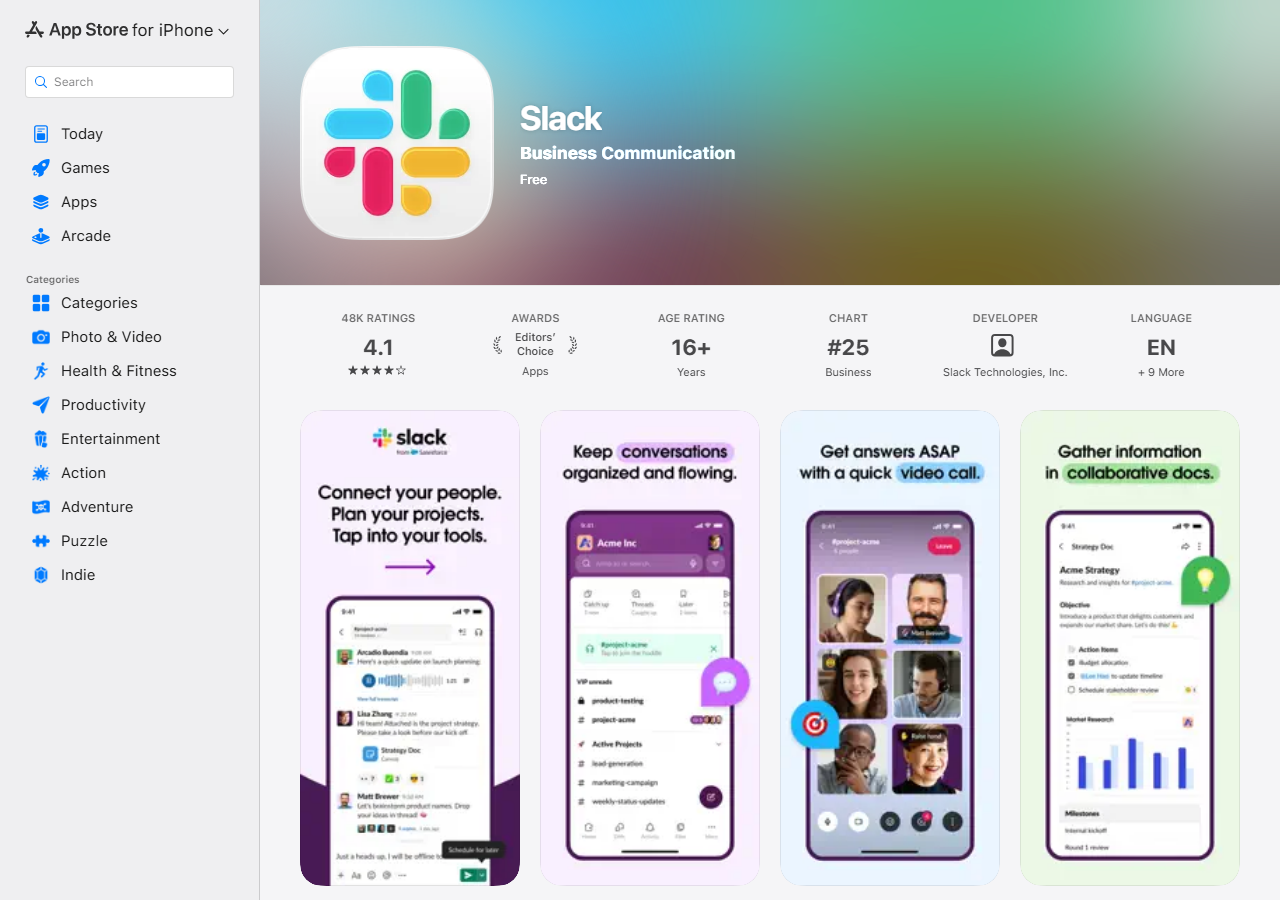
Nothing is hidden from you. An app’s store page — above, Slack’s, with its 4.1-star average across 48K ratings — is one search away, and the reviews are right there under it. You open the app, you hit “See All” on the reviews, and you start scrolling. There is no export button, no CSV, no date filter, no “show me only the one-stars from the last release”. There is scrolling, and there is your clipboard.
Which is fine, sometimes. If you want a feel for an app and twenty reviews will give it to you, close this tab and go read twenty reviews — that costs you ten minutes and nothing else, and you’ll get more texture out of the raw text than any summary will hand you. The manual path breaks down when you need coverage: a hundred reviews, grouped into themes, with the complaints ranked, and the same thing again next month so you can see what moved. Doing that by hand is an afternoon of copy-paste into a spreadsheet, and you have to do the whole afternoon again to refresh it.
The faster way
App Review Teardown & Insights (AI) does the same search once and hands back every row at once.
{
  "apps": [
    "Notion"
  ],
  "compareToPrevious": false
}
One app, by name. The name is resolved against the store and the top hit wins, which is safe for
something as unambiguous as Notion; if you were tearing down an app with a generic name you’d paste
its App Store URL instead. compareToPrevious is off because this is a one-shot for Thursday — you
have no previous run to diff against, and asking for a diff you can’t have just fills the record with
nulls. Turn it on later, when you decide to check the same app every month. maxReviews is left at
its default of 100: the most recent hundred reviews, which is the slice you want when the question is
“what are people complaining about now”, not “how has this app been perceived since 2018”.
What comes back
{
  "app": "Notion",
  "app_name": "Notion: Notes, Tasks, AI",
  "apple_id": "1232780281",
  "sources": [
    "apple"
  ],
  "overall_rating": 4.78,
  "review_count_analyzed": 100,
  "teardown": {
    "summary": "Notion is praised as a powerful, flexible workspace but is dragged down by mobile bugs, a steep learning curve, and an intrusive AI button.",
    "strengths": [
      "Powerful, flexible all-in-one workspace",
      "Great for notes, tasks, and databases"
    ],
    "weaknesses": [
      "Buggy on iOS/iPad with crashes",
      "Steep learning curve on mobile",
      "Intrusive AI chat button"
    ],
    "top_complaints": [
      "app crashes / bugs",
      "confusing mobile navigation",
      "free-tier upload limits"
    ],
    "feature_requests": [
      "offline mode",
      "remove/hide the AI button",
      "better mobile editor"
    ],
    "themes": [
      {
        "theme": "Bugs and crashes",
        "sentiment": "negative",
        "mentions": 6
      },
      {
        "theme": "Power and flexibility",
        "sentiment": "positive",
        "mentions": 5
      }
    ],
    "sentiment_score": 62
  },
  "first_seen": false,
  "rating_delta": -0.03,
  "emerging_complaints": [
    "app crashes / bugs"
  ],
  "resolved_complaints": [],
  "sentiment_delta": -4,
  "source_url": "https://apps.apple.com/us/app/id1232780281"
}| Field | Example value | Meaning |
|---|---|---|
app | Notion | The app reference you supplied |
app_name | Notion: Notes, Tasks, AI | Resolved app name |
sources | ["apple"] | Stores that contributed reviews (apple, gplay) |
overall_rating | 4.78 | Store-reported average rating |
review_count_analyzed | 100 | Reviews fed to the AI |
teardown.summary | — | One-paragraph competitive summary |
teardown.weaknesses and teardown.top_complaints are the two lists you walked in for — the soft
spots, phrased the way users phrase them. teardown.feature_requests is the adjacent prize: the
things users are asking the incumbent for and not getting, which is a decent first draft of a
roadmap argument. overall_rating and review_count_analyzed are the honest framing around all of
it — the average the store itself reports, and how many reviews the summary was actually built from.
source_url is the escape hatch: it’s the store page, so you can go read the raw reviews behind any
line that surprises you, and you should.
What you’d do with it
Take top_complaints and feature_requests into the Thursday meeting as two slides — here is what
their users hate, here is what their users are begging for — and put the ones that overlap with what
you already build at the top. Then click source_url and pull two or three verbatim reviews behind
each claim. The teardown gets you to the shortlist in one run; the quotes are what actually convince
a room, and they cost you five minutes once you know which ones to look for.
Worth knowing
This is an LLM’s reading of public app-store reviews, and both halves of that sentence limit it. The
reviews are public — Apple’s official feed, plus Google Play best-effort — so you’re seeing what
anybody can see, not internal metrics, not sales, not churn, and not the users who never wrote a
review (which is nearly all of them). And the teardown is generated: the model is told to use only
the sampled reviews and nothing else, but it is still a synthesis. It can flatten a nuance, and its
mentions counts are its own tally, not a verified string count. It’s a fast, cheap read of a review
corpus, not a measurement of one. Check anything load-bearing against source_url before you put a
number on a slide. The sample is also capped by maxReviews and always most-recent-first, so a
long-tail complaint from two years ago won’t show up. Apps that can’t be resolved or that have no
reviews come back empty, and aren’t charged.
Run it yourself: How to run App Review Teardown & Insights (AI) walks the whole thing step by step.
If the question is “us versus them” rather than “what’s wrong with them”, Compare Two Competitor Apps’ Reviews runs the same teardown on both apps and adds a battlecard. And when the competitor you’re sizing up sells things rather than ships an app, Shopify App & Theme Detector does the equivalent teardown on a storefront — apps, theme, product catalogue — instead of on reviews.
Last updated 2026-07-13