Use case
Find Shopify Stores Missing a Reviews App
Audit Shopify stores and flag the ones with no reviews app installed — warm leads for reviews and UGC app vendors.
You sell a reviews app on the Shopify App Store, and your best possible lead is a merchant with real products, real traffic and no reviews app installed. Your worst possible lead is a merchant who signed a two-year Yotpo contract last quarter. From the outside these two look identical, so cold outreach means burning most of your sends on stores that already bought your competitor. What you want is the subset: of the domains on your list, which ones have the gap you fill.
The list is yours to bring. This actor qualifies domains you give it — it does not discover or enumerate Shopify stores, and there is no “show me every cosmetics store on Shopify” mode. Wherever your list already comes from — a CRM export, an exhibitor list, stores that hit your marketing site, a directory you bought — this is the step that turns it from a list of domains into a list of prospects. If you don’t have a list yet, this actor is the wrong tool and no amount of configuring it will change that.
The manual way, and what it costs
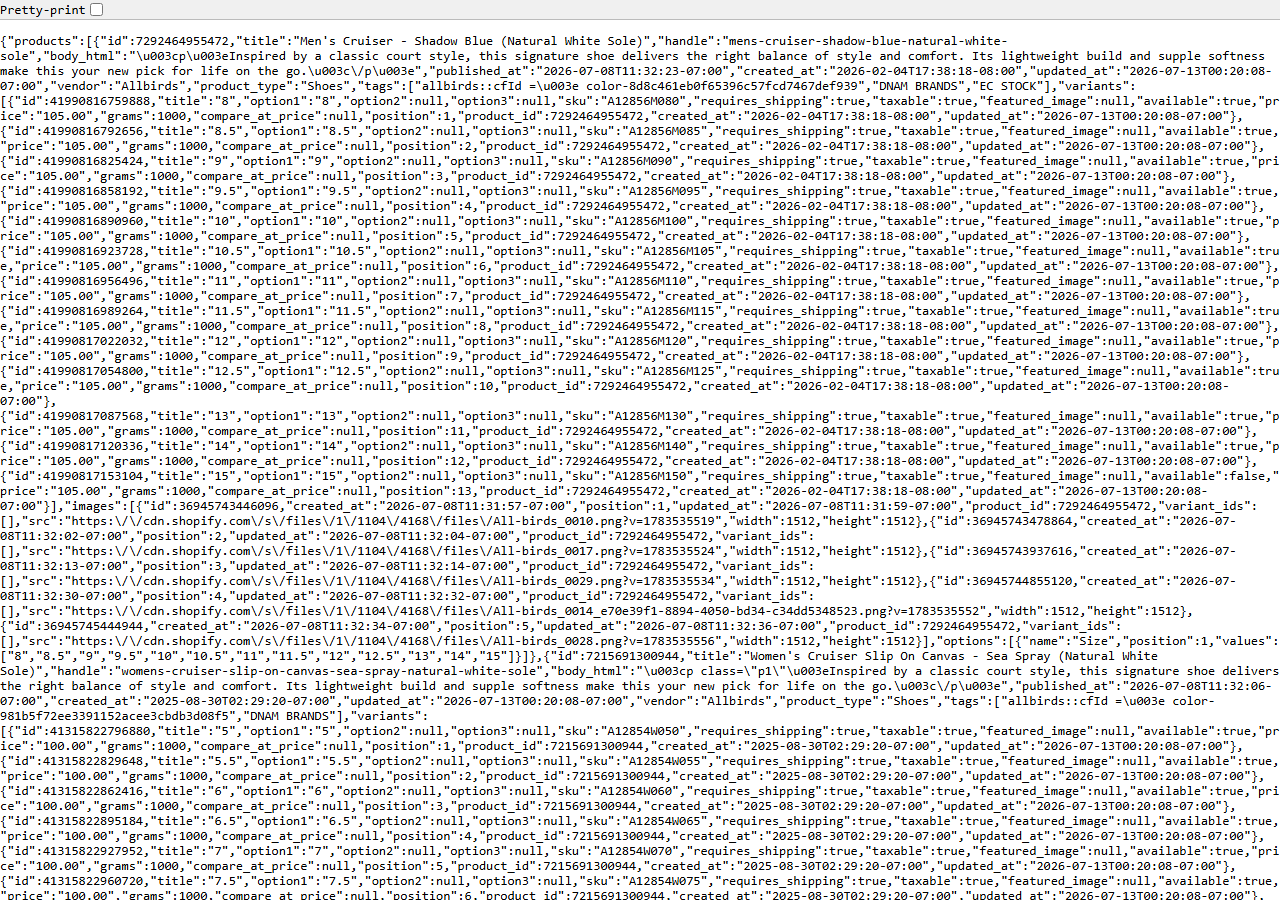
Qualifying a store by hand is genuinely easy. Open it, View Source, and search the markup for the
reviews vendors — judge.me, loox.io, yotpo, stamped.io, okendo. If none of them appear,
you’ve found a store with no reviews app, and you’ve found it using nothing but the public page. The
screenshot above is the other half of the same public surface: the store’s own /products.json,
which tells you whether there’s a real catalog behind the domain or three products and a placeholder.
If your list is twenty domains, do this yourself over a coffee. It works, it costs nothing, and you’ll get a feel for what your prospects look like that a spreadsheet won’t give you. It stops being reasonable at a few hundred: five vendor names to check per store, no export, no record of what you checked, no way to re-run it next quarter when half of them have installed something. That repetition — not the difficulty — is what this actor exists to remove.
The faster way
Shopify App & Theme Detector — Store Audit & Gap Finder does the same search once and hands back every row at once.
{
  "domains": [
    "allbirds.com",
    "colourpop.com"
  ],
  "targetGaps": [
    "reviews"
  ],
  "compareToPrevious": false
}
domains is your prospect list — two here, but paste the whole thing. targetGaps: ["reviews"] is
the lead criterion, and it’s the field doing the work: it tells the actor that a store only counts
as a lead when the reviews category is missing, and sets matches_criteria accordingly. Set it to
["reviews", "loyalty"] if you want stores missing both. compareToPrevious is off for a one-shot
qualification pass; leave it on when this becomes a scheduled job, and each run will also report
which stores installed or dropped a reviews app since the last one — an install by a competitor is a
lead going cold, and a removal is a lead going warm.
What comes back
{
  "domain": "allbirds.com",
  "is_shopify": true,
  "detection_signals": [
    "cdn.shopify.com",
    "Shopify.theme"
  ],
  "shopify_plus": false,
  "theme_name": "Dawn",
  "detected_apps": [
    {
      "name": "Yotpo",
      "category": "reviews"
    },
    {
      "name": "Klaviyo",
      "category": "email"
    }
  ],
  "app_categories": [
    "email",
    "reviews"
  ],
  "has_reviews_app": true,
  "has_email_app": true,
  "has_search_app": false,
  "missing_categories": [
    "search",
    "upsell",
    "loyalty",
    "subscription",
    "chat"
  ],
  "matches_criteria": false,
  "product_count": 629,
  "price_min": 18.0,
  "price_max": 160.0,
  "currency": "USD",
  "discount_rate": 0.12,
  "new_products_30d": 7,
  "products_json_accessible": true,
  "first_seen": false,
  "apps_added": [
    "Klaviyo"
  ],
  "apps_removed": [],
  "product_count_delta": 12,
  "source_url": "https://allbirds.com"
}| Field | Example value | Meaning |
|---|---|---|
domain | allbirds.com | Store domain audited |
is_shopify | True | Whether the domain is a confirmed Shopify store |
detected_apps | [{"name": "Yotpo", "category": "reviews"}, {"name": "Klaviyo", "category": "email"}] | Installed apps detected from the storefront ({name, category}) |
app_categories | ["email", "reviews"] | Categories of detected apps |
missing_categories | ["search", "upsell", "loyalty", "subscription", "chat"] | App categories with NO detected app — the prospecting gaps |
matches_criteria | False | True when all your target-gap categories are missing (a lead) |
matches_criteria is the column you filter on — true means every category you named as a gap is
absent from that store. In the row above it’s false, and has_reviews_app: true with Yotpo in
detected_apps tells you exactly why: this one already bought. That’s a disqualification you’d
otherwise have paid a send to learn. product_count and price_min/price_max are the second cut:
a store with a gap and 600 products is a different conversation from a store with a gap and four.
What you’d do with it
Run the list, export the dataset to CSV, sort by matches_criteria and then by product_count, and
the top of that sheet is your outreach queue in priority order. Push it straight into the CRM —
every row carries domain and source_url, so it merges cleanly against records you already have,
and detected_apps gives the rep something specific to open with. Put the same input on an Apify
schedule with compareToPrevious on and the weekly run turns into a trigger feed: apps_removed
containing a competitor’s name is a merchant who just churned off them.
Worth knowing
The gap flag is a signal, not a fact. App detection is best-effort from public storefront markers, so
an app that renders server-side can be missed entirely — which means some store marked as a lead has
a reviews app you couldn’t see, and the rep will find that out on the call. That’s a false positive
you should expect and budget for, not a defect. Nor does any of this tell you whether a merchant is
worth selling to in the ways that actually matter: real inventory, sales, revenue, orders, traffic
and customers are Admin-API-only and this never returns them. Product count and price range are the
closest proxies you get, and they are proxies. About 10–15% of stores disable /products.json, and
those come back with a sitemap-derived count and no price or discount signals at all. A few stores
refuse their custom domain — the actor retries those at the store’s <handle>.myshopify.com origin automatically.
Run it yourself: How to run Shopify App & Theme Detector — Store Audit & Gap Finder walks the whole thing step by step.
The same machinery pointed at rivals instead of prospects is Audit a Competitor’s Shopify Tech Stack, and Detect a Shopify Store’s Apps & Theme is the single-store lookup. Once a lead converts and you want to keep an eye on their storefront, the Shopify Price & Stock Change Tracker watches prices, stock and product churn on a schedule.
Last updated 2026-07-13