Use case
Audit a Competitor's Shopify Tech Stack
Detect a Shopify store's installed apps, theme, and catalog and pricing signals from its public storefront.
You run a DTC footwear brand and the board wants to know why the competitor everyone keeps citing converts better than you do. That’s a hard question. A tractable version of it: what are they actually running? Which reviews widget, which email capture, which search, which upsell engine — and what does their catalog look like, how wide is the price band, how much of it is on markdown, how fast are they shipping new SKUs. None of that is secret. All of it is sitting in their storefront. It’s just tedious to extract, and more tedious to keep extracting every quarter for the six stores you actually care about.
The manual way, and what it costs
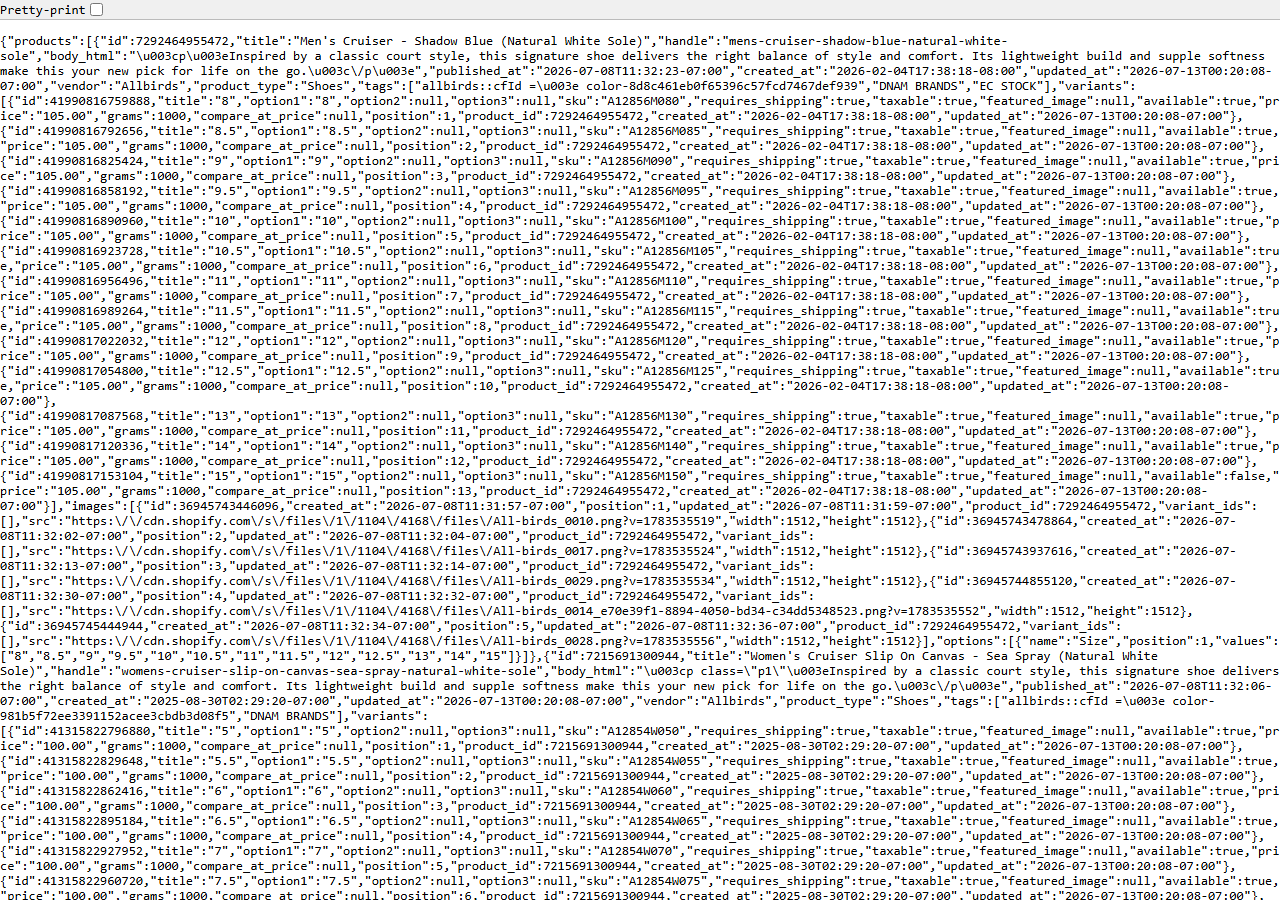
Everything this actor reads, you can read yourself, for free, right now. Open the competitor’s home
page, View Source, and search the markup for CDN hostnames — yotpo, klaviyo, gorgias,
rechargecdn — each one is an app announcing itself. The theme name sits in the Shopify.theme
object a few lines down. Then append /products.json to their domain and you get the screenshot
above: their entire catalog, paginated 250 at a time, with every variant’s price and compare_at_price
in it. Nothing is being circumvented. It’s a public endpoint Shopify serves by design.
For one competitor, once, do it by hand. It takes a few minutes and you’ll learn more from reading the raw markup than from any tool. Where it stops being reasonable is the second axis: six competitors, revisited quarterly, with the price range and discount rate computed from a catalog that’s hundreds of products long and paginated. That’s not a research task any more, it’s data entry — and at the end you still have notes, not a table you can put next to your own numbers.
The faster way
Shopify App & Theme Detector — Store Audit & Gap Finder does the same search once and hands back every row at once.
{
  "domains": [
    "allbirds.com"
  ],
  "compareToPrevious": false
}
One domain, and that’s the whole input. There’s no targetGaps here because you’re not scoring a
lead — you want the description, not the verdict, so matches_criteria can stay null. And
compareToPrevious is off because this is the first look: with it on, the actor diffs each store
against its own previous run, which is exactly what you want on the second pass and gives you
nothing on the first. When you come back next quarter, turn it on and the row will tell you which
apps they added and dropped in between.
What comes back
{
  "domain": "allbirds.com",
  "is_shopify": true,
  "detection_signals": [
    "cdn.shopify.com",
    "Shopify.theme"
  ],
  "shopify_plus": false,
  "theme_name": "Dawn",
  "detected_apps": [
    {
      "name": "Yotpo",
      "category": "reviews"
    },
    {
      "name": "Klaviyo",
      "category": "email"
    }
  ],
  "app_categories": [
    "email",
    "reviews"
  ],
  "has_reviews_app": true,
  "has_email_app": true,
  "has_search_app": false,
  "missing_categories": [
    "search",
    "upsell",
    "loyalty",
    "subscription",
    "chat"
  ],
  "matches_criteria": false,
  "product_count": 629,
  "price_min": 18.0,
  "price_max": 160.0,
  "currency": "USD",
  "discount_rate": 0.12,
  "new_products_30d": 7,
  "products_json_accessible": true,
  "first_seen": false,
  "apps_added": [
    "Klaviyo"
  ],
  "apps_removed": [],
  "product_count_delta": 12,
  "source_url": "https://allbirds.com"
}| Field | Example value | Meaning |
|---|---|---|
domain | allbirds.com | Store domain audited |
is_shopify | True | Whether the domain is a confirmed Shopify store |
detected_apps | [{"name": "Yotpo", "category": "reviews"}, {"name": "Klaviyo", "category": "email"}] | Installed apps detected from the storefront ({name, category}) |
app_categories | ["email", "reviews"] | Categories of detected apps |
missing_categories | ["search", "upsell", "loyalty", "subscription", "chat"] | App categories with NO detected app — the prospecting gaps |
matches_criteria | False | True when all your target-gap categories are missing (a lead) |
detected_apps and theme_name are the stack. discount_rate, price_min/price_max and
new_products_30d are the posture — how much of the catalog is marked down, how wide the band is,
how fast they’re launching. Put those four next to your own store’s numbers and the “why do they
convert better” question turns into a short list of concrete differences you can argue about.
What you’d do with it
Run it over the competitor set in one go and export the dataset to CSV. One row per store, one
column per signal — that’s a comparison table without building a comparison table. Add your own
store to the domains list and it gets audited on the same terms, which is the honest way to read
the sheet: not “they have Yotpo” but “four of six run a reviews app and we don’t.” Re-run it
quarterly with compareToPrevious on and each row also carries apps_added and apps_removed
since your last audit.
Worth knowing
This is storefront data only, which is both the point and the ceiling. It will never give you real
inventory counts, sales, revenue, orders, traffic or customers — those live behind Shopify’s Admin
API and no amount of reading the public site produces them. Anyone claiming otherwise is guessing.
App detection is best-effort from storefront markers: apps that render server-side leave no trace in
the markup and get missed. Roughly 10–15% of stores disable /products.json, in which case the
product count falls back to a sitemap tally and the price and discount signals come back empty. And
a few stores refuse their custom domain — usually a CDN or WAF in front of it. The actor retries those automatically at the store’s <handle>.myshopify.com origin, so there is nothing to toggle.
Run it yourself: How to run Shopify App & Theme Detector — Store Audit & Gap Finder walks the whole thing step by step.
If you’re auditing one store rather than a set, Detect a Shopify Store’s Apps & Theme is the same job at single-store scale. And once you know what a competitor is, the Shopify Price & Stock Change Tracker is what tells you what they do — price moves, stock flips, products added and pulled, run on a schedule.
Last updated 2026-07-13