How-to
How to run Shopify App & Theme Detector — Store Audit & Gap Finder
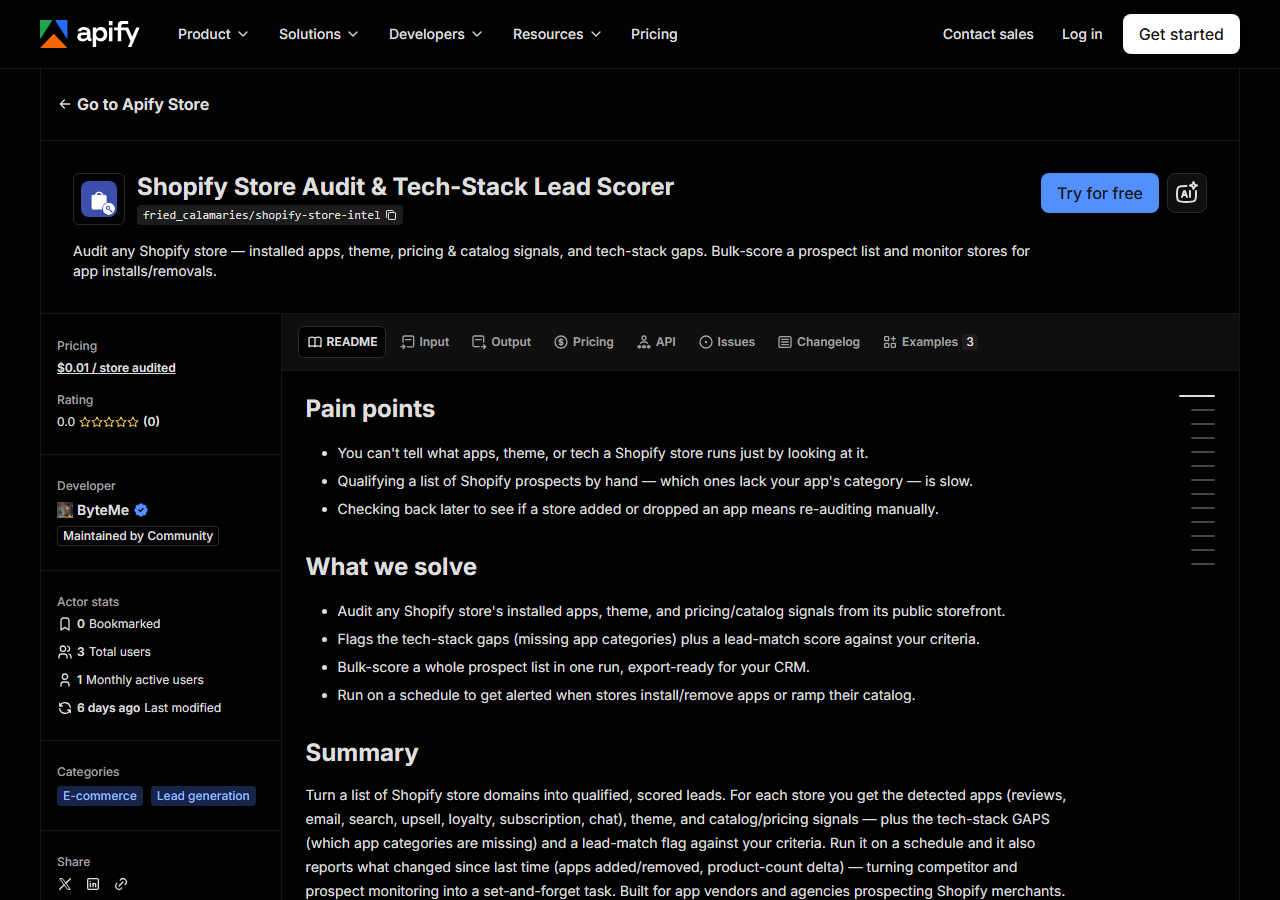
Step-by-step: the exact input, what each field does, and the real rows that come back from public storefront.
You have a list of Shopify domains and a question about each one: what is this store actually running? Which reviews app, which email tool, which theme, how big is the catalog, are they discounting. If you sell a Shopify app, that question decides who is worth an email. If you run an agency, it decides what you pitch. The manual answer is to open each store, hit View Source, and read the script tags — which works, and is genuinely fine for three stores. It stops being fine at thirty, and it produces nothing you can sort, filter, or hand to a CRM.
This actor does that read for you across a whole list and returns it as rows.
What you’ll need
Nothing but an Apify account. The actor talks to public storefront directly.
No API key, no merchant permission, no app install, no CAPTCHA-solving credentials. Everything it
reads is what a visitor with the browser devtools open can already see: the storefront HTML, the
store’s own /meta.json and /products.json, and its published policy pages. That’s why it’s cheap and why it rarely breaks. The proxy toggle
exists but is off by default — turn it on only if a specific store blocks the run.
Step 1 — Open the actor
Open Shopify App & Theme Detector — Store Audit & Gap Finder on the Apify Store and press Try for free. The actor’s own page on this site lists its live health and pricing.
Step 2 — Fill in the input
| Field | Type | Required | What it does |
|---|---|---|---|
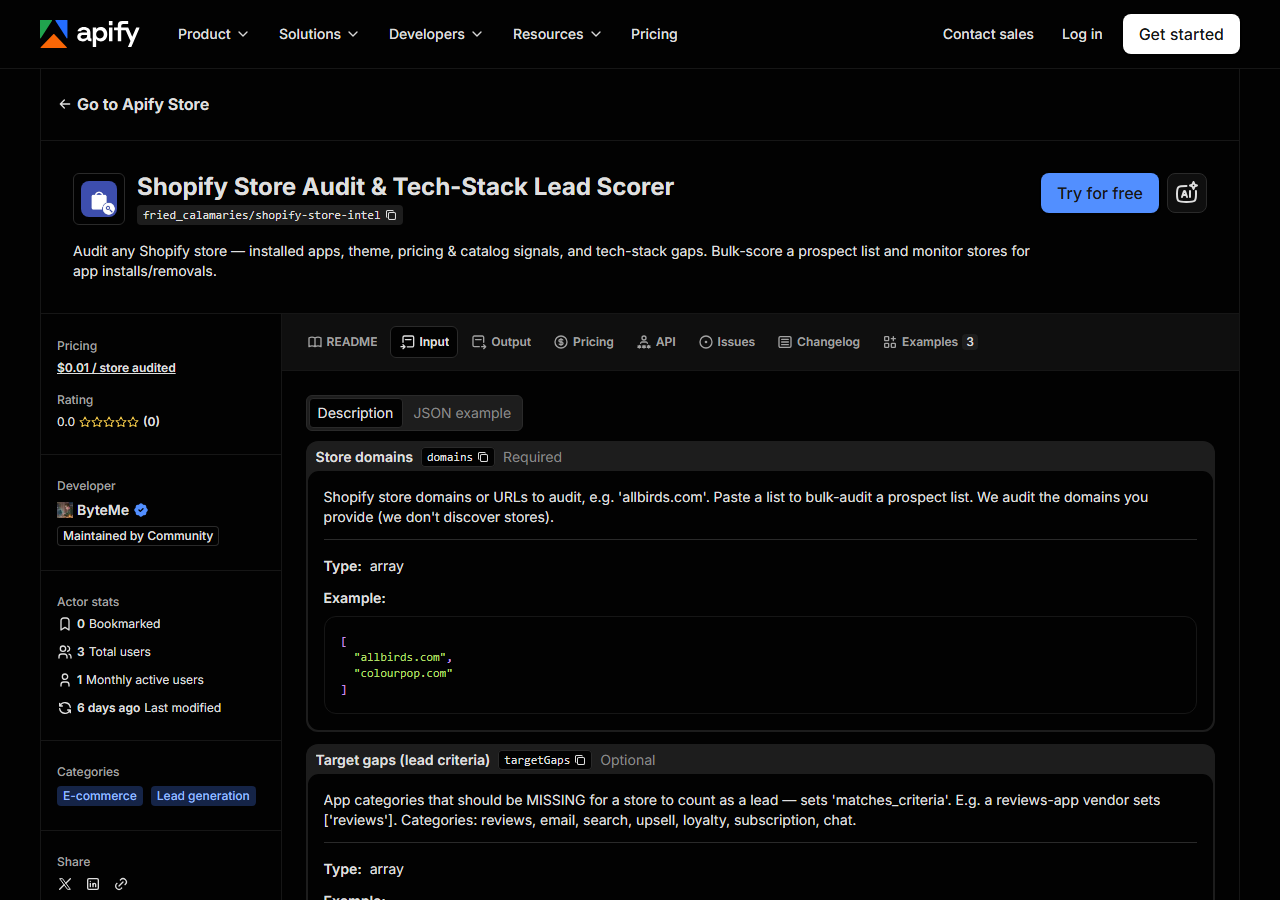
domains | array | yes | Shopify store domains or URLs to audit, e.g. ‘allbirds.com’. Paste a list to bulk-audit a prospect list. We audit the domains you provide (we don’t discover stores). |
targetGaps | array | no | App categories that should be MISSING for a store to count as a lead — sets ‘matches_criteria’. E.g. a reviews-app vendor sets [‘reviews’]. Categories: reviews, email, sms, popups,… |
includeContacts | boolean | no | When on (default), also return the store’s contact email, phone and social links from its own contact and policy pages. Each store takes a few seconds longer; turn it off for a fast tech-stack-only audit. (default True) |
includeProducts | boolean | no | When off (default), return store signals only (fast, cheap — the lead-gen need). Turn on to also include the (slimmed) product catalog. |
compareToPrevious | boolean | no | When on (default), diff each store against the previous run and report what changed — apps added/removed and product-count delta. Run on a schedule to track stores over time. (default True) |
maxProductsPerStore | integer | no | Cap on products sampled per store (bounds cost). Product count caps here for very large stores. (default 1000) |
Two fields decide what you actually get. domains is the one people misread: this actor audits
the domains you give it. It does not go looking for Shopify stores, and there is no “find me all
stores in cosmetics” mode — you bring the list, it enriches the list. Bare hosts or full URLs both
work; https://Allbirds.com/collections/mens and allbirds.com normalise to the same thing.
targetGaps is what turns an audit into a lead score. Give it the app categories that must be
absent for a store to count as a prospect, and matches_criteria comes back true only when
every one of them is missing. A reviews-app vendor sets ["reviews"]. Leave targetGaps empty and
matches_criteria is null — you still get all the detection, just no verdict. The 14
categories are reviews, email, sms, popups, search, upsell, loyalty, subscription, chat, bnpl
(buy now, pay later), returns, tracking (ad and analytics pixels), translation and accessibility.
includeContacts is on by default, and it is what makes a gap a lead you can act on: the row
also carries contact_email, phones and socials, read from the contact and policy pages the
store publishes itself. It costs nothing extra, but each store takes a few seconds longer, so for a
long list where you only want the tech stack, turn it off.
A working input:
{
  "domains": [
    "allbirds.com",
    "colourpop.com"
  ],
  "targetGaps": [
    "loyalty"
  ],
  "includeContacts": true,
  "compareToPrevious": true
}
Step 3 — Run it
Press Start. The run log names each store as it is audited, and the rows land in the dataset when the audit finishes — about four seconds a store with contacts on (five stores took 20 seconds on 2026-10-30).
You get one row per domain you submitted. Non-Shopify domains come back with is_shopify: false;
a domain that never answered comes back with is_shopify: null and a fetch_error saying why, so
“not Shopify” and “couldn’t reach it” never look alike. If the list is too long for the run’s time
limit, the last row is a free notice saying how many domains were not audited — and those weren’t
charged. An empty detected_apps list is not a failure: it
usually means the store genuinely runs none of the apps in the signature list, or loads them
server-side where the storefront markup doesn’t give them away. Check is_shopify first — if
that’s true and the app list is empty, the detection ran and found nothing.
Step 4 — Read the output
Each run returns a labelled table, not raw JSON:
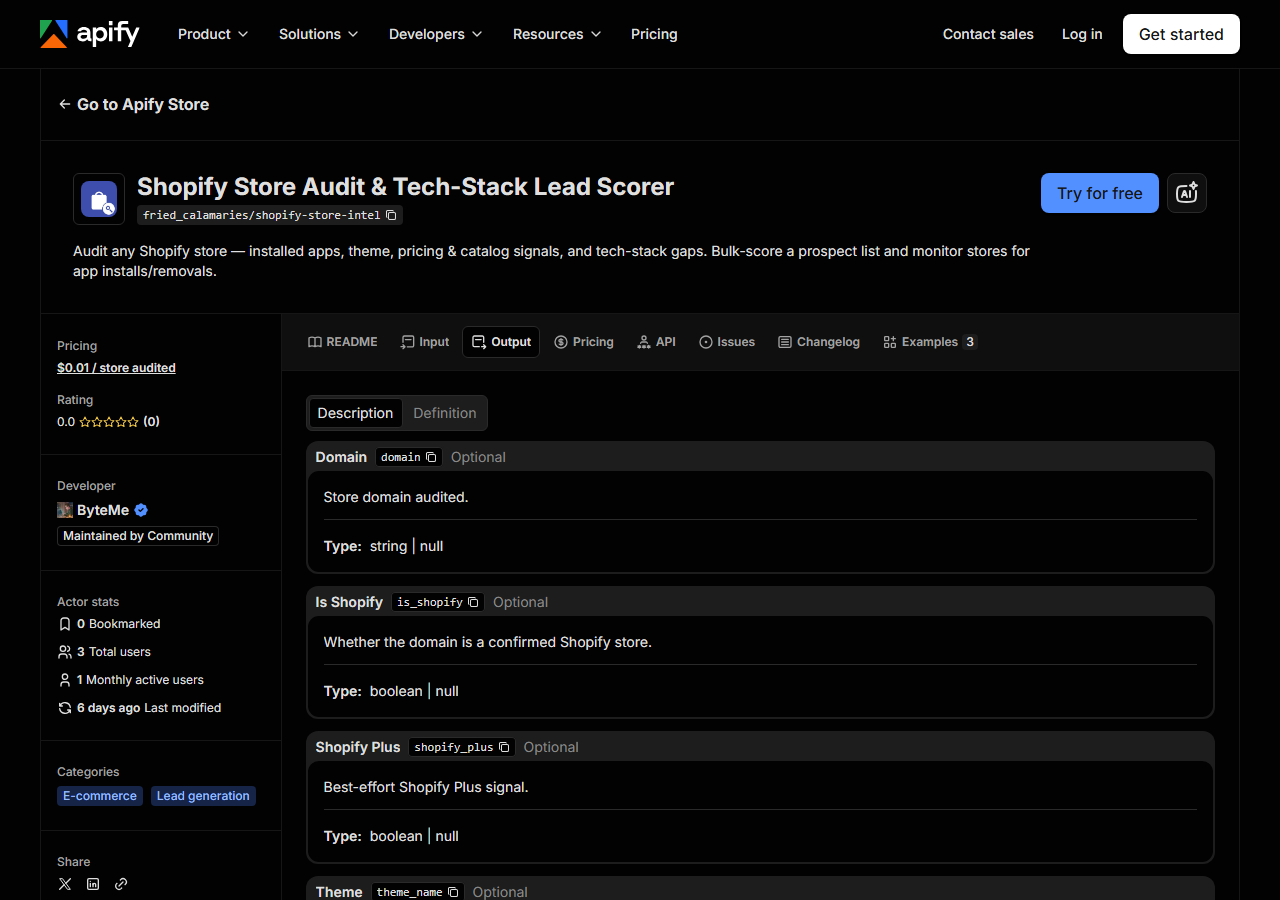
Here is a real row, from a run on 2026-10-30 with targetGaps: ["loyalty"] (trimmed — the
per-category has_*_app flags and a few catalog fields are left out):
{
  "domain": "allbirds.com",
  "is_shopify": true,
  "store_name": "Allbirds",
  "city": "Beverly Hills",
  "province": "California",
  "country": "US",
  "contact_email": "help@allbirds.com",
  "emails": ["help@allbirds.com"],
  "phones": ["+1 (424) 363-8064"],
  "theme_name": "[DNAM Theme July 2026]",
  "theme_base": "allbirds-theme",
  "detected_apps": [
    {"name": "Yotpo", "category": "reviews"},
    {"name": "Redo", "category": "returns"},
    {"name": "Google Tag", "category": "tracking"},
    {"name": "Microsoft Clarity", "category": "tracking"},
    {"name": "Triple Whale", "category": "tracking"},
    {"name": "Elevar", "category": "tracking"}
  ],
  "app_categories": ["returns", "reviews", "tracking"],
  "missing_categories": ["email", "sms", "popups", "search", "upsell", "loyalty",
                         "subscription", "chat", "bnpl", "translation", "accessibility"],
  "matches_criteria": true,
  "product_count": 356,
  "collection_count": 1346,
  "currency": "USD",
  "ships_to_countries_count": 1,
  "shop_pay_installments": true,
  "first_seen": true,
  "source_url": "https://allbirds.com"
}| Field | Example value | Meaning |
|---|---|---|
domain | allbirds.com | Store domain audited |
is_shopify | True | Whether the domain is a confirmed Shopify store |
store_name / city / province / country | Allbirds, Beverly Hills, California, US | Who the store is and where it is based, as the store publishes it |
contact_email | help@allbirds.com | Best email on the store’s own domain |
detected_apps | [{"name": "Yotpo", "category": "reviews"}, …] | Installed apps detected from the storefront ({name, category}) |
missing_categories | ["email", "sms", …] | App categories with NO detected app — the prospecting gaps |
matches_criteria | True | True when all your target-gap categories are missing (a lead) |
theme_name / theme_base | [DNAM Theme July 2026] / allbirds-theme | The theme as named, and the theme it is built on |
Most people came for missing_categories and matches_criteria — that’s the prospecting verdict,
and contact_email is who to send it to. A few things to watch. matches_criteria is null, not
false, when you didn’t set targetGaps. contact_email is only ever an address on the store’s
own domain; addresses on other domains (a parent company, a legal agent) stay in emails. Some
big brands publish only a help-center form, and their contact fields stay empty. A headless storefront (one built
outside Shopify’s themes) hides most of its app markup too, so on a row with no store_name, treat
a “missing” category as unconfirmed rather than a real gap. product_count
is the store’s own published count, exact; on a headless store that hides it, the count falls back
to the catalog sample and is capped by maxProductsPerStore (product_count_is_floor: true). And
when a store has disabled /products.json (products_json_accessible: false), the catalog signals
that depend on product data — price_min, price_max, discount_rate, new_products_30d — come
back null. That’s expected, not a bug.
Step 5 — Export it
Open the Dataset tab and export to CSV, JSON, or Excel — or pull the same rows from the API, which is what you want if this is going to run on a schedule.
What it costs
Pay-per-store: $0.01 per Shopify store audited, so a 1,000-store prospect list is about $10.00. Domains that turn out not to be Shopify, or that never respond, are pushed to the dataset for free — you don’t pay to find out a domain was a dead end. Contact details cost nothing extra. Apify’s own platform compute is billed separately on your plan; this actor uses plain HTTP requests rather than a browser, which keeps that side small.
Where the data comes from
This reads public storefront directly. The target is Public storefront JSON. Every night a canary runs this actor against that live source and diffs the result against a frozen fixture — what “verified” means.
There is no privileged access here and no integration. Every Shopify store serves a /products.json
endpoint with its catalog in it, and serves storefront HTML with its theme name and its apps’ script
tags embedded — that is the whole source. The annoyance isn’t getting the data, it’s that it arrives
as an undifferentiated wall of JSON and markup: apps are identified by CDN hostnames buried in
script tags, the product count is only the length of a paginated list, and roughly one store in
seven turns /products.json off entirely and needs a sitemap fallback. Doing that across a list by
hand is the part nobody wants to do twice.
See it used
Detect a Shopify Store’s Apps & Theme is the single-store version — one domain, what it runs. Find Shopify Stores Missing a Reviews App is the app-vendor version — a list in, the ones with a gap flagged on the way out. And Audit a Competitor’s Shopify Tech Stack uses the same row to read a rival’s stack and catalog posture.
If what you actually want is to watch a store change rather than describe it once, reach for the Shopify Price & Stock Change Tracker instead: this actor tells you what a store is, the tracker tells you what moved — price changes, stock flips, products added and pulled. The natural pairing is to audit once and then watch.
Last updated 2026-10-30