Use case
Detect a Shopify Store's Apps & Theme
Identify which apps and theme a Shopify store runs — reviews, email, SMS, search, upsell, loyalty, subscriptions, chat, BNPL and more — plus gaps.
A prospect emails you asking for a quote on a storefront rebuild, and before you can price it you need to know what they’re standing on. Which theme — a stock Dawn, or something custom you’d have to unpick? Which apps are wired into the product page, because every one of them is a migration you’ll have to plan for and a subscription somebody is paying for? You can ask them, and half the time they don’t know. The store itself does know, and it will tell you, if you ask it the right way.
The manual way, and what it costs
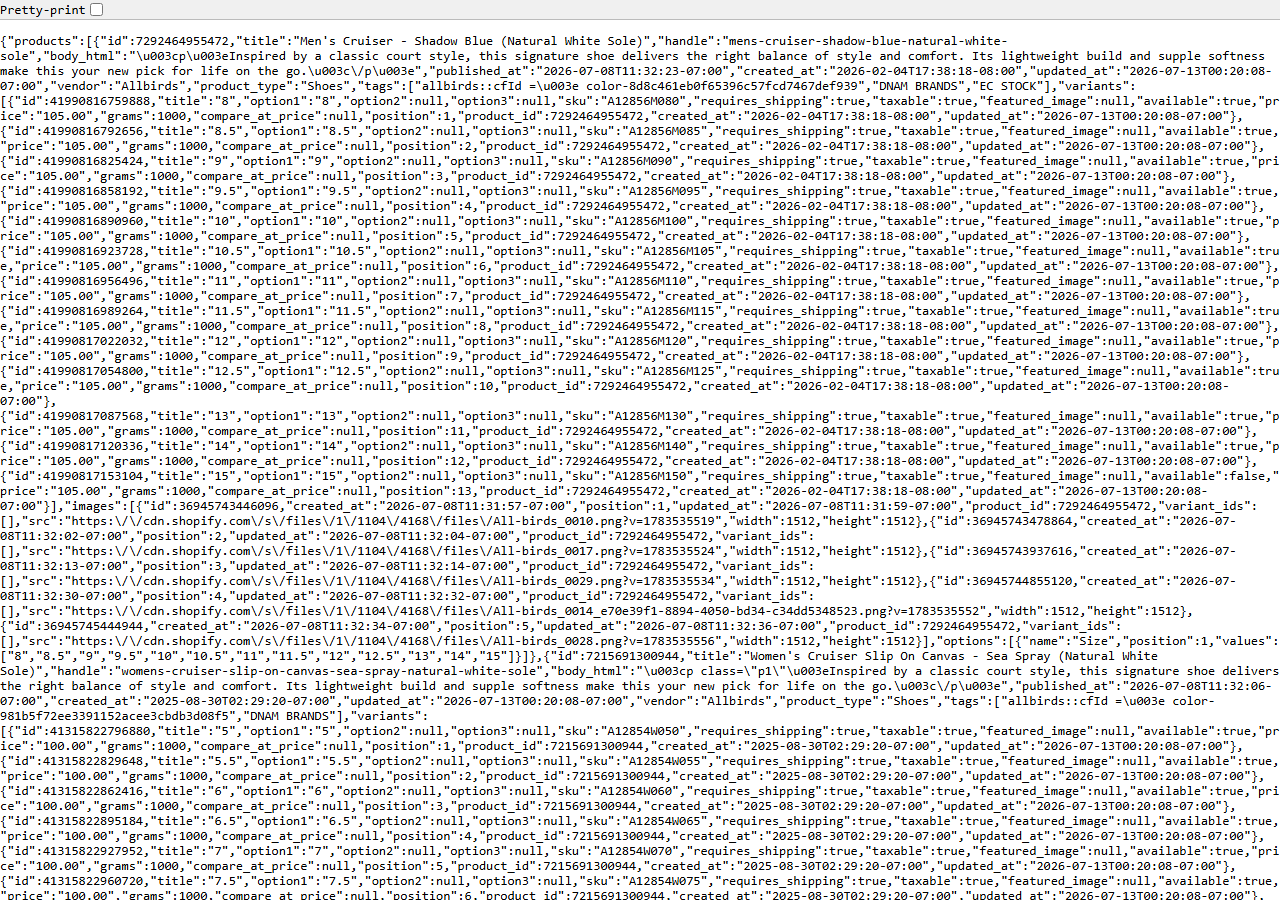
Open the store, hit View Source, and read. There is no trick to this and nothing is hidden: an
installed app loads its JavaScript from its own CDN, so loox.io, klaviyo, searchanise,
smile.io, gorgias and their peers are all right there in the markup, each one a name you can
look up. The theme announces itself in a Shopify.theme object with a name field. Add
/products.json to the domain and Shopify hands over the catalog, exactly as pictured above — a
public endpoint, no login, nothing a visitor with devtools open couldn’t already see.
For one store, this is a five-minute job and you should just do it. Honestly — if the answer you need is “does this one store run a reviews app”, close this page and go look. The manual path only falls apart on repetition: doing it for every inbound lead, remembering which of the 14 app categories you checked, being consistent across a teammate’s audit and yours, and ending up with something sortable rather than a note in a doc. That’s the point where reading markup by hand turns into a chore you’ll quietly stop doing.
The faster way
Shopify App & Theme Detector — Store Audit & Gap Finder does the same search once and hands back every row at once.
{
  "domains": [
    "gymshark.com"
  ],
  "compareToPrevious": false
}
One domain in, one row out. You don’t set targetGaps because you aren’t scoring this store against
lead criteria — you want the inventory of what it runs, not a yes/no verdict, so matches_criteria
comes back null and that’s correct. compareToPrevious is off because there’s nothing to compare
to on a first look; leave it on (the default) once you’re auditing the same store repeatedly and the
row starts carrying what changed since last time. Note that the actor audits the domain you hand it —
it doesn’t go hunting for stores, so the list is yours to bring.
What comes back
{
  "domain": "allbirds.com",
  "is_shopify": true,
  "detection_signals": [
    "cdn.shopify.com",
    "Shopify.theme"
  ],
  "shopify_plus": false,
  "theme_name": "Dawn",
  "detected_apps": [
    {
      "name": "Yotpo",
      "category": "reviews"
    },
    {
      "name": "Klaviyo",
      "category": "email"
    }
  ],
  "app_categories": [
    "email",
    "reviews"
  ],
  "has_reviews_app": true,
  "has_email_app": true,
  "has_search_app": false,
  "missing_categories": [
    "search",
    "upsell",
    "loyalty",
    "subscription",
    "chat"
  ],
  "matches_criteria": false,
  "product_count": 629,
  "price_min": 18.0,
  "price_max": 160.0,
  "currency": "USD",
  "discount_rate": 0.12,
  "new_products_30d": 7,
  "products_json_accessible": true,
  "first_seen": false,
  "apps_added": [
    "Klaviyo"
  ],
  "apps_removed": [],
  "product_count_delta": 12,
  "source_url": "https://allbirds.com"
}| Field | Example value | Meaning |
|---|---|---|
domain | allbirds.com | Store domain audited |
is_shopify | True | Whether the domain is a confirmed Shopify store |
detected_apps | [{"name": "Yotpo", "category": "reviews"}, {"name": "Klaviyo", "category": "email"}] | Installed apps detected from the storefront ({name, category}) |
app_categories | ["email", "reviews"] | Categories of detected apps |
missing_categories | ["search", "upsell", "loyalty", "subscription", "chat"] | App categories with NO detected app — the prospecting gaps |
matches_criteria | False | True when all your target-gap categories are missing (a lead) |
detected_apps and theme_name are the answer to the quote. Each app is a named integration with a
category attached, so you can see at a glance that reviews and email are covered and search, upsell,
loyalty, subscription and chat are not — that’s what missing_categories is listing. product_count
tells you how much catalog you’d be migrating, and is_shopify with its detection_signals is the
sanity check that the domain is a Shopify store at all before you quote a Shopify job.
What you’d do with it
Paste every inbound lead’s domain into the domains list, run once, export the dataset to CSV, and
you have a scoping sheet: theme, app count, catalog size, one row per prospect. The app list is the
migration checklist and the product_count is the number that moves your estimate. If the store
turns out not to be on Shopify (is_shopify: false), you’ve learned that for free — those rows
aren’t charged.
Worth knowing
App detection is best-effort from storefront markers, and it can miss things. An app that renders
entirely server-side leaves no fingerprint in the markup and simply won’t appear — an empty
detected_apps list means “nothing detected”, not “nothing installed”. Treat it as a strong hint,
not an audit certificate, and verify anything the quote hangs on. The data is storefront-only: no
real inventory counts, no sales, revenue, orders, traffic or customers, ever — those are
Admin-API-only. About 10–15% of stores disable /products.json, and for those the product count
comes from the sitemap while the price and discount signals come back empty. A few stores sit behind
a CDN or WAF in front of the custom domain; the actor retries those at the store’s <handle>.myshopify.com origin automatically.
Run it yourself: How to run Shopify App & Theme Detector — Store Audit & Gap Finder walks the whole thing step by step.
Doing this across a competitor set rather than one prospect is Audit a Competitor’s Shopify Tech Stack. And if the question isn’t what a store runs today but what it changes week to week, the Shopify Price & Stock Change Tracker watches prices, stock and the product list over time instead.
Last updated 2026-07-13