Use case
Check a California Contractor's Bond & Workers' Comp
Pull a California contractor's bond and workers'-comp status by business name or license number, from the CSLB registry.
Say you run a commercial property portfolio and your insurer’s rule is simple: nobody’s crew sets foot on a site unless the contractor carries workers’ comp, and the license is bonded. A trade partner sends over a certificate of insurance. Certificates are documents someone typed — they go stale, they get reissued, and occasionally they describe a policy that has since been cancelled. The CSLB registry is the authoritative record of what the state actually has on file: which surety company wrote the contractor’s bond, for how much, and whether the licensee carries a workers’ comp policy or is claiming the exemption.
The awkward part is that you rarely start from a license number. You start from a business name on an email, and often not the legal one.
The manual way, and what it costs
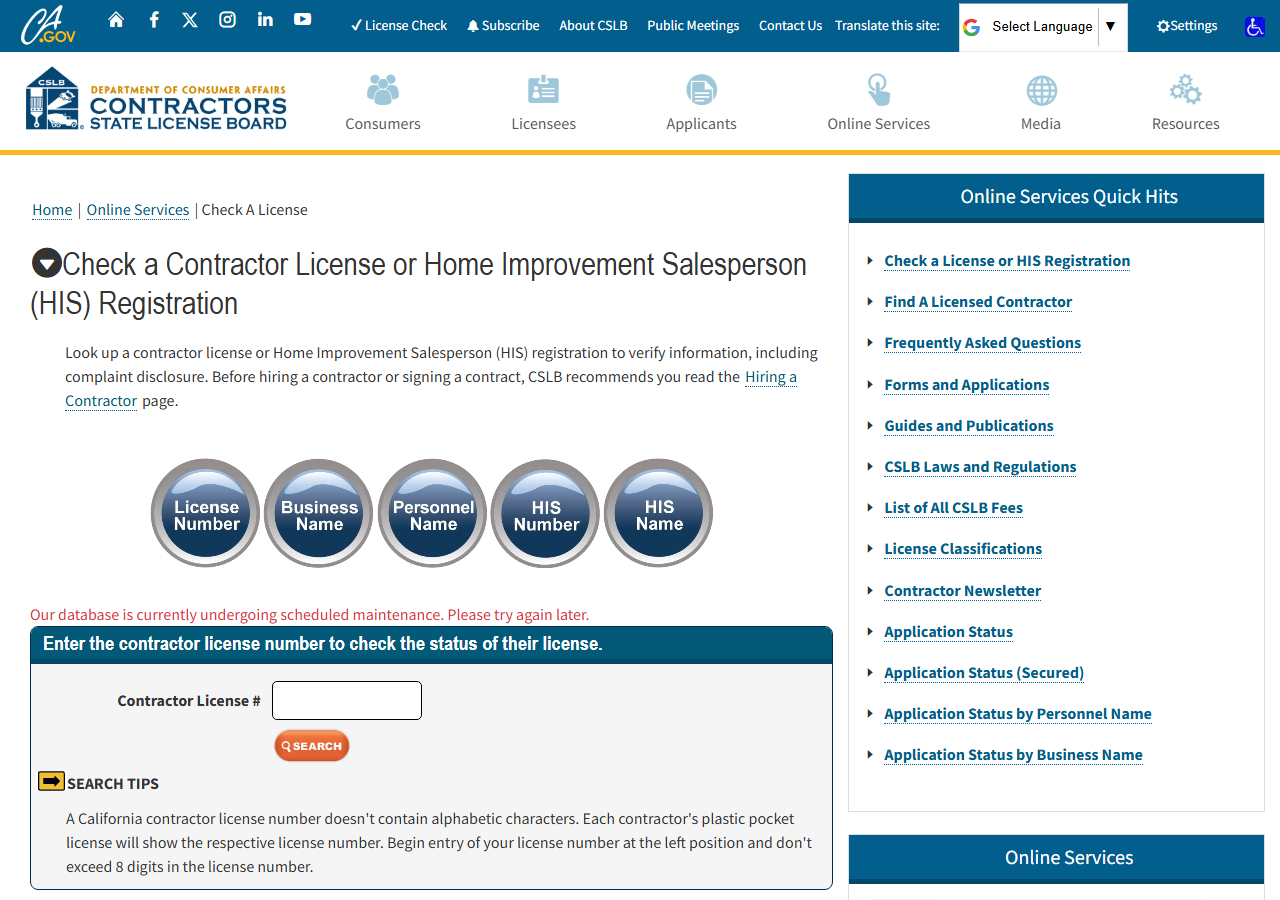
CSLB publishes all of this for free. Search a business name on the page above, click into the licensee, and the detail page shows the contractor’s bond — surety company, bond number, amount — and the workers’ comp section, either the carrier’s name or a note that the licensee is exempt. For one contractor, before one job, that page is faster than any tool and you should just use it. It’s the same data, from the same source, at no cost.
Where it breaks down is when the check has to be systematic. A name search returns several candidates — businesses whose names all contain the word you typed — and you have to click each one to see whose bond and comp you’re actually looking at. Multiply that by every trade partner touching every property in the portfolio, then again each renewal cycle, and you are hand-transcribing surety names and bond amounts into a spreadsheet for the rest of your life. There’s no export from that detail page, and no way to have it check itself next quarter and tell you what changed. The manual path gives you an answer; it never gives you a record.
The faster way
California Contractor License Lookup & Verify (CSLB) does the same search once and hands back every row at once.
{
  "query": "construction",
  "includeDetails": true,
  "maxResults": 10
}
Here query is a business name rather than a number — you have the name on the email, not the
license number — so the actor searches the registry’s name indexes and returns every match. Because
a word like “construction” appears in a great many California business names, maxResults: 10 keeps
the first pass small; use the most distinctive part of the trade partner’s name to get closer.
includeDetails: true is non-negotiable for this job: bond and workers’ comp only exist on the full
license record. Turn it off and you get name, city and status — and none of the fields you came for.
What comes back
{
  "license_number": "22726",
  "business_name": "RANSOME COMPANY",
  "name_type": "DBA",
  "matched_by": "business_name",
  "status": "This license is current and active.",
  "city": "SAN LEANDRO",
  "has_detail": true,
  "business_type": "Corporation",
  "address": "1933 WILLIAMS STREET",
  "state": "CA",
  "zip_code": "94577",
  "phone": "(510) 686-9900",
  "issue_date": "07/01/1932",
  "expiration_date": "10/31/2027",
  "classifications": [
    "A",
    "C10"
  ],
  "surety_company": "HARCO NATIONAL INSURANCE COMPANY",
  "bond_number": "354811",
  "bond_amount": "25,000",
  "workers_comp_type": "Insurance",
  "workers_comp_company": "TRAVELERS PROPERTY CASUALTY COMPANY OF AMERICA",
  "source_url": "https://www.cslb.ca.gov/onlineservices/checklicenseII/LicenseDetail.aspx?LicNum=22726"
}| Field | Example value | Meaning |
|---|---|---|
license_number | 22726 | CSLB license number |
business_name | RANSOME COMPANY | Licensed business name |
name_type | DBA | How the name is held (e.g. DBA) — from name searches |
matched_by | business_name | Which search surfaced this match: ‘license_number’ or ‘business_name’ |
status | This license is current and active. | License status (e.g. ‘Active’, ‘Expired’, or the detail status sentence) |
city | SAN LEANDRO | Business city |
Four columns answer the insurer’s rule. surety_company, bond_number and bond_amount are the
contractor’s bond as CSLB holds it — the surety who actually wrote it, the number, and the amount
(a formatted string, 25,000, so strip the comma before you compare it to a threshold).
workers_comp_type is the one to read hardest: Insurance means a policy, with the carrier named in
workers_comp_company; Exempt means the licensee has told CSLB they have no employees requiring
coverage, and the carrier field will be blank. Exempt is a legitimate status and also a red flag if
the crew turning up on your site is clearly more than one person. has_detail confirms the full
record was fetched, and source_url is the official page each figure came from — which is the
column that lets you hand the sheet to your broker without also handing them your word for it.
What you’d do with it
Export to CSV, keep one row per trade partner, and diff it against your certificates. Any row where
workers_comp_type is Exempt but the contract requires coverage, any row where the surety on file
isn’t the surety on the certificate, any row where bond_amount is below what the contract demands —
that’s the call list. Re-run it on a schedule and the check becomes a change report: the only rows
you read are the ones where CSLB’s record moved since last quarter.
Worth knowing
CSLB’s record is not your contractor’s certificate of insurance, and this doesn’t pretend to be one. It shows what the state has on file, which is the point — but a policy can be cancelled before the registry reflects it, and a bond can be exhausted without the amount on file changing. Treat it as the authoritative check on what was filed, not proof of what is in force today; results reflect the live registry at lookup time, which is why re-running beats trusting a saved copy. It is also California’s CSLB registry only (public record under Business & Professions Code §7000 et seq.), and fields are blank where CSLB simply doesn’t publish them. Runs are bounded (default 50 results), so a broad name needs narrowing rather than a bigger cap.
Run it yourself: How to run California Contractor License Lookup & Verify (CSLB) walks the whole thing step by step.
If you already have the license number, Verify a California Contractor by License Number skips the name-matching and goes straight to the record. And once a contractor is cleared to be on site, OSHA Violation Risk asks the next question — whether their inspection history says they’ll be safe there.
Last updated 2026-07-13