How-to
How to run California Contractor License Lookup & Verify (CSLB)
Step-by-step: the exact input, what each field does, and the real rows that come back from CSLB.
Start here with the honest version: if you have one California contractor to check, close this page and go to CSLB’s own “Check a License” tool. It’s public, it’s free, it’s instant, and it’s the same registry this actor reads. A homeowner about to sign with one roofer does not need an Apify account.
This actor is for the other job — when the lookup is not one lookup. You have a vendor list of 180 subcontractors and onboarding needs each one’s status, classifications, bond and workers’ comp in a spreadsheet. You re-check every active sub each quarter, because a license that was current in January can be expired by April. Or you’re tracing a person rather than a business, and you need every license they’re listed on, not just the one you already know about. Done by hand, that’s one CSLB search per contractor, then a click into the detail page, then copy-paste of a dozen fields into a sheet — and it has to be redone from scratch the next time anyone asks. This actor turns the same registry into structured rows a system can consume.
What you’ll need
Nothing but an Apify account. The actor talks to CSLB directly.
No API key, no CAPTCHA-solving service, no proxy subscription. CSLB is normally reachable straight
from Apify’s servers, so proxyConfiguration stays off by default — turn it on only if a run comes
back blocked. That means the only cost is the actor’s own per-result fee plus Apify compute, with no
third-party bill hiding behind it.
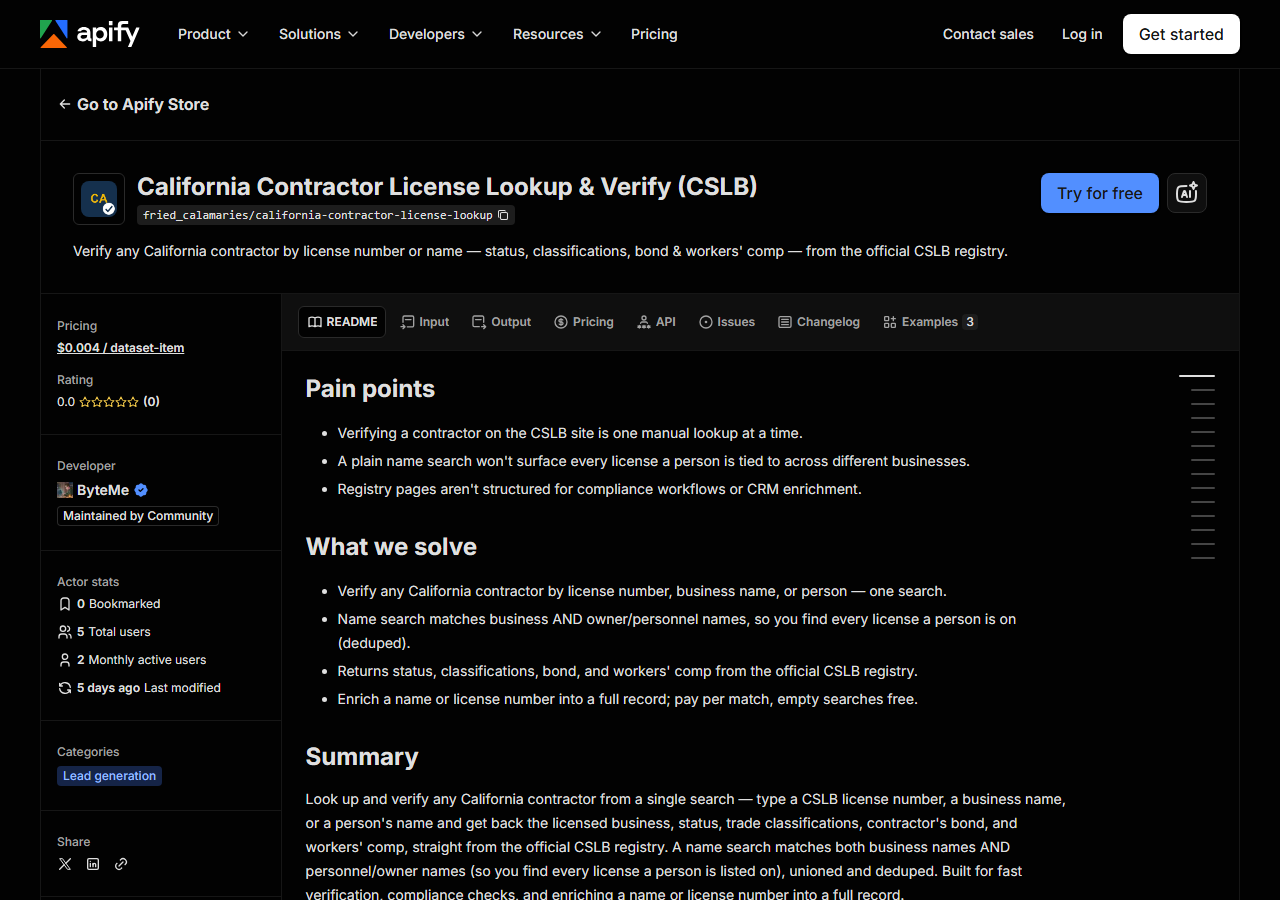
Step 1 — Open the actor
Open California Contractor License Lookup & Verify (CSLB) on the Apify Store and press Try for free. The actor’s own page on this site lists its live health and pricing.
Step 2 — Fill in the input
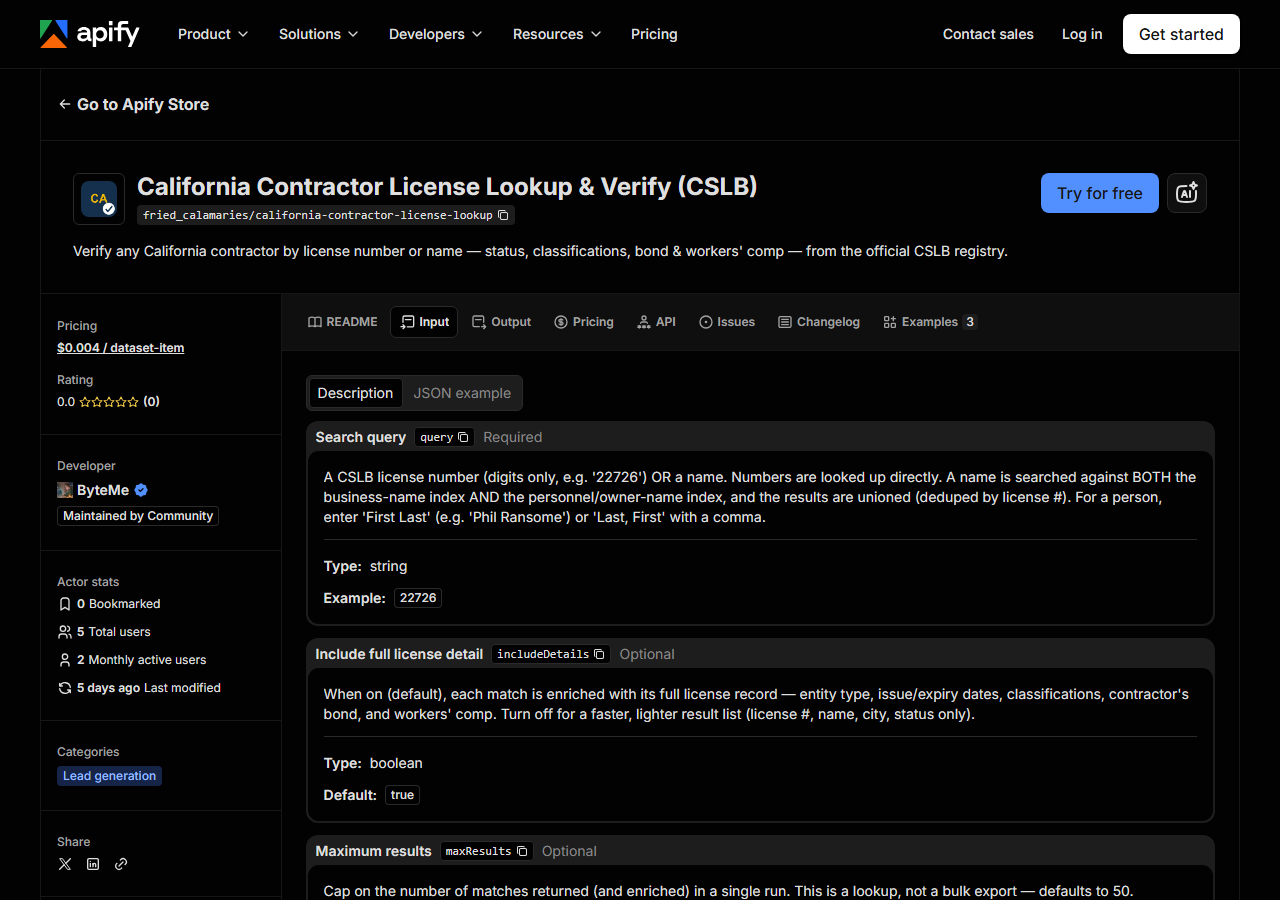
| Field | Type | Required | What it does |
|---|---|---|---|
query | string | yes | A CSLB license number (digits only, e.g. ‘22726’) OR a name. Numbers are looked up directly. A name is searched against BOTH the business-name index AND the… |
includeDetails | boolean | no | When on (default), each match is enriched with its full license record — entity type, issue/expiry dates, classifications, contractor’s bond, and workers’ comp. Turn off for a… (default True) |
maxResults | integer | no | Cap on the number of matches returned (and enriched) in a single run. This is a lookup, not a bulk export — defaults to 50. (default 50) |
Only query is required, and it is the field that decides everything. Give it digits — 22726 —
and the actor treats it as a CSLB license number and looks that licence up directly. Give it
anything else and it’s treated as a name, and a name search runs against two CSLB indexes: the
business-name index and the personnel/owner-name index. The results are unioned and deduped by
license number, so a search for a person returns the licenses they’re on even when the business is
named after somebody else. For a person, type First Last (Phil Ransome) or Last, First with
the comma. The matched_by column in the output tells you which index produced each row.
includeDetails is the other one people get wrong. Leave it on (the default) and each match is
enriched with its full license record — entity type, issue and expiration dates, classifications,
bond, workers’ comp. Turn it off and you get a fast, thin list: license number, business name, city,
status. Off is the right choice when you’re doing an exploratory name search and only want to see
how many licenses exist; on is what you want when the row is going into a compliance file. Note that
detail enrichment is a second fetch per match, so a broad name search with details on does more work
than a narrow one — which is what maxResults (default 50) is there to bound.
A working input:
{
  "query": "Ransome Company",
  "includeDetails": true,
  "maxResults": 25
}
Step 3 — Run it
Press Start. Rows are pushed to the dataset as they’re found, so the run log fills in as it works.
A healthy run is short. A license-number lookup returns a single row; a name search returns as many
matches as CSLB holds for that name, capped by maxResults. Rows appear in the dataset as they’re
enriched, so you can watch the count climb rather than wait for a silent finish.
An empty run is usually not a broken actor. A license number that returns nothing is a number CSLB doesn’t have — check for a transposed digit, and note that CSLB license numbers are digits only, no letters. A name that returns nothing is usually spelled differently in the registry than on the invoice in front of you: CSLB stores the legal business name, so “Ransome Co.” may be filed as “RANSOME COMPANY”. Try a shorter, more distinctive fragment.
The one genuinely external cause is CSLB itself. The registry goes offline for maintenance, and it
does it by redirecting its online services to a Department of Consumer Affairs notice page — the
main CSLB website stays up throughout, so it doesn’t look like an outage from the outside. You
don’t have to work that out from an empty result: when the portal won’t answer, the run returns a
single unbilled row with matched_by: "source_unavailable" and a status naming the redirect,
for a licence-number lookup and a name search alike. A genuine miss returns nothing at all. So
zero rows means “CSLB has no such record” and a marker row means “ask again later” — when it’s
down, nobody’s lookup works, manual or not.
Step 4 — Read the output
Each run returns a labelled table, not raw JSON:
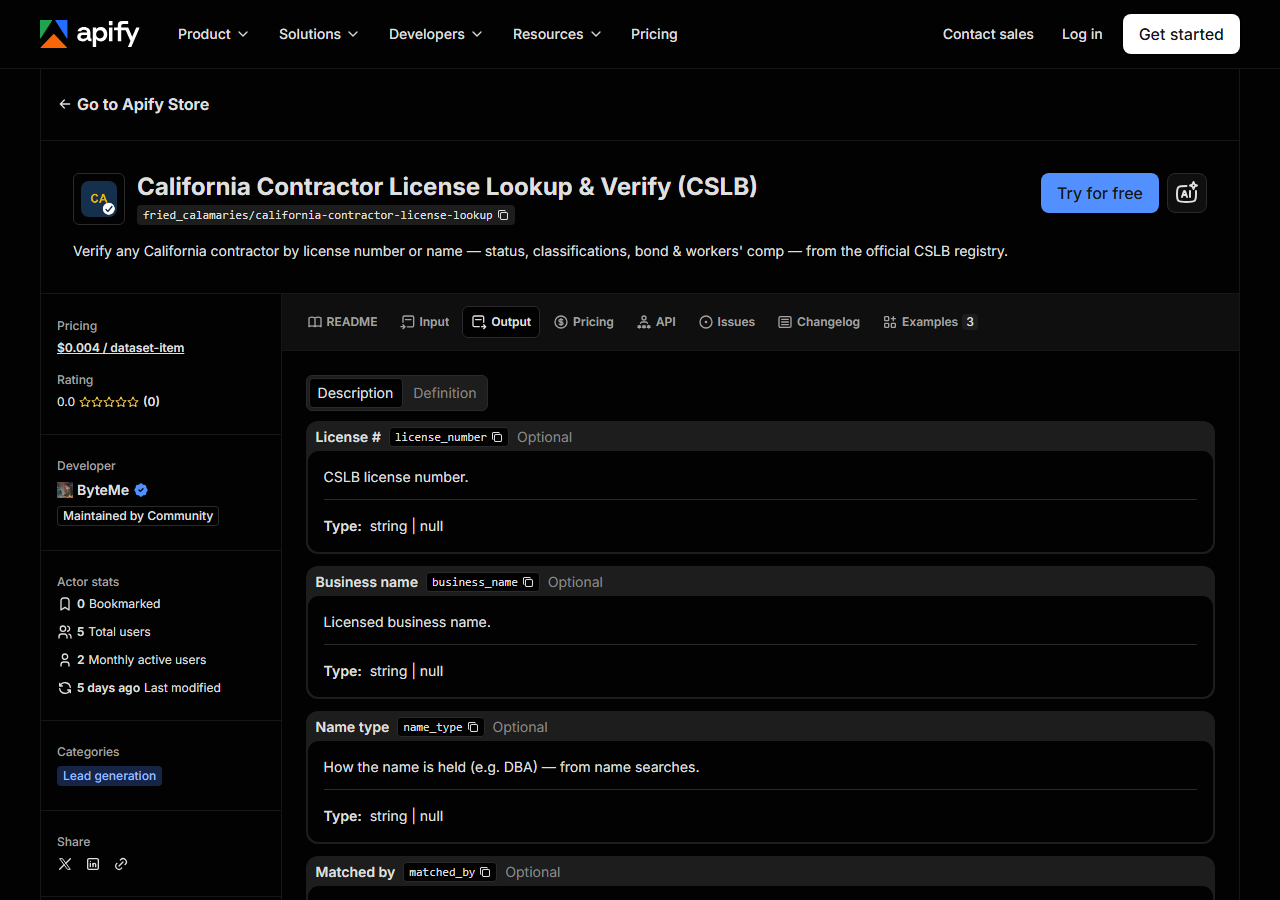
Every row looks like this — a real row from a real run:
{
  "license_number": "22726",
  "business_name": "RANSOME COMPANY",
  "name_type": "DBA",
  "matched_by": "business_name",
  "status": "This license is current and active.",
  "city": "SAN LEANDRO",
  "has_detail": true,
  "business_type": "Corporation",
  "address": "1933 WILLIAMS STREET",
  "state": "CA",
  "zip_code": "94577",
  "phone": "(510) 686-9900",
  "issue_date": "07/01/1932",
  "expiration_date": "10/31/2027",
  "classifications": [
    "A",
    "C10"
  ],
  "surety_company": "HARCO NATIONAL INSURANCE COMPANY",
  "bond_number": "354811",
  "bond_amount": "25,000",
  "workers_comp_type": "Insurance",
  "workers_comp_company": "TRAVELERS PROPERTY CASUALTY COMPANY OF AMERICA",
  "source_url": "https://www.cslb.ca.gov/onlineservices/checklicenseII/LicenseDetail.aspx?LicNum=22726"
}| Field | Example value | Meaning |
|---|---|---|
license_number | 22726 | CSLB license number |
business_name | RANSOME COMPANY | Licensed business name |
name_type | DBA | How the name is held (e.g. DBA) — from name searches |
matched_by | business_name | Which search surfaced this match: ‘license_number’ or ‘business_name’ |
status | This license is current and active. | License status (e.g. ‘Active’, ‘Expired’, or the detail status sentence) |
city | SAN LEANDRO | Business city |
has_detail | True | True when the full license detail was fetched and merged |
business_type | Corporation | Entity type — Sole Owner, Corporation, LLC, Partnership… (detail) |
Most people came for status, and it is the field to read carefully. CSLB doesn’t publish a tidy
enum — on a detail record the status arrives as the registry’s own sentence, like This license is current and active. A row from a name-search list may instead carry a short form such as Active
or Expired. If you’re going to branch on it in code, match on substrings rather than expecting one
canonical value, and treat anything that isn’t clearly current as needing a human look.
The rest of the detail fields — business_type, issue_date, expiration_date, classifications,
surety_company, bond_number, bond_amount, workers_comp_type, workers_comp_company — only
appear when includeDetails is on, which is what has_detail tells you. They can also be null when
CSLB simply doesn’t publish them for that licensee: an exempt sole owner with no employees has no
workers’ comp carrier to show, so workers_comp_type reads Exempt and the carrier is blank.
That’s an accurate reflection of the registry, not a gap in the scrape. classifications is a list
of codes (["A", "C10"]), and bond_amount is a formatted string as CSLB prints it (25,000), so
strip the comma before you do arithmetic on it. Every row carries source_url — the official CSLB
detail page — so any figure you put in front of an auditor is one click from its source.
Step 5 — Export it
Open the Dataset tab and export to CSV, JSON, or Excel — or pull the same rows from the API, which is what you want if this is going to run on a schedule.
What it costs
$0.004 per license record returned. A search that finds nothing costs nothing — you’re never charged for an empty result. Verifying one contractor by license number is a single record, so it’s four tenths of a cent. Running a 180-vendor onboarding list through it is 180 records, about $0.72. Apify’s platform compute is billed separately, per your plan.
That is the honest comparison to make: against CSLB’s free page the actor is not cheaper, it’s zero-effort and schedulable. If your volume is one lookup, the free page wins.
Where the data comes from
This reads CSLB directly. The target is ASP.NET WebForms (__VIEWSTATE / __EVENTVALIDATION). Every night a canary runs this actor against that live source and diffs the result against a frozen fixture — what “verified” means.
CSLB’s “Check a License” tool is an ASP.NET WebForms application, which is why this is more annoying
to automate than a modern site. There’s no clean URL you can request with a name in it: the search
is a form POST that only works if you replay the page’s hidden __VIEWSTATE and __EVENTVALIDATION
tokens back at it, and those change every page load. On top of that the five searches on the page —
License Number, Business Name, Personnel Name, and the two HIS ones — are separate flows, and a
personnel match is a two-hop journey: find the person, then open their license list. The actor does
that plumbing so you get a row instead of a session.
See it used
Three jobs this actor is actually run for:
- Verify a California Contractor by License Number — the compliance check: one number in, a full status/bond/classification record out, at whatever volume your vendor list is.
- Find Every CSLB License an Owner Holds by Name — tracing a person across business names, which is the search CSLB’s own UI makes hardest.
- Check a California Contractor’s Bond & Workers’ Comp — pulling just the insurance and surety fields before you let a crew on site.
Reach for California Contractor Directory by Trade & County (CSLB) instead when you don’t have a name to look up. That one goes the other way: it pulls whole lists of licensed contractors out of CSLB by county and trade classification, for prospecting rather than verification. Lookup answers “is this contractor legitimate”; the directory answers “who are all the C-10s in Los Angeles County”.
Last updated 2026-07-13