Use case
Verify a North Carolina Contractor by License Number
Check an NCLBGC licence by number - status, classification, expiration, address and phone - straight from the Board's own portal, as a row you can file.
Say you’re the risk analyst at a surety agency and a bid bond request lands with an NCLBGC number in the header. Underwriting wants an answer today. The number alone tells you nothing that matters: whether the licence is currently active, which classifications it actually carries, and when it expires relative to the bond term. Get the classification wrong and you have bonded a building contractor for highway work.
The manual way, and what it costs
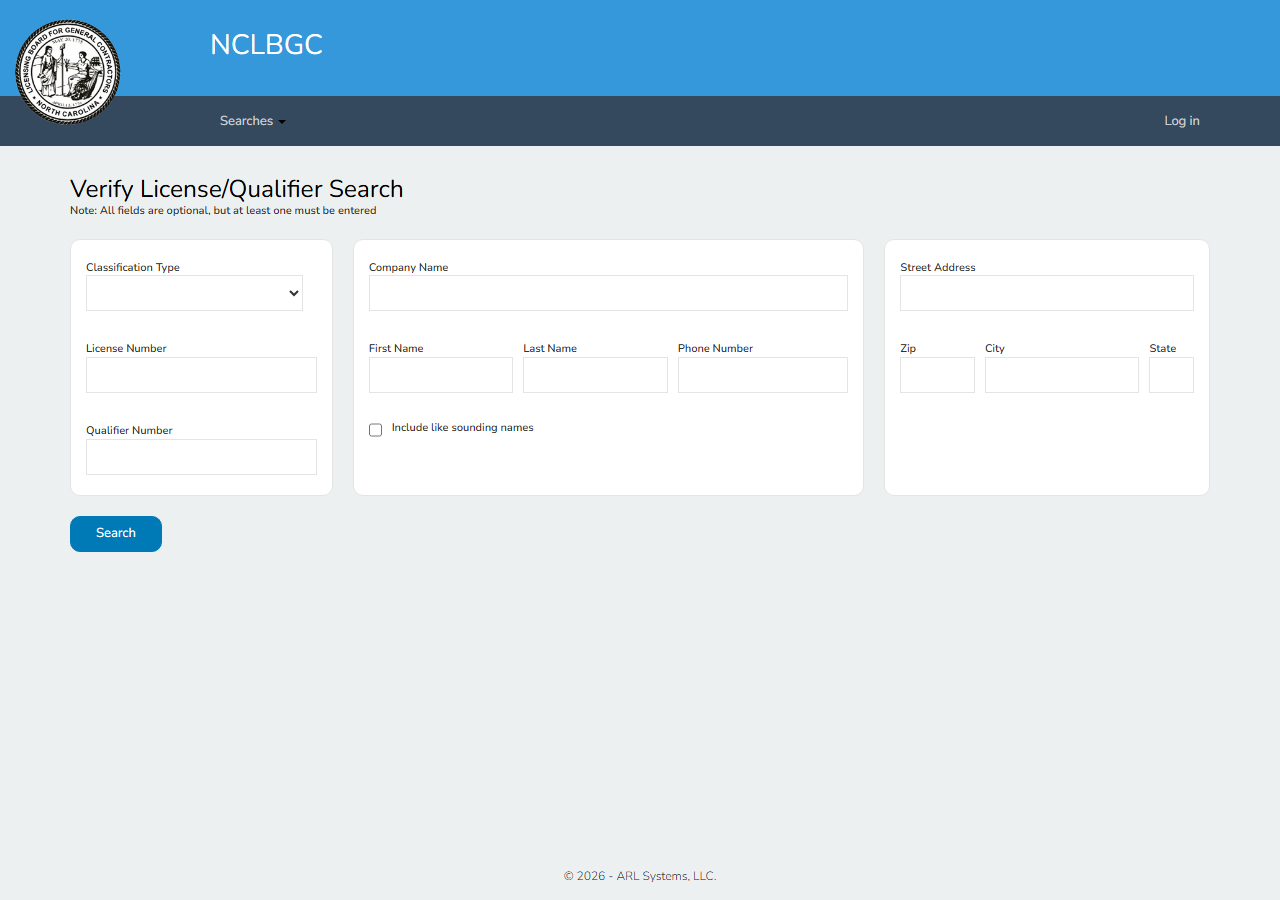
The board’s portal is public, has no CAPTCHA, and gives you the whole record: type the account number, open the result, read status, classifications and dates off the detail panel.
For one bond request, use it. It costs a minute and there’s no reason to pay for a minute. What the portal never gives you is a file: no export, no CSV, no API, so the underwriting record ends as a screenshot or a hand-typed line. Multiply that by a submission queue — or by the re-checks you owe on every renewal — and the cost stops being the search and starts being the transcription, plus the transcription errors nobody catches until a claim.
The faster way
North Carolina Contractor License Lookup & Verify (NCLBGC) does the same search once and hands back every row at once.
{
  "query": "L.03194",
  "includeDetails": true,
  "maxResults": 1
}
A licence number is unambiguous, so maxResults: 1 is the right cap — the number matches one
account and there is nothing else to pay for. L.03194, 03194 and 3194 are all accepted; the
numeric part is what gets searched. includeDetails is the setting that matters here: without it
you get the search-result tier — licence number, name, and a coarse active/not-active flag — while
with it each match is enriched from its own board record with the exact status text, the active
classifications, first-issued and expiration dates, address and phone. For an underwriting file,
leave it on.
What comes back
{
  "state": "NC",
  "license_number": "L.03194",
  "business_name": "Barnhill Contracting Company",
  "license_type": "Unclassified",
  "status": "Active",
  "issue_date": "04/30/1959",
  "expiration_date": "12/31/2026",
  "address": "P. O. Box 7948",
  "city": "Rocky Mount",
  "zip_code": "27804",
  "phone": "(252) 823-1021",
  "person_name": null,
  "county": null,
  "matched_by": "license_number",
  "source_url": "https://portal.nclbgc.org/Public/_ShowAccountDetails/?key=DCrnKZiPujDNOqltrYHa4A%3d%3d&Source=Search"
}| Field | Example value | Meaning |
|---|---|---|
state | NC | Always ‘NC’ for this actor |
license_number | L.03194 | NCLBGC license number (e.g. L.03194) |
business_name | Barnhill Contracting Company | Licensed company or individual name |
license_type | Unclassified | Active license classifications (e.g. Building, Highway, Unclassified) |
status | Active | License status (e.g. Active, Archived, Cancelled) |
issue_date | 04/30/1959 | Date first issued |
For the bond file, status answers the first question and expiration_date answers the one people
forget — a licence expiring 12/31 is a live issue for a bond running into the following spring.
license_type is the classification decision: it is the board’s list of active classifications
for that account, joined into one string, so a licence carrying Building and Highway reads as both.
issue_date is the underwriting colour — a licence first issued in 1959 is a different risk
conversation from one issued last quarter — and business_name is the check that the account
belongs to the entity on the bond form, not an affiliate with a similar name.
What you’d do with it
Attach the row to the submission, keep source_url so a reviewer or an auditor can open the board’s
own page for that account and see the same values, and stamp the run date so the file records what
was true at underwriting. Because it’s one input, the renewal check is the same call run again —
which is the point: re-verification only happens when it is cheap.
Worth knowing
General contractors only. NCLBGC licenses North Carolina general contractors. Electricians, plumbers and other trades are licensed by separate boards and will not appear here at any query.
Name searches go into the company-name field. A non-numeric query is searched against the
board’s company-name index, so it finds firms, not individual qualifiers — a qualifier’s personal
name is not exposed through the public portal search, and person_name comes back null on these
records.
Read license_type as the board writes it. The value is whatever the board lists under active
classifications, verbatim. Unclassified is a board term with a specific meaning, not a synonym for
“none” — check the board’s definition before you treat it as a gap.
County, bond and insurance are not published on this registry and are returned null. They are
in the schema for consistency across the suite; the board does not supply them, and this actor does
not invent them.
Run it yourself: How to run North Carolina Contractor License Lookup & Verify (NCLBGC) walks the whole thing step by step.
Verifying the same contractor’s licence one state south, Verify a South Carolina Contractor by License Number covers SC LLR. For a trade licence NCLBGC doesn’t cover, Tennessee Contractor License Lookup & Verify (TN DOCI) reaches contractors and licensed plumbers on one registry.
Last updated 2026-07-22