How-to
How to run North Carolina Contractor License Lookup & Verify (NCLBGC)
Step-by-step: the exact input, what each field does, and the rows that come back from NCLBGC.
The honest starting point: if you have one North Carolina general contractor to check, use NCLBGC’s own public search. It’s free, it’s instant, and it’s the same registry this actor reads. Nobody vetting a single roofer needs an Apify account. This actor exists for the case where the lookup isn’t one lookup — an onboarding list of eighty subs that each needs a license number, classification, status and expiration date pulled into a sheet; a quarterly re-check of every active contractor on your books, because a license that was current in March expires on 31 December; a CRM full of NC company names you want turned into structured license rows. Done by hand that’s one portal search per contractor, a click into the detail panel, and a copy-paste of a dozen fields — repeated from scratch the next time anyone asks. This does the same reads and hands you rows.
What you’ll need
Nothing but an Apify account. The actor talks to NCLBGC directly.
No API key, no CAPTCHA-solving service, no proxy subscription, no login. NCLBGC’s search is one of the easier public registries out there — the search is a plain form POST that needs nothing more than browser-like request headers, with no CAPTCHA and no session cookie to carry. So the only bill attached to a run is the actor’s per-result fee plus Apify compute. There is no third-party cost hiding behind it.
Step 1 — Open the actor
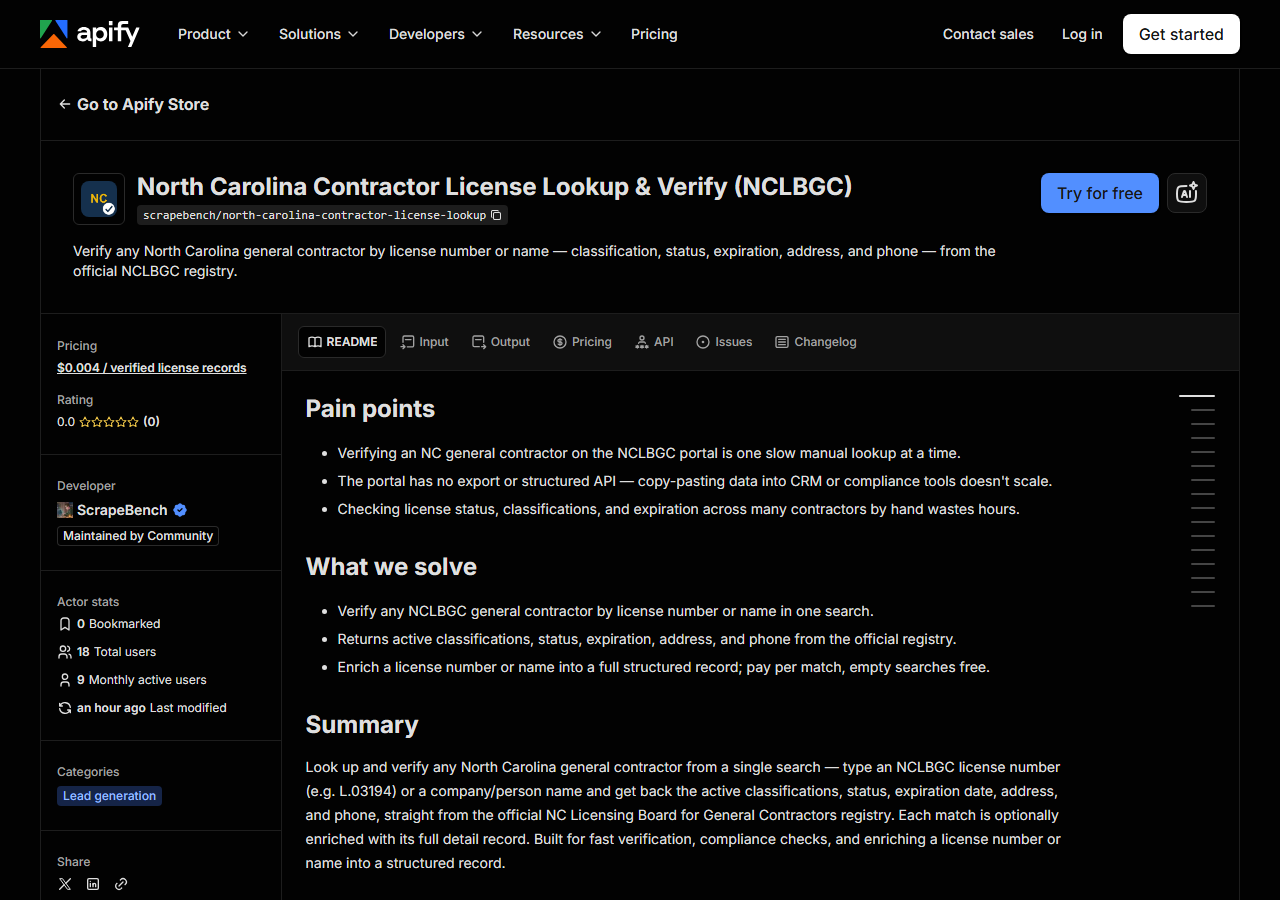
Open North Carolina Contractor License Lookup & Verify (NCLBGC) on the Apify Store and press Try for free. The actor’s own page on this site lists its live health and pricing.
Step 2 — Fill in the input
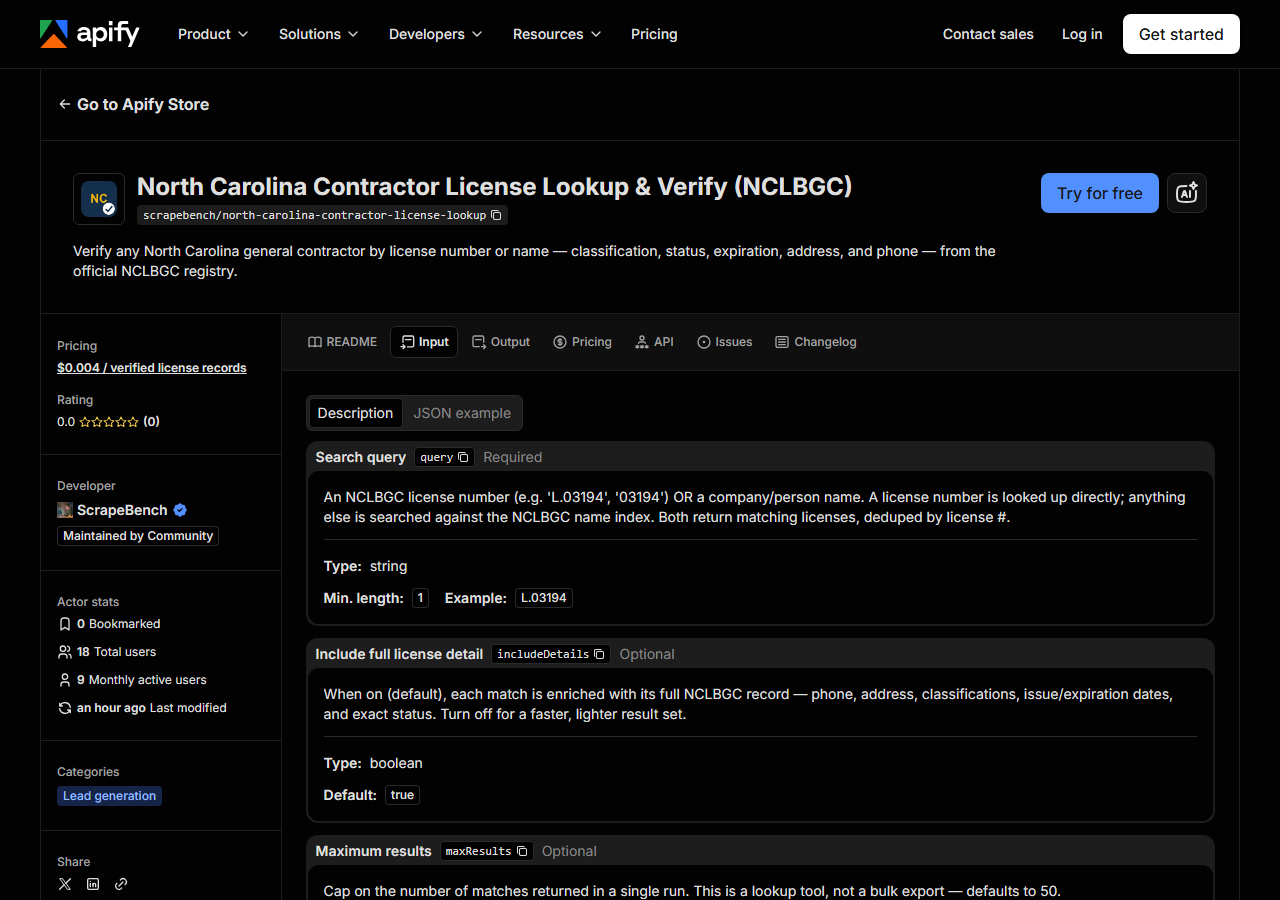
| Field | Type | Required | What it does |
|---|---|---|---|
query | string | yes | An NCLBGC license number (e.g. ‘L.03194’, ‘03194’) OR a company/person name. A license number is looked up directly; anything else is searched against the NCLBGC name index.… |
includeDetails | boolean | no | When on (default), each match is enriched with its full NCLBGC record — phone, address, classifications, issue/expiration dates, and exact status. Turn off for a faster,… (default True) |
maxResults | integer | no | Cap on the number of matches returned in a single run. This is a lookup tool, not a bulk export — defaults to 50. (default 50) |
Only query is required, and it decides which of two searches runs. If what you type looks like an
NCLBGC number — L.03194, 03194, L03194, even bare 3194 — the actor strips it down to the
digits and looks that account up directly, and you should get exactly one row back. Anything else is
treated as a name and sent to the portal’s company-name search. That is worth being precise about:
the name search is a company search. If you type a person’s name you’ll only get a hit when that
person’s name is part of the licensed entity’s name (a sole owner trading under their own name, for
instance) — this actor does not search NCLBGC’s qualifier index, so it is not a way to trace an
individual across several companies. The matched_by column on every row tells you which of the two
searches produced it.
includeDetails is the other one first-timers get wrong. It’s on by default, and it should usually
stay on: the search results fragment itself carries only three things — license number, license type,
and the owner/company name. Everything people actually want (status, classifications, first-issued
and expiration dates, address, phone) lives on the detail record, which is a second fetch per match.
Turn includeDetails off and you get a fast, thin list of numbers and names, which is fine for
“how many licenses match this name” and useless for a compliance file. Leave it on and each match
costs one extra request, which is what maxResults (default 50) is there to bound — a broad name
search with details on does a lot more work than a license-number lookup.
A working input:
{
  "query": "L.03194",
  "includeDetails": true,
  "maxResults": 25
}
Step 3 — Run it
Press Start. Rows are pushed to the dataset as they’re found, so the run log fills in as it works.
A healthy run is short. A license-number lookup is two requests — one search, one detail — and
returns a single row in seconds. A name search returns as many licenses as NCLBGC holds for that
company name, deduplicated by license number and capped by maxResults; with details on, each of
those adds one more fetch, so a twenty-match name search is on the order of twenty-one requests. Rows
land in the dataset as they’re enriched, so you can watch the count climb instead of waiting on a
silent finish.
An empty run is almost always the query, not the actor. A license number that returns nothing is a number the board doesn’t have — check for a transposed digit. A name that returns nothing is usually filed differently than it appears on the invoice in front of you: NCLBGC stores the legal entity name, so “Barnhill Contracting” finds a company that “Barnhill Constr. Co.” will not. Shorten the query to the most distinctive fragment and try again. The one genuinely external cause is the portal being down or slow, in which case the actor retries and backs off; nobody’s lookup works then, manual or not.
Step 4 — Read the output
Each run returns a labelled table, not raw JSON:
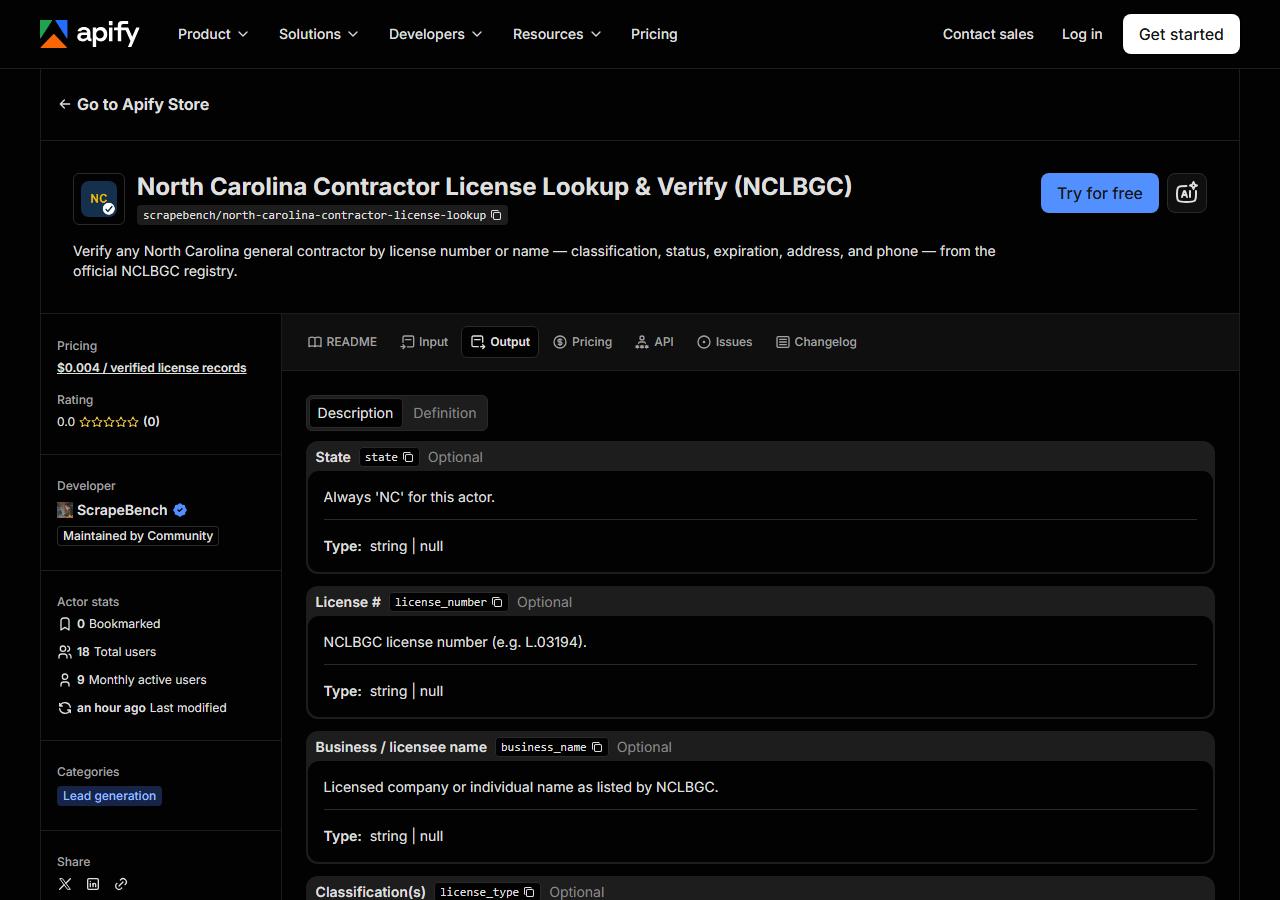
Every row looks like this — a real row from a real run:
{
  "state": "NC",
  "license_number": "L.03194",
  "business_name": "Barnhill Contracting Company",
  "license_type": "Unclassified",
  "status": "Active",
  "issue_date": "04/30/1959",
  "expiration_date": "12/31/2026",
  "address": "P. O. Box 7948",
  "city": "Rocky Mount",
  "zip_code": "27804",
  "phone": "(252) 823-1021",
  "person_name": null,
  "county": null,
  "matched_by": "license_number",
  "source_url": "https://portal.nclbgc.org/Public/_ShowAccountDetails/?key=DCrnKZiPujDNOqltrYHa4A%3d%3d&Source=Search"
}| Field | Example value | Meaning |
|---|---|---|
state | NC | Always ‘NC’ for this actor |
license_number | L.03194 | NCLBGC license number (e.g. L.03194) |
business_name | Barnhill Contracting Company | Licensed company or individual name |
license_type | Unclassified | Active license classifications (e.g. Building, Highway, Unclassified) |
status | Active | License status (e.g. Active, Archived, Cancelled) |
issue_date | 04/30/1959 | Date first issued |
expiration_date | 12/31/2026 | License expiration date |
address | P. O. Box 7948 | Street or mailing address |
Most people came for status and expiration_date, and those are the two to read carefully. Both
come from the detail record, so with includeDetails off they’ll be thin or empty: a search-results
row only knows whether the board has flagged the licence inactive, so status on a details-off run
is either Not Active or null — never assume null means active. With details on you get the board’s
own word for it (Active, Archived, Cancelled, and other values NCLBGC uses), and dates come
through exactly as the portal prints them — 12/31/2026, US month/day/year strings, not ISO dates.
Parse them before you compare them to anything.
license_type is the joined list of active classifications (Building, Highway,
Unclassified, and so on) — a licence with none currently active comes back null rather than with a
placeholder. address is whatever the board holds as the mailing address, which for a lot of older
licensees is a PO box rather than a street, as in the row above. phone is null when the board
doesn’t publish one. Two fields in the schema are always null here: person_name and county exist
for consistency with the other license actors in the suite, and NCLBGC simply doesn’t publish them.
Every row carries source_url, the keyed link to that licence’s official NCLBGC record, so anything
you put in front of an auditor is one click from its source.
Step 5 — Export it
Open the Dataset tab and export to CSV, JSON, or Excel — or pull the same rows from the API, which is what you want if this is going to run on a schedule.
What it costs
$0.004 per license record returned. A search that finds nothing is free — you are never charged for an empty result. Verifying one contractor by license number is one record, so four tenths of a cent. Pushing an eighty-vendor onboarding list through it is eighty records, about $0.32. Apify’s platform compute is billed separately, per your plan, and this is a light actor — plain HTTP requests, no browser — so that side stays small too.
Set against NCLBGC’s free search page, the actor is not cheaper; it’s zero-effort and schedulable. At one lookup, the free page wins. At eighty, on a repeating quarterly cadence, it doesn’t.
Where the data comes from
This reads NCLBGC directly. The target is ASP.NET MVC AJAX endpoint returning an HTML fragment; the detail view is fetched by the account key carried on each result row. Every night a canary runs this actor against that live source and diffs the result against a frozen fixture — what “verified” means.
By the standards of state license portals this one is easy, and there’s no reason to pretend
otherwise: the search is an ASP.NET MVC AJAX endpoint that answers a plain form POST with an HTML
fragment, no CAPTCHA and no session to establish. The mild annoyance is that the fragment is a
three-column table — number, type, name — and nothing else. Everything of value sits behind an
opaque account key hidden in each row’s onclick handler, which has to be pulled out and replayed
against the detail endpoint, one fetch per record. That’s the whole trick: read the keys, follow
them, flatten the label/value panels into a row. The site is not fighting you, it just doesn’t hand
you a record.
See it used
Verify a North Carolina Contractor by License Number checks a single NCLBGC number before you sign.
If you don’t know which state issued the licence, or you want the same contractor checked in several states at once, reach for Multi-State Contractor & Trade License Lookup instead; it runs one query across several state boards in a single run, where this actor goes deep on NCLBGC alone.
Last updated 2026-07-13