Use case
Verify a Massachusetts CSL by License Number
Check a Massachusetts Construction Supervisor License (CSL) by number -- type, status, and address/expiration detail from the official MyLicense registry.
Say you’re the owner’s rep on a gut renovation in Salisbury and the building permit application is sitting on your desk waiting for a signature. The Massachusetts building permit needs a Construction Supervisor Licence holder attached to it, and the remodeler has written a CS number in the box. If that licence is expired — or, worse, void — the permit stalls at the counter and the trades you booked for next Monday stand around. You need the number checked before it goes in, not after it comes back.
The manual way, and what it costs
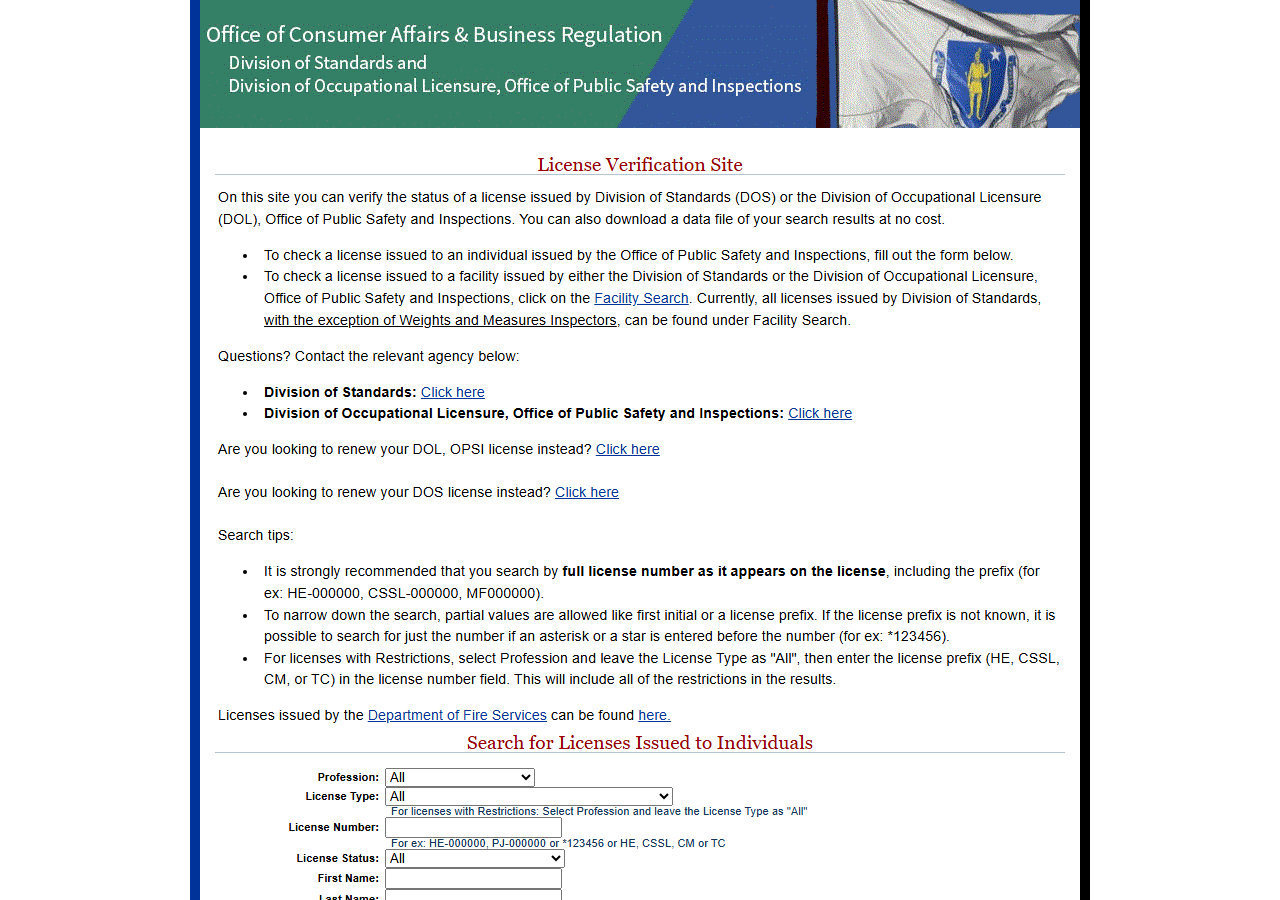
The Commonwealth’s MyLicense portal is public and free. Pick the licence type, type the number, open the result, read the status and the expiration date off the detail page.
For one permit, use the portal. It is two minutes and nothing here is faster for a single check. It gets tedious in the shapes where checks repeat: a subcontractor roster re-verified annually, a trade-partner list an insurer wants evidenced, a marketplace vetting queue. The portal is a stateful ASP.NET application with no export — every answer is a page you read and retype — and it caps each individual search at about forty rows, so a common surname needs narrowing before it will even show you everything it has.
The faster way
Massachusetts Construction License Lookup & Verify (CSL) does the same search once and hands back every row at once.
{
  "query": "CS-093362",
  "includeDetails": true,
  "maxResults": 1
}
A CS-###### number (with or without the prefix) is looked up as a licence number; anything else is
searched against the last-name index. Since you have the number off the permit form,
maxResults: 1 is the honest cap — one number, one licensee, nothing else to pay for.
includeDetails is what makes the answer usable: the results grid gives you name, licence number,
type and status, while the detail record adds the address, city, ZIP and the issue and expiration
dates. For a permit check, the expiration date is half the question, so leave it on.
What comes back
{
  "state": "MA",
  "license_number": "CS-093362",
  "person_name": "CHARLES JOHNSON IV",
  "business_name": null,
  "license_type": "Construction Supervisor",
  "status": "Null and Void",
  "issue_date": "2/9/2010",
  "expiration_date": "2/9/2014",
  "city": "Salisbury",
  "address": "17 LENA MAES WAY",
  "zip_code": "01952",
  "matched_by": "license_number",
  "source_url": "https://madpl.mylicense.com/Verification/Details.aspx?result=e42cc6bc-9d25-4fa1-a73b-656980e54be9"
}| Field | Example value | Meaning |
|---|---|---|
state | MA | Always ‘MA’ for this actor |
license_number | CS-093362 | MA Construction Supervisor License number (e.g. CS-093362) |
person_name | CHARLES JOHNSON IV | Individual licensee full name |
business_name | — | Doing-business-as name, when on file (detail) |
license_type | Construction Supervisor | Construction Supervisor, 1 & 2 Family, or Specialty |
status | Null and Void | License status (e.g. Active, Expired, Null and Void, Suspended) |
The sample is the outcome you’re trying to catch before the counter does: status reads
Null and Void and expiration_date sits in 2014. Either field alone kills the permit.
license_type is the second gate and a genuinely Massachusetts-shaped one — a Construction Supervisor 1 & 2 Family licence is not the same permission as an unrestricted Construction Supervisor, and the wrong subtype on a multi-family job is a rejection even when the licence is
perfectly current. person_name is the check that the number belongs to the individual who signed,
since a CSL is held by a person.
What you’d do with it
File the row against the permit application with source_url attached, so the reviewer can open the
Commonwealth’s own record and see the same status without taking your word for it. Keep the
expiration date in whatever calendar tracks the job: if the licence lapses mid-project, the
supervisor of record has to be re-established, and finding that out at inspection is the expensive
version.
Worth knowing
A CSL is not a Home Improvement Contractor registration. They are different credentials on different systems, and HIC registration lives on a separate Salesforce portal that is out of scope here — this actor will not tell you whether the company is HIC-registered. On most Massachusetts residential work you need both, so an Active CSL on its own is not a clean bill of health.
It is a person’s licence, not the company’s. The record identifies an individual supervisor.
business_name is only populated when a doing-business-as name is on file, and it is not evidence
that the entity you contracted with is licensed.
The portal caps each search at about 40 rows. That is the registry’s limit, not the actor’s. A
common last name will hit it — narrow with licenseType or statusFilter, or search the number.
Phone, county, bond and insurance are not published on this registry and come back null. They
sit in the schema for consistency with the rest of the suite; the Commonwealth doesn’t supply them.
Run it yourself: How to run Massachusetts Construction License Lookup & Verify (CSL) walks the whole thing step by step.
For the home-improvement registration side of the same job, Check a Connecticut Home Improvement Contractor shows what an HIC-style registry check looks like, and Multi-State Contractor & Trade License Lookup covers a supervisor who also works across state lines.
Last updated 2026-07-22