Use case
Pull Every Certified General Contractor in a Florida County
Get the full DBPR list of certified general contractors for a Florida county - licence number, status, business name and address - without paging the portal by hand.
Say you run estimating for a glazing subcontractor in Tampa. You do not sell to homeowners; you sell to the people who win the job and then need a curtain-wall package priced. Your entire pipeline depends on being on the bid list of every certified general contractor working Hillsborough County — and right now that list is whichever thirty firms your two estimators happen to know. You want the other few thousand, in a spreadsheet, before the next fiscal year’s prequalification push.
Florida publishes exactly that list. It publishes it ten rows at a time.
The manual way, and what it costs
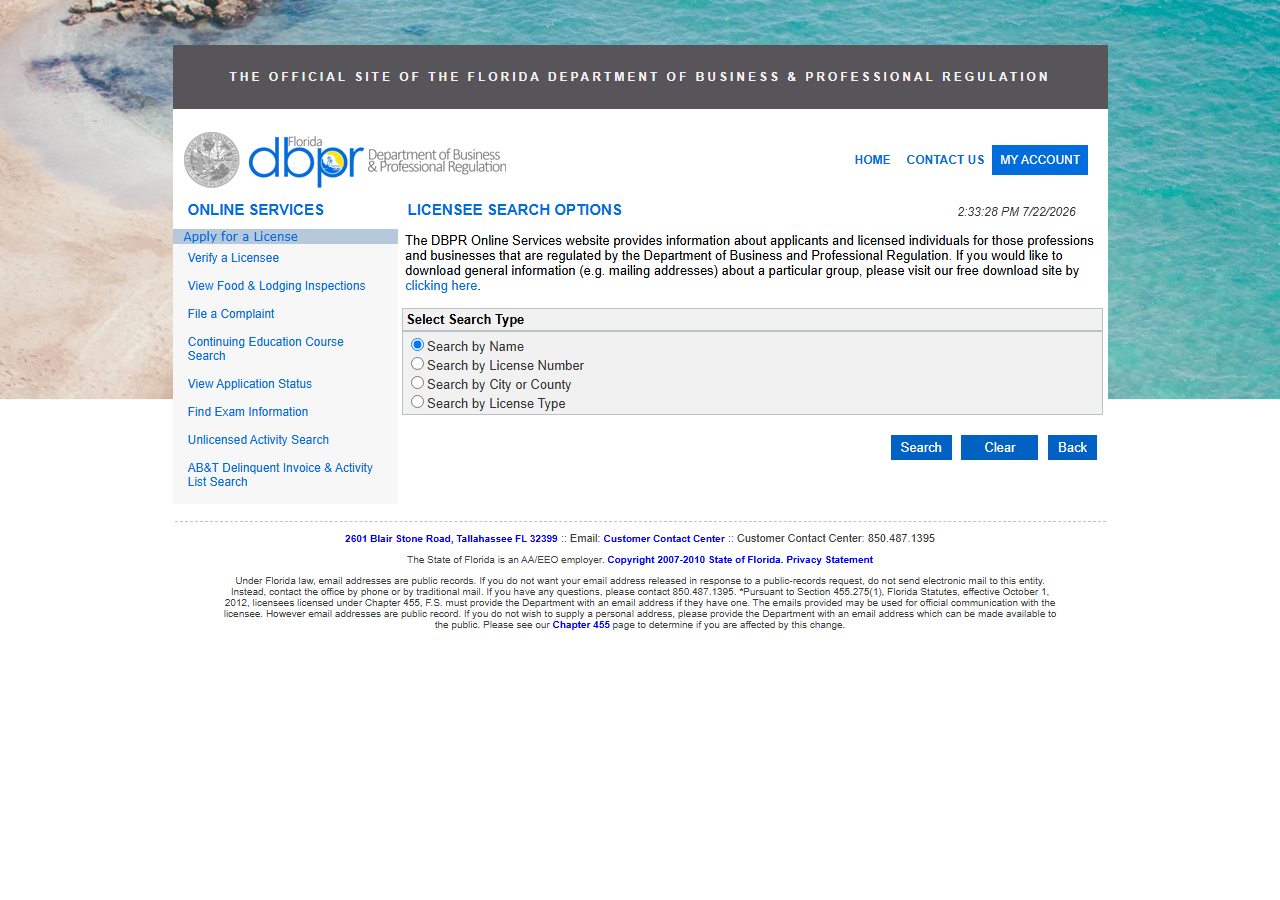
DBPR’s “Verify a Licensee” portal is free, public and complete. You pick a search type, choose a county, choose the board and licence type, and it gives you the roster. If your list is a dozen firms, use it — it costs nothing, it takes a few minutes, and paying for a scraper to do that is silly.
The trouble is the page size. Results come back ten to a page, and the portal carries its search state in hidden form fields, so “next page” is a form submission rather than a URL you can bookmark or hand to a colleague. A county roster of a few thousand certified GCs is therefore several hundred clicks, each one a page load, a scan, and a copy-paste — and if the session drops halfway, you start again. There is no page you can point a scheduler at, so “refresh it in six months” means doing the whole thing a second time.
The faster way
Florida Contractor Directory & Leads Scraper (DBPR) does the same search once and hands back every row at once.
{
  "county": "Hillsborough",
  "board": "06",
  "licenseType": "0605",
  "maxResults": 500
}
Those two codes are the whole targeting decision. board: "06" is DBPR’s Construction Industry
board, and licenseType: "0605" is Certified General Contractor within it — the state-wide
certification that lets a firm build anything, anywhere in Florida, which is precisely the buyer
who needs a glazing package priced. Swap 0605 for another type code and you get a different
trade; the code, not the job title, is what the portal indexes on. county: "Hillsborough" is
resolved against DBPR’s own dropdown, which is worth knowing because the portal’s spelling is not
always the modern one — Miami-Dade is still filed as “Dade”. Give it a county it cannot place and
the run returns the county list instead of failing, and is not charged. maxResults: 500 is a
first pass: check the rows, then raise it and take the county.
What comes back
{
  "state": "FL",
  "license_number": "CGC1511234",
  "business_name": "TAMPA BAY CONSTRUCTION LLC",
  "person_name": null,
  "license_type": "Certified General Contractor",
  "status": "Current,Active",
  "issue_date": null,
  "expiration_date": "08/31/2026",
  "city": "TAMPA",
  "county": "Hillsborough",
  "address": "1234 KENNEDY BLVD",
  "zip_code": "33602",
  "phone": null,
  "bond_amount": null,
  "bond_company": null,
  "insurance_company": null,
  "matched_by": "county_directory",
  "source_url": "https://www.myfloridalicense.com/LicenseDetail.asp?SID=&id=ABCDEF123456"
}| Field | Example value | Meaning |
|---|---|---|
state | FL | Always ‘FL’ |
license_number | CGC1511234 | DBPR license number (class prefix + digits, e.g. CGC1234567) |
business_name | TAMPA BAY CONSTRUCTION LLC | Licensed business or individual licensee name |
license_type | Certified General Contractor | DBPR license/board classification (e.g. Certified General Contractor) |
status | Current,Active | License status (e.g. Current,Active or Null and Void) |
expiration_date | 08/31/2026 | License expiration date as shown on DBPR |
For a bid-list build, status is the field you sort on first and everything else is downstream of
it — read the caveat below before you assume the export is a list of working firms.
business_name plus address, city and zip_code gives you a mailing address for the
prequalification packet, and license_number is the identifier to put on it, because the DBPR
number is what the GC’s own compliance team will quote back at you. source_url is per-record: it
points at that licensee’s DBPR detail page, so anyone in your office can open the row and see the
state’s version of it without repeating the search.
What you’d do with it
Export to CSV and split it in two. Rows where status starts with Current are your live bid
list — drop them into the CRM keyed on license_number, sort by city so each estimator gets a
geography, and run the prequalification mailing off business_name and the address block.
Everything else goes into a second tab you keep rather than delete: when a firm you have never
heard of asks you to quote, the fastest check is whether it was already in your own export with a
dead licence.
Worth knowing
Every status comes back, and there is no status filter. This is the one to internalise. The
actor returns the county roster as DBPR publishes it — Current,Active alongside Null and Void,
revoked, and licences that expired years ago — and there is no input that narrows it. Filtering is
your job after export. Mail the raw file and you will be writing to firms that have not been
licensed since the last recession.
No phone numbers, and no issue date. phone, bond_amount, bond_company and
insurance_company are in the schema so every state in the suite has the same shape, but DBPR’s
directory view does not publish them and they come back null. issue_date lives on the per-licence
detail page, which directory mode deliberately does not fetch — that is what keeps a
thousand-record run fast. Use the sibling lookup actor when you need the detail tier for a specific
firm.
One county, one board, one licence type per run. Certified General and Certified Building contractors across Hillsborough and Pinellas is four runs, not one.
DBPR can challenge a datacenter IP. It is not a CAPTCHA and it is not a JavaScript wall, but
the portal sometimes serves a block page instead of results. The actor detects it and fails loudly
rather than returning a half-empty dataset; the fix is to enable the Apify residential proxy in
proxyConfiguration and run it again.
Run it yourself: How to run Florida Contractor Directory & Leads Scraper (DBPR) walks the whole thing step by step.
When it is one firm, not a county: Verify a Florida Contractor by License Number answers “is this specific licence real and current” in a single call — and Florida Contractor License Lookup & Verify (DBPR) is the actor to reach for when you need the full detail record behind one of these rows.
Last updated 2026-07-22