How-to
How to run Florida Contractor Directory & Leads Scraper (DBPR)
Step-by-step: the exact input, what each field does, and the rows that come back from DBPR.
You want a call list: every certified general contractor in Hillsborough County, or every licensee under one board in Miami-Dade, as rows you can dedupe, filter and drop into a CRM. Florida’s DBPR publishes all of it for free on the “Verify a Licensee” portal, and you can absolutely build the list by hand — the portal just hands it to you ten rows at a time, with no bulk export and no stable URL per page. A county with several thousand certified general contractors is therefore several hundred Next-Page clicks and several hundred rounds of copy-paste, and if you want the same list again next quarter you do the whole thing again. This actor drives that same portal and gives you the county roster as JSON or CSV in one run.
What you’ll need
Nothing but an Apify account. The actor talks to DBPR directly.
One honest caveat, and it is the reason this actor has a proxy field when most of the suite doesn’t:
DBPR is known to challenge traffic from datacenter IPs. When it does, it answers with a block page
instead of results, the actor recognises that page and fails the run loudly rather than pushing
garbage rows. The fix is to re-run with proxyConfiguration set to the Apify residential proxy,
which sends the requests from a residential IP that DBPR treats normally. That is an Apify platform
feature and Apify bills its bandwidth to your account, on top of this actor’s per-record fee — it is
not something the actor bundles or absorbs. There is no cleverness here: we are not defeating a
challenge, we are asking from an address that isn’t being challenged. Leave the proxy off by
default, and turn it on if a run comes back blocked.
Step 1 — Open the actor
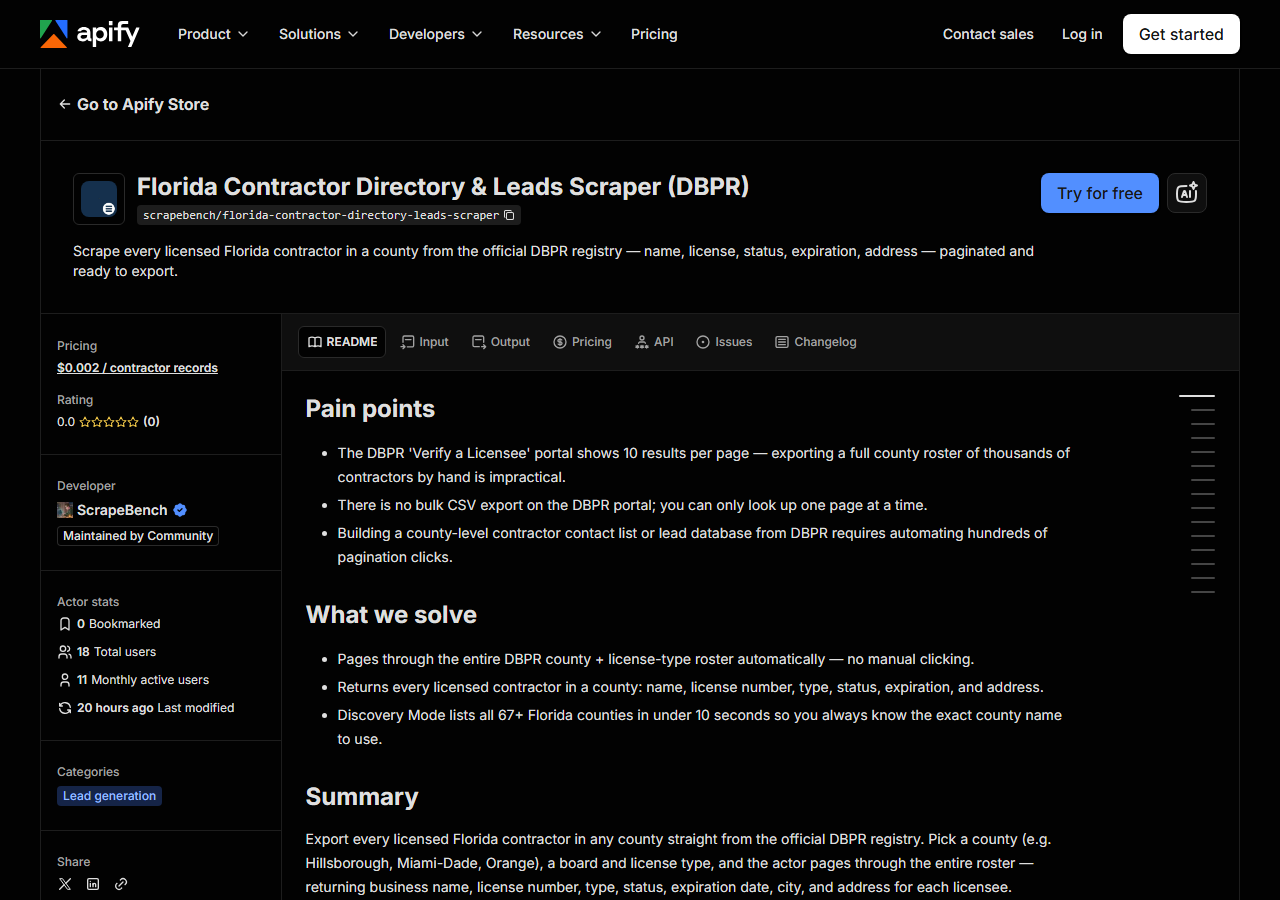
Open Florida Contractor Directory & Leads Scraper (DBPR) on the Apify Store and press Try for free. The actor’s own page on this site lists its live health and pricing.
Step 2 — Fill in the input
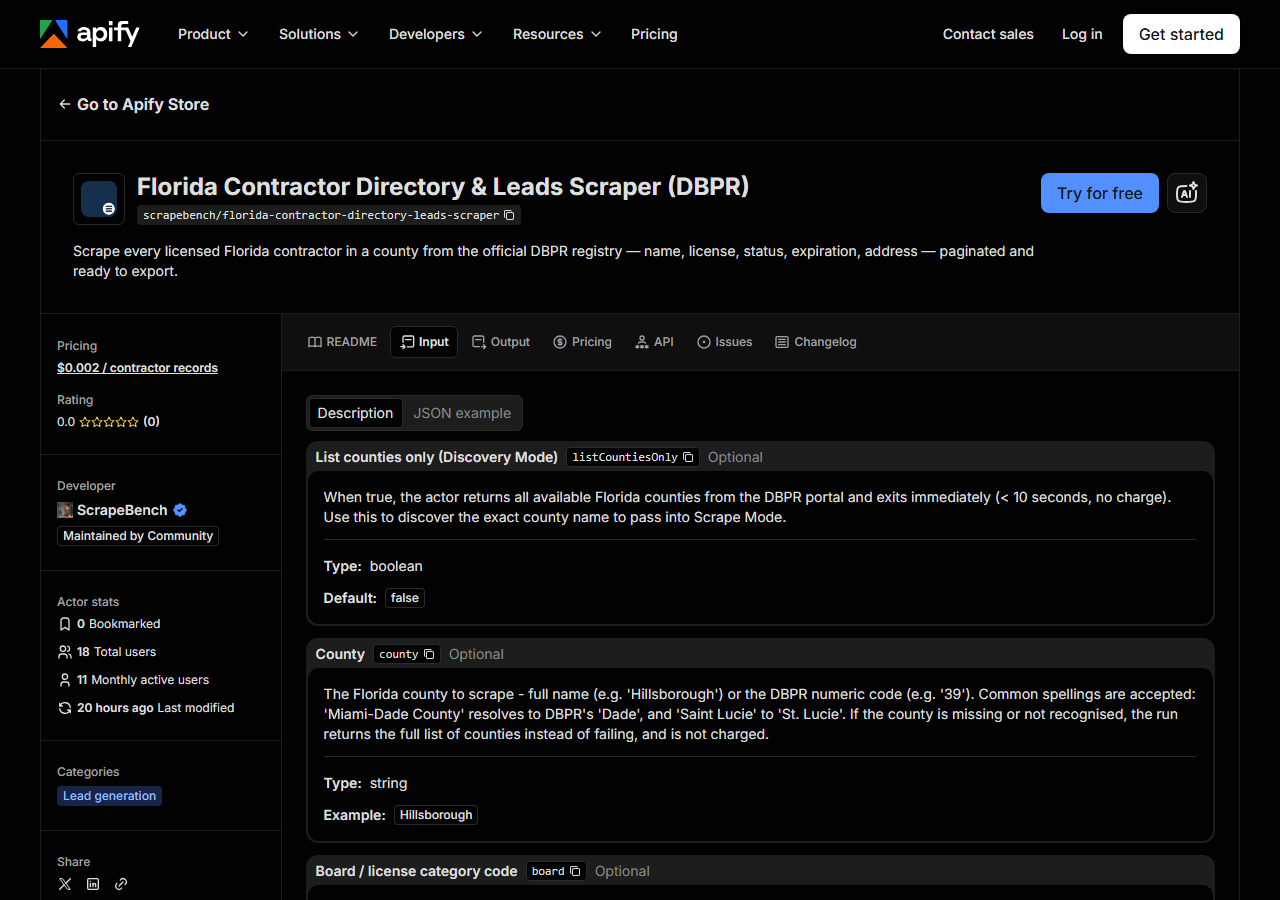
| Field | Type | Required | What it does |
|---|---|---|---|
listCountiesOnly | boolean | no | When true, the actor returns all available Florida counties from the DBPR portal and exits immediately (< 10 seconds, no charge). Use this to discover the exact county name to… |
county | string | no | The Florida county to scrape — full name (e.g. ‘Hillsborough’) or the DBPR numeric code (e.g. ‘39’). Required in Scrape Mode. Run with listCountiesOnly=true to see all… |
board | string | no | DBPR board code to filter by. Default ‘06’ = Construction Industry (the main contractor board covering General, Building, Residential, and specialty contractors). Contact DBPR… (default 06) |
licenseType | string | no | DBPR license type code within the selected board. Default ‘0605’ = Certified General Contractor (Board 06). Use ‘0600’ for all license types within the board (if supported by… (default 0605) |
maxResults | integer | no | Hard cap on the number of contractor records returned. A county + license type can have thousands of results; set lower for testing. Default 500. (default 500) |
Three fields decide what comes back, and the two people get wrong are county and licenseType.
county is matched against the live DBPR dropdown, so it has to be a name DBPR recognises —
Hillsborough, not Hillsborough County, not Tampa. You can also pass the numeric code DBPR uses
internally (39) if you happen to know it. If you don’t, tick listCountiesOnly and run it:
Discovery Mode skips the scrape entirely, returns the exact county names and codes the portal
itself offers, and finishes in seconds. Get the name wrong and the actor tells you so with a sample
of the valid options rather than silently returning nothing.
board and licenseType are DBPR’s own codes, not trade names. The defaults — board 06
(Construction Industry) with licence type 0605 (Certified General Contractor) — are the biggest
single slice of the registry and are what most lead lists want. Change licenseType to target a
different class of contractor; leave board alone unless you know you want a different DBPR board.
One county, one board, one licence type per run: covering three counties across two licence types is
six runs, which is what the API and scheduling are for.
maxResults is a cap, not a filter — it stops the run once that many rows are in hand, and the
default of 500 will truncate a big county. Set it high when you want the whole roster, low (say 50)
when you are still checking that your county and licence-type codes are right.
A working input:
{
  "county": "Hillsborough",
  "board": "06",
  "licenseType": "0605",
  "maxResults": 500
}
Step 3 — Run it
Press Start. Rows are pushed to the dataset as they’re found, so the run log fills in as it works.
A healthy run is a steady grind rather than a burst. DBPR serves ten results per page and gives no
way to ask for more, so the actor opens a session, submits the search, then walks Next Page — one
request per ten rows — until the county is exhausted or maxResults is reached. Five hundred rows is
fifty sequential round-trips to a slow state portal, and a full roster of several thousand is
correspondingly more. Times and row counts aren’t measured here, so none are quoted, but you’ll see
the true pace in the log within the first few pages; if you’re impatient, that’s what a low
maxResults is for.
Two ways a run ends unhappily, and they look different. Zero rows almost always means the filter, not the actor: a county with no licensees of that type under that board really does return nothing, and so does a licence-type code that doesn’t exist. Nothing gets pushed, so nothing gets charged — re-check the codes and try a large county like Hillsborough with the defaults to prove the plumbing works. A failed run with a block message is the other one: DBPR served a challenge page instead of results, the actor refused to parse it, and the answer is to re-run with the residential proxy enabled as described above.
Step 4 — Read the output
Each run returns a labelled table, not raw JSON:
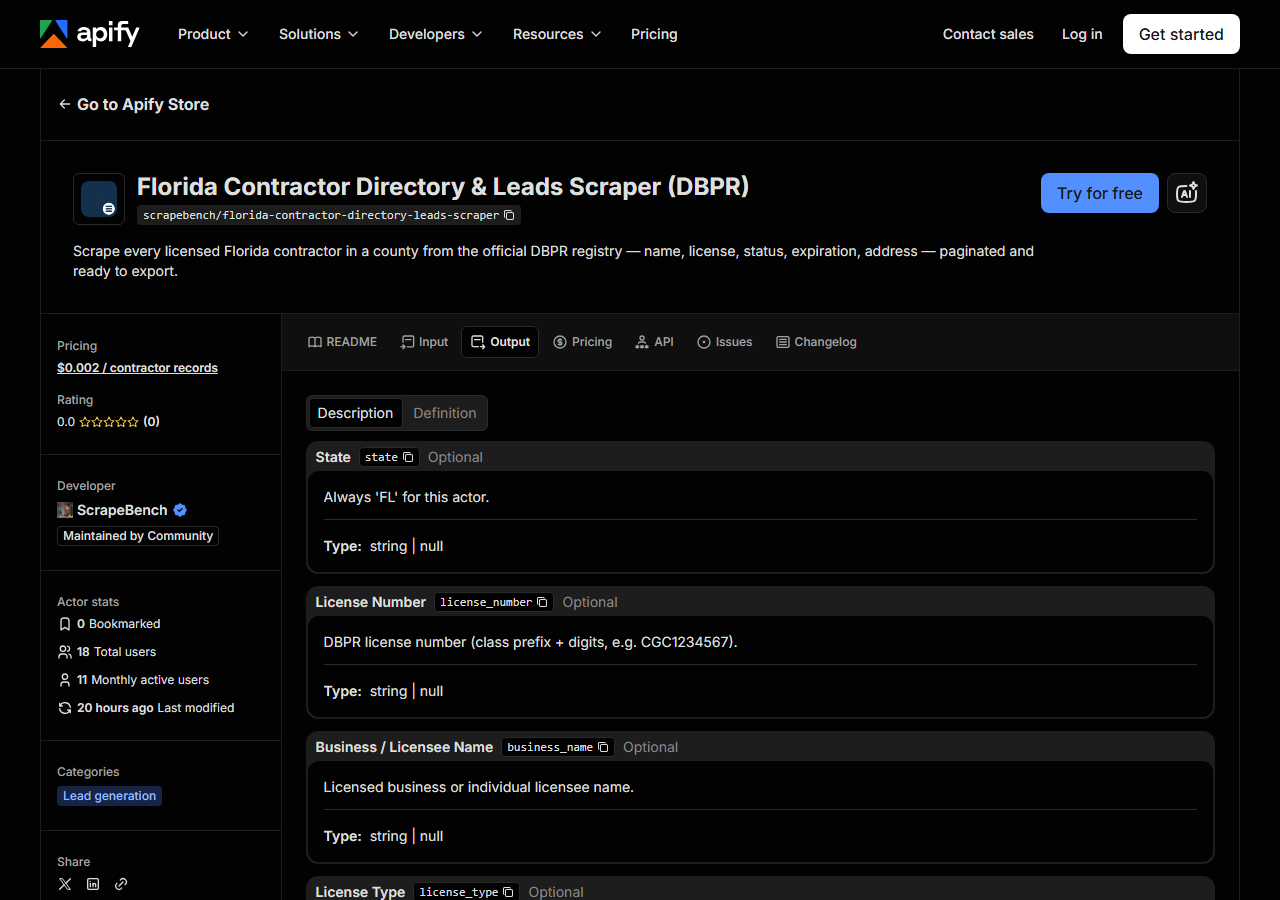
Every row looks like this — a real row from a real run:
{
  "state": "FL",
  "license_number": "CGC1511234",
  "business_name": "TAMPA BAY CONSTRUCTION LLC",
  "person_name": null,
  "license_type": "Certified General Contractor",
  "status": "Current,Active",
  "issue_date": null,
  "expiration_date": "08/31/2026",
  "city": "TAMPA",
  "county": "Hillsborough",
  "address": "1234 KENNEDY BLVD",
  "zip_code": "33602",
  "phone": null,
  "bond_amount": null,
  "bond_company": null,
  "insurance_company": null,
  "matched_by": "county_directory",
  "source_url": "https://www.myfloridalicense.com/LicenseDetail.asp?SID=&id=ABCDEF123456"
}| Field | Example value | Meaning |
|---|---|---|
state | FL | Always ‘FL’ |
license_number | CGC1511234 | DBPR license number (class prefix + digits, e.g. CGC1234567) |
business_name | TAMPA BAY CONSTRUCTION LLC | Licensed business or individual licensee name |
license_type | Certified General Contractor | DBPR license/board classification (e.g. Certified General Contractor) |
status | Current,Active | License status (e.g. Current,Active or Null and Void) |
expiration_date | 08/31/2026 | License expiration date as shown on DBPR |
county | Hillsborough | Florida county from the scrape filter |
city | TAMPA | Licensee city from the main address |
The list you came for is business_name plus the address block — address, city, zip_code —
because that is what you can mail, route or hand to a rep. license_number is what makes the list
dedupable and re-checkable later; keep it even if you never show it to anyone. status and
expiration_date are the qualification columns: a roster pulled straight from DBPR contains licences
that are current and active alongside ones that are not, and if you are building an outreach list you
almost certainly want to filter on status before anyone dials.
Now the things that will bite you. There are no phone numbers. DBPR does not publish them on this
portal, so phone comes back null on every row — the field exists for consistency with the rest of
the suite, not because it will ever be filled. The same is true of bond_amount, bond_company,
insurance_company, and of issue_date and person_name: the directory listing simply doesn’t carry
them, and the actor does not open each licensee’s detail page to go and fetch them (doing so would
multiply the run by the number of rows). If you need those, that’s an enrichment pass with the
single-record lookup actor below, or a contact-data provider.
Formatting is DBPR’s, not ours. Names and cities arrive shouted in capitals. status is a raw portal
string like Current,Active — comma and all — so match on substrings, not equality. expiration_date
is an MM/DD/YYYY string, not a date object. And address parsing is best-effort: DBPR crams the main
address into one blob, and where the shape is unusual the actor keeps the whole thing in address
rather than guessing, leaving city and zip_code empty. Normalise before you mail-merge.
Step 5 — Export it
Open the Dataset tab and export to CSV, JSON, or Excel — or pull the same rows from the API, which is what you want if this is going to run on a schedule.
What it costs
$0.002 per result row. A run that pulls 500 certified general contractors out of Hillsborough County costs $1.00; a full roster of three thousand costs $6.00. A run that returns nothing pushes no rows and so costs nothing — a wrong county name or a licence type with no holders is a free mistake. Discovery Mode returns one row per Florida county, so it is a few dozen rows at most: pennies.
Two things sit outside that fee. Apify’s platform usage (compute) is billed separately under your plan, and because this actor is patiently clicking through ten rows at a time it spends more wall clock per row than a fast JSON target does. And if DBPR challenges you and you re-run through the residential proxy, Apify bills that proxy bandwidth to your account as well. Both are Apify line items, not ours.
And the honest comparison isn’t against zero: DBPR’s portal is free, and for one look at one page it is the right tool. The fee buys the roster arriving as rows, on a schedule, from an API, without a person clicking Next Page eight hundred times.
Where the data comes from
This reads DBPR directly. The target is Classic ASP - a three-step stateful session flow where every hidden input from the previous page is echoed back to page through results. Hidden form state, though classic-ASP rather than ASP.NET __VIEWSTATE.. Every night a canary runs this actor against that live source and diffs the result against a frozen fixture — what “verified” means.
“Verify a Licensee” is a classic-ASP application, and it behaves like one. There is no URL you can construct that returns a county’s contractors: you have to open a session, tell the portal what kind of search you’re doing, then submit the county, board and licence type — three steps, in order, with the server’s session cookie carried through. Paging is worse. Each results page hides the entire search state in a pile of hidden form fields, and the only way to reach page two is to POST every one of those fields straight back, plus the “next page” flag; get one field wrong or stale and the portal quietly hands you page one again. At ten rows a page, a real county roster is hundreds of those round-trips, each depending on the last. That is the whole difficulty of this target, and it is why it is worth watching: a renamed hidden field breaks the paging silently rather than loudly, which is exactly what the nightly canary is there to catch. Layered on top is the datacenter-IP challenge described above — the actor detects it and stops rather than pretending a block page is data.
See it used
Pull Every Certified General Contractor in a Florida County pulls every certified general contractor in one Florida county.
If you already know which contractor you care about, this is the wrong tool: Florida Contractor License Lookup & Verify (DBPR) checks a single licence by number or name and returns the full detail record, which is what you want when you are vetting a bid you just received rather than building a list of people to send bids to — and it is also the way to enrich rows this actor left thin. If your territory is on the other coast, California Contractor Directory by Trade & County (CSLB) does the same county-scoped list building against California’s registry.
Last updated 2026-07-13