Use case
Find Texas Electricians by Company Name
Search TDLR's licence data by company name for electrical contractors and trade licences - number, type, status, expiration and city for every match.
Say you are pulling together a bid list for an electrical retrofit across a handful of Gregg County sites, and the incumbent’s price has stopped being competitive. You need a shortlist of licensed electrical shops to invite — not “electricians in Longview” off a maps scrape, where half the results are handymen and one is a lighting showroom, but businesses that hold a current TDLR licence for the trade.
That is a different question from the one people usually ask a licence register. You are not
verifying a name you already have, you are trying to find the names. TDLR’s name index takes a
fragment — everything with ELECTRIC in the business name — and hands back the licence type
alongside it, which is how you tell an electrical contractor from an A/C tech trading under a
similar name.
The manual way, and what it costs
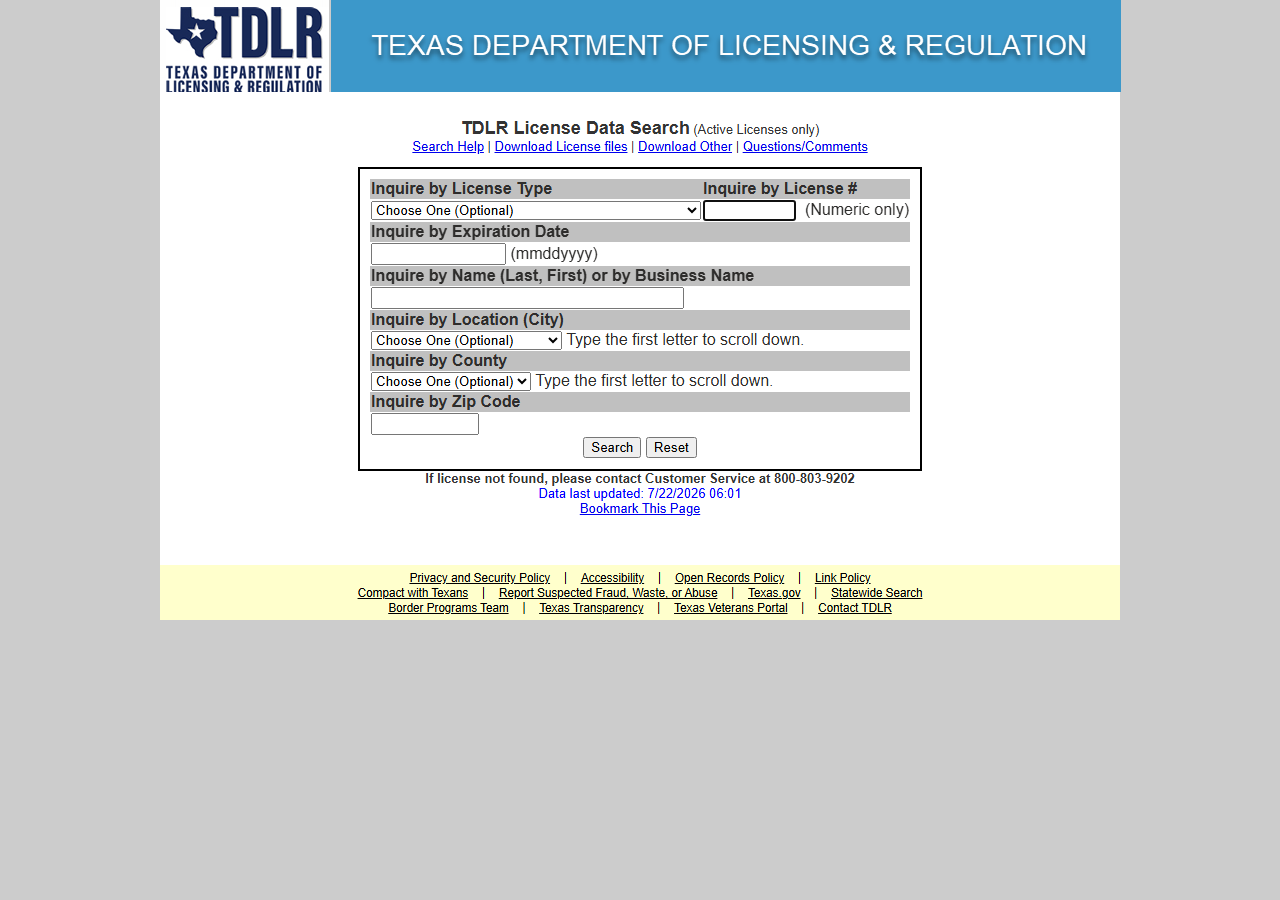
TDLR’s licence search is free, official, and will happily take a name fragment. If you are checking one shop, use it — you get the authoritative answer in a minute and there is nothing to pay for.
Where it stops being reasonable is the shortlist. A fragment search returns a paged screen you read
and copy, there is no export, and the result set for a word like ELECTRIC in a state this size is
long. You end up transcribing licence numbers, types and counties by hand — fine once, and quietly
abandoned by the third time.
Worth saying plainly: TDLR publishes this as an official Socrata open-data API — public, documented, free. Write the SoQL yourself and you pay nobody. This actor is not access to Texas’s data; it is the query written for you, deduped into the same row shape the other state actors here return.
The faster way
Texas Contractor & Trade License Lookup & Export (TDLR) does the same search once and hands back every row at once.
{
  "query": "ELECTRIC",
  "maxResults": 50
}
query: "ELECTRIC" is a substring match against TDLR’s business-name index, which is exactly what
you want when you are building a list rather than confirming one: it pulls every licensee whose
registered name contains those letters. Case does not matter. The same field is also matched exactly
against the licence number, so once you have picked three shops off the shortlist you can re-run with
a number and get the single row back. maxResults: 50 is the spend cap — a fragment this common
matches a lot of Texas businesses and you pay per row returned, so start narrow (LONGVIEW ELECTRIC
before ELECTRIC) and widen only if the list comes back too short.
For this particular job there is now a more direct input. Leave query empty and the actor exports
licences by type instead of by name:
{
  "licenseType": "Electrical Contractor",
  "county": "Gregg",
  "maxResults": 1000
}
On 2026-10-07 that returned all 69 Electrical Contractor licences in Gregg County (38 in Longview, 14 in Gladewater, 11 in Kilgore), every one with a street address and a phone number, in 2.6 seconds. It also catches the shops whose name has no “electric” in it, which a name search never will.
What comes back
{
  "state": "TX",
  "license_number": "11484",
  "business_name": "SEAY, DANIEL",
  "person_name": "SEAY, DANIEL",
  "license_type": "A/C Technician",
  "expiration_date": "09/02/2026",
  "county": "GREGG",
  "matched_by": "business_name",
  "source_url": "https://www.tdlr.texas.gov/LicenseSearch/"
}| Field | Example value | Meaning |
|---|---|---|
state | TX | Always ‘TX’ for this actor |
license_number | 11484 | TDLR license number |
business_name | SEAY, DANIEL | Licensed business or licensee name |
person_name | SEAY, DANIEL | Owner name |
license_type | A/C Technician | TDLR license type (e.g. A/C Technician, Master Electrician) |
expiration_date | 09/02/2026 | License expiration date |
license_type is the column that turns a name list into a bid list. The sample row above makes the
point: the name search matched, but the licence is A/C Technician — a real TDLR licence, for the
wrong trade. Filter on the type before anyone gets an invitation. county is on every row and is
enough to cut a statewide fragment search down to the shops actually near your sites; the street
address and phone appear only on company-held licence types such as Electrical Contractor. expiration_date tells you whether the licence survives the project window, person_name is TDLR’s
owner name — how you separate two similarly named outfits — and matched_by says whether a row
landed on an exact licence-number hit or merely because the name contained your string.
What you’d do with it
Export to CSV, filter to the licence types you actually want and the counties you actually work in, and what is left is your invite list — with the licence number already recorded against each name, so the compliance box is ticked before the bid arrives rather than after. Electrical Contractor rows carry TDLR’s published phone (14,014 of 14,019 statewide on 2026-10-07), so the shortlist can go out the same day; technician-level rows like the sample above have no contact details at all. Keep the export: at the next retrofit you re-run the same query and diff it, and new licensees in your counties are new shops to invite.
Worth knowing
There is no status column, and contact details depend on the licence type. You cannot read
“suspended” off a Texas row; what you can read is that the licence exists, its type, and whether it
is in date. TDLR publishes address and phone only for company-held types: all 20,436 A/C Contractor
licences and every individual licence (A/C Technician, Master Electrician) come back with those
fields null, and the actor does not invent them.
A name search finds names, not trades. It searches the business name and the owner name, but a shop whose licensed name and owner name both lack your fragment will not turn up, so a missing match is not evidence of an unlicensed business. Use the licence-type export above when you want every shop in a county rather than every name containing a word.
maxResults now bounds the run honestly — it used to cap at 50 whatever you set. A short
fragment like ELECTRIC matches a great many Texas licences, so set the cap deliberately: it is the
number of rows you will be charged for.
Texas licenses trades, not general contractors. There is no statewide GC licence to look up here, and plumbers sit with a different board (TSBPE) this actor does not cover — so a builder with no TDLR record may simply not need one. What you are reading is the published open-data snapshot rather than TDLR’s live screen, so it can lag; for a formal decision, confirm against the board.
Run it yourself: How to run Texas Contractor & Trade License Lookup & Export (TDLR) walks the whole thing step by step.
- Texas Contractor Directory & Leads Scraper (TDLR) — the better tool when you want a lead list with contact details rather than a licence shortlist.
- Multi-State Contractor & Trade License Lookup — same TDLR rows, worth it when the shortlist crosses into Washington, Oregon or Connecticut too; its Verify a Texas Trade License walkthrough covers the single-vendor verification job instead of list-building.
Last updated 2026-10-07