How-to
How to run Texas Contractor & Trade License Lookup & Export (TDLR)
Step-by-step: the exact input, what each field does, and the rows that come back from TDLR (Socrata), for one licence or a statewide export by licence type.
You have a Texas trade shop — an electrician, an A/C crew — and you need the licence on the record before they start work, or before you pay them. Start with the thing most people get wrong: Texas has no statewide general-contractor licence. The state licenses trades, through the Texas Department of Licensing & Regulation (TDLR). “Is this contractor licensed in Texas” is not a question the state can answer; “does this shop hold a current TDLR electrical or A/C licence” is. The manual way to answer it is TDLR’s own licence search: a box, a button, one record at a time. For a single lookup that’s a minute and it’s free, so do that. What this actor is for is the twelfth lookup, and the one after renewal season, and the list of subs sitting in a spreadsheet that has to be re-checked every year. Since 2026-10-07 it also exports TDLR’s contractor licences by type: leave the search empty and you get every Electrical, A/C, Appliance Installation, Electrical Sign and Elevator Contractor in the state, 36,312 licences when we ran it that day.
What you’ll need
Nothing but an Apify account. The actor talks to TDLR (Socrata) directly.
No API key, no proxy, no CAPTCHA credits, no login. Texas publishes the TDLR licensee file as an
official Socrata open-data dataset on data.texas.gov: public JSON, documented, free to query, and
filtered server-side with SoQL. Nothing is being worked around here, so there is no third-party cost
inside a run and nothing for you to sign up for. (A Socrata app token would raise the shared rate
limit, but the actor runs unauthenticated and doesn’t need one at this volume.)
Step 1: Open the actor
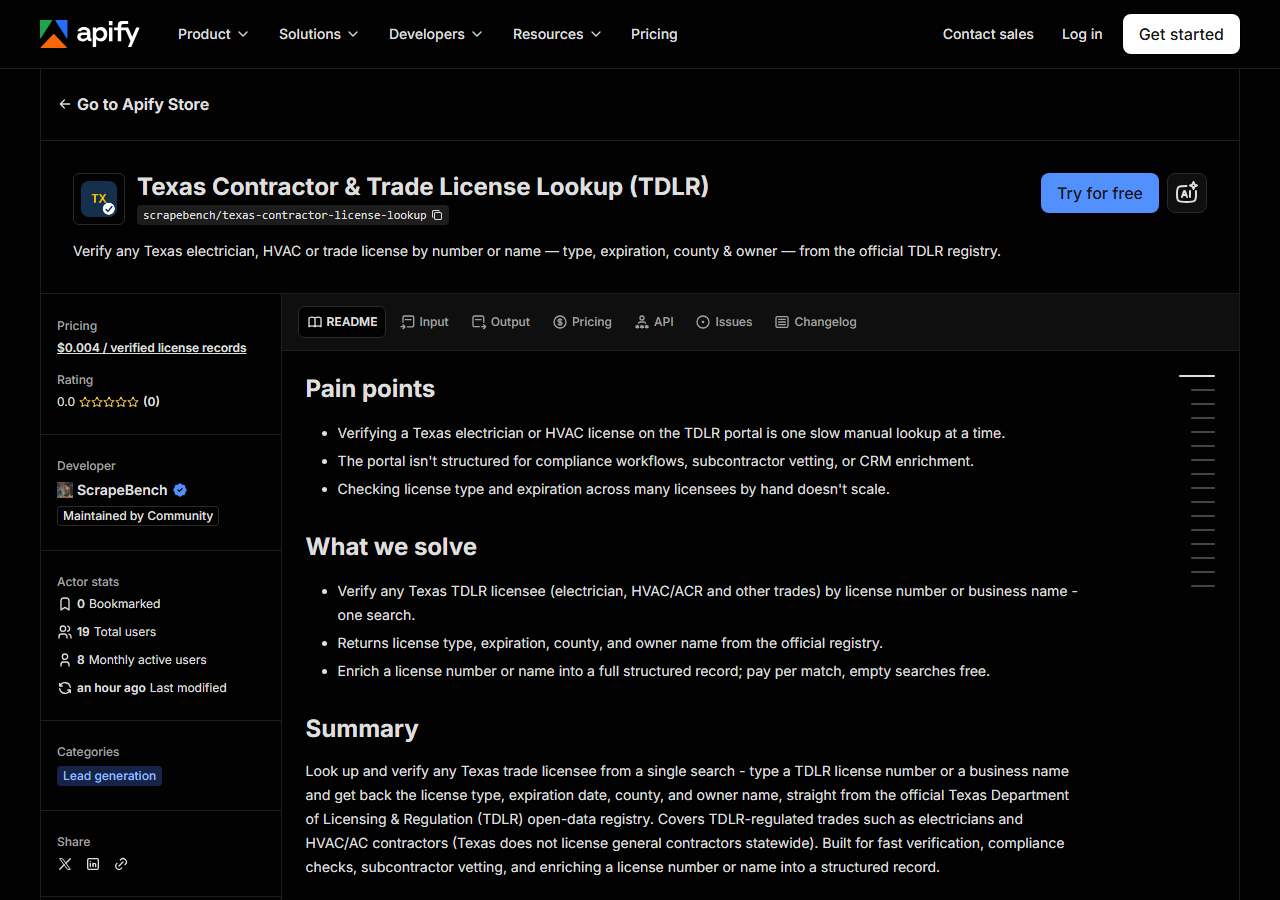
Open Texas Contractor & Trade License Lookup & Export (TDLR) on the Apify Store and press Try for free. The actor’s own page on this site lists its live health and pricing.
Step 2: Fill in the input
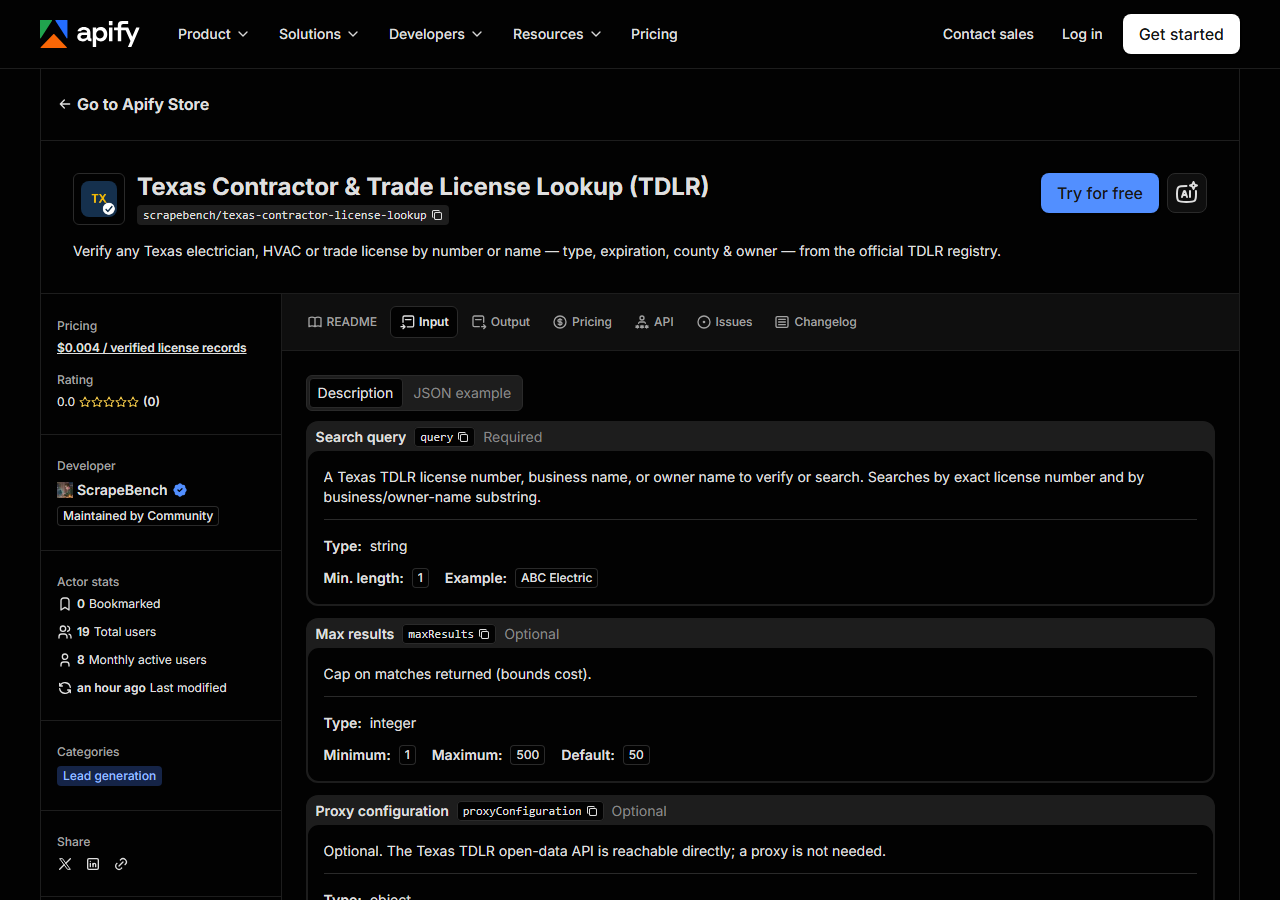
| Field | Type | Required | What it does |
|---|---|---|---|
query | string | no | A Texas TDLR license number, business name, or owner name. Searches exact license number, business-name substring and owner-name substring, unioned and deduped by license #. Leave this and queries empty to run a statewide export by licence type instead. |
queries | array | no | Look up many in ONE run. Takes the same values as query. (default []) |
licenseType / licenseTypes | string / array | no | Statewide export only: TDLR’s own type name, e.g. ‘Electrical Contractor’ or ‘A/C Contractor’. Empty = the five TDLR contractor types. |
county / counties | string / array | no | Statewide export only: business county, e.g. ‘Travis’ or ‘Harris County’. |
city / cities | string / array | no | Statewide export only: business city, e.g. ‘Austin’. A/C Contractor rows carry no city, so they never match. |
zip / zips | string / array | no | Statewide export only: 5-digit business ZIP. Same caveat as city. |
excludeExpired | boolean | no | Statewide export only: keep licences expiring today or later. (default false) |
expiresAfter / expiresBefore | string | no | Statewide export only: YYYY-MM-DD window on the expiration date, for a renewal list. |
maxResults | integer | no | Search: cap PER ENTRY (default 50). Statewide export: cap on the whole export (default 500, up to 100,000). |
When you search, query is the field people get wrong, because it does several jobs at once. The
actor runs your string as an exact match against TDLR’s licence number, then as a substring
match against the business name, then against the owner name, and unions the results. So 11484
verifies one specific licence, while ELECTRIC returns every licensee whose registered business or
owner name happens to contain that word, which in Texas is a lot of them. A short, common word is a
broad survey, not a verification. If you’re checking a specific shop, paste the name as TDLR spelled
it (many licensees are filed as a person, SEAY, DANIEL, not a company), or better, paste the
licence number.
maxResults is the spend cap, and it is the only thing standing between a one-word query and a bill:
you are charged per row returned. Leave it at the default of 50 while you find out how broad your
query really is, then widen it once you know.
A working input:
{
  "query": "ELECTRIC",
  "maxResults": 25
}
Step 3: Run it
Press Start. Rows are pushed to the dataset as they’re found, so the run log fills in as it works.
A healthy run is dull and quick. There is no browser, no login and no CAPTCHA: one Socrata call per
search index, each requested at your maxResults, deduplicated on licence number and then cut to it.
The input above took 2.0 seconds locally on 2026-10-07 and stopped after the business-name index,
because that alone filled the 25-row cap. Note what the cap did: all 25 rows were A/C Contractor
licences, because a cap takes the first rows in TDLR’s order, not the best ones.
An empty run is nearly always the query, not the actor. A licence number has to match exactly, and a
name has to match the way Texas filed it: punctuation, & versus and, “SEAY, DANIEL” rather than
“Daniel Seay”. Before you conclude that someone is unlicensed, drop back to a shorter fragment of the
name and run it again. And remember the state-level caveat: if you’re looking for a general
contractor’s Texas licence, there isn’t one to find. That is Texas, not a failed run.
Step 4: Read the output
Each run returns a labelled table, not raw JSON:
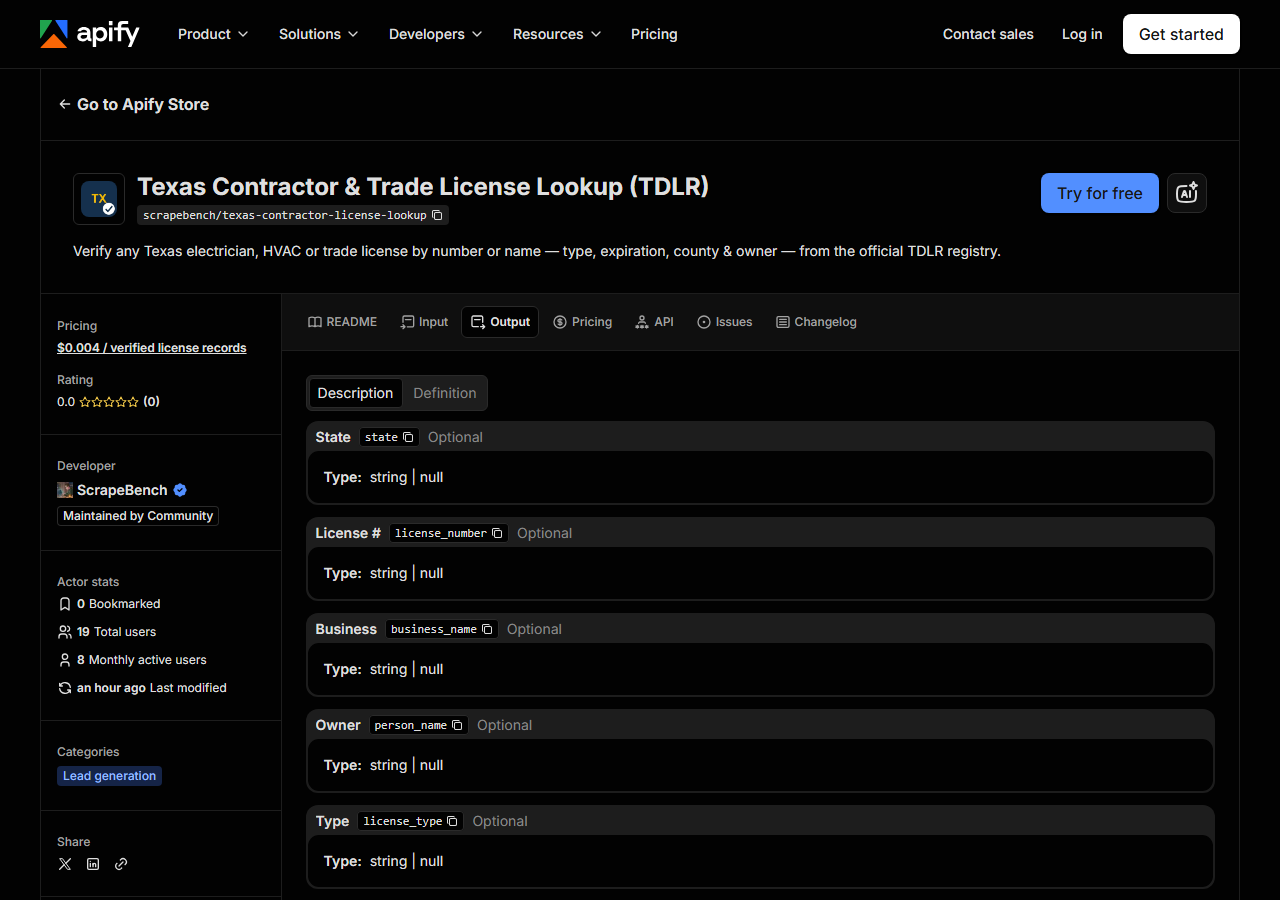
Every row looks like this, a real row from the run above:
{
  "state": "TX",
  "license_number": "9637",
  "business_name": "EAGLE ELECTRIC & REFRIGERATION",
  "license_type": "A/C Contractor",
  "status": null,
  "issue_date": null,
  "expiration_date": "09/01/2026",
  "city": null,
  "county": "PECOS",
  "address": null,
  "zip_code": null,
  "phone": null,
  "person_name": "CORRAL, OSCAR LUIS",
  "matched_by": "business_name",
  "source_url": "https://www.tdlr.texas.gov/LicenseSearch/"
}| Field | Example value | Meaning |
|---|---|---|
state | TX | Always ‘TX’ for this actor |
license_number | 9637 | TDLR license number |
business_name | EAGLE ELECTRIC & REFRIGERATION | Licensed business or licensee name |
person_name | CORRAL, OSCAR LUIS | Owner name |
license_type | A/C Contractor | TDLR license type (e.g. A/C Technician, Electrical Contractor) |
expiration_date | 09/01/2026 | License expiration date |
county | PECOS | Business county |
matched_by | business_name | Which search surfaced this row: license_number, business_name, owner_name, or statewide on an export |
Most people came for expiration_date and license_type, and both need reading with care.
expiration_date is the check you can actually make in Texas, because this dataset publishes no
status column. There is no “Active” / “Expired” / “Revoked” string to read; what you get is the
licence, its type and the date it runs out. An in-date licence present in the feed is your evidence
that TDLR holds a current record, not a statement that the licence is in good standing. The sample
row is a good example: its expiry date, 09/01/2026, had already passed when we ran it. If you need a
status determination, the licence number this actor hands you is what you take to TDLR’s own search.
The date arrives as TDLR formats it (US month-first), not ISO, which is worth knowing before you sort
a spreadsheet on it.
license_type is the one people skip and shouldn’t. A name search matches names, not trades, so a
row coming back tells you TDLR licenses that name, not that they hold the licence you care about.
“EAGLE ELECTRIC & REFRIGERATION” holds an A/C Contractor licence, not an electrical one.
Contact details depend entirely on the licence type. TDLR publishes address, city, ZIP and phone only
for company-held types: on the 2026-10-07 export, 14,014 of 14,019 Electrical Contractor rows had a
phone, while all 20,436 A/C Contractor rows and every individually held licence (A/C Technician,
Master Electrician) had none. That is why the sample row above is null from city to phone. Anything
TDLR doesn’t publish comes back null rather than blank or guessed.
Step 5: Export it
Open the Dataset tab and export to CSV, JSON, or Excel, or pull the same rows from the API, which is what you want if this is going to run on a schedule.
Export the whole state
Leave query and queries empty and the actor exports licences by type instead of searching. With
no type given it takes TDLR’s five contractor types; our local run on 2026-10-07, with maxResults
at 100000, returned all 36,312 in 7.4 seconds: 20,436 A/C Contractor, 14,019 Electrical Contractor,
830 Appliance Installation, 655 Electrical Sign and 372 Elevator Contractor. It never widens to the
whole register, which is about a million rows and mostly individual tradespeople.
Narrow it with the other fields. {"licenseType": "Electrical Contractor", "county": "Travis"}
returned 479 licences that day, and Gregg County returned 69, every one with a street address and a
phone. Add excludeExpired to drop lapsed licences (3,885 of the 36,312 had an expiry date before
2026-10-07), or set expiresAfter and expiresBefore for a renewal-season list. Leave maxResults
at its default and an export stops at 500 rows, with a log line stating how many matched.
One thing an export does not do is deduplicate: TDLR reuses licence numbers across types, so the 36,312 rows carry 32,598 distinct numbers. Key your own table on licence number plus type.
What it costs
$0.004 per matched licence: 100 verified records is $0.40, 1,000 is $4.00. You pay per row returned,
so a search that finds nothing is free. The Travis County electrical contractors are $1.92, and the
full five-type export of 36,312 licences is $145.25. Apify’s platform compute is billed separately on
your plan, and there is no third-party cost inside the run because the source is a free public API.
In practice, verifying one licence number costs a fraction of a cent; the runs that cost money are a
one-word name search or an export with maxResults left wide open.
Where the data comes from
This reads TDLR (Socrata) directly. The target is Socrata SODA JSON API (data.texas.gov, TDLR licensees), filtered server-side with SoQL. Every night a canary runs this actor against that live source and diffs the result against a frozen fixture: what “verified” means.
Be straight about this one: it is the easiest tier there is. Texas puts the TDLR licensee file on
data.texas.gov deliberately, as a documented Socrata dataset with an open JSON API, no anti-bot and
no gate. If you’re comfortable writing a SoQL $where clause you can query it yourself, for free,
this afternoon, or export a filtered view from the dataset page. What you’d be paying for here isn’t
access, it’s the shape of what comes out: the three searches fired for you, TDLR’s column names mapped
onto the same licence record every other actor in this suite returns, nulls where Texas publishes
nothing rather than empty strings, and a nightly canary that notices when the state renames a column
before your pipeline does.
See it used
Find Texas Electricians by Company Name shortlists Texas electrical licences by company name, and now by county with the export.
Nothing in Texas is one-state forever. If a sub could be registered anywhere and you don’t want to guess the board, Multi-State Contractor & Trade License Lookup runs the same query across Washington, Oregon, Texas and Connecticut in a single run. If what you want is a Texas lead list rather than a licence check, Texas Contractor Directory & Leads Scraper is the sibling built for that job. And if the job is a Florida licence rather than a Texas one, Florida Contractor License Lookup hits DBPR, which (unlike TDLR’s open-data feed) does publish a status column.
Last updated 2026-10-07