Use case
Find Arkansas Contractors by Name
Search the Arkansas Contractors Licensing Board by business name and get licence number, type, status, expiration, county and phone for every match at once.
Say you are assembling a bid list for a distribution-centre fit-out outside Little Rock. You have forty company names — some off a trade-association roster, some off a Google search, some scrawled on a card at a jobsite — and not a single licence number. Before any of them gets an invitation you need to know which are actually licensed in Arkansas, what type of licence they hold, and whether it outlives the schedule. Forty names, no numbers, one afternoon.
The manual way, and what it costs
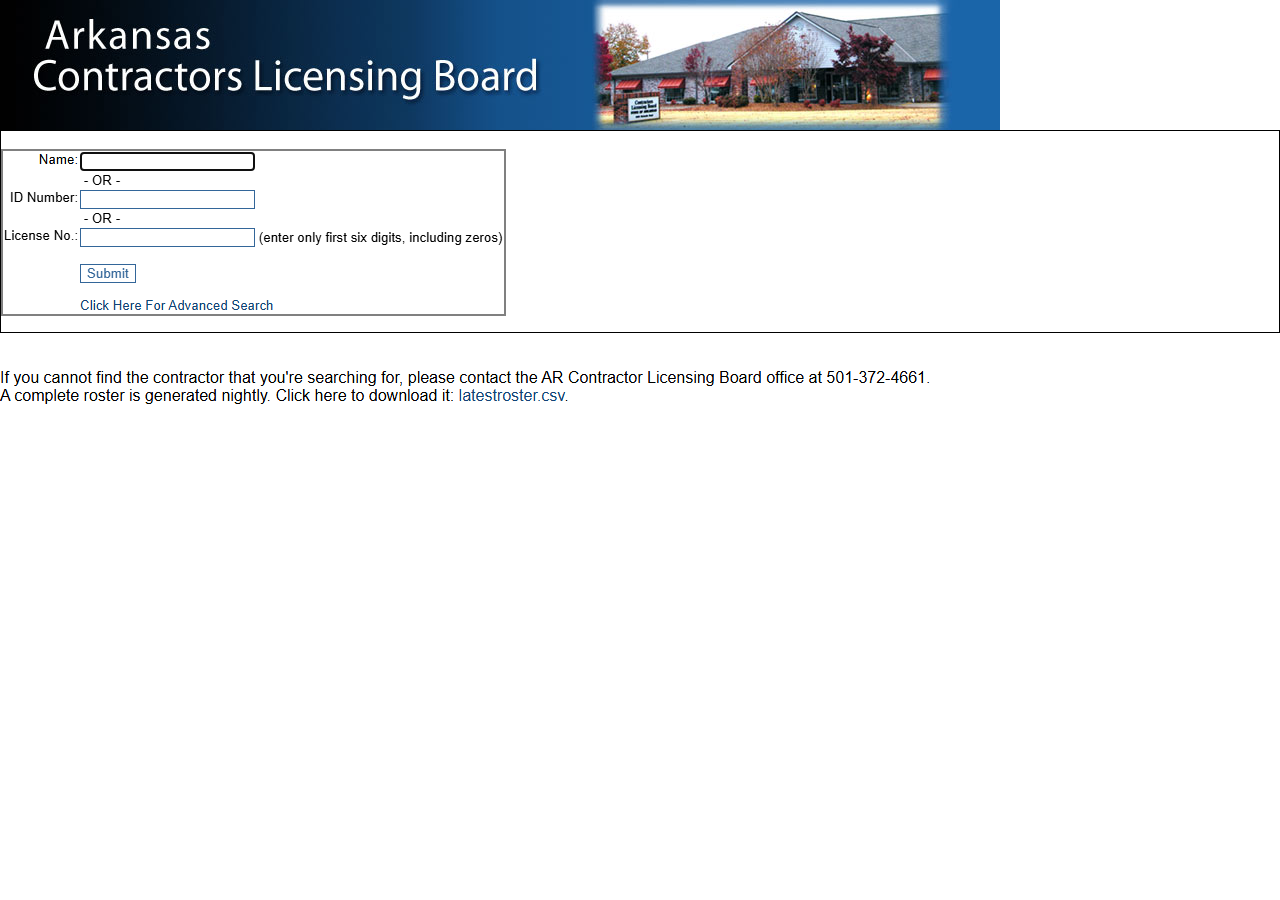
The board’s contractor search is public and free: type a name, submit, read the results table. It works. If you are checking three companies, just use it — nothing here beats a free form for three lookups.
Forty is a different shape of problem, and not only because it is forty. The results page is an
HTML table with no export, so each name costs a search, a squint and a copy-paste. ACLB does
publish a free nightly roster of every licence (latestroster.csv, 18,290 rows on 2026-09-28), and
if you are comfortable in Excel you can match your forty names against it; expect some fiddling,
because every roster name carries a licence-type suffix such as “-C” that your list will not. The host is old and
slow — the state box serves plain HTTP and refuses HTTPS altogether — so each round trip takes
noticeably longer than a modern site. And a broad word like “CONSTRUCTION” matches thousands of
licensees, which the page will render and which you will not read.
The faster way
Arkansas Contractor License Lookup & Verify (ACLB) does the same search once and hands back every row at once.
{
  "query": "CONSTRUCTION",
  "maxResults": 50
}
The query is matched as a substring against the board’s business/DBA-name index, so CONSTRUCTION
returns every licensee carrying that word — which is what you want when you are building a list from
a keyword rather than checking one company. maxResults: 50 is the guardrail: a broad word on this
registry matches far more than fifty, and the cap is what stops a run from returning (and charging
for) a list nobody reads. When you’re verifying rather than prospecting, narrow to the distinctive
part of the name — BELL CONSTRUCTION, not CONSTRUCTION. An all-digits query is treated as a
licence-number lookup instead, and rows are deduped by licence number either way.
What comes back
{
  "state": "AR",
  "license_number": "0014780227",
  "business_name": "BELL CONSTRUCTION CO., INC.",
  "license_type": "Commercial",
  "status": "Yes",
  "expiration_date": "02/28/2027",
  "city": "NORTH LITTLE ROCK",
  "county": "Pulaski",
  "address": "PO BOX 9041",
  "zip_code": "72119",
  "phone": "501-375-3325",
  "matched_by": "business_name",
  "source_url": "http://aclb2.arkansas.gov/clbsearch.php"
}| Field | Example value | Meaning |
|---|---|---|
state | AR | Always ‘AR’ for this actor |
license_number | 0014780227 | ACLB license/registration number |
business_name | BELL CONSTRUCTION CO., INC. | Licensed business or DBA name |
license_type | Commercial | ACLB license type (e.g. Commercial, Residential) |
status | Yes | Validity flag (e.g. Yes, No, Expired, Inactive, Extended) |
expiration_date | 02/28/2027 | License expiration date |
For a bid list, license_type is the first filter that matters: a Residential licence is not a
qualification for a distribution centre, and that is the distinction keyword lists usually get
wrong. status and expiration_date are read together — see the caveat below on what status
actually is. county is the field that turns a list into a routing decision, because a Pulaski
County licensee is a different logistics story from one four hours away.
What you’d do with it
Export the run to CSV, filter to license_type = Commercial with a valid, unexpired licence, and
that is your invitation list — with the phone number already attached, so it drops into a mail merge
or a CRM import without a second pass. Keep license_number as the join key: it is what you
re-verify against before award, when the names stop mattering.
Worth knowing
status is a validity flag, not a rich status. The board’s column is labelled “Valid”, so the
value is Yes or No, with occasional variants like Expired, Inactive or Extended. It is not
a status vocabulary, and a Yes on its own is not a full standing check — read it next to
expiration_date, and confirm with the board when the answer carries contractual weight.
ACLB-licensed contractors only. Arkansas requires this licence for projects of $50,000 or more, so smaller residential work may simply not be in the registry at all.
Bond, insurance and issue date are not published by ACLB. Those fields exist in the output for
consistency with the rest of the suite and come back null here. Absence is not a finding.
The source is HTTP-only and slow. The state’s server refuses HTTPS, so the fetch is plain HTTP, and a large run takes longer than you’d expect from a modern API. That’s the registry, not the actor.
Run it yourself: How to run Arkansas Contractor License Lookup & Verify (ACLB) walks the whole thing step by step.
Running the same keyword sweep one state over, Find South Carolina Contractors by Name covers the SC LLR registry the same way. If you’d rather start from a whole roster than from a keyword, Louisiana Contractor License Lookup & Leads Scraper (LSLBC) pulls 50,000+ licences as bulk data.
Last updated 2026-09-28