How-to
How to run Arkansas Contractor License Lookup & Verify (ACLB)
Step-by-step: the exact input, what each field does, and the rows that come back from AR ACLB.
You have an Arkansas contractor in front of you — a bid, a sub you’re about to onboard, a name on an insurance application — and you need to know whether the licence is real, what type it is, and when it expires. The Arkansas Contractors Licensing Board publishes exactly that, for free, on its public search page: type a name or a licence number, press search, read the table. If you have one contractor to check, go and do that; it costs nothing and it takes a minute. The problem starts at the second name, and gets worse at the fortieth. Each check is a form submission against an old, slow server, then a squint at an HTML table, then a copy-paste into whatever you actually work in. This actor does the same search and hands back the same rows as structured records you can push into a CRM, a spreadsheet, or a vetting workflow — one name, or a scheduled list of them.
What you’ll need
Nothing but an Apify account. The actor talks to AR ACLB directly.
No API key, no CAPTCHA solver, no proxy. The ACLB search is plain public HTML with no anti-bot wall
in front of it, so the actor just posts the form. There is a proxyConfiguration field in the
input, but it’s off by default and you should not need it.
Step 1 — Open the actor
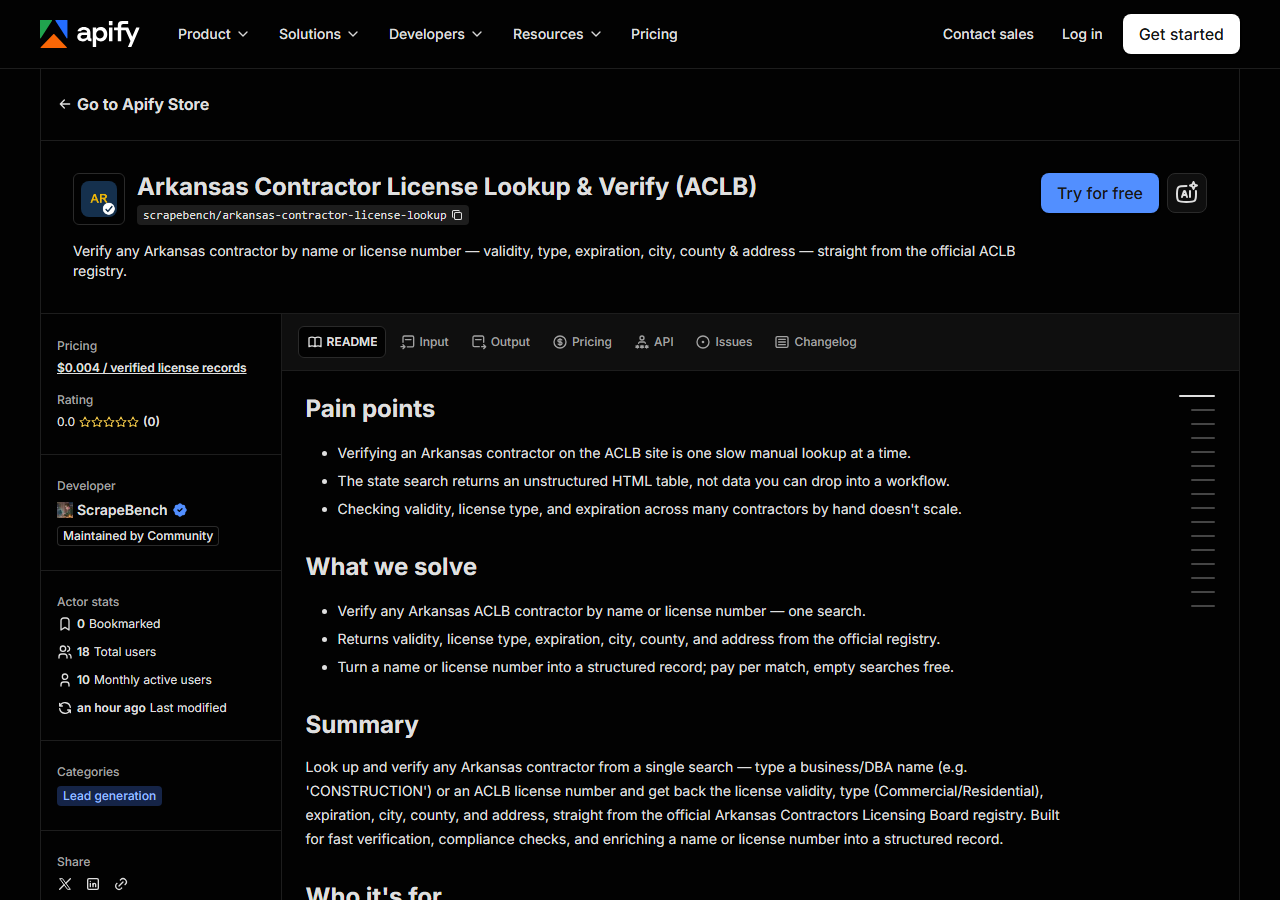
Open Arkansas Contractor License Lookup & Verify (ACLB) on the Apify Store and press Try for free. The actor’s own page on this site lists its live health and pricing.
Step 2 — Fill in the input
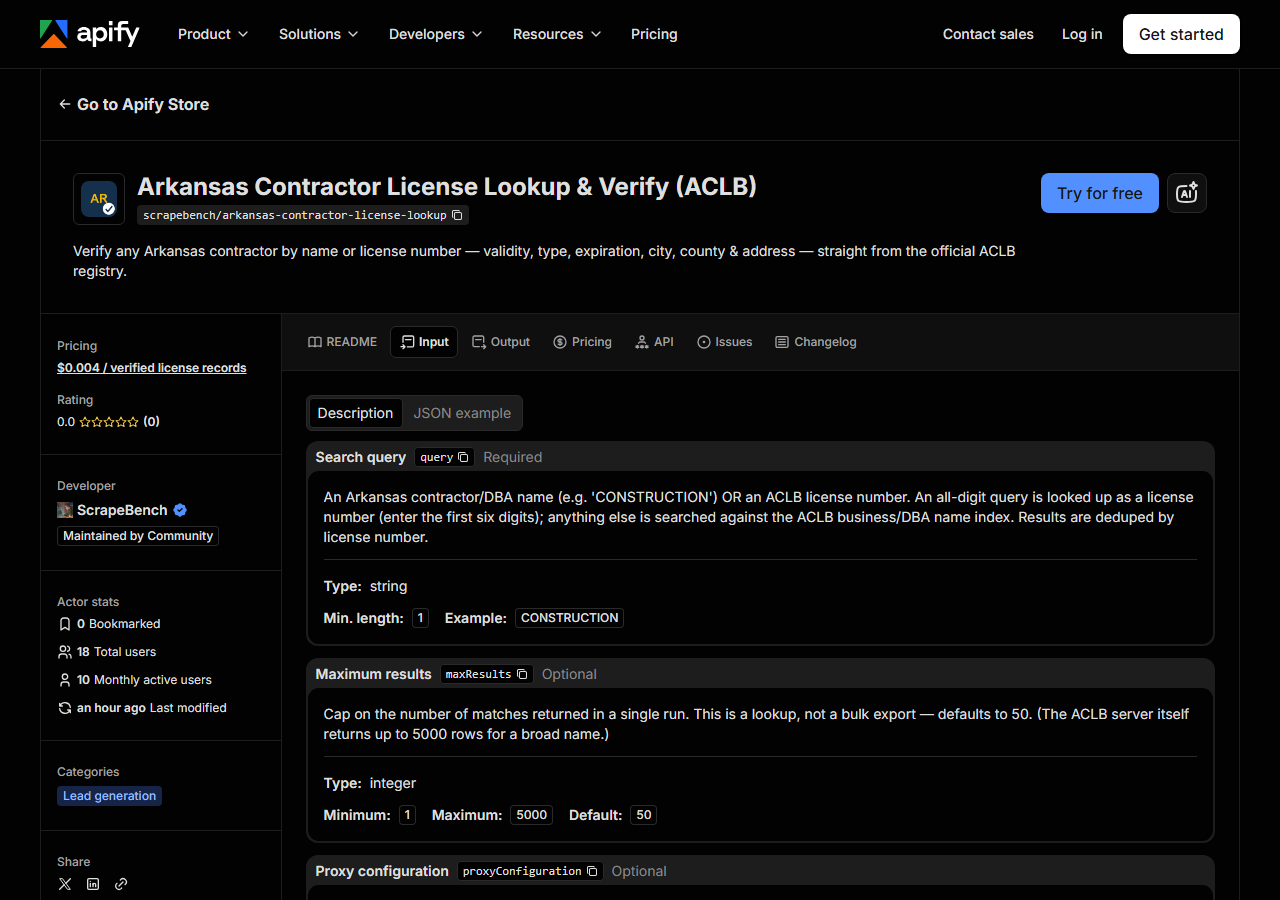
| Field | Type | Required | What it does |
|---|---|---|---|
query | string | yes | An Arkansas contractor/DBA name (e.g. ‘CONSTRUCTION’) OR an ACLB license number. An all-digit query is looked up as a license number (enter the first six digits); anything else… |
maxResults | integer | no | Cap on the number of matches returned in a single run. This is a lookup, not a bulk export — defaults to 50. (The ACLB server itself returns up to 5000 rows for a broad name.) (default 50) |
There is really only one field to get right: query. It is a single box doing two jobs, and the
actor decides which one from what you typed. If the query is all digits (spaces and hyphens are
tolerated), it is sent as a licence-number lookup; if it contains a letter, it is sent as a
business/DBA name search. That means a licence number typed with a stray letter in it silently
becomes a name search that matches nothing, and a company whose name is a number would be searched
as a licence. ACLB’s own form asks for the first six digits of the licence number, so enter
those rather than the full ten-digit string you see in the results.
The name search is a substring match on the DBA name, not an exact one. CONSTRUCTION matches every
Arkansas contractor with that word in its name, which is thousands of them; BELL CONSTRUCTION
narrows it to a handful. If you want one company, type enough of the name to mean one company.
maxResults is a cap, not a filter — it decides how many of the matches you keep, not which ones.
It defaults to 50, and the results are deduped by licence number before the cap is applied. The ACLB
server itself will happily return thousands of rows for a word like CONSTRUCTION, so the cap is
what keeps a fat-fingered broad search from becoming a fat bill. Raise it deliberately when you mean
to pull a wide slice; leave it alone when you are verifying one contractor.
A working input:
{
  "query": "CONSTRUCTION",
  "maxResults": 25
}
Step 3 — Run it
Press Start. Rows are pushed to the dataset as they’re found, so the run log fills in as it works.
A healthy run is one search request against ACLB, one table parsed, and up to maxResults rows
pushed. The work the actor does is trivial; the waiting is not entirely up to us. The ACLB box is
old and slow, which is why the actor is configured with a generous 60-second read timeout and retries
on the server’s bad days rather than giving up. Wall-clock times aren’t measured here, so none are
quoted — start it once and watch the log, and expect a single lookup to feel more like a slow web
page than a fast API.
An empty run is nearly always the query, not the actor. The usual causes, in order: a licence number entered in full instead of its first six digits, a name spelled differently from how ACLB stores it, or a genuinely unlicensed company. Zero rows costs you nothing — charging is per result, so a mistyped search is free. When a name search comes back empty, shorten it: search the distinctive word rather than the full legal name, and narrow from there.
Step 4 — Read the output
Each run returns a labelled table, not raw JSON:
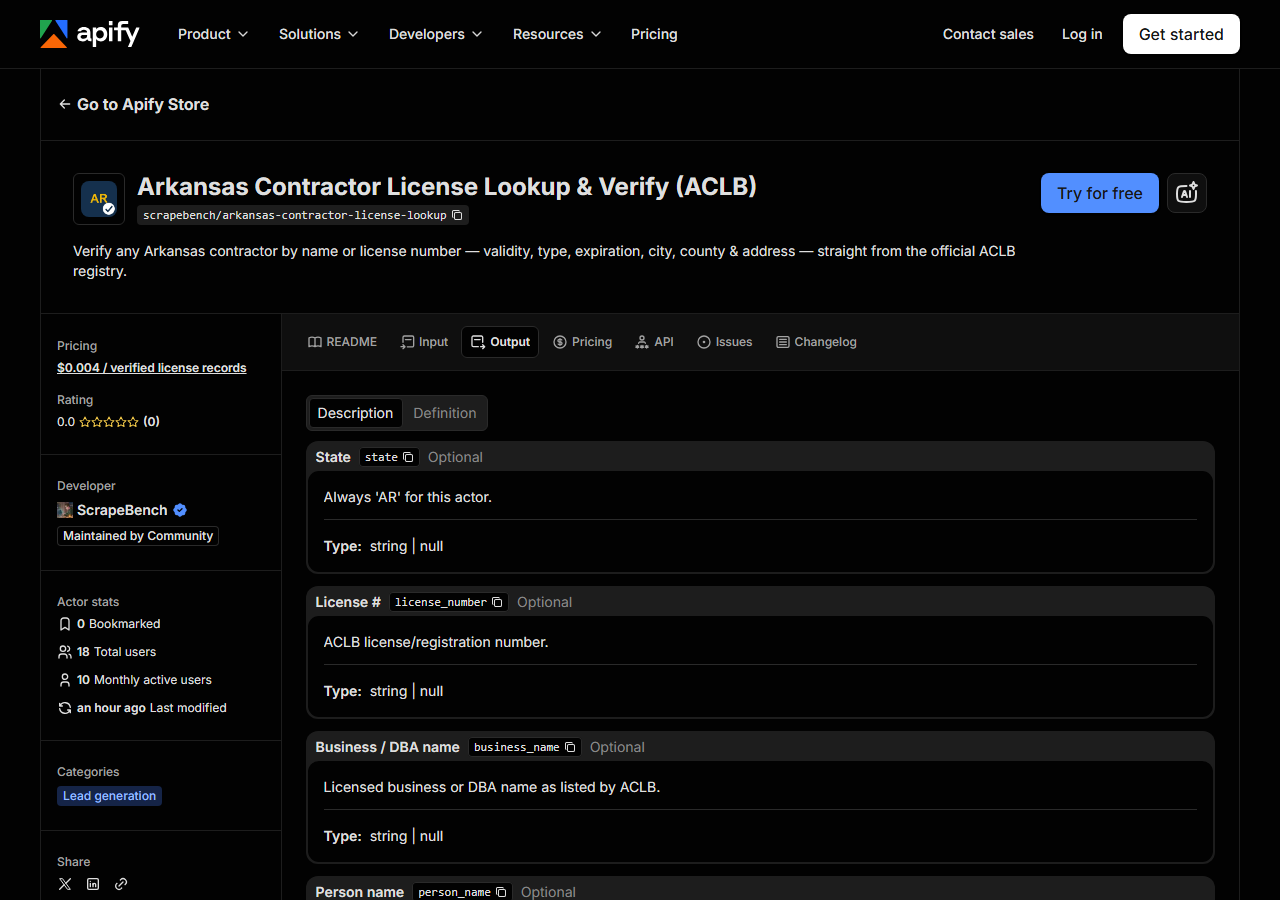
Every row looks like this — a real row from a real run:
{
  "state": "AR",
  "license_number": "0014780227",
  "business_name": "BELL CONSTRUCTION CO., INC.",
  "license_type": "Commercial",
  "status": "Yes",
  "expiration_date": "02/28/2027",
  "city": "NORTH LITTLE ROCK",
  "county": "Pulaski",
  "address": "PO BOX 9041",
  "zip_code": "72119",
  "phone": "501-375-3325",
  "matched_by": "business_name",
  "source_url": "http://aclb2.arkansas.gov/clbsearch.php"
}| Field | Example value | Meaning |
|---|---|---|
state | AR | Always ‘AR’ for this actor |
license_number | 0014780227 | ACLB license/registration number |
business_name | BELL CONSTRUCTION CO., INC. | Licensed business or DBA name |
license_type | Commercial | ACLB license type (e.g. Commercial, Residential) |
status | Yes | Validity flag (e.g. Yes, No, Expired, Inactive, Extended) |
expiration_date | 02/28/2027 | License expiration date |
city | NORTH LITTLE ROCK | Contractor city |
county | Pulaski | Arkansas county |
The field almost everyone came for is status — and its name is friendlier than its contents. It is
ACLB’s Valid column carried through verbatim, so its values are the source’s values, not a tidy
enum of ours: expect Yes, and expect other words too. Read it together with expiration_date
rather than on its own; a licence can be valid today and expire the week your project starts. The
second-most-wanted field is license_type — Commercial or Residential — because it is the one
that tells you whether the contractor is licensed for the work you’re about to hand them.
Things to watch. Every field is nullable, because the row is only as complete as ACLB’s row: a
contractor with no phone on file simply has no phone here, and address is often a PO box rather
than a street. Text arrives as ACLB stores it, which is mostly shouting capitals, with dates as
MM/DD/YYYY strings — normalise before you mail-merge or sort. license_number in the output is
the full number (0014780227), even though you search with the first six digits, so don’t feed an
output value straight back in as a query. matched_by tells you which search produced the row —
business_name or license_number — which is worth keeping when you merge results from several
runs. And the shared contractor schema carries bond, insurance and issue-date fields for consistency
across the suite; ACLB does not publish them, so for Arkansas they come back null. That’s the source
being quiet, not the actor failing.
Step 5 — Export it
Open the Dataset tab and export to CSV, JSON, or Excel — or pull the same rows from the API, which is what you want if this is going to run on a schedule.
What it costs
$0.004 per licence record returned. Verifying one contractor that matches one licence costs less than half a cent. A broad name search capped at 50 rows costs $0.20; 100 verified records is $0.40. Searches that return nothing are not charged at all, so a misspelling or a company that turns out not to be licensed costs you nothing. Apify’s platform compute is billed separately, per your plan.
Be honest about the comparison: the data is free and the ACLB search is open to anyone. What the per-result fee buys is that the lookup is repeatable, schedulable and API-addressable — one supplier list checked on a Monday morning without a person doing it one form at a time.
Where the data comes from
This reads AR ACLB directly. The target is Legacy PHP - a plain HTML form POST returning a results table. No hidden state, no tokens. Every night a canary runs this actor against that live source and diffs the result against a frozen fixture — what “verified” means.
By the standards of state licence portals this one is easy, and it would be dishonest to dress it up:
clbsearch.php is a plain form POST with no session tokens, no view-state, no anti-bot wall and no
CAPTCHA. The awkwardness is elsewhere. The ACLB host is HTTP-only — it refuses port 443
outright, so there is no TLS to be had and the actor talks plain http:// to it — and the box is
old enough that a search can take long seconds, which is why the client is given a 60-second read
timeout and backs off and retries rather than failing on a slow day. What comes back is one HTML
table with no stable IDs, so the columns are matched by their header labels; that survives a
reordering, but a renamed header would quietly change what lands in which field, which is precisely
the kind of drift the nightly canary is there to catch.
See it used
Find Arkansas Contractors by Name searches the ACLB roster by business name when you have a name and no number.
If the contractor might not be in Arkansas, or you want the same company checked in several states at once, Multi-State Contractor & Trade License Lookup is the one to reach for instead; come back here when you already know the licence is an ACLB one.
Last updated 2026-07-13