Use case
Concord Chamber members with contact emails
Every member of the Concord Chamber of Commerce, enriched with a contact email crawled from each member's own website.
Say you sell a service to small businesses — commercial insurance, a bookkeeping practice, a merchant-services product — and you’ve decided to work Concord, California, one town, properly. The Chamber of Commerce membership is exactly the list you want: a few hundred businesses that are real, active, and have already signalled they invest in their local presence. You can see the whole roster on the chamber’s public directory. What you can’t do is send any of them an email, because the directory shows a phone number and a website but never an address you can write to.
The manual way, and what it costs
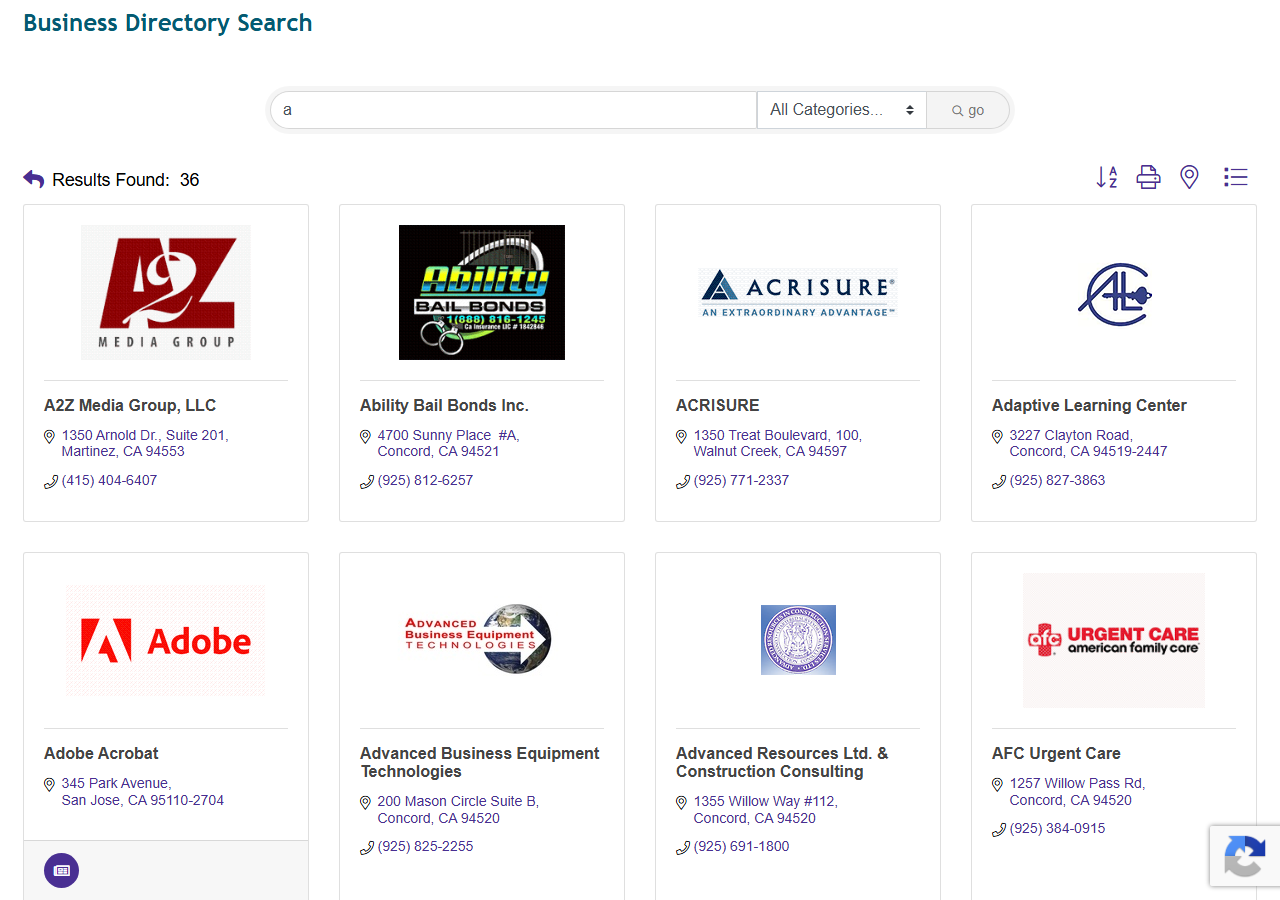
Here’s the free option in full. The Concord chamber directory is public: you can browse it alphabetically, open each member’s page, and read off the business name, phone, address, category and website. For a dozen businesses, that’s twenty minutes and you should just do it — it’s the same data and it costs nothing.
The cost shows up at scale and at the last mile. There are hundreds of members, the directory has no export, so a full roster is hundreds of copy-pastes. And when you’re done you still don’t have a single email — the chamber doesn’t publish them. To get those, you’d open each member’s website in turn, hunt through its contact and about pages, and copy whatever address you can find, which is a second pass as long as the first. Two afternoons of clicking to produce a spreadsheet, and the email column — the one that makes it an outreach list rather than a phone book — is the part you did by hand and trust least.
The faster way
Chamber of Commerce Member Directory & Business Leads Scraper does the whole thing in one run.
{
  "cities": ["Concord"],
  "state": "CA",
  "enrichContacts": true,
  "maxResults": 200
}
cities: ["Concord"] with state: "CA" selects the Concord chamber specifically. The field that
earns its keep is enrichContacts: true — that’s what turns this from a directory dump into an
outreach list, because with it on the actor takes each member’s website and crawls it for a contact
email. maxResults: 200 is a comfortable ceiling for a single chamber; leave it off and you get
every member.
What comes back
{
  "business_name": "A2Z Media Group, LLC",
  "chamber_name": "Concord Chamber of Commerce",
  "phone": "(415) 404-6407",
  "address": "1350 Arnold Dr., Suite 201",
  "city": "Martinez",
  "zip_code": "94553",
  "website": "http://a2zmediagroup.com",
  "categories": ["Marketing/Advertising"],
  "contact_reps": [{ "name": "Zuleyka Jinks", "title": "Owner/Partner" }],
  "emails": [
    { "email": "info@a2zmediagroup.com", "source_url": "http://a2zmediagroup.com/contact", "type": "generic", "confidence": "high" }
  ],
  "email_domain_matches_website": true,
  "source_url": "https://business.concordchamber.com/list/member/a2z-media-group-llc-12179"
}| Field | Example value | Meaning |
|---|---|---|
business_name | A2Z Media Group, LLC | Member business name |
phone | (415) 404-6407 | Business phone |
categories | ["Marketing/Advertising"] | Chamber category — segment the list |
contact_reps | [{name, title}] | A named owner/manager, from the chamber |
emails | [{email, type, confidence}] | The address to actually write to |
emails is the column that closes the loop — it’s the field the chamber never gave you, filled from
the member’s own website, and it’s what makes this a list you can send to rather than call. Around
half to two-thirds of members with a website come back with one. contact_reps often hands you a
named person (an “Owner/Partner”) on top of the address, so a personal-typed email plus a rep name
means you can write to someone rather than to info@. And categories lets you cut the roster to
the segment you actually sell to — filter to Insurance or Marketing/Advertising rather than
mailing the whole town.
What you’d do with it
Export the dataset to CSV, drop the rows with no email (or keep them as a call list, since they still
have phone numbers), and import the rest into your CRM or mail-merge tool. Segment by categories if
your pitch is trade-specific, prefer the personal-typed addresses with a contact_reps name for a
warmer first touch, and you have a Concord campaign ready to send the same afternoon you decided to
run the town.
Worth knowing
The email is best-effort from each member’s public website — roughly 50–65% of members that have a website yield one, and a business with no website, or one that lists no address on it, comes back with empty enrichment fields (as does a franchise whose only address is corporate). Social profiles are captured as columns but never crawled for emails, so a business that only lists a Facebook page won’t produce one. This finds the emails that are publicly published; it doesn’t guess addresses or verify that they deliver.
Run it yourself: How to run Chamber of Commerce Member Directory & Business Leads Scraper walks the whole thing step by step.
To work a whole region instead of one town, All Contra Costa County chamber members pulls every chamber in the county in a single run. And if you already have a list of business websites from somewhere else, Business Email, Phone & Contact Details Scraper is the same enrichment engine on its own — URLs in, contact details out.
Last updated 2026-07-13