How-to
How to run Spotify Podcast Transcript Scraper & Keyword Monitor
Step-by-step: the exact input, what each field does, and the rows that come back from Spotify.
You want the words of a podcast episode as text: to quote a guest, cut clips, write show notes, or find every place a show said your company’s name. Spotify already transcribes most big shows and shows the transcript under the episode in its app, but only to a signed-in listener, one episode at a time, with nothing to export. Speech-to-text tools fill the gap by billing per audio minute, so a 3-hour Joe Rogan episode costs nine times a 20-minute one. This actor returns Spotify’s own transcript instead, for a flat $0.02 per episode.
What you’ll need
Nothing but an Apify account. The actor talks to Spotify directly.
You don’t need a Spotify account. Spotify serves transcripts only to a signed-in listener (on 2026-11-04, 0 of 52 episodes showed one to an anonymous visitor), so the actor reads them through our own Spotify login and pays for that access itself. If that access ever lapses, a run returns one free blocked row saying so and charges nothing, and we are alerted to renew it. No audio is downloaded or processed.
Step 1 — Open the actor
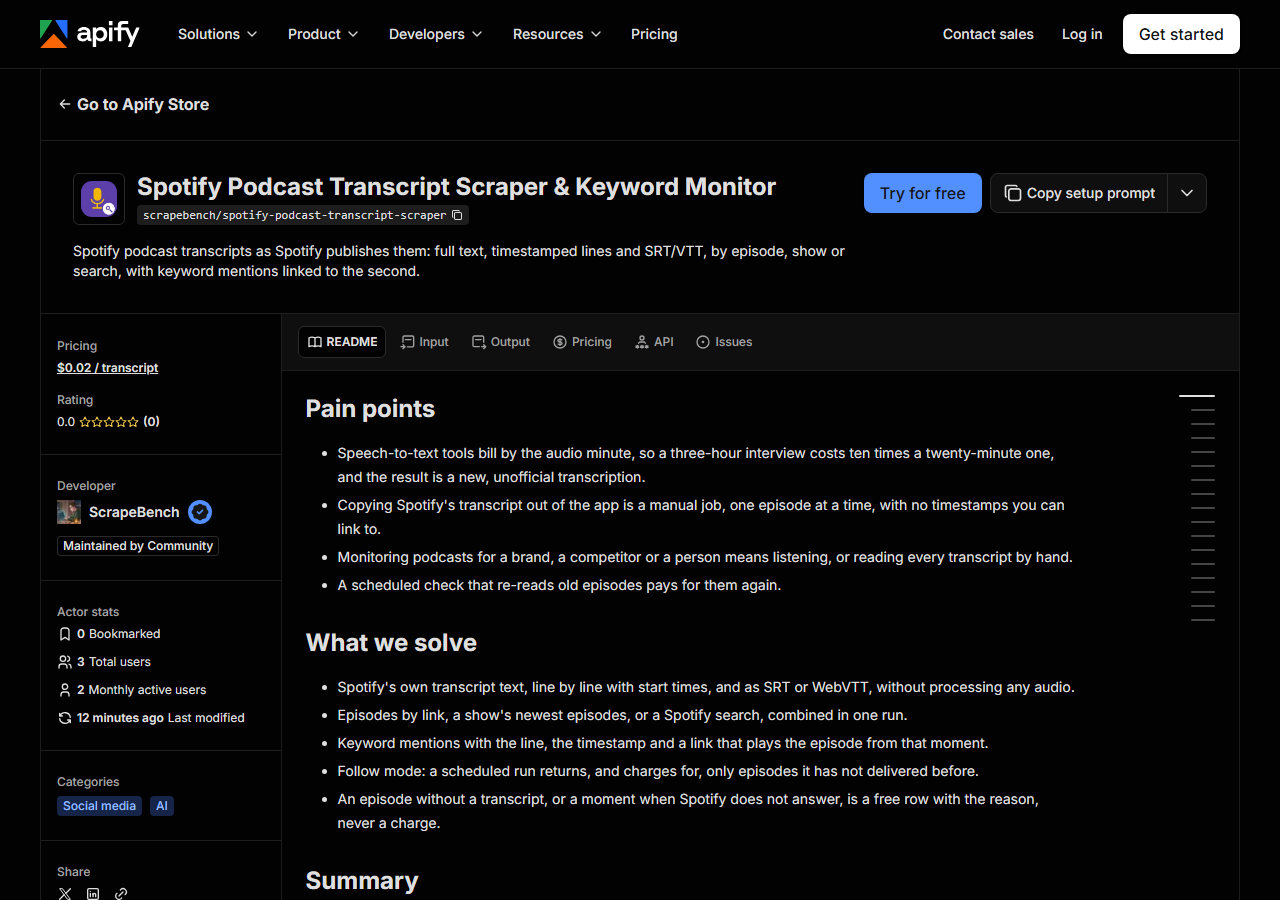
Open Spotify Podcast Transcript Scraper & Keyword Monitor on the Apify Store and press Try for free. The actor’s own page on this site lists its live health and pricing.
Step 2 — Fill in the input
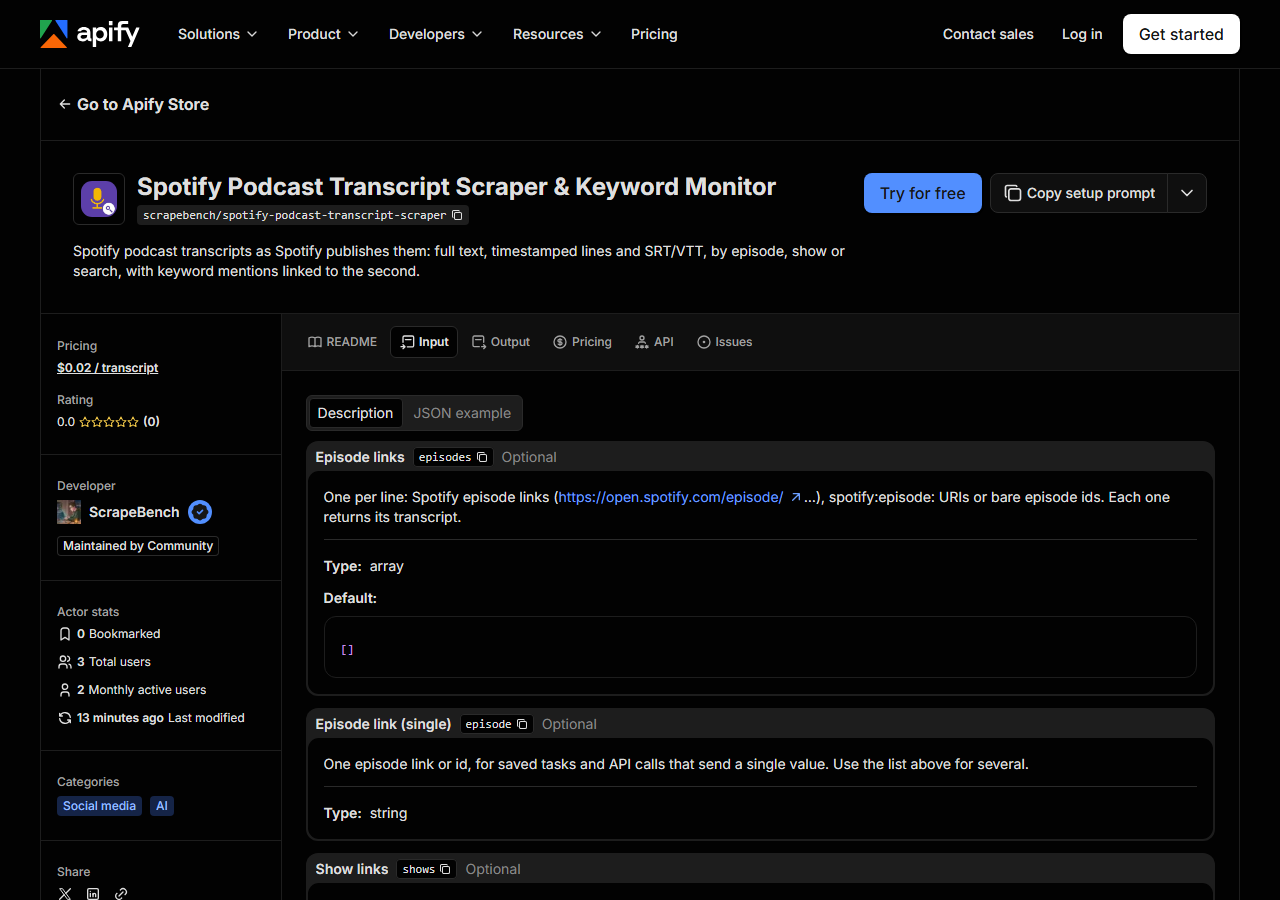
| Field | Type | Required | What it does |
|---|---|---|---|
episodes | array | no | One per line: Spotify episode links (https://open.spotify.com/episode/…), spotify:episode: URIs or bare episode ids. Each one returns its transcript. (default []) |
episode | string | no | One episode link or id, for saved tasks and API calls that send a single value. Use the list above for several. |
shows | array | no | One per line: Spotify show links (https://open.spotify.com/show/…). Each returns its newest episodes that have a transcript, up to Maximum episodes. (default []) |
show | string | no | One show link or id, for saved tasks and API calls that send a single value. |
searchQueries | array | no | One per line: words to search Spotify’s podcast episodes for (AI agents, your brand, a guest’s name). Spotify matches titles and descriptions and ranks by relevance; episodes… (default []) |
searchQuery | string | no | One search, for saved tasks and API calls that send a single value. |
maxEpisodes | integer | no | How many episodes with a transcript to read for EACH show (newest first) and EACH search (most relevant first). Episode links are always all read. (default 10) |
publishedAfter | string | no | YYYY-MM-DD. Shows and searches skip episodes released before this day. Empty keeps every date. |
keywords | array | no | Optional, one per line: words or phrases (your brand, a competitor, a person). Each row gets every line that says one (whole words, any case) with its timestamp and a link that… (default []) |
keyword | string | no | One keyword, for saved tasks and API calls that send a single value. |
onlyWithMentions | boolean | no | With keywords set: deliver (and charge) only the episodes whose transcript says at least one of them. Turn off to get every transcript with its mention count. (default True) |
onlyNew | boolean | no | Remembers which episodes this same set of shows, searches and keywords already delivered, and skips them. Schedule it daily or weekly and you get, and pay for, only new episodes. |
language | string | no | Optional language code (en, es, de, fr, pt-br…). Many big shows publish translated transcripts; when the episode has one in this language you get it, otherwise its original.… |
includeTimestamps | boolean | no | Also return the transcript as lines, each with its start time in milliseconds. The full text is always returned. (default True) |
subtitleFormat | string | no | Also return the transcript as an SRT or WebVTT subtitle file (in the subtitles field). (default none) |
Two choices decide what you get back:
- Where the episodes come from.
episodestakes links you already have.showsreads a show’s newest episodes that have a transcript, andsearchQueriesruns Spotify’s own episode search, which matches titles and descriptions.maxEpisodescaps each show and each search separately, so 2 shows at 10 is up to 20 transcripts. They can all be combined in one run. keywords. Search finds episodes about a topic; keywords check what was actually said. With keywords set,onlyWithMentionsis on by default, so an episode whose transcript never says one is read but not delivered or charged.
For a schedule, switch on onlyNew: the actor remembers which episodes that same set of shows, searches and keywords already delivered and skips them next time.
A working input:
{
  "searchQueries": [
    "ai agents"
  ],
  "keywords": [
    "OpenAI",
    "Claude"
  ],
  "maxEpisodes": 3,
  "publishedAfter": "2026-10-01",
  "subtitleFormat": "vtt",
  "includeTimestamps": false
}
Step 3 — Run it
Press Start. Rows are pushed to the dataset as they’re found, so the run log fills in as it works.
Runs are short. On 2026-11-04 the example input above returned 3 episodes from October (29,938 words) in 8 seconds, run outside Apify through one proxy. A “Shopify” search with the keyword Shopify returned 10 transcripts (101,809 words) in 9 seconds, and the first test-customer run on Apify itself, one episode, finished in 17 seconds.
An empty result is usually a narrow input, not a broken actor: a publishedAfter date with nothing newer, or keywords no transcript says. Each case leaves a free no_match row explaining it. An episode link Spotify has no transcript for also gets a free no_match row.
Step 4 — Read the output
Each run returns a labelled table, not raw JSON:
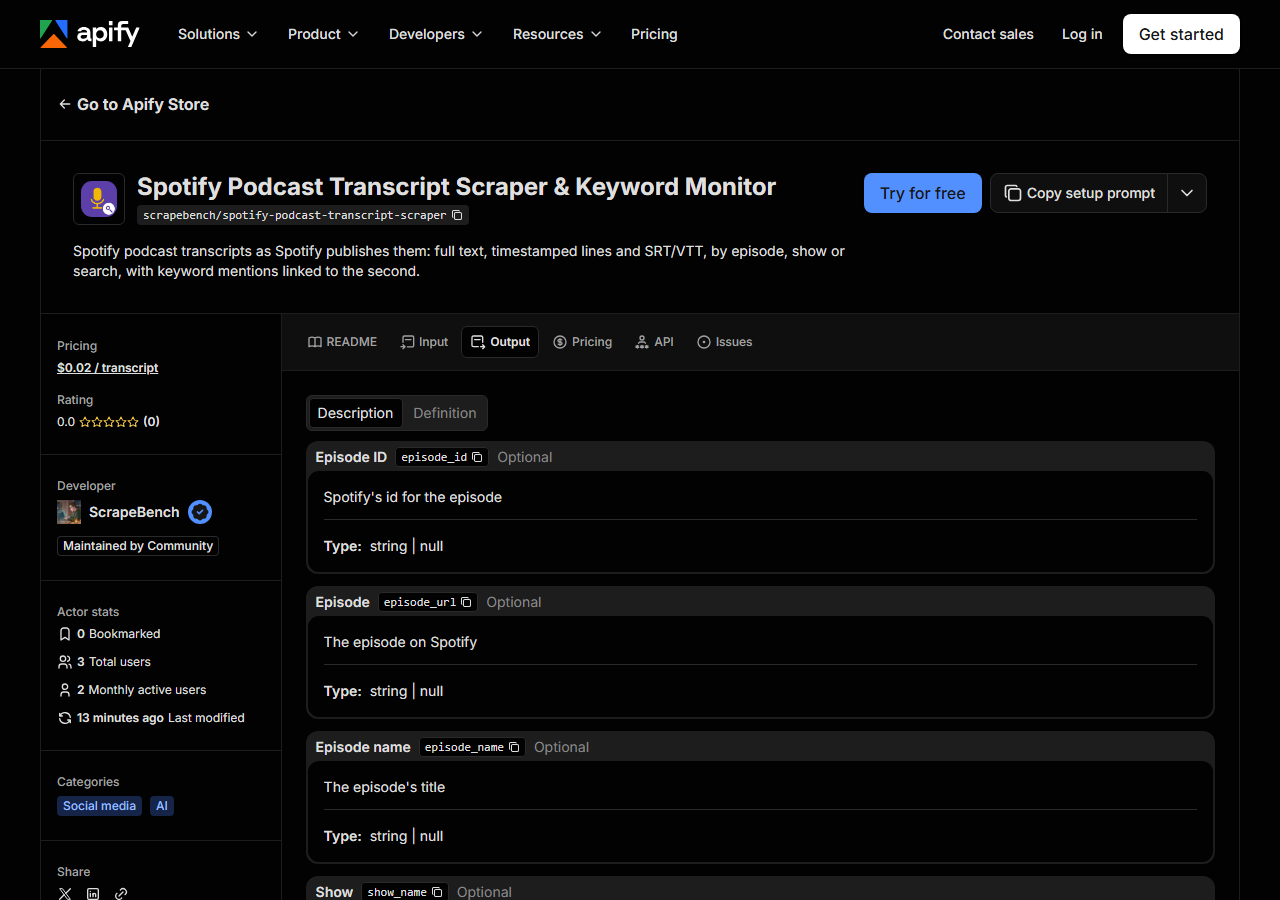
Every row looks like this — a real row from a real run:
{
  "episode_id": "2wRBPdg9rB4KCgNaPAMnoZ",
  "episode_url": "https://open.spotify.com/episode/2wRBPdg9rB4KCgNaPAMnoZ",
  "episode_name": "OpenAI: When AI Agents Use Computers Faster Than You",
  "show_name": "The a16z Show",
  "release_date": "2026-10-26",
  "duration_seconds": 2654,
  "language": "en-us",
  "available_languages": [
    "en-us"
  ],
  "sync_level": "SYLLABLE_SYNCED",
  "word_count": 9268,
  "mention_count": 2,
  "mentions": [
    {
      "keyword": "OpenAI",
      "timestamp": "00:03:45",
      "text": "Think our goal at OpenAI is really about building products that's useful for everyone.",
      "url": "https://open.spotify.com/episode/2wRBPdg9rB4KCgNaPAMnoZ?t=225"
    }
  ],
  "text": "...",
  "subtitles": "WEBVTT\n\n...",
  "query": "search: ai agents"
}| Field | Example value | Meaning |
|---|---|---|
episode_name | OpenAI: When AI Agents Use Computers Faster Than You | The episode’s title |
show_name | The a16z Show | The podcast |
release_date | 2026-10-26 | Day the episode was published (YYYY-MM-DD) |
duration_seconds | 2654 | Episode length in seconds |
text | ... | The full transcript, one line per sentence |
lines | — | Each line with its start time in milliseconds (on by default) |
subtitles | WEBVTT … | The transcript as SRT or WebVTT, when asked for |
mentions | [{"keyword": "OpenAI", "timestamp": "00:03:45", "text": "Think our goal at OpenAI is really about building products that's useful for everyone.", "url": "https://open.spotify.com/episode/2wRBPdg9rB4KCgNaPAMnoZ?t=225"}] | With keywords: each line that says one, with the keyword, a timestamp (HH:MM:SS) and a link that plays from that second |
Most people came for text, the whole transcript one sentence per line, and with keywords for mentions: each one carries the line, a timestamp, and a ?t= link that opens the episode at that second, so a reader can hear the context in one click. lines repeats the transcript with each line’s start time in milliseconds; turn includeTimestamps off when you only need the text, since a 3-hour episode is about 35,000 words.
Three things to know. The transcript is Spotify’s machine transcription, so it has no speaker names and the occasional misheard word. sync_level says how precise the times are: SYLLABLE_SYNCED is exact to the word, while STATIC transcripts (4 of the 10 Shopify results) have coarser line times. And available_languages lists translations where Spotify made them: one Startup Ideas Podcast episode had 10.
Step 5 — Export it
Open the Dataset tab and export to CSV, JSON, or Excel — or pull the same rows from the API, which is what you want if this is going to run on a schedule.
What it costs
| Charge | Price | When |
|---|---|---|
| Transcript | $0.02 | Each episode transcript delivered, whatever its length |
Free: episodes without a transcript, episodes that never say your keywords (with onlyWithMentions on), episodes onlyNew skips, and every notice row. The example input above costs $0.06. The 10-episode Shopify search costs $0.20; scheduled daily with onlyNew, it charges only for episodes that are new since the day before.
Where the data comes from
This reads Spotify directly. The target is Plain HTTP calls to the same data open.spotify.com’s web player reads: its episode, show and search queries (persisted-query hashes read from the player’s own code at run start) and its transcript endpoint. No browser, no audio processing. Every night a canary runs this actor against that live source and diffs the result against a frozen fixture — what “verified” means.
Spotify shows a transcript tab under most big shows’ episodes, but only after you sign in, and the screenshot in the use-cases shows what a signed-out visitor gets: the description and a “Log in” button. Coverage also varies by show. On 2026-11-04, 29 of the first 30 search results for “ai agents” had a transcript, and 5 of the Joe Rogan Experience’s newest 7, but The Daily had one on roughly one episode a week, because the New York Times publishes its own.
See it used
Every Spotify podcast episode that mentions your brand sets up a daily mention monitor. The newest Joe Rogan Experience transcripts with SRT subtitles pulls a show’s latest episodes as text and subtitle files.
Watching what a brand says in paid media too? Google Ads Transparency Center & Competitor Ad Scraper lists the ads a company runs on Google.
Last updated 2026-11-04