How-to
How to run Multi-State Corporate & Business Entity Registry (CO, CT, OR)
Step-by-step: the exact input, what each field does, and the rows that come back from Socrata (CO/CT/OR SOS).
You want a feed of businesses that were registered this week, before anyone else has called them —
new LLCs to prospect, fresh formations as an economic signal, a roster to enrich a credit file with.
The state gives you that for free, and that is exactly the problem: each secretary of state gives it
to you in its own shape. Colorado calls the name column entityname, Connecticut calls it name,
Oregon calls it business_name; the date fields, the entity-type codes and the address columns all
differ too. Doing it by hand means three separate queries, three different column mappings, and a
spreadsheet you re-stitch every morning. This actor runs those three queries for you and hands back
one table.
Two things to be plain about before you spend a cent. The scope is three states: Colorado, Connecticut and Oregon. Not fifty, not “and growing fast” — three. And the data underneath is a free public API. Every row here comes from a state’s own Socrata open-data portal, which anyone can query with a URL and no key. What you’re buying is the wiring — one schema, one date filter, one run, one nightly check that the shape hasn’t changed — not access to something you couldn’t otherwise get. If you’re happy writing three HTTP clients and a normaliser, you should; it is a free feed and there is no wall to climb.
What you’ll need
Nothing but an Apify account. The actor talks to Socrata (CO/CT/OR SOS) directly.
No API key, no proxy, no CAPTCHA budget. Socrata’s SODA endpoints are open JSON: the actor fetches them straight, unauthenticated, and nothing in the middle costs money. (A free Socrata app token raises the rate limit if you’re hammering it; the actor works fine without one, and you don’t have to supply one.) There is no anti-bot layer to defeat here and the actor doesn’t pretend there is — this is the easiest class of target in the portfolio.
Step 1 — Open the actor
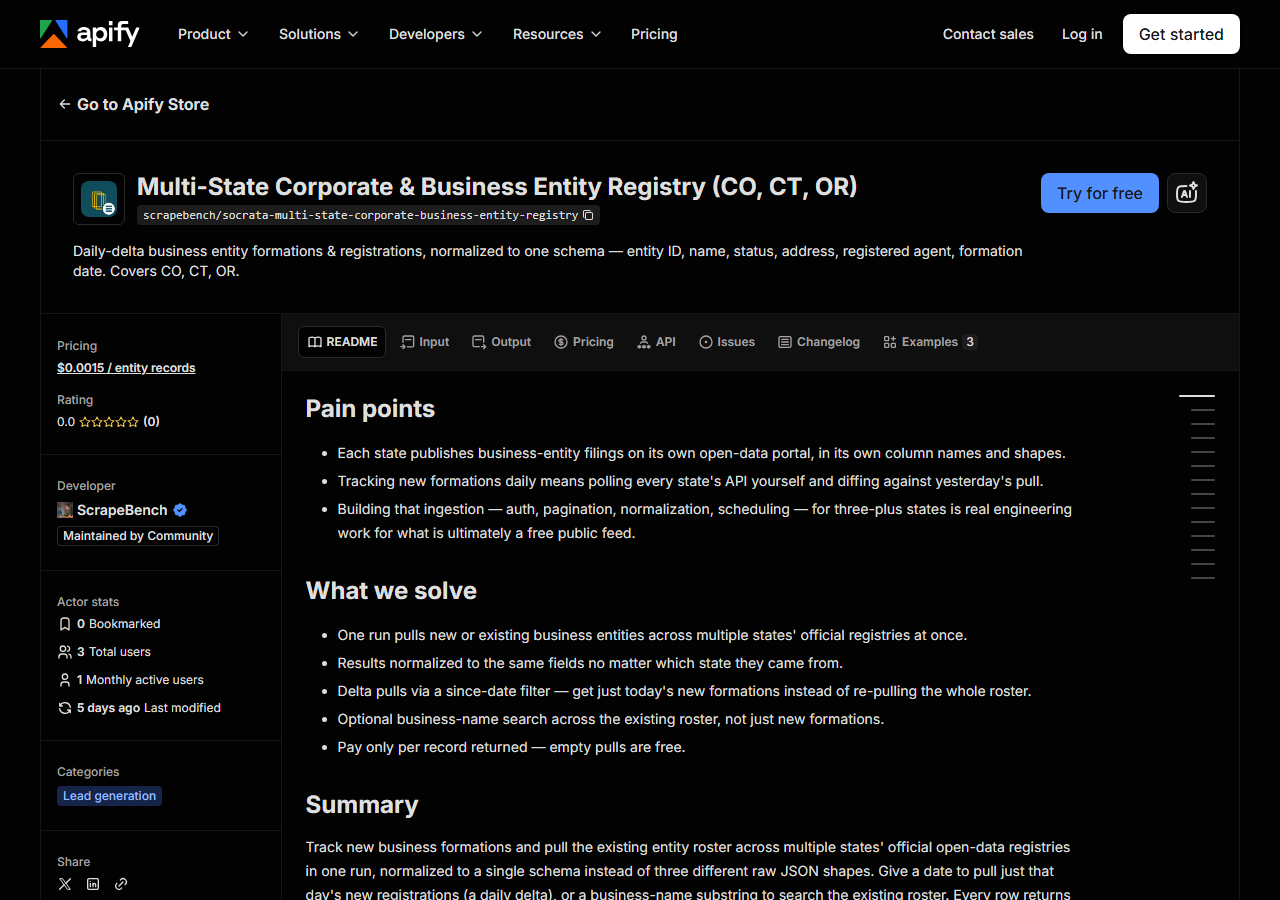
Open Multi-State Corporate & Business Entity Registry (CO, CT, OR) on the Apify Store and press Try for free. The actor’s own page on this site lists its live health and pricing.
Step 2 — Fill in the input
| Field | Type | Required | What it does |
|---|---|---|---|
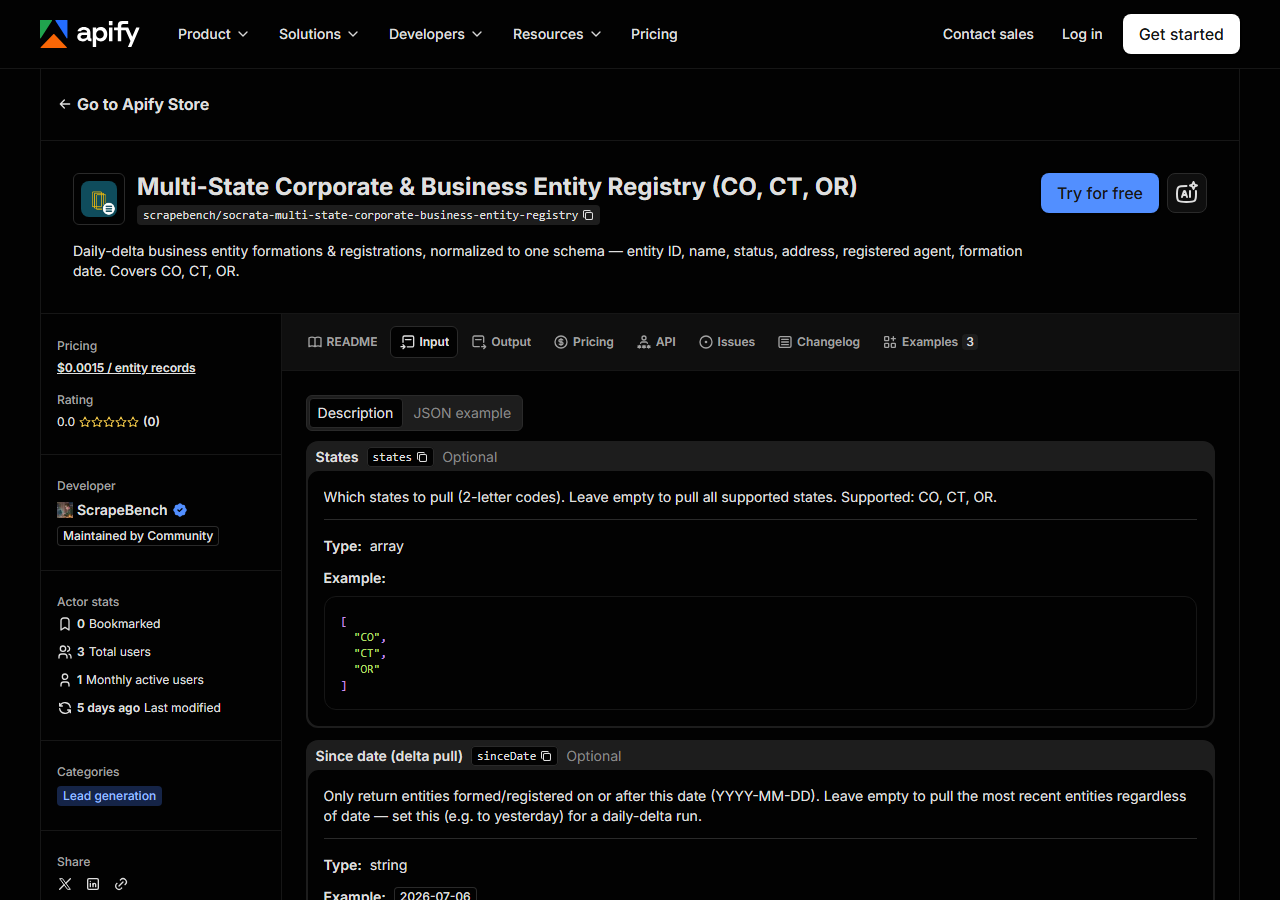
states | array | no | Which states to pull (2-letter codes). Leave empty to pull all supported states. Supported: CO, CT, OR. |
sinceDate | string | no | Only return entities formed/registered on or after this date (YYYY-MM-DD). Leave empty to pull the most recent entities regardless of date — set this (e.g. to yesterday) for a… |
query | string | no | Optional substring match on business/entity name. Leave empty to pull the newest entities instead of searching by name. |
maxResults | integer | no | Cap on records returned across all selected states (bounds cost). (default 100) |
sinceDate is the field that turns this from a bulk dump into a new-registration feed, and it is the
one people leave empty by accident. Set it and you get entities whose formation/registration date is
on or after that day; leave it empty and you get the most recent entities the state has published,
whatever their date. For prospecting, that means a daily schedule with sinceDate set to yesterday.
But be honest about what “delta” means here: it is a filter, not a bookmark. The actor keeps no
memory between runs. Re-run yesterday’s sinceDate tomorrow and you’ll get yesterday’s rows again —
and be charged for them again. The delta only stays a delta if the date rolls forward with the
schedule.
maxResults is a global cap across all selected states, not a per-state one, and the states are
pulled in order — CO, then CT, then OR. So maxResults: 100 against all three states is very likely
100 rows of Colorado and nothing else. If you want all three represented, either set the cap high
enough for the volume you expect (a few hundred, for a one-day window) or run one state per run.
Above that, one more ceiling worth knowing: each state is fetched at most 200 rows deep in a single
run, so the practical maximum for a three-state run is 600 rows however high you set the cap. If
you’re back-filling a wide date range, walk it a few days at a time rather than asking for everything
at once.
query is a name substring search over the whole roster, not just new formations — use it when
you’re checking a specific company rather than watching for new ones. If you set both query and
sinceDate, they’re ANDed: that name, registered since that date.
A working input:
{
  "states": [
    "CO",
    "CT",
    "OR"
  ],
  "sinceDate": "2026-07-06",
  "maxResults": 500
}
Step 3 — Run it
Press Start. Rows are pushed to the dataset as they’re found, so the run log fills in as it works.
This is a handful of plain JSON calls — one query per state — so a run is short: seconds, not
minutes, with no browser to start and no pages to walk. A one-week sinceDate across all three states
will comfortably hit whatever cap you set; a one-day window is a smaller, steadier trickle.
An empty run is a result, not a fault. The usual cause is that the window is ahead of the data: each
state refreshes its own open-data feed on its own cadence (typically daily), so a sinceDate of
today can legitimately return nothing simply because today’s filings haven’t been published yet.
Back the date off by a day or two and see if the rows appear. The other common cause is a query
substring that matches nothing. If a single state fails — Socrata returns a 5xx, say — the run logs it,
skips that state and returns the others rather than failing the whole thing, so check the log before
you conclude a state has no data.
Step 4 — Read the output
Each run returns a labelled table, not raw JSON:
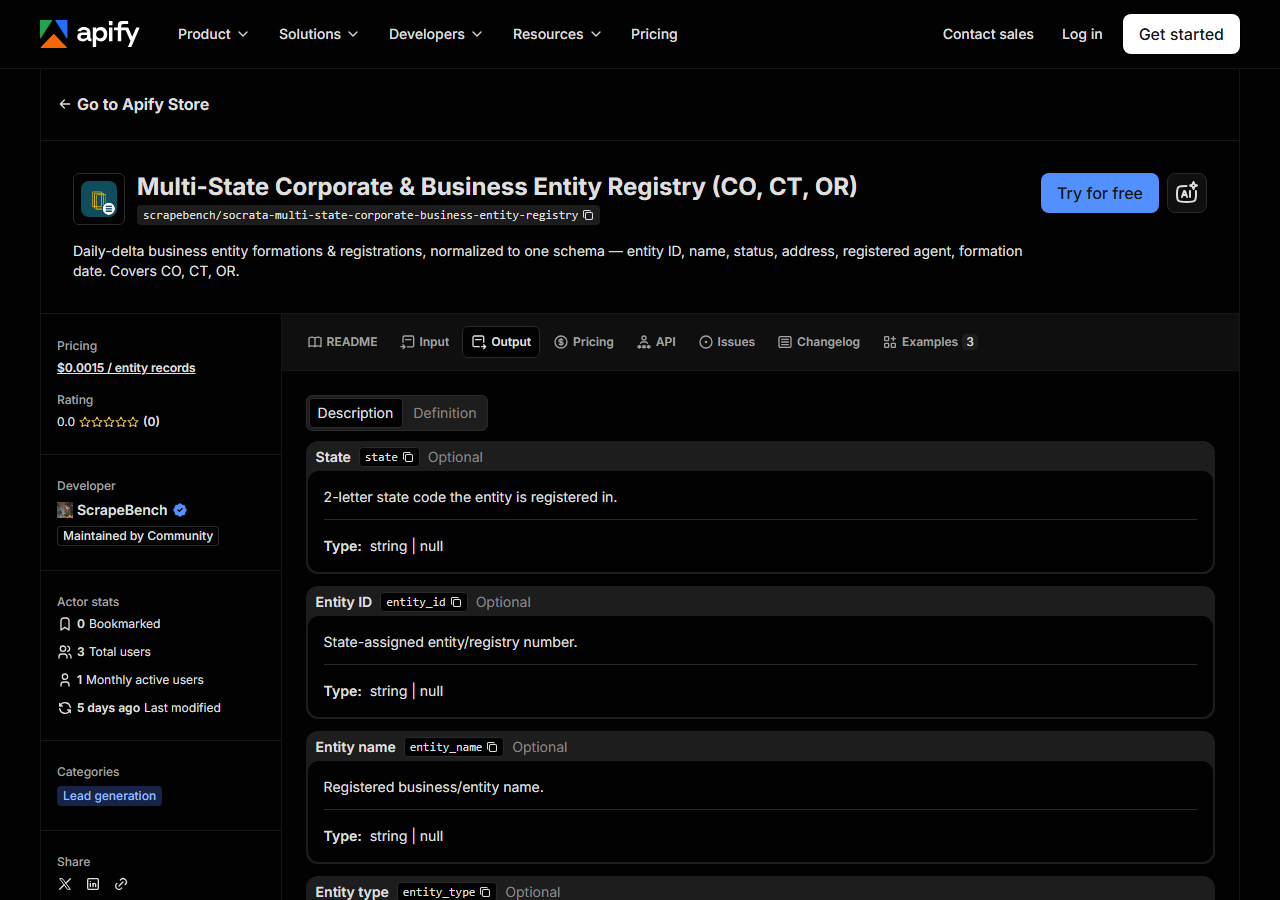
Every row looks like this — a real row from a real run:
{
  "state": "CO",
  "entity_id": "20251665680",
  "entity_name": "KYLDERON MIST VALLEY LLC",
  "entity_type": "DLLC",
  "status": "Good Standing",
  "formation_date": "2025-06-16T00:00:00.000",
  "jurisdiction": "CO",
  "principal_address": "660 Willow Wood Ln",
  "principal_city": "Delta",
  "principal_state": "CO",
  "principal_zip": "81416",
  "agent_name": "KEQIANG DENG",
  "agent_address": "660 Willow Wood Ln",
  "agent_city": "Delta",
  "agent_state": "CO",
  "agent_zip": "81416",
  "source_url": "https://www.sos.state.co.us/biz/BusinessEntityCriteriaExt.do"
}| Field | Example value | Meaning |
|---|---|---|
state | CO | 2-letter state code the entity is registered in |
entity_id | 20251665680 | State-assigned entity/registry number |
entity_name | KYLDERON MIST VALLEY LLC | Registered business/entity name |
entity_type | DLLC | State’s raw entity-type code (e.g. LLC, corporation) |
status | Good Standing | Entity status where the state publishes it (e.g. Good Standing, Active) |
formation_date | 2025-06-16T00:00:00.000 | Date the entity was formed/registered |
jurisdiction | CO | State/jurisdiction of formation |
principal_address / principal_city / principal_state / principal_zip | — | Principal place of business location |
If you’re prospecting, the fields you actually came for are formation_date — the whole point, the
thing that tells you this business is days old — plus entity_name and the principal_* address
block, which is where you’d actually reach them. entity_id is the key to hold onto: it’s the
state-assigned registry number, and it’s what lets you de-duplicate across runs, which you will need
to do, because the actor won’t do it for you.
The thing to watch is that the three states do not publish the same columns, and the actor does not
fabricate the missing ones — anything a state doesn’t publish comes back null:
- Colorado is the richest: status, jurisdiction, mailing address, and a registered agent with an address. Where the agent is a person rather than a firm, the name is assembled from the first- and last-name columns.
- Connecticut gives you status and jurisdiction, but no mailing address and no registered agent in this dataset (the state publishes agents separately, and this actor does not join them in).
- Oregon has no
statusand no registered agent at all in the feed it reads, which is Oregon’s principal-place-of-business records. Expectstatus: nullon every Oregon row; it is not a bug.
Two formatting notes. formation_date comes back as a Socrata timestamp
(2025-06-16T00:00:00.000), not a plain date — take the first ten characters if you want a date.
And entity_type is the state’s own raw code, not a normalised label: Colorado’s DLLC means a
domestic LLC, and the other states use their own vocabulary. If you’re filtering to LLCs across all
three, you’ll need to map those codes yourself.
Step 5 — Export it
Open the Dataset tab and export to CSV, JSON, or Excel — or pull the same rows from the API, which is what you want if this is going to run on a schedule.
What it costs
You pay $0.0015 per entity record returned — 2,000 records is $3.00. A run that matches nothing returns nothing and costs nothing. Apify’s own platform usage (compute) is billed separately on top, and this is a plain JSON fetch with no browser, so that part is small.
In practice: a daily prospecting schedule with sinceDate set to yesterday across all three states
is a couple of hundred rows on a busy weekday — call it 30-odd cents — and near zero on a holiday.
The way to make it expensive is to re-run a wide sinceDate on a frequent schedule: a 30-day window
run every morning re-charges you for the whole month, every morning, because the actor has no memory
of what it already gave you. Roll the date forward, cap maxResults at a number you’re willing to
pay for, and it can’t surprise you.
And the honest comparison, again: the underlying Socrata endpoints are free, public, and need no key. If you’re willing to write three clients and a column mapper, the data costs you nothing at all. What this charges for is not having to.
Where the data comes from
This reads Socrata (CO/CT/OR SOS) directly. The target is Socrata SODA JSON APIs - one dataset per state (CO, CT, OR secretaries of state), delta-pulled on each state’s date field into one normalised schema. Every night a canary runs this actor against that live source and diffs the result against a frozen fixture — what “verified” means.
Socrata is the open-data platform a lot of US governments publish on, and each of these three states
hosts its business-entity register there as a queryable dataset: data.colorado.gov, data.ct.gov,
data.oregon.gov. Nothing is scraped and nothing is resold — these are the states’ own feeds, read
through their own public API. The annoyance is not access, it’s shape: three different column
vocabularies, three different date fields to filter on, and per-state quirks (Oregon’s dataset holds
several address-type rows per business, so the actor has to filter to the principal-place-of-business
ones or you’d get duplicates). Getting that right once is an afternoon; keeping it right as the
states quietly rename a column is the part that never ends, and it is the part the nightly canary
covers.
That is also why coverage stops at three. Plenty of states advertise business-entity open data and then hand you a link to a search page rather than a dataset you can query — Washington is the standard example. A state gets added here when it actually exposes a queryable Socrata dataset, not when it announces one.
See it used
Three worked write-ups, one per job this actor actually gets opened for:
- Daily Delta: New Business Entities — set
sinceDateto yesterday, run it daily, and each run returns only what was formed since. The timed-outreach play. - Search Multi-State Business Entities by Name — a name substring across all three registries, for due diligence and for spotting related entities that share an address or a registered agent.
- Pull Colorado Business Entity Registrations — one state, no date filter, for market sizing and territory maps.
If it’s licences rather than registrations you’re chasing, reach for the Multi-State Contractor License Lookup instead — that one verifies a contractor’s trade licence and status across several states, which is a compliance check, not a prospecting feed. And if you want businesses at the point they apply to trade in a city rather than incorporate in a state, the Municipal Business License Aggregator is the closer match.
Last updated 2026-07-13