How-to
How to run Greenhouse, Lever, Ashby & Workday Jobs Scraper with Salaries
Step-by-step: the exact input, what each field does, and the rows that come back from the source portal.
You have a list of employers and you want to know what every one of them is hiring for. Done by hand that is: find each company’s careers page, work out which applicant-tracking system it runs, page through the listings, and copy them into a sheet — then repeat the whole thing next week to see what changed. The systems are the reason it is tedious. Stripe’s board is Greenhouse, Notion’s is Ashby, Gopuff’s is Lever, NVIDIA’s is Workday, and each one presents jobs differently. This actor takes the company domain and does the identification for you, returning every open role from eight systems in one shape — or, with no employer list at all, searches about 11,000 company boards for the roles you describe.
What you’ll need
Nothing but an Apify account. The actor talks to the source portal directly.
Nothing else. No API key, no login, no CAPTCHA solver and no proxy — the proxy option in the input is off by default and you can leave it that way. Each of these systems publishes its job board over an open endpoint, which is why this runs in seconds rather than driving a browser.
Step 1 — Open the actor
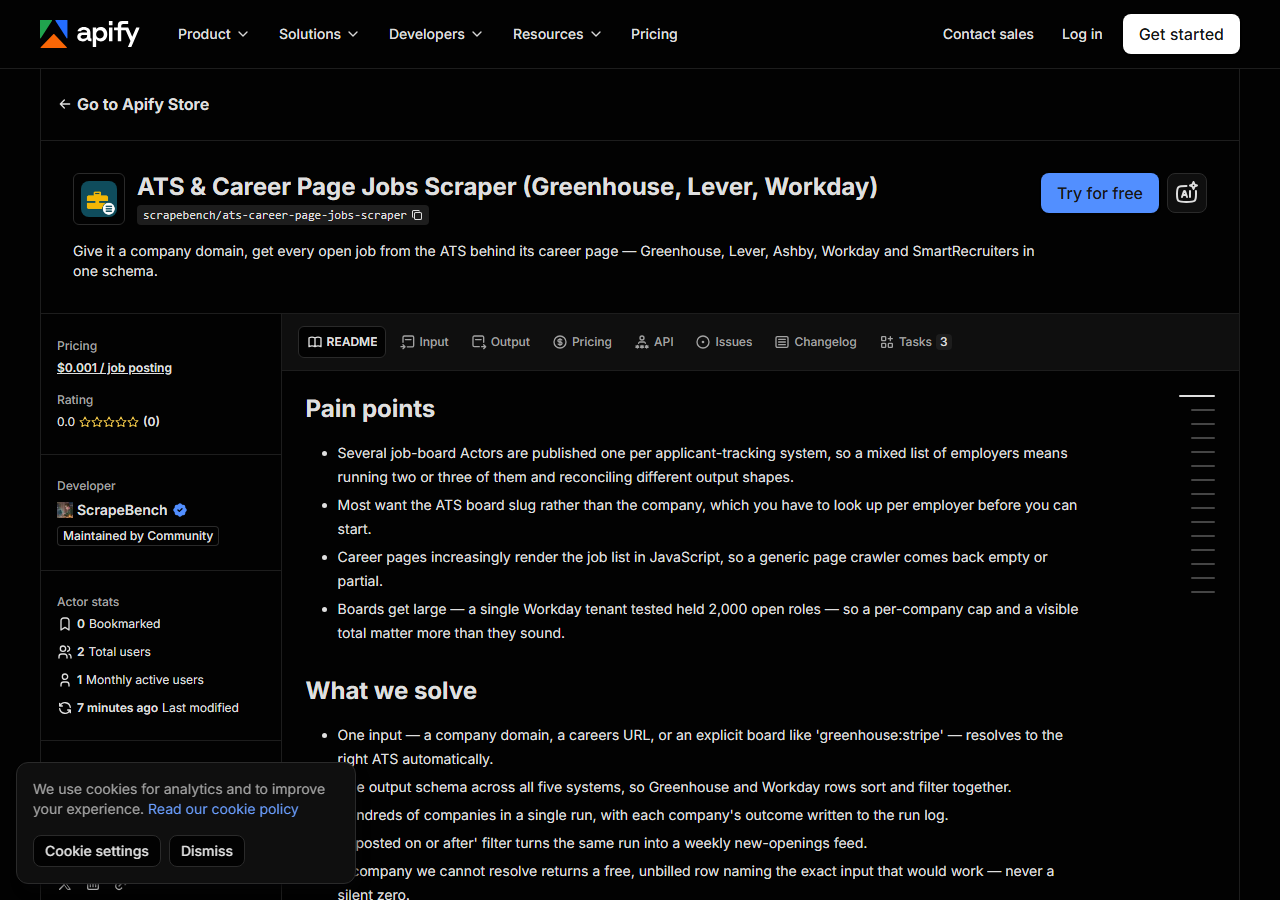
Open Greenhouse, Lever, Ashby & Workday Jobs Scraper with Salaries on the Apify Store and press Try for free. The actor’s own page on this site lists its live health and pricing.
Step 2 — Fill in the input
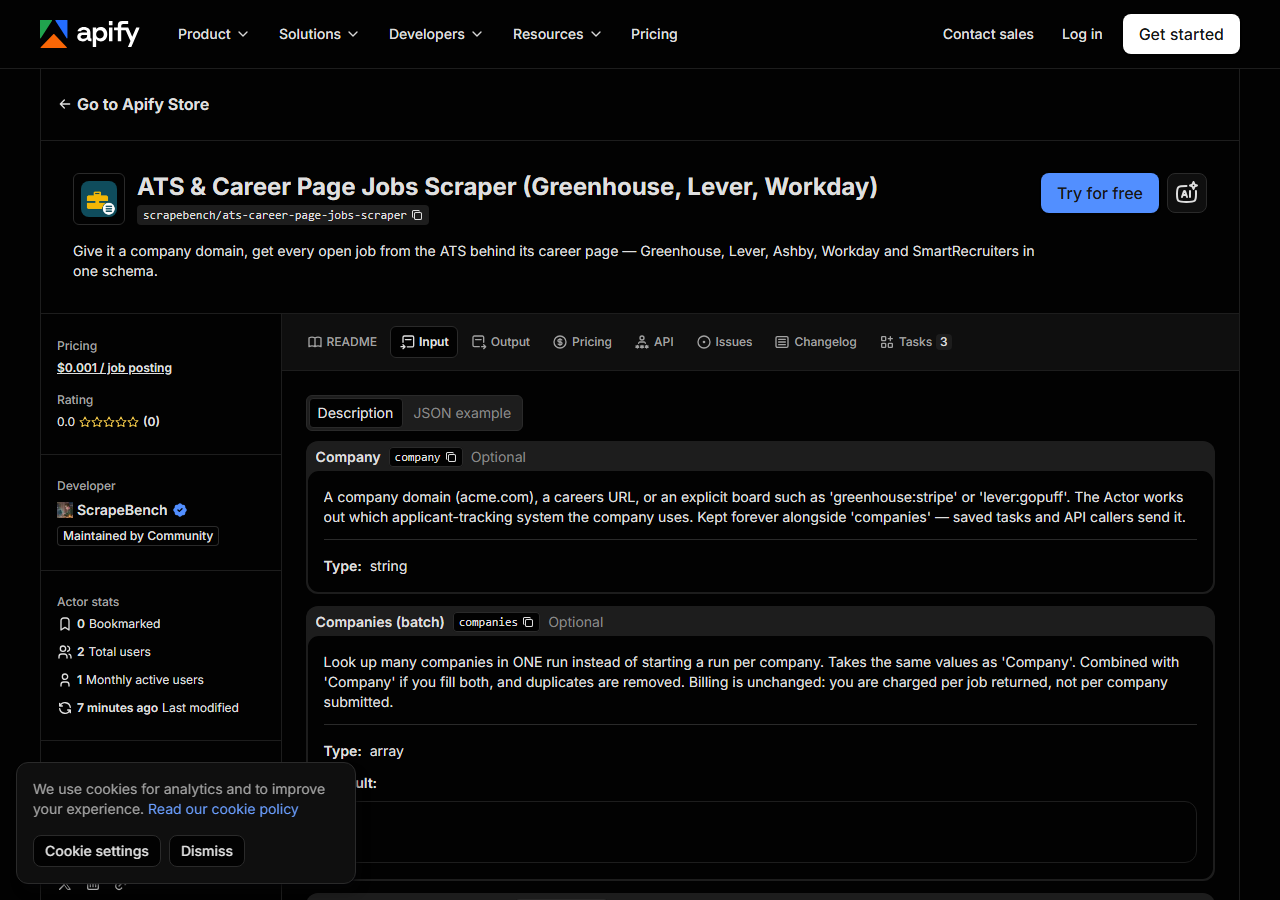
| Field | Type | Required | What it does |
|---|---|---|---|
company | string | no | A company domain (acme.com), a careers URL, or an explicit board such as ‘greenhouse:stripe’ or ‘lever:gopuff’. The Actor works out which applicant-tracking system the company… |
companies | array | no | Look up many companies in ONE run instead of starting a run per company. Takes the same values as ‘Company’. Combined with ‘Company’ if you fill both, and duplicates are… (default []) |
maxResults | integer | no | Cap on jobs returned PER COMPANY, not per run — so a batch cannot silently return only the first rows overall and read as ‘these companies aren’t hiring’. When a board holds… (default 1000) |
postedAfter | string | no | Keep only jobs published on or after this date (YYYY-MM-DD) — this is what turns the Actor into a weekly new-openings feed. Jobs whose board states no publish date (Workday… |
titleKeywords | array | no | Keep only jobs whose title contains ANY of these words (case-insensitive), e.g. ‘engineer’. Applied before billing. (default []) |
locationKeywords | array | no | Keep only jobs whose location contains ANY of these words, e.g. ‘London’, ‘Remote’. Applied before billing. (default []) |
remoteOnly | boolean | no | Keep only jobs the board marks remote. Applied before billing. (default false) |
salaryOnly | boolean | no | Keep only jobs whose board publishes pay. Applied before billing. (default false) |
excludeKeywords | array | no | Drop jobs whose title contains ANY of these words, e.g. ‘intern’, ‘senior’. (default []) |
departments | array | no | Keep only jobs whose department or team contains ANY of these words. (default []) |
employmentTypes | array | no | Keep only jobs whose employment type contains ANY of these, e.g. ‘full time’, ‘contract’. (default []) |
keywordsInDescription | boolean | no | Widen titleKeywords to the full job text (Greenhouse, Ashby, Lever, Workable, Recruitee). (default false) |
onlyNew | boolean | no | Return only jobs not delivered to you before under the same stateKey. (default false) |
stateKey | string | no | Names the memory onlyNew uses; one name per feed. (default default) |
searchAllCompanies | boolean | no | Ignore companies and search ~11,000 Greenhouse/Ashby(/Lever) boards with your filters. (default false) |
atsPlatforms | array | no | Which directories searchAllCompanies searches; Lever is opt-in. (default greenhouse + ashby) |
maxTotalResults | integer | no | Run-wide cap for searchAllCompanies. (default 500) |
includeDescription | boolean | no | Off by default: descriptions are the bulk of the payload (one large board is ~16 KB per job) and most buyers filter on title, team and location first. Turn it on when you need… |
Two fields decide everything.
companies takes whatever you have. A plain domain (stripe.com) is the normal case, Workday
employers included: a Workday board is addressed by a tenant, a numbered pod and a site name, and
the actor finds all three from the tenant’s own robots.txt, then accepts it only if one of its
careers sites or a live job’s hiring organisation names the company. On 31 October 2026 that
resolved nvidia.com, salesforce.com, disney.com and intel.com. Boeing’s tenant names
neither, so it needs workday:boeing or its careers URL. If you already know the board you can
name it outright as lever:gopuff or greenhouse:stripe, and that always wins over any detection.
maxResults is per company, not per run. This matters more than it sounds: boards are large.
On 6 September 2026 Stripe’s board held 617 open roles, Gopuff’s 765, and one NVIDIA Workday tenant
2,000. Leave it high to pull whole boards, or set it low while you are experimenting. Whatever you
set, the run log states the board’s own total next to the number returned, so a cap never quietly
looks like the whole picture.
The filters — title words, location words, remote only, salary only — run before anything is
billed, and maxResults counts matching jobs. On 31 October 2026, titleKeywords: ["engineer"]
with salaryOnly on returned 31 of Figma’s 140 jobs and 318 of OpenAI’s 810, each with its posted
pay range.
No employer list? Turn on searchAllCompanies and the same filters run across about 11,000
boards (5,974 Greenhouse and 3,418 Ashby by default; add lever to atsPlatforms for 1,926 more),
read live, in random order, until maxTotalResults is reached. On 31 October 2026,
titleKeywords: ["machine learning"] with remoteOnly returned 60 jobs from 31 employers after
reading 1,684 boards in under three minutes. Title words match titles only in this mode.
For a recurring feed, turn on onlyNew and schedule the run. The actor remembers every job it
delivered under stateKey and returns only new ones next time — Workday included, which states no
posting date, and nothing is billed twice.
A working input:
{
  "companies": [
    "stripe.com",
    "notion.so",
    "lever:gopuff"
  ],
  "maxResults": 100,
  "postedAfter": "2026-08-01"
}
Step 3 — Run it
Press Start. Rows are pushed to the dataset as they’re found, so the run log fills in as it works.
Fast. Four companies capped at 25 jobs each returned 100 rows in 12.8 seconds on 7 September 2026, because every request is a plain API call with no browser involved. Whole boards take longer only because there is more to page through.
An empty result is not silence. If a company cannot be resolved to a board you get one free,
unbilled row explaining why and naming the input that would work — usually the board reference, as
in lever:acme. That distinction is deliberate: “we could not find the board” and “this company
is not hiring” are different answers, and only the first one is our problem.
Step 4 — Read the output
Each run returns a labelled table, not raw JSON:
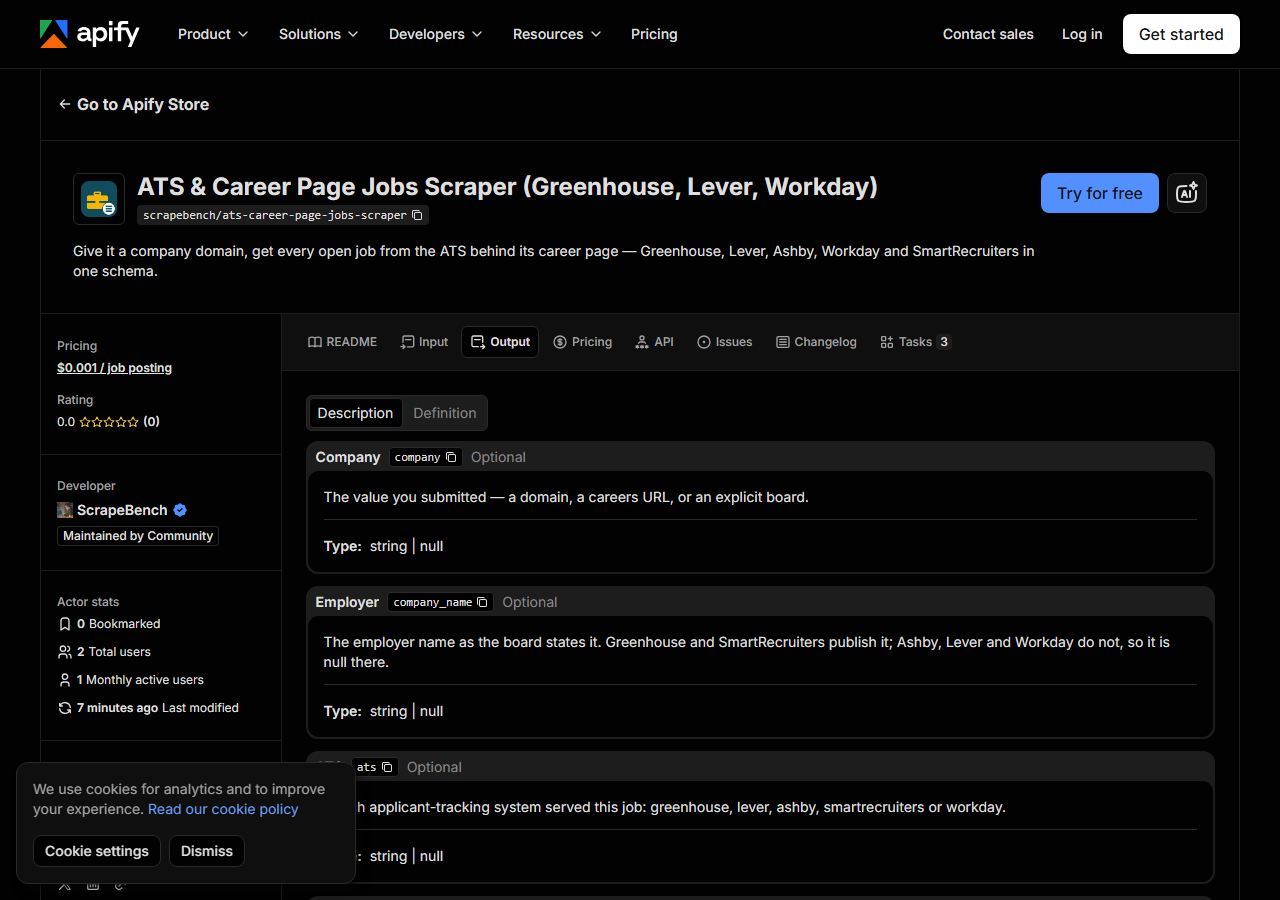
Every row looks like this — a real row from a real run:
{
  "source_url": "https://job-boards.greenhouse.io/vercel/jobs/6136160004",
  "company": "vercel.com",
  "company_name": "Vercel",
  "ats": "greenhouse",
  "ats_slug": "vercel",
  "detected_by": "slug_match",
  "job_id": "6136160004",
  "title": "Account Executive, Commercial",
  "department": "Account Executive",
  "team": null,
  "location": "Hybrid - London",
  "locations": [
    "Office - London"
  ],
  "remote": null,
  "employment_type": null,
  "posted_at": "2026-08-06T12:50:10-04:00",
  "posted_text": null,
  "updated_at": "2026-08-18T18:06:19-04:00",
  "apply_url": "https://job-boards.greenhouse.io/vercel/jobs/6136160004",
  "requisition_id": null,
  "description": null
}| Field | Example value | Meaning |
|---|---|---|
company | vercel.com | The value you submitted — domain, careers URL or explicit board |
company_name | Vercel | Employer name as the board states it (Greenhouse and SmartRecruiters publish it; Ashby, Lever and Workday do not, so it is null there) |
ats | greenhouse | greenhouse, lever, ashby, smartrecruiters or workday |
ats_slug | vercel | The board identifier on that ATS |
detected_by | slug_match | How the board was matched: explicit, careers_page, or slug_match |
job_id | 6136160004 | The board’s own job identifier — stable across runs, so it de-duplicates |
title | Account Executive, Commercial | Posted job title |
department / team | — | Department and team or job function, where the board publishes them |
Most people come for title, location and apply_url, and those are filled on every row.
Three fields need a word of warning, all for the same reason — boards differ in what they publish, and this actor returns what the board said rather than filling gaps with guesses.
company_name is the employer as the board names it. Greenhouse and SmartRecruiters publish it;
Ashby, Lever and Workday do not, so it is null there.
posted_at is a real timestamp on Greenhouse, Lever, Ashby and SmartRecruiters. Workday does not
publish a date at all — it says “Posted Today” — so those rows leave posted_at null and keep the
board’s own wording in posted_text. Nothing invents a date from that phrase.
salary_min / salary_max / salary_currency / salary_interval / salary_text carry the pay
range the board posts — Greenhouse, Ashby and Lever, where the employer entered one (added
31 October 2026; the example row above predates it). Workday and SmartRecruiters publish no pay
field, so those stay null. Greenhouse states no interval, so its range title (“Annual Base Salary
Range”, “Internship”) rides along in salary_text.
remote comes from the board’s own flag on Ashby and SmartRecruiters. Greenhouse and Workday
publish no such flag, so it is read from their location wording instead: “Remote - US” gives true,
“Hybrid - London” gives false, and a posting that says only “Dublin” gives null, because it has not
actually said either way.
Step 5 — Export it
Open the Dataset tab and export to CSV, JSON, or Excel — or pull the same rows from the API, which is what you want if this is going to run on a schedule.
What it costs
$0.00125 per job returned — $1.25 per 1,000 — and you are charged per job, not per company. Fifty companies with 1,000 roles between them cost the same as one company with 1,000 roles, and jobs your filters drop are never billed.
Free: companies that resolve to no board, boards with no open jobs, and the marker rows that explain either. A realistic run of 40 employers averaging 60 open roles each is about 2,400 jobs, so roughly $3.00. Compute and proxy are included; you pay only per job.
Where the data comes from
This reads the source portal directly. Every night a canary runs this actor against that live source and diffs the result against a frozen fixture — what “verified” means.
The source is whichever applicant-tracking system the employer actually runs — Greenhouse, Lever, Ashby, Workday or SmartRecruiters. The annoying part is not reading a board, it is knowing which board to read: most careers pages render their listings in JavaScript, so there is nothing in the page to tell you. Reading the careers page for an ATS link identified only 4 of 14 test companies; deriving a likely board name from the domain and asking the vendor to confirm it got 11, without ever returning another company’s jobs.
See it used
Every open job at a company, from its career page — the straight case: domains in, open roles out.
New job postings this week across a company list — the same run on a schedule, returning only what has appeared since you last looked.
If you need to reach the employers rather than list their openings, the Business Email, Phone & Contact Details Scraper takes the same company domains and returns contact details instead of jobs.
Last updated 2026-10-31