Use case
Verify a Michigan Contractor License by Number
Check a Michigan LARA contractor license by number -- type, status, and address, straight from the official Accela registry.
Say you run trade onboarding for a home-services marketplace and a Michigan electrical contractor is waiting on approval. They’ve uploaded a licence number and a scan of a certificate that could be from any year. Before their profile goes live and the platform starts routing jobs to them, you need to know the number is real, that it is an electrical licence rather than a builder’s, and that it hasn’t lapsed — because “Lapsed” is what most stale certificates turn out to be.
The manual way, and what it costs
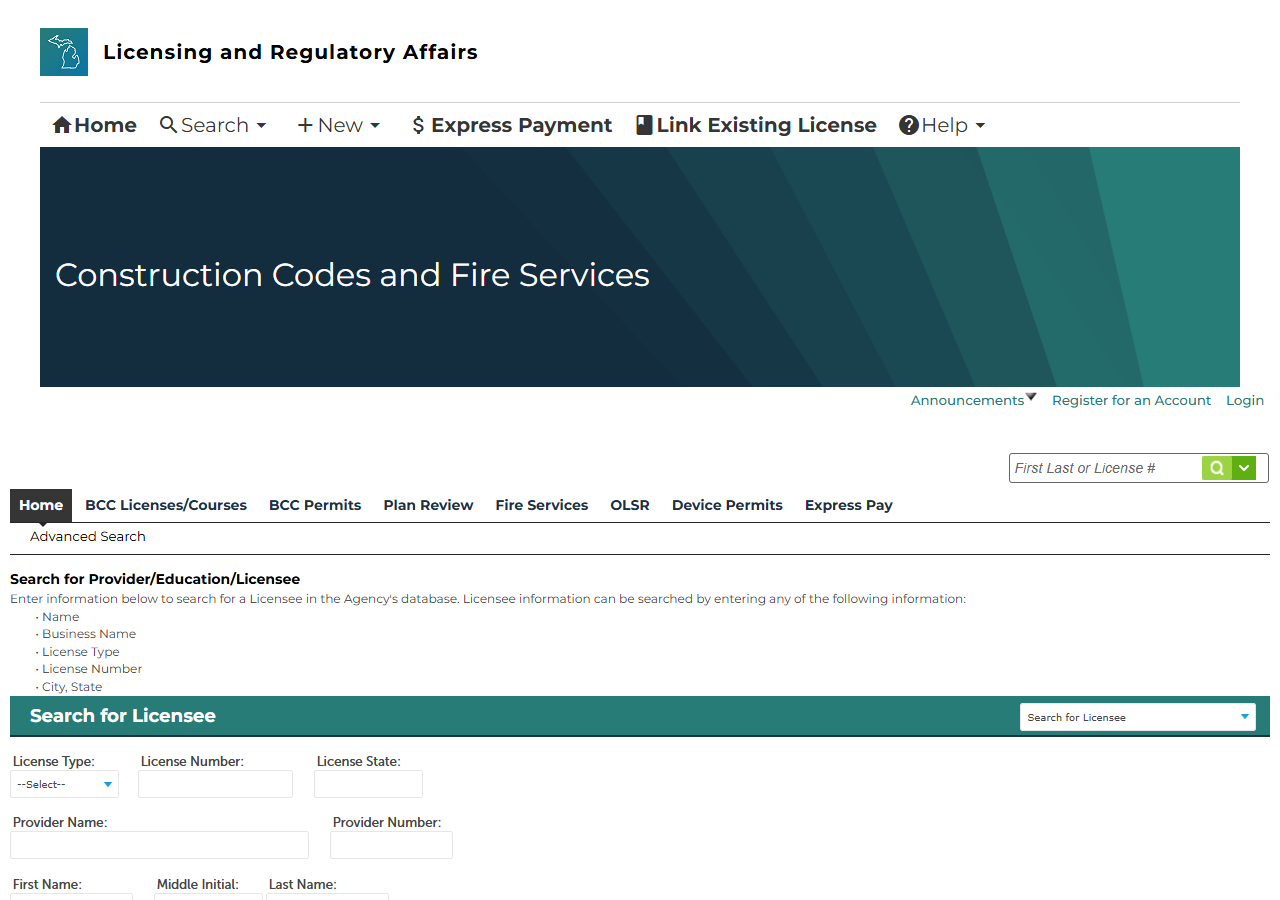
LARA’s licensee search runs on Accela Citizen Access. It is public, free, and gives you the whole record: type the number, land on the licensee detail page, read the type, status and dates.
For one applicant, use it. One lookup is a minute of clicking and nobody should pay for a minute. The problem is that Accela is a stateful ASP.NET application — every search and every page of results is a postback carrying the session’s hidden state, and the grid shows ten rows at a time. A name search for anything common becomes page after page of clicking, there is no export at any point, and the fields that decide onboarding get retyped by hand into your system. At a steady drip of applicants — or an annual re-verification of everyone already on the platform — the transcription is the cost, not the lookup.
The faster way
Michigan Contractor License Lookup & Verify (LARA) does the same search once and hands back every row at once.
{
  "query": "6102064",
  "maxResults": 1
}
A digits-only query is treated as a licence-number lookup, and on this portal that path is the fast
one: the search goes straight to the licensee’s own detail page, so the record comes back already
carrying its status and issue date without a second fetch. maxResults: 1 matches the shape of the
question — one number, one licensee. Use a name instead and the actor searches the business-name
index and pages through the grid for you; add licenseType (for example Residential Builder Company or Electrical Contractor) when a common name needs narrowing to the credential you
actually care about.
What comes back
{
  "state": "MI",
  "license_number": "6102064",
  "business_name": "CONSTRUCTION SERVICE CO",
  "person_name": "ROBERT J PATTISON",
  "license_type": "Electrical Contractor",
  "status": "Lapsed",
  "issue_date": "01/01/1983",
  "expiration_date": "12/31/2024",
  "city": "FENTON",
  "county": null,
  "address": null,
  "zip_code": "48430",
  "phone": null,
  "matched_by": "business_name",
  "source_url": "https://aca-prod.accela.com/LARA/GeneralProperty/LicenseeDetail.aspx?LicenseeNumber=6102064&LicenseeType=Electrical+Contractor"
}| Field | Example value | Meaning |
|---|---|---|
state | MI | Always ‘MI’ for this actor |
license_number | 6102064 | Michigan LARA license number (e.g. ‘6102064’) |
business_name | CONSTRUCTION SERVICE CO | Licensed business name |
person_name | ROBERT J PATTISON | License holder’s name (first / middle / last), for individual licensees |
license_type | Electrical Contractor | License type (e.g. ‘Residential Builder Company’, ‘Electrical Contractor’) |
status | Lapsed | License status from the detail page (e.g. ‘Issued’, ‘Lapsed’, ‘Expired’) |
For onboarding, status decides it and the sample shows exactly the case you’re screening for: a
licence that was genuinely issued, has a real number and a real holder, and lapsed at the end of
2024. license_type is the second gate — Electrical Contractor and Residential Builder Company
are different permissions in Michigan, and an applicant’s certificate scan will not reliably tell you
which one they hold. expiration_date is what you diarise, and person_name alongside
business_name is what tells you whether the credential belongs to the company or to an individual
who happens to work there.
What you’d do with it
Write the row onto the applicant record, gate approval on status and license_type, and store
expiration_date so the re-check schedules itself rather than depending on someone remembering.
Keep source_url — it is the licensee’s own LARA page, which is what you want to show a customer or
an insurer who asks how the vetting was done.
Worth knowing
No street address, phone or county. This view of the registry doesn’t publish them, so those
fields come back null on every record — city and ZIP are as far as the location goes. Bond and
insurance are likewise not published here.
Status comes from the detail page. Every row is enriched by a second fetch to get its status and
issue date; if that fetch fails for a particular licensee, the row is still returned from the grid
tier with status unset. A blank status means “not retrieved”, not “no status”.
Broad names get expensive in pages, not just rows. The grid returns ten licensees per page and
each page is a fresh postback, so a very broad name search does real work before maxResults stops
it. Narrow the name or set licenseType.
LARA’s Bureau of Construction Codes only. Residential builders, maintenance & alteration contractors and the electrical, mechanical and plumbing trades on this registry — other Michigan licensing bodies are not covered.
Run it yourself: How to run Michigan Contractor License Lookup & Verify (LARA) walks the whole thing step by step.
Vetting the same kind of applicant one state west, Find Minnesota Roofing Contractors with Enforcement Actions adds a disciplinary screen to the check. If the contractor works across state lines, Multi-State Contractor & Trade License Lookup checks WA, OR, TX and CT from one input.
Last updated 2026-07-22