How-to
How to run OSHA Violation Risk & Time-Series
Step-by-step: the exact input, what each field does, and the real rows that come back from OSHA IMIS.
You have a list of employers and you need to know what OSHA has on each of them. The data is already public: OSHA’s IMIS establishment search will show you every inspection it has recorded for a company name, and clicking into an inspection shows each citation, its gravity, its standard, and the penalty. Nothing is hidden and nothing costs money. What it doesn’t do is add anything up. There is no total, no per-year series, no flag for repeat citations, and no way to ask the same question about twenty companies without doing it twenty times, one search and one detail page at a time, pasting numbers into a spreadsheet as you go. This actor does that search, opens each inspection, and returns the arithmetic already done — per employer, in one row you can sort.
What you’ll need
Nothing but an Apify account. The actor talks to OSHA IMIS directly.
No API key, no CAPTCHA solver, no proxy. OSHA’s IMIS pages are plain public HTML with no anti-bot
wall in front of them, so the actor fetches them straight. There’s a proxyConfiguration field in
the input, but it’s off by default and you almost certainly don’t need it.
Step 1 — Open the actor
Open OSHA Violation Risk & Time-Series on the Apify Store and press Try for free. The actor’s own page on this site lists its live health and pricing.
Step 2 — Fill in the input
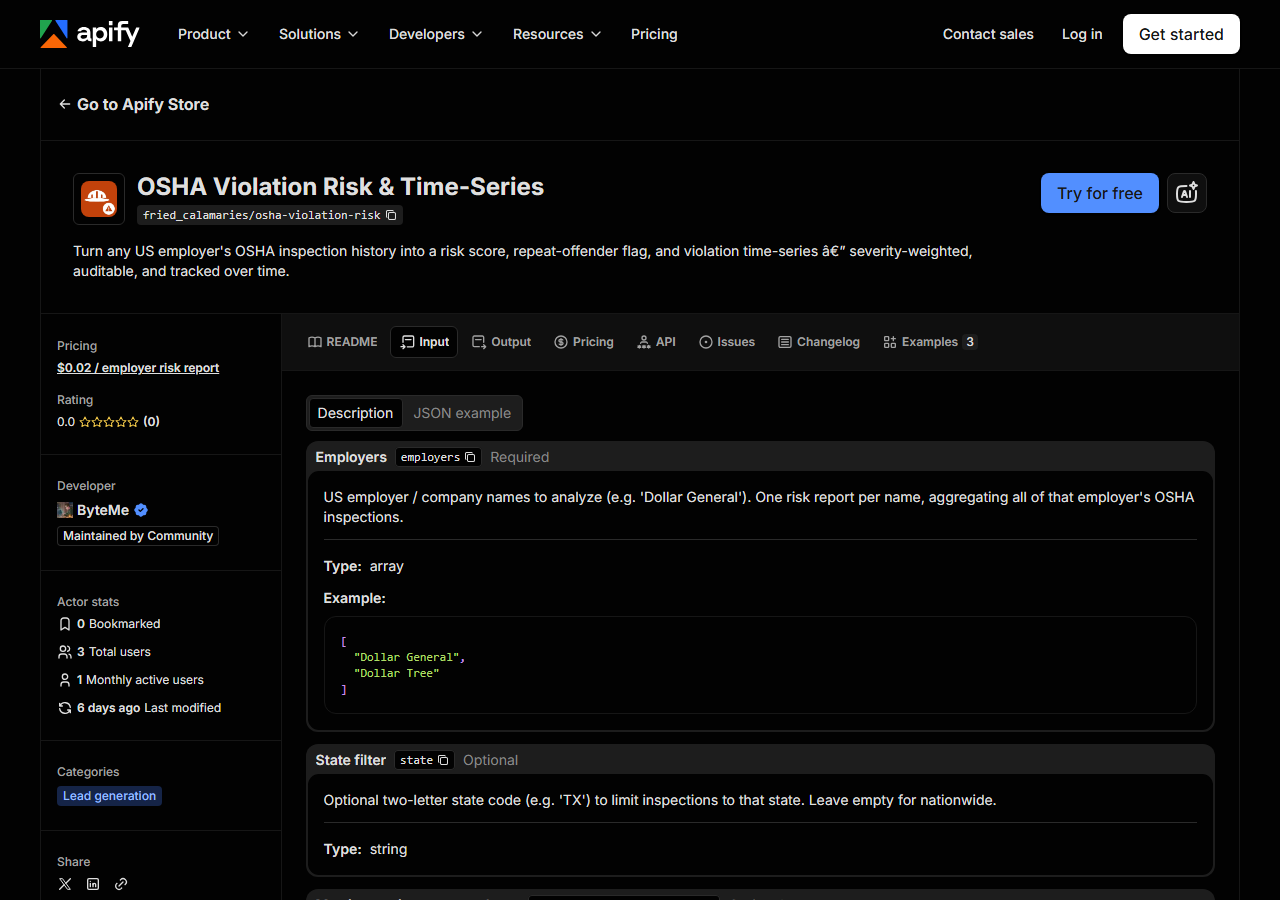
| Field | Type | Required | What it does |
|---|---|---|---|
employers | array | yes | US employer / company names to analyze (e.g. ‘Dollar General’). One risk report per name, aggregating all of that employer’s OSHA inspections. |
state | string | no | Optional two-letter state code (e.g. ‘TX’) to limit inspections to that state. Leave empty for nationwide. |
maxInspectionsPerEmployer | integer | no | Cap on inspections pulled per employer (most-recent first). Each inspection is one detail fetch; higher = more complete history, slower run. (default 25) |
compareToPrevious | boolean | no | When on (default), diff each employer against the previous run and report what changed — new inspections, new violations, risk-score delta. Run on a schedule to track employers… (default True) |
Two fields decide what you actually get back.
employers is a text search against OSHA’s establishment names, not a company identifier.
OSHA records the establishment as it was written on each inspection — store numbers, abbreviations,
state prefixes — so a short, canonical name (Dollar General) matches broadly, and a long or
punctuated one may match almost nothing. Whatever it matches is aggregated into a single
company-level report. Read the establishments array in the output to see exactly which names got
folded in, and add the state filter if you’re pulling in worksites you didn’t mean.
maxInspectionsPerEmployer (default 25, max 200) is a cap on the most recent inspections
pulled, and it is not just a speed knob: the risk score, the totals, and the time-series are
computed over the inspections that were pulled. Cap a large national employer at 25 and you get the
risk of its 25 most recent inspections, not of its whole history. For a small vendor, 25 is likely
all there is. For a national chain, raise it — and keep it the same across employers you intend to
compare.
A working input:
{
  "employers": [
    "Dollar General"
  ],
  "maxInspectionsPerEmployer": 25,
  "compareToPrevious": true
}
Step 3 — Run it
Press Start. Rows are pushed to the dataset as they’re found, so the run log fills in as it works.
You get exactly one row per name in employers — three names in, three rows out. The work behind
each row is one search request plus one detail request per inspection, so the run length is driven
almost entirely by maxInspectionsPerEmployer times the number of employers. That’s the honest
shape of it; the actual wall-clock depends on OSHA’s servers on the day, so run it once and look.
A row can come back with inspection_count: 0. That is a real answer, not a failure — either OSHA
has no inspections recorded under that name, or the name you typed doesn’t match how OSHA wrote it
(try the shorter, plainer form of the company name, and clear the state filter). Empty employers
are still returned so you can see them, and they are not charged.
Step 4 — Read the output
Each run returns a labelled table, not raw JSON:
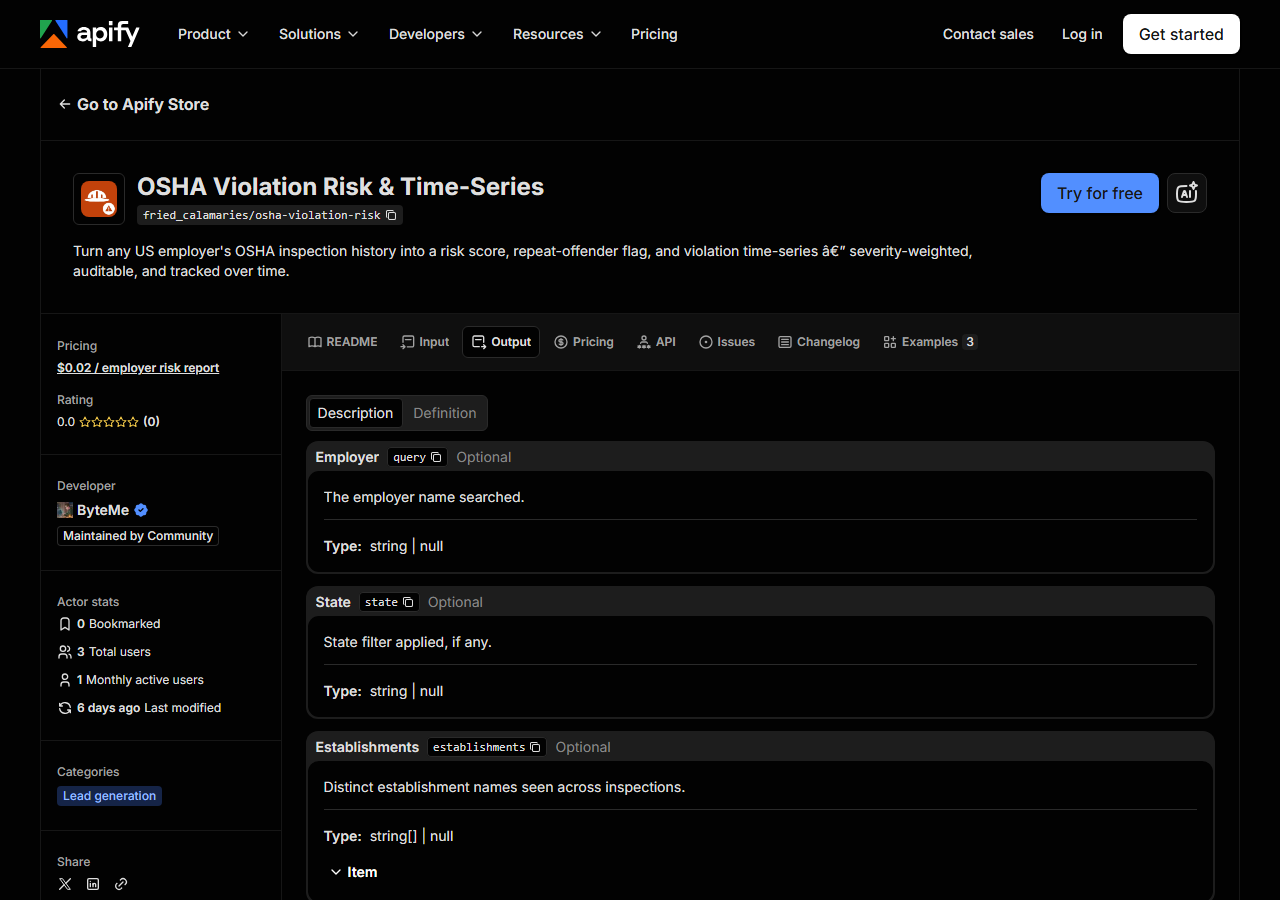
Every row looks like this — a real row from a real run:
{
  "query": "Dollar General",
  "state": null,
  "establishments": [
    "Dollar General Store 12345"
  ],
  "inspection_count": 2,
  "violation_count": 2,
  "by_gravity": {
    "serious": 2
  },
  "total_current_penalty": 14000,
  "total_initial_penalty": 14000,
  "risk_score": 21,
  "risk_band": "medium",
  "repeat_offender": false,
  "trend": "falling",
  "violation_time_series": [
    {
      "year": 2024,
      "violations": 2,
      "penalty": 14000
    }
  ],
  "first_seen": false,
  "new_inspections": 0,
  "new_violations": 0,
  "risk_score_delta": 0,
  "source_url": "https://www.osha.gov/ords/imis/establishment.search?establishment=Dollar+General&state=all"
}| Field | Example value | Meaning |
|---|---|---|
query | Dollar General | The employer name you searched |
risk_score | 21 | Deterministic 0-100 severity-weighted, recency-decayed risk score |
risk_band | medium | low / medium / high |
repeat_offender | False | True if any Repeat-gravity violations |
trend | falling | rising / flat / falling (recent vs prior 2-year windows) |
by_gravity | {"serious": 2} | Violation counts by OSHA gravity (willful/repeat/serious/other) |
total_current_penalty | 14000 | Sum of current penalties (USD) |
violation_time_series | [{"year": 2024, "violations": 2, "penalty": 14000}] | Violations + penalty per year |
The field people come for is risk_score, so be precise about what it is. It is our arithmetic
over OSHA’s public record — not an OSHA rating, not an OSHA endorsement, and not a prediction.
OSHA does not publish a score; this one is computed here, deterministically, and the formula is
short enough to print:
- Every citation is weighted by the gravity OSHA assigned it: Willful 10, Failure to Abate 8, Repeat 6, Serious 3, Unclassified 2, Other 1.
- Each weight is multiplied by a recency factor: full weight if the citation was issued within the last two years, then decaying by 0.1 per further year, never below 0.3. A citation with no readable issuance date counts at half weight and is left out of the series and the trend.
- Those decayed weights are summed, and the sum is mapped onto 0–100 with a saturating curve
(
100 × (1 − e^(−sum / 25))), so the score climbs steeply at first and then flattens — it approaches 100 without ever getting there. risk_bandis a cut on that number: 50 and up ishigh, 20 and up ismedium, below thatlow.- Penalty totals are reported next to the score but are not folded into it. Penalty amounts move with era, region, and settlement; gravity is the stable signal.
repeat_offenderis not part of the score either. It is a plain fact read off the record: true if at least one citation is classifiedRepeat.trendcompares the gravity-weighted violations of the last two years against the two years before that —risingabove 1.2×,fallingbelow 0.8×,flatin between.
The same input history always produces the same score, so you can hand it to someone and they can check it. What it cannot do is see hazards nobody inspected: it scores the record, not the workplace. And the counts are counts — a chain with two thousand stores accumulates inspections a single-site employer never will, so a raw score comparison between companies of very different size is not a like-for-like one.
Two things to watch in the columns themselves. by_gravity only contains the keys that actually
appeared, so a clean employer’s is {} rather than a row of zeroes — read a missing key as zero.
And establishments is OSHA’s spelling, not yours: expect store numbers and inconsistent
capitalisation in it, and use it to sanity-check that the name matched what you meant. On a first
run first_seen is true and new_inspections, new_violations and risk_score_delta are all
null; they only carry meaning from the second scheduled run onward.
Step 5 — Export it
Open the Dataset tab and export to CSV, JSON, or Excel — or pull the same rows from the API, which is what you want if this is going to run on a schedule.
What it costs
$0.02 per employer risk report. One charge per employer you get a report for — 100 employers is $2.00. An employer with no OSHA inspections found is returned as an empty row and is not charged, so a misspelled name costs you nothing but the run. Apify’s platform compute is billed separately, per your plan.
The data itself is free: OSHA publishes all of it, and if you only need one employer you should just go and look. What you’re paying for is the rollup and the repetition — the score, the time-series, and the fact that a list of forty suppliers is one run rather than a morning.
Where the data comes from
This reads OSHA IMIS directly. The target is HTML parse. Every night a canary runs this actor against that live source and diffs the result against a frozen fixture — what “verified” means.
IMIS is OSHA’s enforcement record — inspections and the citations issued from them — and it is genuinely open: no login, no key, no anti-bot wall. The annoyance is its shape. The search page gives you a list of inspection IDs; the citations, gravities and penalties live one page deeper, so a company with fifty inspections is fifty more clicks before you have anything to add up. The establishment name is recorded per inspection rather than per company, so the same employer appears under a dozen spellings and nothing joins them for you. And the record is a record: it lags, it reflects only workplaces that were actually inspected, and an inspection appearing in it is not a finding of guilt — citations can be, and are, contested and reduced.
See it used
- Dollar General OSHA Violation History & Risk — what a single-employer lookup on a large national chain actually returns, and how to read it without over-reading it.
- Screen a Supplier for OSHA Repeat Violations
— the vendor-diligence job: one pass over a supplier list, looking for
repeat_offender. - Compare Employers’ OSHA Safety Risk — putting several employers side by side without kidding yourself about size effects.
If your question is about a contractor rather than an employer’s safety record, this is the wrong tool: California Contractor License Lookup tells you whether a licence is live, bonded and insured. The two pair naturally — verify the licence there, then check the safety record here.
Last updated 2026-07-13