How-to
How to run Nevada Contractor License Lookup & Verify (NSCB)
Step-by-step: the exact input, what each field does, and the rows that come back from NV NSCB.
The honest starting point: if you have one Nevada contractor to check, don’t open this. The NSCB’s own contractor licence search is public, free and instant, and it is exactly the registry this actor reads. One search, one click into the detail page, and you have your answer.
This actor is for when the lookup isn’t one lookup. You’re onboarding sixty Nevada subs and every one of them needs status, classifications, expiry, bond and qualified individual in a row of a spreadsheet. You re-run the same list each quarter, because a licence that was active in January can be surrendered by April. Or you’re chasing a person — an owner, a president, a qualified individual — and you want every licence their name appears on, not just the one on the invoice. Done by hand, each contractor is a fresh search, a click through to the detail page, and copy-paste of a dozen fields, then the whole thing gets thrown away and repeated the next time somebody asks. This actor turns the same registry into rows a system can hold on to. And if what you want is not a list you already have but every active licence — a trade, a county, or the whole state — leave the search empty and it exports NSCB’s contractor listing instead (see “Exporting active licences” below).
What you’ll need
Nothing but an Apify account. The actor talks to NV NSCB directly.
No API key, no CAPTCHA solver, no third-party subscription. NSCB’s search is an old, plain,
completely open web form — there’s no anti-bot wall to get past and nothing to log in to. The one
wrinkle is that NSCB intermittently drops requests from datacenter IPs, so proxyConfiguration
ships defaulted to Apify’s residential proxy. That’s Apify’s own proxy, included with your plan, not
a bill from someone else; you can switch it off and try datacenter IPs if you’d rather. Either way
there is no hidden cost sitting behind this actor’s per-result price.
Step 1 — Open the actor
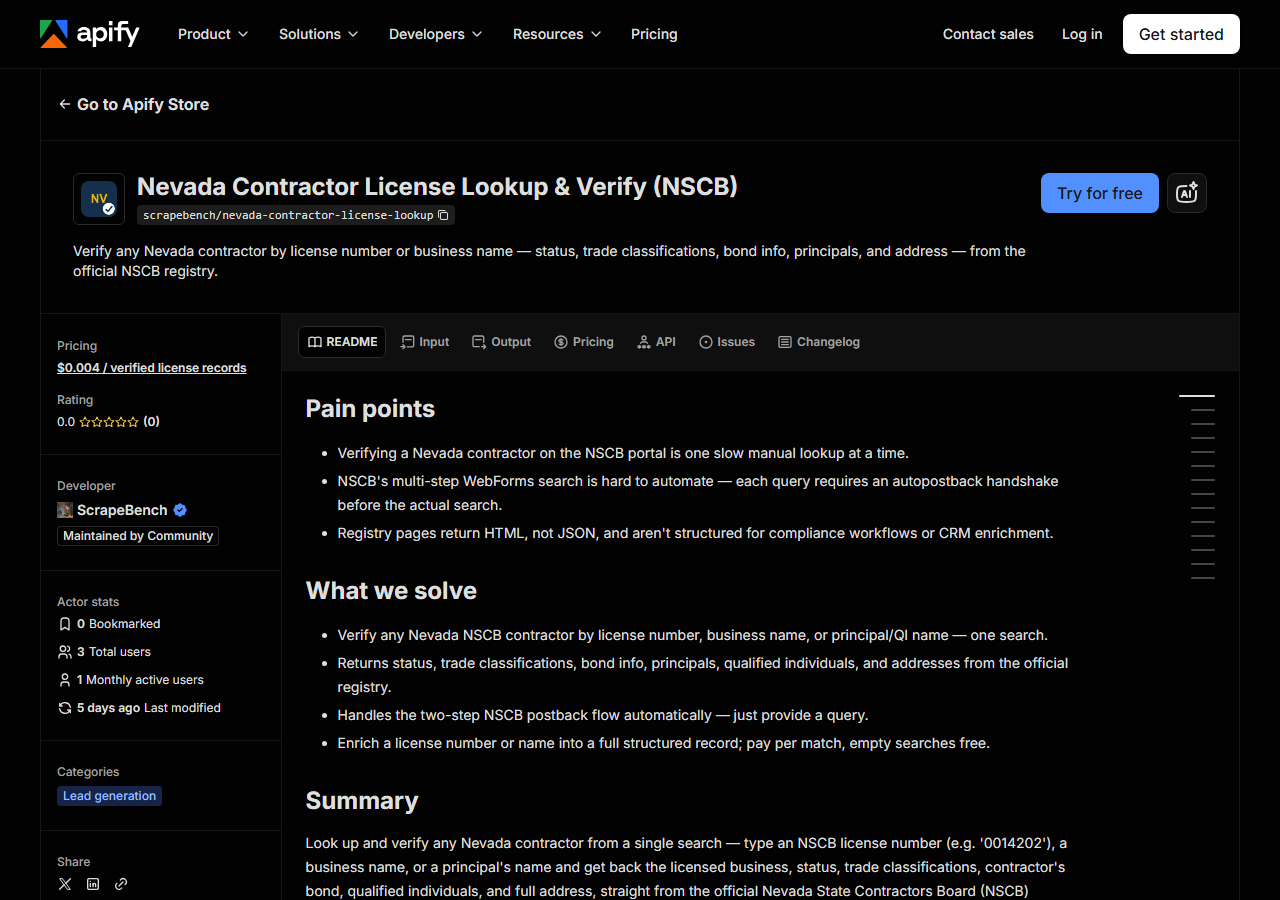
Open Nevada Contractor License Lookup & Verify (NSCB) on the Apify Store and press Try for free. The actor’s own page on this site lists its live health and pricing.
Step 2 — Fill in the input
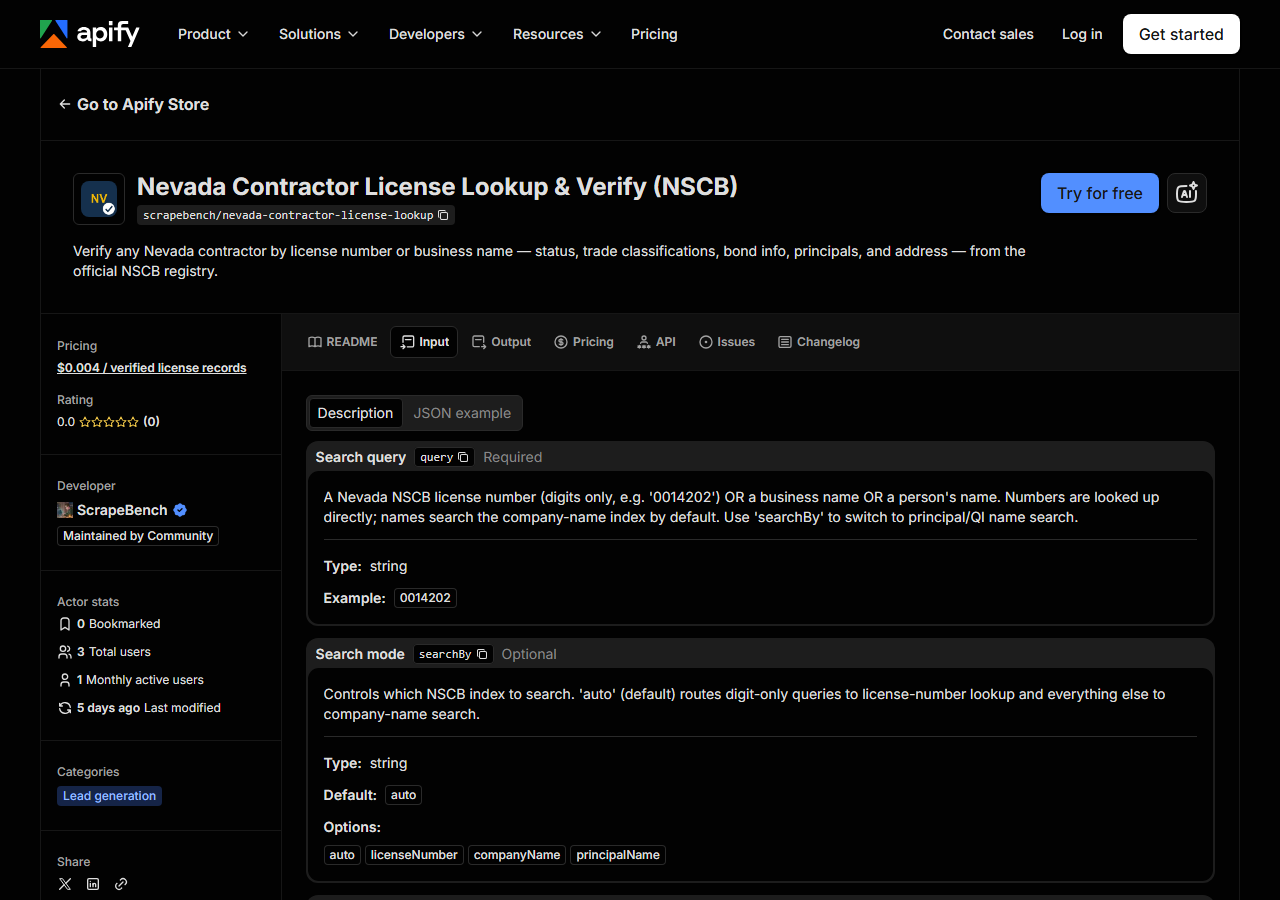
| Field | Type | Required | What it does |
|---|---|---|---|
query / queries | string / list | no | A Nevada NSCB license number (digits only, e.g. ‘0014202’) OR a business name OR a person’s name. Leave both empty to export active licences instead. |
searchBy | string | no | Controls which NSCB index to search. ‘auto’ (default) routes digit-only queries to license-number lookup and everything else to company-name search. (default auto) |
includeDetails | boolean | no | Search only. When on (default), each match is enriched with its full detail record: addresses, phone, business type, principals, qualified individuals, bond info, and dates. (default True) |
county / counties | string / list | no | Export only: one of Nevada’s 17 counties. |
classification / classifications | string / list | no | Export only: a classification family code (C-2, B, A) or a word from its name (electrical). |
maxResults | integer | no | Per query in a search (default 50); for the whole run in an export (default 500, up to 100000). |
Fill in query to verify; leave it empty to export. In a search, searchBy is the field people get
wrong.
On auto — the default — the actor looks at what you typed and picks the index for you, but it only
picks between two of them. Digits (optionally with a trailing letter, the shape NSCB uses: 0014202,
0060348A) go to the licence-number lookup. Anything else goes to the company-name index.
That means a person’s name typed into auto is searched as a business name, and if no company is
called Alfred Smith you’ll get nothing back and conclude, wrongly, that the person has no licence.
To search people, set searchBy to principalName explicitly. That’s the mode that hits NSCB’s
principal / qualified-individual index, and it’s the one that answers “what else is this person on”.
Type it as First Last or Last, First — the actor splits it into NSCB’s separate first/last
fields either way. The matched_by column in every row tells you which index actually produced it,
so you can always check what you searched.
includeDetails decides how fat each row is, and it isn’t free work. Left on (the default), every
match gets a second round-trip to its own detail page, which is where the addresses, phone,
business type, principals, qualified individuals, bond and dates live. Turn it off and you get the
thin results-grid row — licence number, name, classification, status, city — very fast. Off is right
for an exploratory name search where you just want to see how many licences exist; on is what you
want when the row is going into a compliance file. Because detail is one extra fetch per record, a
broad name search with details on does real work, which is exactly what maxResults (default 50) is
there to bound.
A working input:
{
  "query": "Smith Electric",
  "includeDetails": true,
  "maxResults": 25
}
Exporting active licences
Leave query and queries empty and the actor reads a different NSCB page: the board’s public
“Contractor Listing Search”, which answers a county and a classification family with every matching
active licence in one response, street address and phone included. On 2026-10-09 the whole state was
19,186 active licences — 19,059 with a phone number, 19,185 with a street address — and every
C-2 Electrical licence statewide was 2,253:
{
  "classification": "C-2",
  "maxResults": 5000
}
Three things about that listing shape what you get. It holds active licences only; an expired or
surrendered licence is still reachable by a search query, not by an export. A county filter
returns only Nevada-based firms in that county (Clark: 7,435 active licences that day) — out-of-state
licensees, about a third of the state’s 19,186, appear only when no county is set. And a firm is
filed under its primary classification family, so a C-2 search lists the electrical contractors
whose main licence is electrical. Classification codes are forgiving (C-2, C2 and C02 are the
same family) and a word works too: plumbing finds C-1 Plumbing and Heating. A county or
classification the actor does not recognise returns one free row naming the accepted values —
never the whole state.
maxResults defaults to 500 in an export, as a spend control; set 100000 for everything that
matches. The log line states NSCB’s own record count next to what was returned. Export rows carry
address, city, state, zip_code, phone, classifications, monetary_limit,
expiration_date and limitation, and no principals or bond — that detail lives on the per-licence
pages a search fetches.
Step 3 — Run it
Press Start. Rows are pushed to the dataset as they’re found, so the run log fills in as it works.
A healthy run is short. A licence-number lookup returns a single row. A name search returns whatever
NSCB holds for that name, capped by maxResults. The run length is driven almost entirely by the
number of matches times includeDetails: with detail on, each row is one more request against the
registry, so twenty-five matches means twenty-five detail fetches after the search. Rows land in the
dataset as they’re enriched, so you can watch the count climb instead of staring at a silent log.
An export is one request per county and classification pair. The statewide, all-classifications page is 52.7 MB and took 12 seconds on 2026-10-09 (NSCB has taken five minutes for the same page on a slow day); a single county and trade comes back in a second or two. The export goes to NSCB directly first and uses your proxy only if NSCB does not answer, so a 52 MB page is not pushed through the residential proxy for nothing.
An empty run is usually a query problem, not a broken actor. A licence number that returns nothing is
a number NSCB doesn’t hold — check for a transposed digit and keep the leading zeros; NSCB pads them
(0014202, not 14202). A name that returns nothing is usually filed differently in the registry
than on the paperwork in front of you: NSCB stores the legal business name, so Smith Electric Co.
may be on file as SMITH ELECTRIC. Try a shorter, more distinctive fragment. And if you were
searching for a person while searchBy was still on auto, that’s a company-name search that found
no company — switch to principalName and run it again.
Step 4 — Read the output
Each run returns a labelled table, not raw JSON:
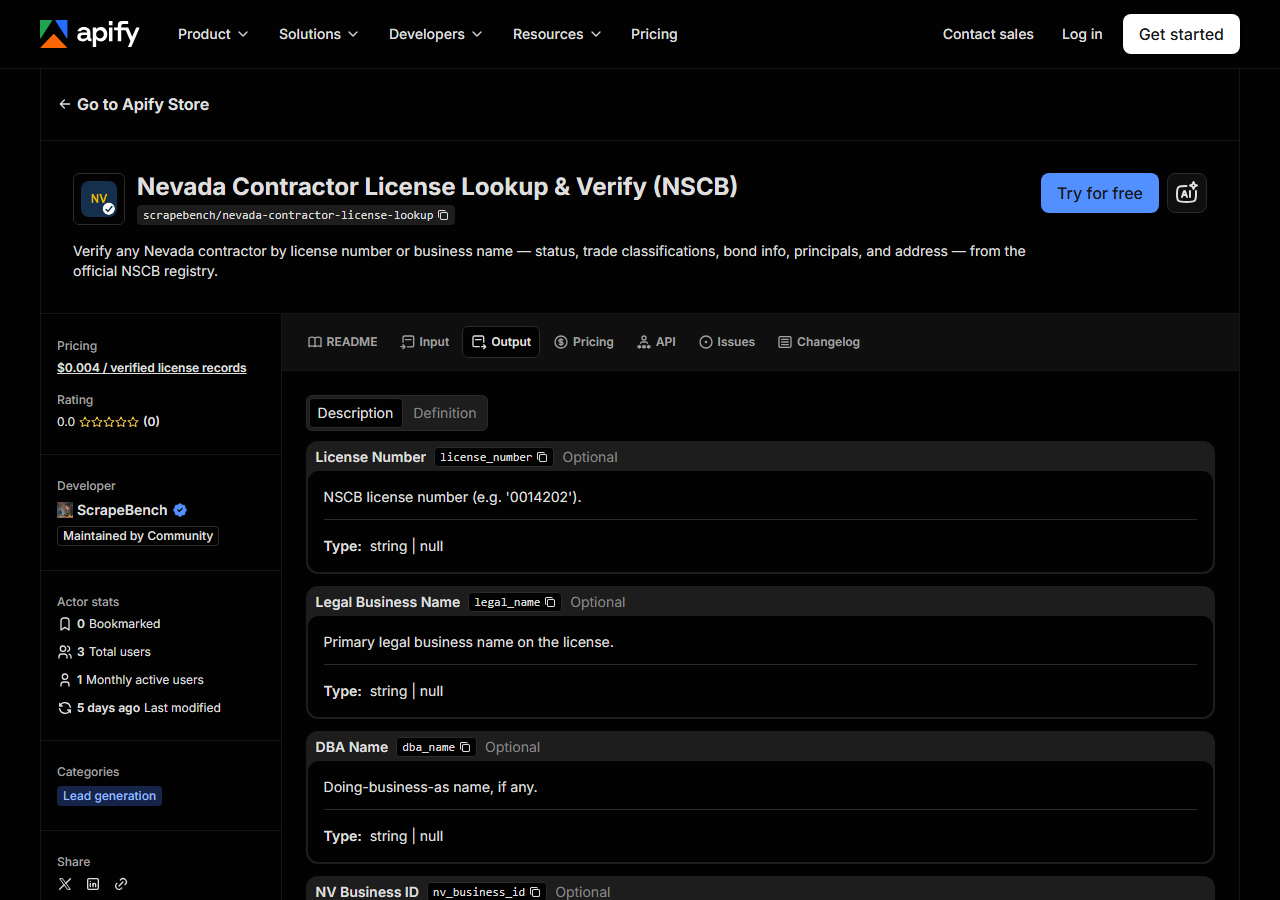
Every row looks like this — a real row from a real run:
{
  "license_number": "0014202",
  "legal_name": "SMITH ELECTRIC",
  "dba_name": null,
  "nv_business_id": "NV20101370144",
  "principal_name": null,
  "classification": "C-2 Electrical",
  "status": "Active",
  "city": "CARSON CITY",
  "state": "NV",
  "matched_by": "company_name",
  "has_detail": true,
  "monetary_limit": "$40,000.00",
  "mailing_address": "1651 N WINNIE LANE",
  "mailing_city": "CARSON CITY",
  "mailing_state": "NV",
  "mailing_zip": "89703",
  "mailing_phone": "(775) 885-0333",
  "physical_address": "1651 N WINNIE LANE",
  "physical_city": "CARSON CITY",
  "physical_state": "NV",
  "physical_zip": "89703",
  "physical_phone": "(775) 885-0333",
  "status_date": "05/16/2025",
  "origin_date": "07/06/1977",
  "expiration_date": "07/31/2027",
  "business_type": "Sole Proprietor",
  "classifications": [
    "C-2 Electrical"
  ],
  "principals": [
    {
      "name": "SMITH, ALFRED MERLIN JR",
      "role": "Owner"
    }
  ],
  "qualified_individuals": [
    {
      "name": "SMITH, ALFRED MERLIN JR",
      "qualifier_type": "CMS and Trade"
    }
  ],
  "bond_type": "Surety",
  "bond_number": "9080237",
  "bond_amount": "$1,000.00",
  "bond_surety_company": "FIDELITY & DEPOSIT COMPANY OF MARYLAND",
  "bond_effective_date": "06/27/1977",
  "source_url": "https://app.nvcontractorsboard.com//Clients/NVSCB/Public/Shared/Details.aspx?EntID=3874334&LicNum=393849"
}| Field | Example value | Meaning |
|---|---|---|
license_number | 0014202 | NSCB license number (e.g. ‘0014202’) |
legal_name | SMITH ELECTRIC | Primary legal business name |
dba_name | — | Doing-business-as name, if any |
nv_business_id | NV20101370144 | Nevada Secretary of State business ID (e.g. ‘NV20101370144’) |
principal_name | — | Principal name from results list (for principal/QI searches) |
classification | C-2 Electrical | Trade classification from the results list |
status | Active | License status (e.g. ‘Active’, ‘Voluntary Surrender’, ‘Cancelled Not Renewed’) |
city | CARSON CITY | City from the results list |
Most people came for status, and it’s mercifully readable here — NSCB publishes a short phrase
rather than a sentence: Active, Voluntary Surrender, Cancelled Not Renewed, and similar. It’s
still registry text rather than a guaranteed enum, so if you’re branching on it in code, treat
anything that isn’t clearly active as needing a human look rather than assuming you’ve seen every
possible value.
The rest of the row needs a little care. Everything from monetary_limit downwards is detail-tier —
it only exists when includeDetails is on, which is what has_detail reports. has_detail is
per-row, not per-run: if NSCB’s detail postback fails for one record, that record comes back as its
thin list row with has_detail: false rather than sinking the whole run. principal_name is
populated from the results grid, so it carries a value on a principal/QI search and is usually null
on a company-name search — the people are still there, in the principals and
qualified_individuals arrays, each entry with a name and a role.
Two fields get confused for each other. monetary_limit is the licence’s project limit ($40,000.00
in the row above) — the ceiling NSCB permits that contractor to bid to. bond_amount is the
contractor’s bond ($1,000.00), a different and usually much smaller number. Both arrive as
formatted strings with a dollar sign and commas, exactly as NSCB prints them, so strip them before
you do arithmetic. Dates are MM/DD/YYYY strings for the same reason. And every row carries
source_url: with detail on, that’s the direct link to the official NSCB page for that licence, so
anything you put in front of an auditor is one click from its source. With detail off, there’s no
per-licence page to point at, so source_url falls back to the search-results URL.
Step 5 — Export it
Open the Dataset tab and export to CSV, JSON, or Excel — or pull the same rows from the API, which is what you want if this is going to run on a schedule.
What it costs
$0.004 per licence record returned. A search that finds nothing costs nothing — you’re never charged for an empty result. Verifying one contractor by licence number is a single record, so it’s four tenths of a cent. A name search that turns up 25 matches, each enriched with its full detail record, is $0.10. Running a 60-vendor onboarding list through it is 60 records, about $0.24. An export at the default 500 rows is $2.00; every active C-2 Electrical licence (2,253 on 2026-10-09) is $9.01, and the whole active state (19,186) is $76.74. Apify’s platform compute is billed separately, per your plan.
Set that against NSCB’s free page honestly: the actor isn’t cheaper than free, it’s zero-effort and schedulable. At one lookup a week, the free page wins and you should use it.
Where the data comes from
This reads NV NSCB directly. The target is GLSuite (ASP.NET WebForms) - __VIEWSTATE / __EVENTVALIDATION replayed; a mode autopostback precedes any non-licence search; detail via __doPostBack. Every night a canary runs this actor against that live source and diffs the result against a frozen fixture — what “verified” means.
NSCB runs its public search on GLSuite, an ASP.NET WebForms application, and the difficulty here is
not that it’s defended — it isn’t; there’s no CAPTCHA and no anti-bot wall — but that it’s
stateful. There is no clean URL with a name in it that you can just request. A search is a form
POST that the server only accepts if you hand back the hidden __VIEWSTATE and __EVENTVALIDATION
tokens it minted for that particular page load, so every search starts by fetching the form to get
fresh tokens. Worse, changing the search mode is itself a server round-trip: pick anything other
than licence number and the dropdown fires an autopostback that invalidates the tokens you were
holding and issues new ones, so a company or principal search is a handshake before it’s a search.
Then the results grid gives you no links — each licence’s detail page is reached by a __doPostBack
against the results page, so pulling detail for twenty-five matches is twenty-five more posts against
a session that has to stay valid the whole time. None of it is clever. All of it is fiddly, and it’s
the reason a “simple public registry” is more work to read than it looks. The actor does that
plumbing so you get a row instead of a session.
See it used
Two worked write-ups, one for each way the licence usually arrives:
- Verify a Nevada Contractor by License Number — the compliance check. A number off a bid goes in, and a full status / bond / classification record comes out, including the monetary limit that decides whether the licence covers a job this size.
- Look Up Nevada Contractors by Name — when all you have is a company name, and you need to see every licence that name holds rather than stopping at the first match.
The third job worth knowing about has no write-up yet: the principal search, which is the one
NSCB’s own UI makes hardest. Set searchBy to principalName and you get every licence a given
owner or qualified individual is named on.
If Nevada is only part of the question, reach for
Multi-State Contractor & Trade License Lookup
instead — that’s the one to use when you don’t know which state a contractor is licensed in, or want
the same name checked across several states in one run. And when the contractor turns out to be
Californian, California Contractor License Lookup & Verify (CSLB)
is the equivalent tool against CSLB, right down to the same query / includeDetails shape.
Last updated 2026-10-09