How-to
How to run Louisiana Contractor License Lookup & Leads Scraper (LSLBC)
Step-by-step: the exact input, what each field does, and the rows that come back from LA LSLBC.
You want Louisiana’s licensed contractors as rows — every active commercial licence, or every home-improvement registration in Orleans Parish, or the whole roster with phone numbers and qualifying parties attached. Be told the honest thing first: LSLBC gives that away. Its public portal has a roster export, the board charges $0.00 for it, and if you click through it you will have a CSV of the full roster in about a minute. This is the easiest licence target in the suite, and if a one-off CSV is genuinely all you need, go and get it — nothing here beats free. What the export will not do is arrive filtered, arrive de-duplicated, arrive as one row per licence, arrive next week without you, or arrive anywhere other than your Downloads folder. That is what this actor is: the same board data, filtered on the way out, aggregated into one record per licence, on a schedule, addressable from an API — and checked nightly against the live source so you find out when the board changes the export rather than after your pipeline has been quietly wrong for a week.
What you’ll need
Nothing but an Apify account. The actor talks to LA LSLBC directly.
No API key, no CAPTCHA-solving credentials, no proxy, no login. LSLBC serves the roster export to ordinary datacenter IPs with no auth of any kind, so the actor makes two plain HTTP requests per licence type and that is the whole access story. There is nothing extra for you to buy or configure.
Step 1 — Open the actor
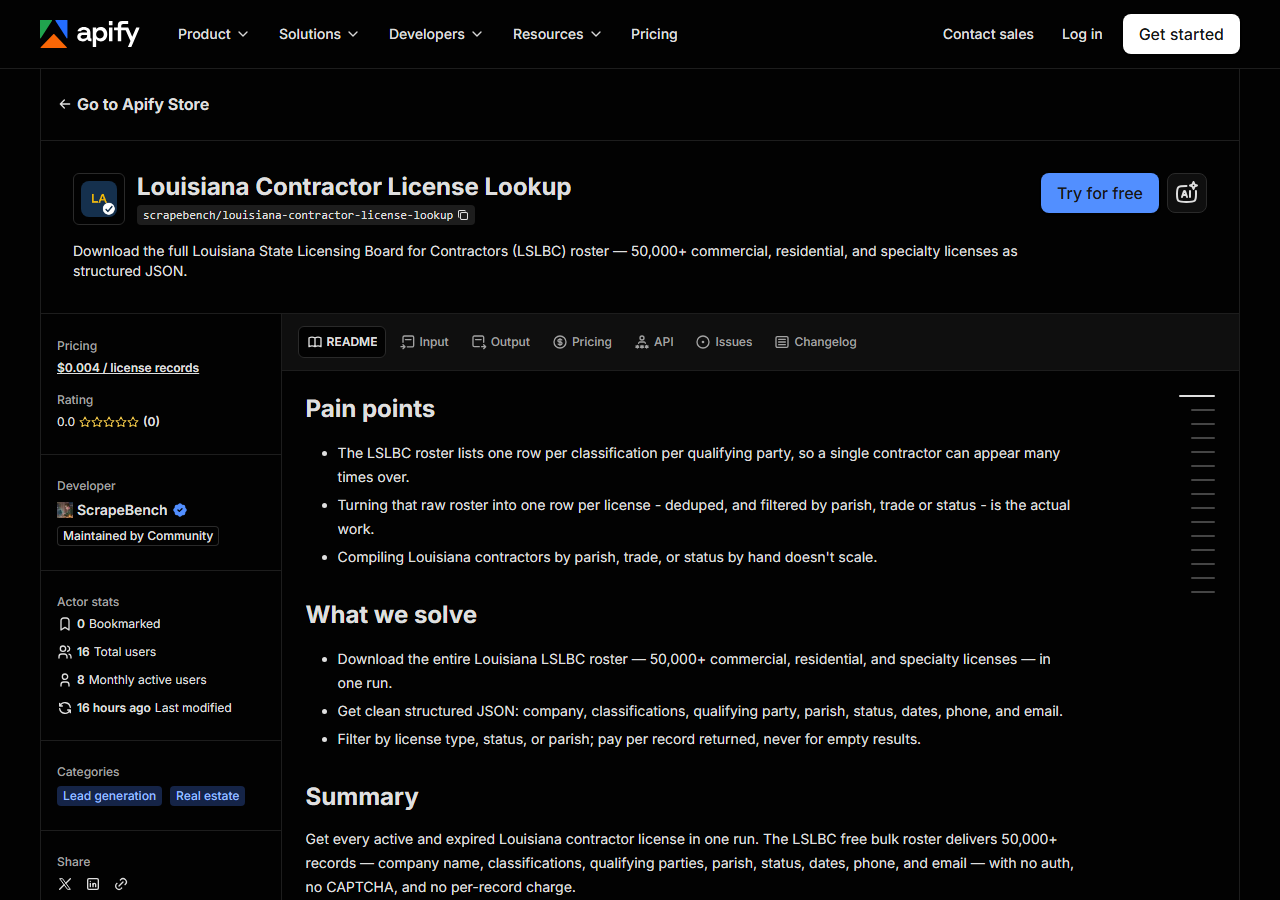
Open Louisiana Contractor License Lookup & Leads Scraper (LSLBC) on the Apify Store and press Try for free. The actor’s own page on this site lists its live health and pricing.
Step 2 — Fill in the input
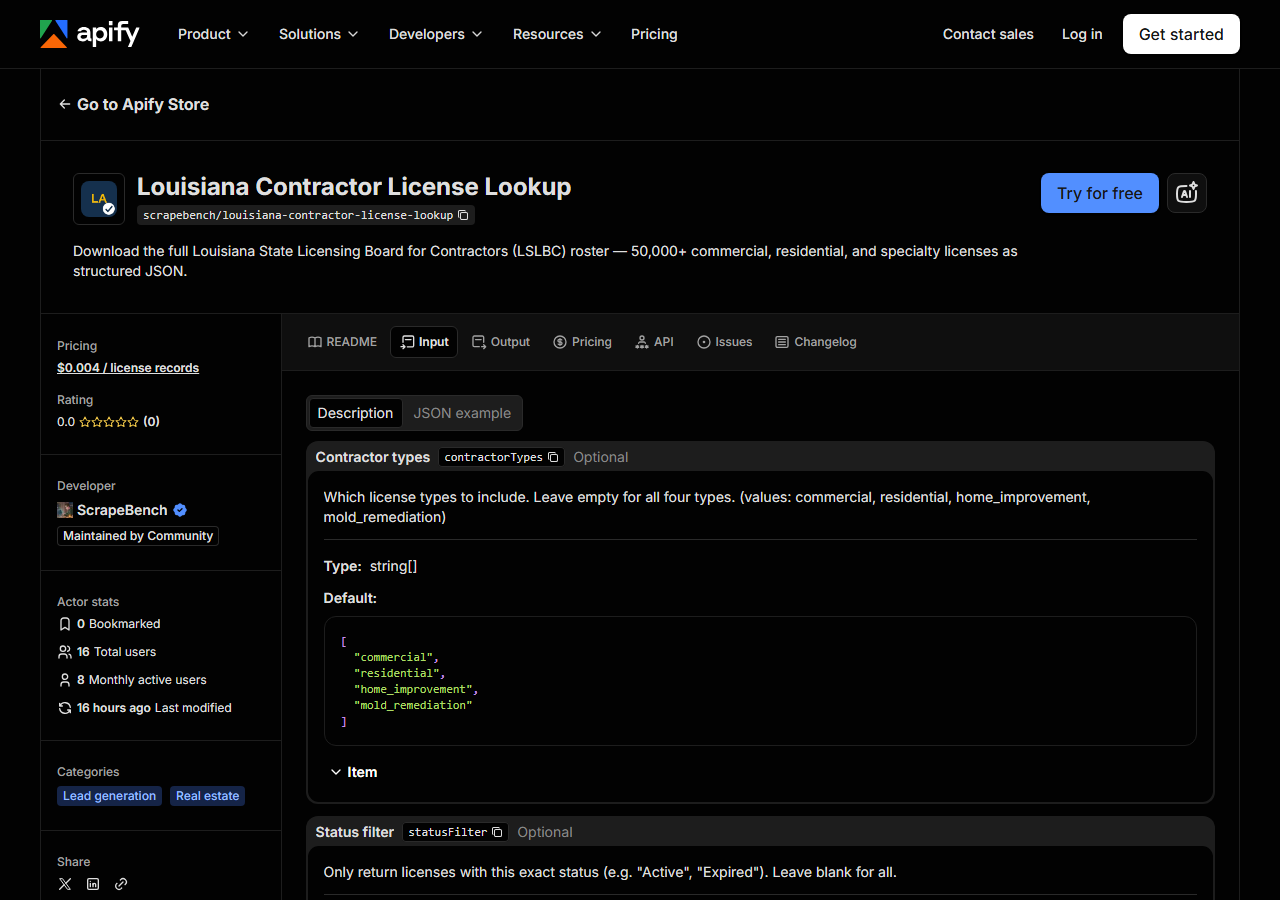
| Field | Type | Required | What it does |
|---|---|---|---|
query / queries | string / array | no | Lookup: LSLBC licence numbers, or part of a company or qualifying-party name. Leave empty to export. |
contractorTypes | array | no | Which license types to include. Leave empty for all four types. (values: commercial, residential, home_improvement, mold_remediation) (default ['commercial', 'residential', 'home_improvement', 'mold_remediation']) |
statusFilter | string | no | Export only. Only return licenses with this exact status (e.g. “Active”, “Expired”). Leave blank for all. |
parishFilter | string | no | Export only. Only return licenses in this Louisiana parish (e.g. “Orleans”, “Jefferson”). Leave blank for all. |
maxResults | integer | no | Export: cap on unique licence records for the whole run (default 500). Lookup: cap per name or number (default 50). |
Two things decide what comes back, and one of them is not a filter at all.
contractorTypes decides which rosters get downloaded. LSLBC keeps four separate ones —
commercial, residential, home improvement, mold remediation — and the actor pulls one export per
type you tick. Leave it empty and you get all four, which is the whole state and the slowest run.
Tick only commercial and you have skipped three downloads entirely. This is the field to reach for
first: it is cheaper to not fetch a roster than to fetch it and throw it away.
statusFilter and parishFilter are exact matches, applied row by row as the CSV is parsed.
Status is compared case-insensitively but otherwise literally, so it has to be the string the board
writes — Active, Expired — not a phrase of your own. Parish is the same: Orleans, Jefferson,
East Baton Rouge, as LSLBC spells it, with no “Parish” suffix and no abbreviation. A near-miss
here does not error; it silently matches nothing, which is the single most common way a first run
comes back empty. Leave both blank if you are not sure, look at what the board actually wrote in the
status and parish columns, then filter on the next run.
maxResults is a cap, not a filter — the first N unique licences, default 500. It stops the run,
it does not change what the run looks at. Set it low the first time to see the shape of the data
before you pull the whole roster.
A working input:
{
  "contractorTypes": [
    "commercial"
  ],
  "statusFilter": "Active",
  "maxResults": 500
}
Checking specific contractors instead
If you already have a list — subcontractors to vet, licence numbers off a bid — put them in
queries, one per line, and leave the filters alone:
{
  "queries": ["09 Construction Services", "19499"],
  "maxResults": 5
}
An all-digit entry is matched as a licence number; anything else is looked for, as typed, inside
the company name and inside every qualifying party’s name, so a person’s name finds the licences they
qualify. Expired licences are searched too, which is the point of a check. Each hit carries
matched_by (license_number, business_name or qualifying_party), and an entry that matches
nothing returns one free no_match row instead of silently vanishing from the output. The actor
still downloads the rosters to answer, so a lookup run takes about as long as an export.
Step 3 — Run it
Press Start. Rows are pushed to the dataset as they’re found, so the run log fills in as it works.
A healthy run is front-loaded and then fast. For each licence type you asked for, the actor makes one
request that asks LSLBC to build the roster export, then downloads the CSV it points at — so there is
a pause at the start while the board does the work, and after that the parsing and filtering is local
and quick. Rows land until either the roster is exhausted or maxResults is hit. Run times and row
counts are not measured here, so they are not quoted; what governs both is obvious enough — how many
of the four rosters you asked for, and how tight your filters are. The full unfiltered roster is tens
of thousands of licences and is the slowest thing you can ask for.
An empty run is almost always the filter, not the actor. statusFilter and parishFilter are exact
string matches against what LSLBC wrote, so a misspelled parish, an invented status word, or a
combination that genuinely has no holders all return zero rows. Zero rows costs nothing — the actor
charges per record returned, so a wrong filter is free. Clear the filters, run with a small
maxResults, read the real values out of the status and parish columns, and put those back in.
Step 4 — Read the output
Each run returns a labelled table, not raw JSON:
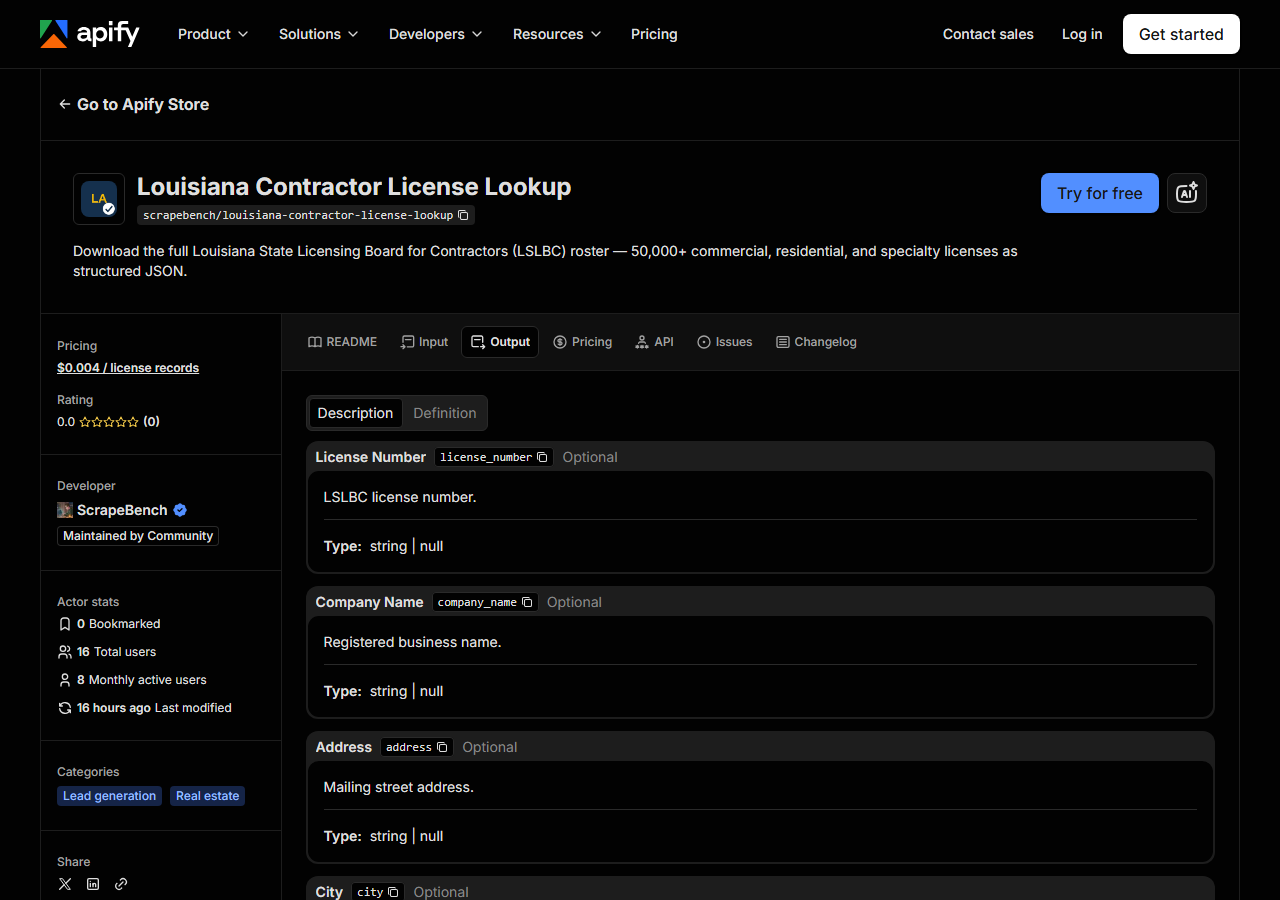
Every row looks like this — a real row from a real run:
{
  "license_number": "68755",
  "company_name": "09 Construction Services, LLC",
  "status": "Active",
  "contractor_type": "Commercial License Certificate",
  "parish": "Bossier",
  "city": "Bossier City",
  "state_code": "LA",
  "phone": "(318) 564-8455",
  "email": "09construction@gmail.com",
  "classifications": [
    "BUILDING CONSTRUCTION",
    "HEAVY CONSTRUCTION",
    "HIGHWAY, STREET AND BRIDGE CONSTRUCTION"
  ],
  "qualifying_parties": [
    "Kent Gardner Jones"
  ],
  "effective_date": "07/19/2026",
  "expiration_date": "07/18/2029",
  "first_effective_date": "07/18/2019",
  "out_of_state": false,
  "address": "1009 Creole Drive",
  "zip_code": "71111",
  "source_url": "https://arlspublic.lslbc.louisiana.gov/Public/Search"
}| Field | Example value | Meaning |
|---|---|---|
license_number | 68755 | LSLBC license number |
company_name | 09 Construction Services, LLC | Registered business name |
status | Active | Active, Expired, etc. |
contractor_type | Commercial License Certificate | Commercial / Residential / Home Improvement / Mold Remediation |
parish | Bossier | Louisiana parish where the contractor is registered |
city | Bossier City | Mailing city |
state_code | LA | Mailing state (LA for in-state, or out-of-state code) |
phone | (318) 564-8455 | Business phone number |
Most people came for the contact block — company_name, phone, email, address, city,
parish — because that is the outreach list, and Louisiana is one of the states that does publish
contractor email addresses. A smaller group came for status, expiration_date and
qualifying_parties, which is the compliance answer: is this licence live, when does it lapse, and
whose name is on it.
Two things about the shape are worth knowing before you load this anywhere. First, the board’s CSV
is not one row per licence — it emits one row per classification × qualifying-party combination, so
a builder with three trade classifications and two qualifying parties appears six times. The actor
folds those back together: one record per licence number, with classifications and
qualifying_parties as de-duplicated arrays. That is most of the reason the output looks nothing
like the file you would have downloaded by hand. Filter classifications on membership, not
equality. Second, licences are de-duplicated across licence types too, so a company appearing in two
rosters is emitted once, under whichever type was fetched first.
Beyond that, expect the usual public-register roughness. Every field except license_number is
nullable — plenty of records carry no email, some carry no phone. Dates come through as the board
formats them, MM/DD/YYYY strings rather than real dates, so parse before you sort. out_of_state
is a boolean derived from the board’s flag, and when it is true the state_code is not LA and the
parish may be empty, which will quietly drop those contractors out of any parish filter you set.
And every value is passed through as LSLBC stored it — no title-casing, no phone normalisation. Clean
before you mail-merge.
Step 5 — Export it
Open the Dataset tab and export to CSV, JSON, or Excel — or pull the same rows from the API, which is what you want if this is going to run on a schedule.
What it costs
$0.004 per licence record returned. A run that returns 500 active commercial licences costs $2.00; a run that returns nothing — because your parish was misspelled or the filter genuinely matches no one — costs nothing, because the charge is per record, not per run. Apify’s own platform compute is billed separately under your plan, on top of the per-record fee.
Be clear-eyed about what that fee is buying, because it is not access. LSLBC’s roster export is free and always will be, and for a single one-off pull the honest advice is to go and click it. What you are paying for is the run being filtered, aggregated into one row per licence, repeatable on a schedule, reachable from an API, and watched nightly — none of which the board’s own download does.
Where the data comes from
This reads LA LSLBC directly. The target is The portal’s own roster-export endpoint - a POST returns a JSON pointer to a CSV of the full roster, which is then downloaded and parsed. Every night a canary runs this actor against that live source and diffs the result against a frozen fixture — what “verified” means.
This one is easy and it would be dishonest to dress it up. LSLBC’s public search portal has a roster export behind it: a POST returns a JSON pointer to a generated CSV of the entire roster for a licence type, the board prices that export at $0.00, and a GET fetches it. No VIEWSTATE to carry, no CAPTCHA to solve, no session to hold, no anti-bot wall — two requests and you have tens of thousands of licences. It is the portal’s internal export, though, not a documented public API, which is the one thing worth minding: nobody at LSLBC has promised the endpoint, the field names, or the CSV’s one-row-per-classification shape will stay as they are, and a silent change to any of them would break a pipeline built on it without raising an error. That is precisely what the nightly canary watches for.
See it used
List Louisiana Commercial Contractors by Parish pulls one parish’s active commercial licence holders with their classifications.
If Louisiana is only one of several states you care about, this is the wrong shape of tool. Multi-State Contractor & Trade License Lookup checks a named contractor across several states in a single run, which is what you want when you are verifying one company rather than pulling a whole roster.
Last updated 2026-10-30