How-to
How to run HdL Municipal Business License Lookup
Step-by-step: the exact input, what each field does, and the rows that come back from HdL (city portals).
You want to know which businesses hold a live licence in a city — every nail salon in Pomona, or whoever just took out a licence at a given address. The city publishes it. HdL Companies runs the public search portal for dozens of California municipalities, and each one is the same web form: type a name, press search, read a table. The problem is that it is only ever a table on a screen. There’s no export, no API, and no way to ask about a list — twenty businesses is twenty searches and twenty rounds of copy-paste, and the columns you paste are unstructured (the address arrives as one line, city and ZIP baked in). This actor does the search for you and returns the same rows as structured records you can sort, filter, or push into a CRM.
Before anything else, the honest constraint: only some HdL cities are reachable. Several
hdlgov.com city instances sit behind a Cloudflare Turnstile challenge, which a plain HTTP request
cannot pass — and this actor does not try to. Pomona, Hayward, and El Cajon are confirmed
reachable. Other HdL cities share the identical search schema and may well work, but they are not
proven, and if you point the actor at a challenged one the run succeeds with a single free row
naming the block and a reachable city, instead of returning wrong data or burning a failed run. If your city is behind the challenge, this actor cannot get it for you. That’s
the whole story; there’s no proxy setting or browser mode that changes it.
What you’ll need
Nothing but an Apify account. The actor talks to HdL (city portals) directly.
No API key, no CAPTCHA solver, no login. For the reachable cities the portal is wide open: two plain
HTTP requests and you have the results page. There’s a proxyConfiguration field in the input, off
by default, and you almost certainly don’t need it — note that turning it on will not get you into
a Cloudflare-challenged city. A different citySubdomain is the only fix for that.
Step 1 — Open the actor
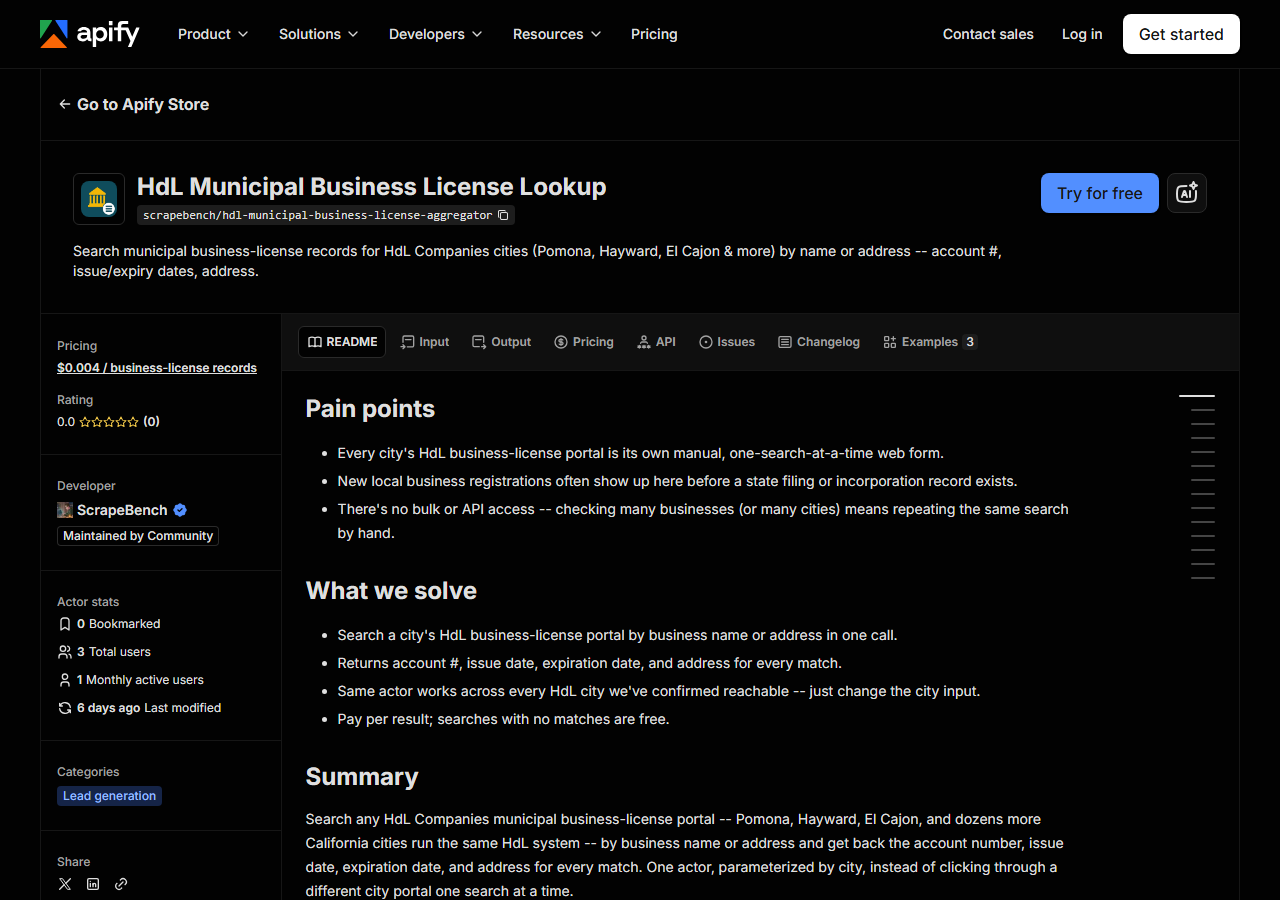
Open HdL Municipal Business License Lookup on the Apify Store and press Try for free. The actor’s own page on this site lists its live health and pricing.
Step 2 — Fill in the input
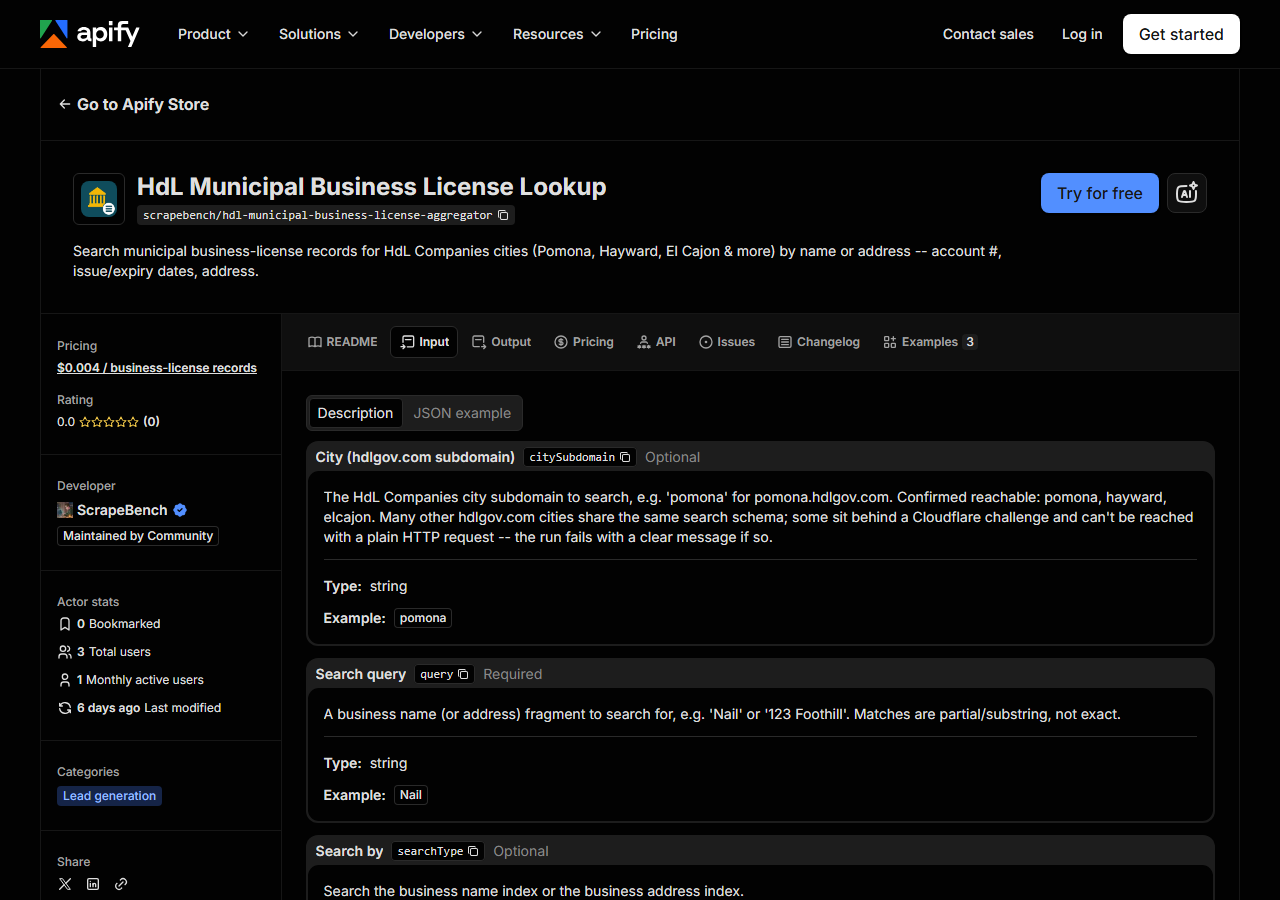
| Field | Type | Required | What it does |
|---|---|---|---|
citySubdomain | string | no | The HdL Companies city subdomain to search, e.g. ‘pomona’ for pomona.hdlgov.com. Confirmed reachable: pomona, hayward, elcajon. Many other hdlgov.com cities share the same… |
query | string | yes | A business name (or address) fragment to search for, e.g. ‘Nail’ or ‘123 Foothill’. Matches are partial/substring, not exact. |
searchType | string | no | Search the business name index or the business address index. (default Business Name) |
maxResults | integer | no | Cap on the number of license records returned in a single run. A broad query (e.g. a single letter) can match thousands of licenses — narrow the query rather than raising this… (default 200) |
Two fields decide what you get back, and one of them decides whether you get anything at all.
citySubdomain is the bare subdomain of the HdL portal — pomona, not pomona.hdlgov.com and not
Pomona, CA. It defaults to pomona. This is the field that carries the coverage limit above:
pomona, hayward and elcajon are the cities proven to answer a plain request. You are free to
try any other hdlgov.com subdomain — they run the same schema — but if that city is behind
Cloudflare the run stops with an error naming a reachable alternative. A failed run of that kind is
not a broken actor and there is nothing to configure around it.
query is a substring match, not an exact one, and it runs against whichever index
searchType selects. Searching business names for Nail returns every licensed business with
“nail” anywhere in its name; searching addresses for 123 Foothill returns whatever sits at or
near that street text. That cuts both ways: a one-letter query can match thousands of licences (the
maxResults cap, default 200, is there to stop you pulling — and paying for — all of them), and an
over-specific query with a suffix the city didn’t record (Bee Polished Nails Spa LLC) can match
nothing. Start short, look at what comes back, then tighten.
A working input:
{
  "citySubdomain": "pomona",
  "query": "Nail",
  "searchType": "Business Name",
  "maxResults": 100
}
Step 3 — Run it
Press Start. Rows are pushed to the dataset as they’re found, so the run log fills in as it works.
There isn’t much to watch. A run is two requests — fetch the search form to read its hidden fields,
then POST the query — and everything comes back on one results page, so a run is quick and its
length barely depends on how many rows match. A narrow name query typically returns a handful to a
few dozen rows; a broad one returns whatever the city has, up to your maxResults cap.
An empty run usually means the query was too specific, or you searched the wrong index — a street
number typed into the business-name index matches nothing. Try a shorter fragment, and check
searchType. Zero rows is a real answer about that city’s register, not a failure, and it costs you
nothing. A run that errors is different: that’s either the Cloudflare message (wrong city) or the
portal being down, and it will say which.
Step 4 — Read the output
Each run returns a labelled table, not raw JSON:
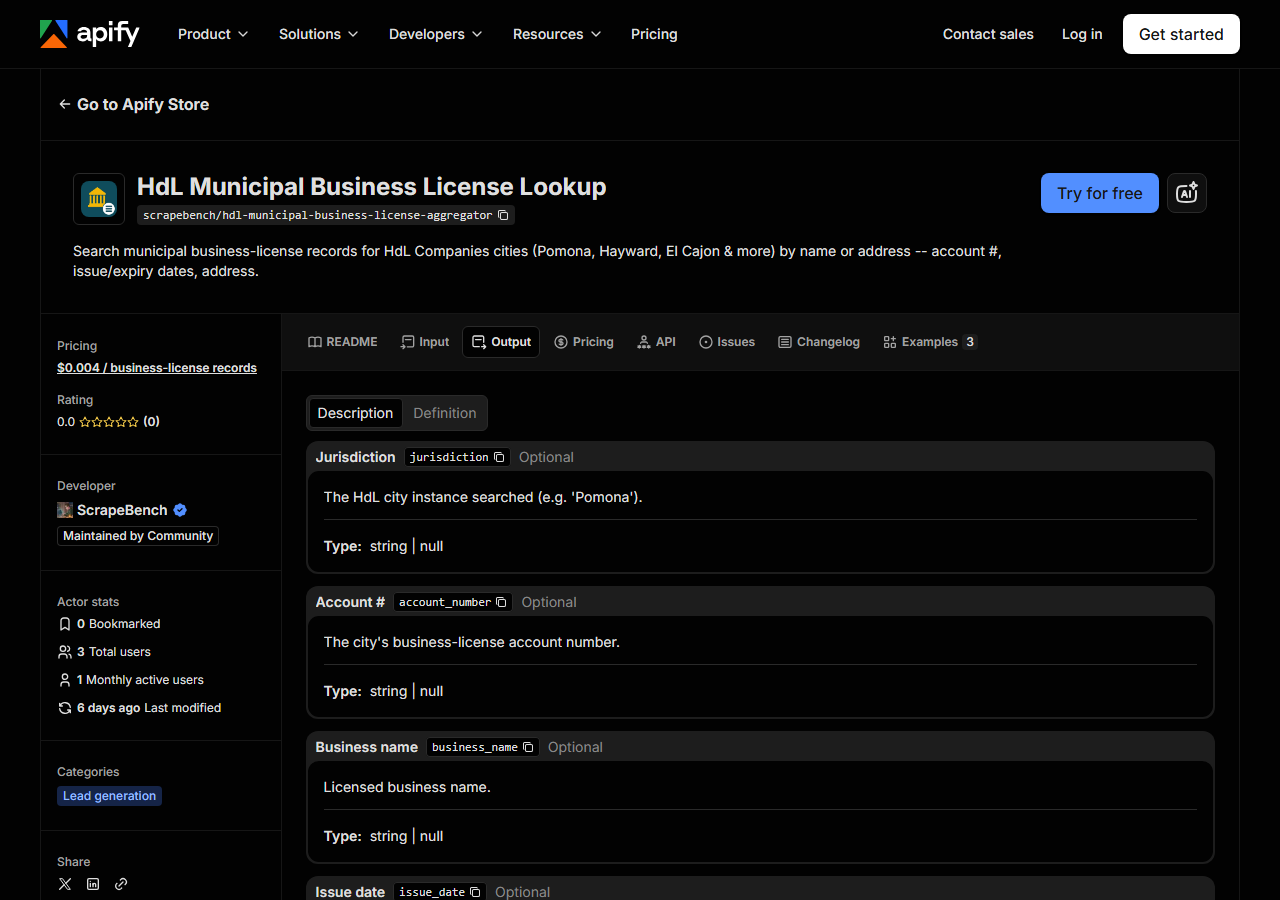
Every row looks like this — a real row from a real run:
{
  "jurisdiction": "Pomona",
  "account_number": "00204231",
  "business_name": "BEE POLISHED NAILS SPA",
  "issue_date": "4/24/2019",
  "expiration_date": "3/31/2027",
  "address": "663 E FOOTHILL BLVD",
  "city": "POMONA",
  "state": "CA",
  "zip_code": "91767",
  "matched_by": "Business Name",
  "source_url": "https://pomona.hdlgov.com/Search/SearchBy"
}| Field | Example value | Meaning |
|---|---|---|
jurisdiction | Pomona | The HdL city instance searched (e.g. ‘Pomona’) |
account_number | 00204231 | The city’s business-license account number |
business_name | BEE POLISHED NAILS SPA | Licensed business name |
issue_date | 4/24/2019 | License start/issue date |
expiration_date | 3/31/2027 | License expiration date |
address | 663 E FOOTHILL BLVD | Street address, when the city publishes it |
city | POMONA | Address city — may differ from the jurisdiction searched |
state | CA | Address state |
Most people come for two things: the address block and the dates. The address is the part the portal
makes hardest to use — HdL prints it as a single line, 663 E FOOTHILL BLVD, POMONA, CA 91767, and
this actor splits it into address / city / state / zip_code so it’s directly usable as a
mailing or territory field. Two caveats. Some licensees’ addresses aren’t public, and the portal
prints --ON FILE-- in their place; those come back as null across all four address fields rather
than as a fake street. And city is the address city, which can differ from jurisdiction (the
city whose register you searched) — a business licensed in Pomona can have a mailing address
elsewhere. Filter on jurisdiction if you mean “licensed here”.
expiration_date is the field to read for “is this licence current”, but read it as text: the
portal returns US-style M/D/YYYY strings, and that’s exactly what you get — no parsing, no
timezone, no normalisation. Compare them as dates yourself. issue_date and expiration_date can
both be null if the city left them blank. What the record does not tell you is a status word: HdL
publishes no active/expired flag here, so an expired-looking date is your inference, not the city’s
declaration.
Step 5 — Export it
Open the Dataset tab and export to CSV, JSON, or Excel — or pull the same rows from the API, which is what you want if this is going to run on a schedule.
What it costs
$0.004 per business-license record. You’re charged per row returned, so the 100-row run in the example above is $0.40, and a tight name lookup that returns four rows is under two cents. A search that matches nothing returns no rows and is not charged — a wrong guess costs you nothing but the run. Apify’s platform compute is billed separately, per your plan, and it’s small here: two requests and no browser.
The data is free and public. If you have one business to check in Pomona, open the portal and check it — that’s the honest advice. What you’re paying for is not access, it’s the shape: structured rows, split addresses, and the ability to do it for a whole street or a whole category without spending the afternoon on it.
Where the data comes from
This reads HdL (city portals) directly. The target is HdL ASP.NET MVC portal, one instance per city with an identical schema - read two hidden inputs from the search form, then POST the search. Plain MVC hidden fields, not __VIEWSTATE. Every night a canary runs this actor against that live source and diffs the result against a frozen fixture — what “verified” means.
HdL Companies is a vendor, not a government — dozens of California cities outsource their business-licence portal to it, which is why Pomona’s search page and El Cajon’s are the same page with a different logo. That’s the good news: one parser covers every city that answers. For a reachable city the whole thing is two requests with no session state — read two hidden form inputs, POST the query — which is about as easy as public-record scraping gets.
The annoyance is that “reachable” isn’t a property of HdL, it’s a property of each city’s own Cloudflare configuration. Some instances are open; others sit behind a Turnstile challenge that no plain HTTP client can answer, and no proxy or retry changes that. So coverage here is a list, not a guarantee: Pomona, Hayward and El Cajon are the cities proven to work, other subdomains are worth a try, and a challenged city is simply out of reach. The nightly canary checks a reachable city, so what it verifies is that the parse still matches the live portal — not that every HdL city on the internet is open.
See it used
Search Pomona Business Licenses by Name searches one city’s business licences by name. Search El Cajon Business Licenses by Address finds every licensed business at an address.
If you want business registrations at the state level rather than a city’s licence register, reach for the US Business Entity Search (Secretary of State) instead: it searches states’ open-data corporate filings, which is where an incorporation shows up, and it isn’t limited to the handful of cities HdL happens to serve. And if the businesses you care about are contractors specifically, the California Contractor Directory pulls CSLB’s licensed contractors statewide, with the trade classification a municipal licence record doesn’t carry.
Last updated 2026-07-13