How-to
How to run Google Maps Place Matcher: Business Lookup by Name & Address
Step-by-step: the exact input, what each field does, and the rows that come back from Google Maps.
You have a list of businesses that somebody typed by hand: a CRM export, a purchased lead list, a spreadsheet from a client. The same shop shows up as “Starbucks”, “STARBUCKS #1234” and “Starbucks Coffee Lafayette”, and you need one key per business so you can dedupe it and fill in the missing phones. The manual route is one Google Maps search per row, then copying the name, address and phone back into the sheet, which takes minutes per row. Google’s Places API would do it, but it needs a Cloud project, a billing account and an API key. This actor takes the whole list and returns Google’s place ID for each line it can match.
What you’ll need
Nothing but an Apify account. The actor talks to Google Maps directly.
There is no Google API key and no Google Cloud account involved. The actor reads Google Maps’ own search, the one the website uses. Lookups go through Apify Proxy, which Apify bills as ordinary platform usage on your plan, like compute.
Step 1 — Open the actor
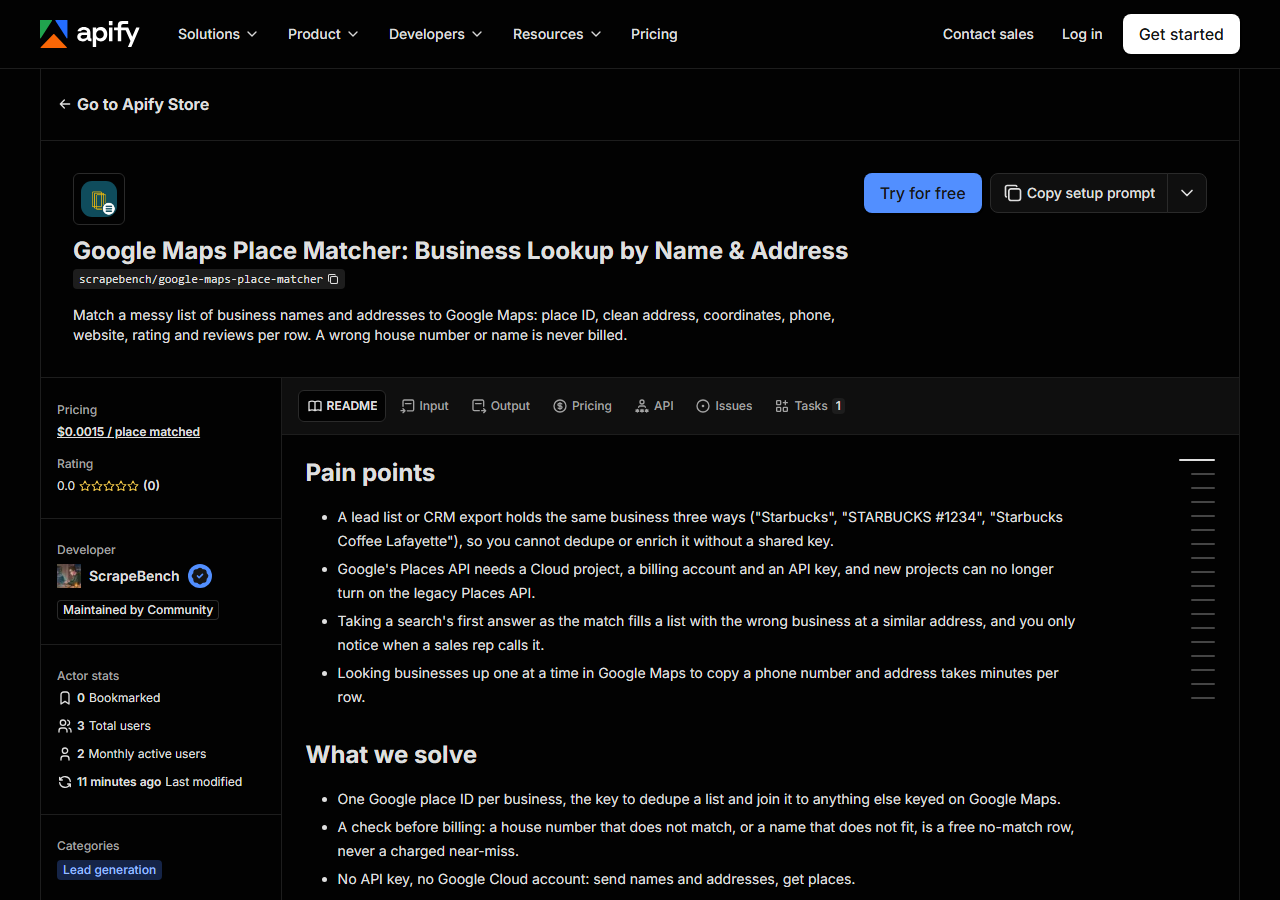
Open Google Maps Place Matcher: Business Lookup by Name & Address on the Apify Store and press Try for free. The actor’s own page on this site lists its live health and pricing.
Step 2 — Fill in the input
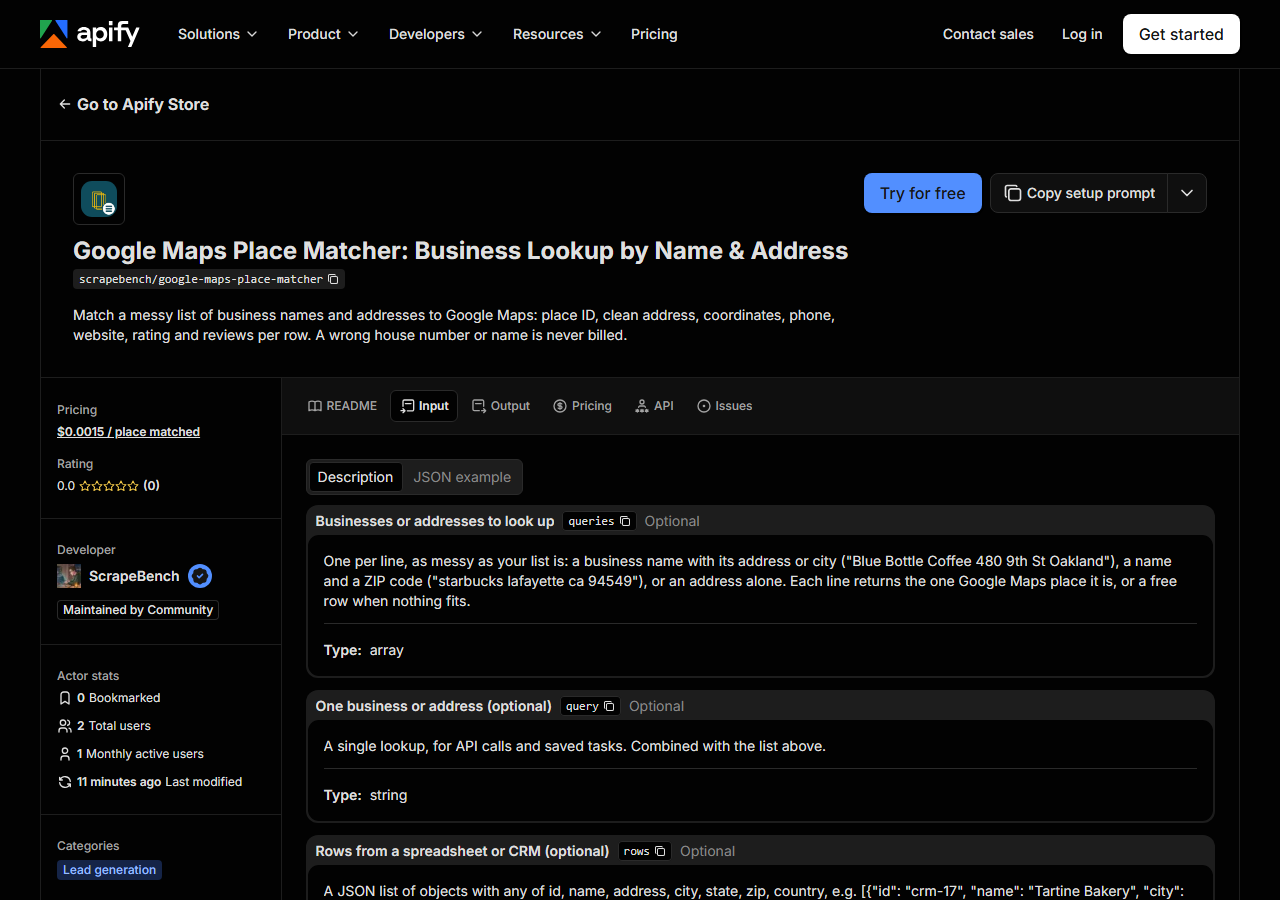
| Field | Type | Required | What it does |
|---|---|---|---|
queries | array | no | One per line, as messy as your list is: a business name with its address or city (“Blue Bottle Coffee 480 9th St Oakland”), a name and a ZIP code (“starbucks lafayette ca… |
query | string | no | A single lookup, for API calls and saved tasks. Combined with the list above. |
rows | array | no | A JSON list of objects with any of id, name, address, city, state, zip, country, e.g. [{“id”: “crm-17”, “name”: “Tartine Bakery”, “city”: “San Francisco”}]. Your id comes back… |
maxItems | integer | no | Optional spend cap for the whole run: only the first this-many inputs are looked up, and a free row says how many were left. Leave empty to look up every input. |
Use queries for plain lines and rows when your list has its own IDs. A row such as
{"id": "crm-17", "name": "Tartine Bakery", "city": "San Francisco", "state": "CA"} comes back with
input_id: "crm-17" on the match, so it joins straight back to the record it came from.
The other thing to get right is what you put in each line, because the actor checks Google’s answer against it before it bills. Every number you send (house number, ZIP) must appear in the place’s address, and at least half of the place’s name words must be in what you sent. A wrong house number is therefore a free no-match row, not a near-miss. A name you made up for the business (“Starbucks store 4”) can fail the check too; send the name as it appears on Google Maps, or the address on its own. “350 5th Ave New York NY” with no name returns the Empire State Building.
A working input:
{
  "queries": [
    "Blue Bottle Coffee 480 9th St Oakland",
    "starbucks lafayette ca 94549",
    "1600 Amphitheatre Pkwy Mountain View CA"
  ]
}
Step 3 — Run it
Press Start. Rows are pushed to the dataset as they’re found, so the run log fills in as it works.
Our test run on 2026-11-06 sent 10 inputs and finished in 2.2 seconds; the actor looks up five at a time. Every input gets exactly one row back. Seven were matches, from Blue Bottle Coffee at 480 9th St in Oakland to Franklin Barbecue in Austin, TX (resolved to 900 E 11th St). The other three were free no-match rows, and each one was the check doing its job: “Peet’s Coffee 410 9th St Oakland” has no Peet’s at that number, so the row listed three other Oakland Peet’s instead; “Blue Bottle Coffee” at “410 9th St” had the wrong house number, and the row named the 480 9th St location; the last line was gibberish. A no-match row is not a broken run. Read the places it names, fix the line, and send it again.
Step 4 — Read the output
Each run returns a labelled table, not raw JSON:
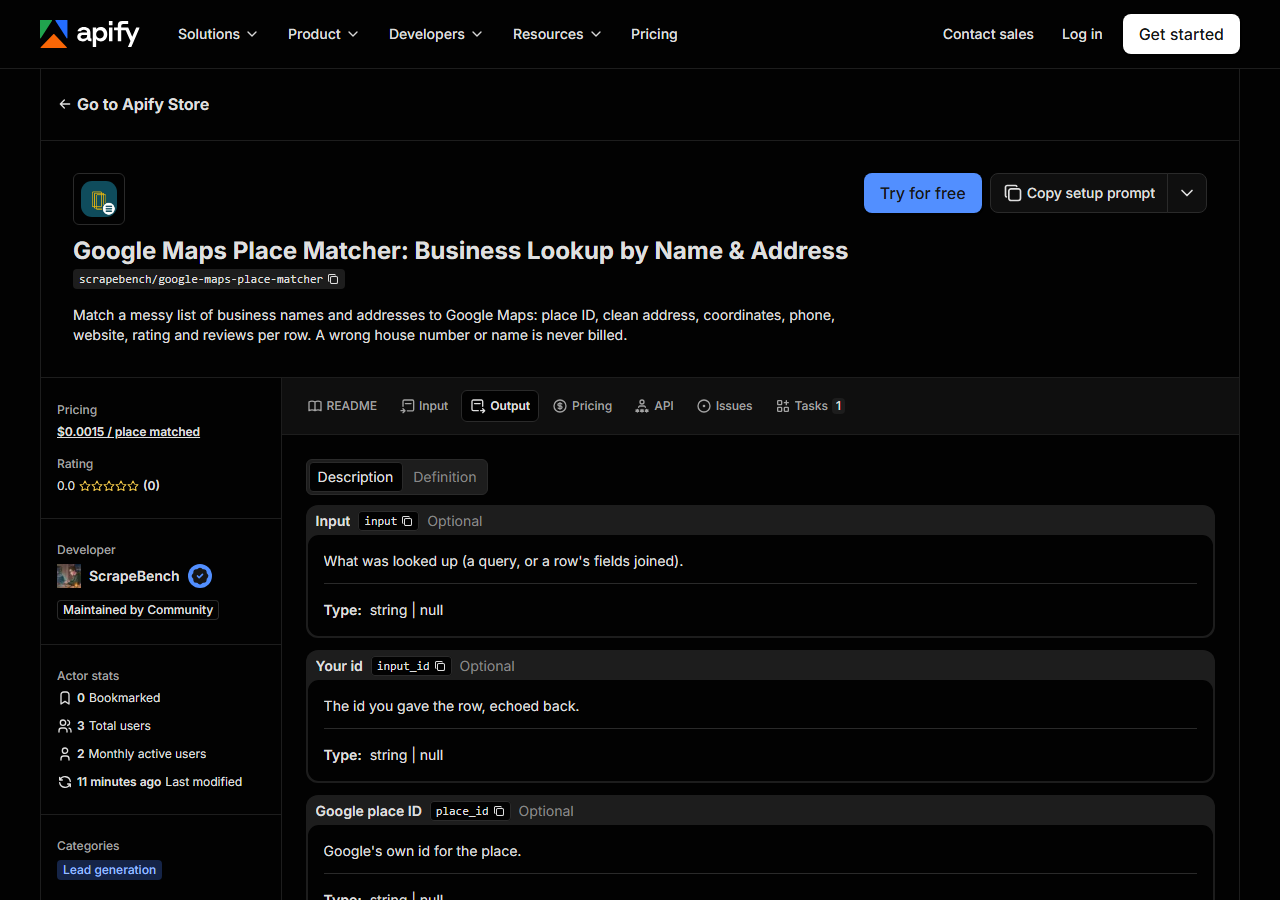
Every row looks like this — a real row from a real run:
{
  "input": "Blue Bottle Coffee 480 9th St Oakland",
  "input_id": null,
  "place_id": "ChIJLRIbILeAj4ARyWoMWFQmkSY",
  "name": "Blue Bottle Coffee",
  "address": "480 9th St, Oakland, CA 94607",
  "street": "480 9th St",
  "city": "Oakland",
  "state": "CA",
  "zip_code": "94607",
  "latitude": 37.8012466,
  "longitude": -122.2739477,
  "phone": "(510) 653-3394",
  "website": "https://bluebottlecoffee.com/us/eng/northern-california-cafes?utm_source=google&utm_medium=organic&utm_campaign=cafe_business_listing_norcal",
  "rating": 4.4,
  "review_count": 396,
  "categories": [
    "Coffee shop"
  ],
  "google_maps_url": "https://www.google.com/maps/search/?api=1&query=Blue%20Bottle%20Coffee&query_place_id=ChIJLRIbILeAj4ARyWoMWFQmkSY",
  "matched_by": "name + address",
  "confidence": "high",
  "other_matches": [],
  "source_url": "https://www.google.com/maps/search/?api=1&query=Blue%20Bottle%20Coffee&query_place_id=ChIJLRIbILeAj4ARyWoMWFQmkSY"
}| Field | Example value | Meaning |
|---|---|---|
input | Blue Bottle Coffee 480 9th St Oakland | What was looked up (your line, or a row’s fields joined) |
input_id | — | The id you gave the row, echoed back |
place_id | ChIJLRIbILeAj4ARyWoMWFQmkSY | Google’s own place ID |
name | Blue Bottle Coffee | The place’s name on Google Maps |
address | 480 9th St, Oakland, CA 94607 | Full address as Google Maps writes it |
street | 480 9th St | Street line(s) |
city | Oakland | City |
state | CA | Two-letter state code |
place_id is the field most people came for: Google’s own ID, the key to dedupe a list and to join
it to anything else keyed on Google Maps. Read it together with confidence. “high” means Google
answered with this one place. “medium” means Google answered with several and this was its first;
in our test “starbucks lafayette ca 94549” matched the Starbucks at 3343 Mount Diablo Blvd as
medium, and the Starbucks at 3540 Mount Diablo Blvd sat in other_matches. With chains, check the
medium and low rows before you trust them. matched_by says what was compared: “name + address”
for the Blue Bottle row, “address” for “1600 Amphitheatre Pkwy Mountain View CA”, which returned
Google Building 41.
Phone and website are null when Google Maps lists none for the place. The address is split into
street, city, state and ZIP the US way; a non-US place keeps only its full address line.
Step 5 — Export it
Open the Dataset tab and export to CSV, JSON, or Excel — or pull the same rows from the API, which is what you want if this is going to run on a schedule.
What it costs
$0.0015 per input matched to a place, so 1,000 matches cost $1.50. An input that matches nothing,
a lookup Google refused and an input mistake are all free rows. Our 10-line test billed 7 matches,
about one cent. Apify Proxy comes on top as platform usage on your plan. To cap a big list, set
Maximum inputs to look up (maxItems); a free row says how many inputs were left.
Where the data comes from
This reads Google Maps directly. The target is The same Google Maps search endpoint as nail-salon-leads-scraper (portfolio_common.gmaps): the whole query with a US-wide viewport, then a check of Google’s answer against the input’s numbers and name words before a match is billed. Every night a canary runs this actor against that live source and diffs the result against a frozen fixture — what “verified” means.
Google Maps always tries to answer, and its answer is often a place near what you typed rather than the place you meant. Search “Blue Bottle Coffee 410 9th St” and Google offers the café at 480 9th St, which is close enough to fool anyone copying the first result. That is why the actor compares house numbers and name words before it bills, and lists what Google offered when they disagree.
See it used
Match a business list to Google Maps place IDs takes a messy CRM export through the actor and into a deduped, phone-filled sheet.
Once your list has a website per business, the Business Email, Phone & Contact Details Scraper reads each site for its email and social links.
Last updated 2026-11-06