How-to
How to run Washington Contractor Directory & Leads Scraper (L&I)
Step-by-step: the exact input, what each field does, and the rows that come back from WA L&I (Socrata).
You want every registered contractor in King County — or Pierce, or Spokane — as rows you can filter, dedupe and load into a CRM. Washington publishes the whole L&I contractor registry as open data on data.wa.gov, and you can download it yourself, for free, without asking anyone. Be honest about that up front: this is the easiest target in the suite, and nobody is charging you for access. What the raw file will not do is tell you which county a contractor is in — the dataset has no county column at all — and it will not re-run next month, land in your pipeline as JSON, or tell you when the state quietly renames a field. The manual path is: download ~160,000 rows, work out a ZIP→county mapping for all 39 counties yourself, and repeat both every time you want a fresh list. This actor is that work, done and kept working.
What you’ll need
Nothing but an Apify account. The actor talks to WA L&I (Socrata) directly.
No API key, no proxy, no CAPTCHA credentials, no browser. data.wa.gov serves plain JSON to any ordinary datacenter IP, which is why this actor is cheap to run and why there is no anti-bot story to tell you about. The only thing to know is that the actor calls Socrata without an app token, so it shares the anonymous rate limit with everyone else — in practice that is fine for a run or two, and a throttle from Socrata would surface as a run error rather than a silently short dataset.
Step 1 — Open the actor
Open Washington Contractor Directory & Leads Scraper (L&I) on the Apify Store and press Try for free. The actor’s own page on this site lists its live health and pricing.
Step 2 — Fill in the input
| Field | Type | Required | What it does |
|---|---|---|---|
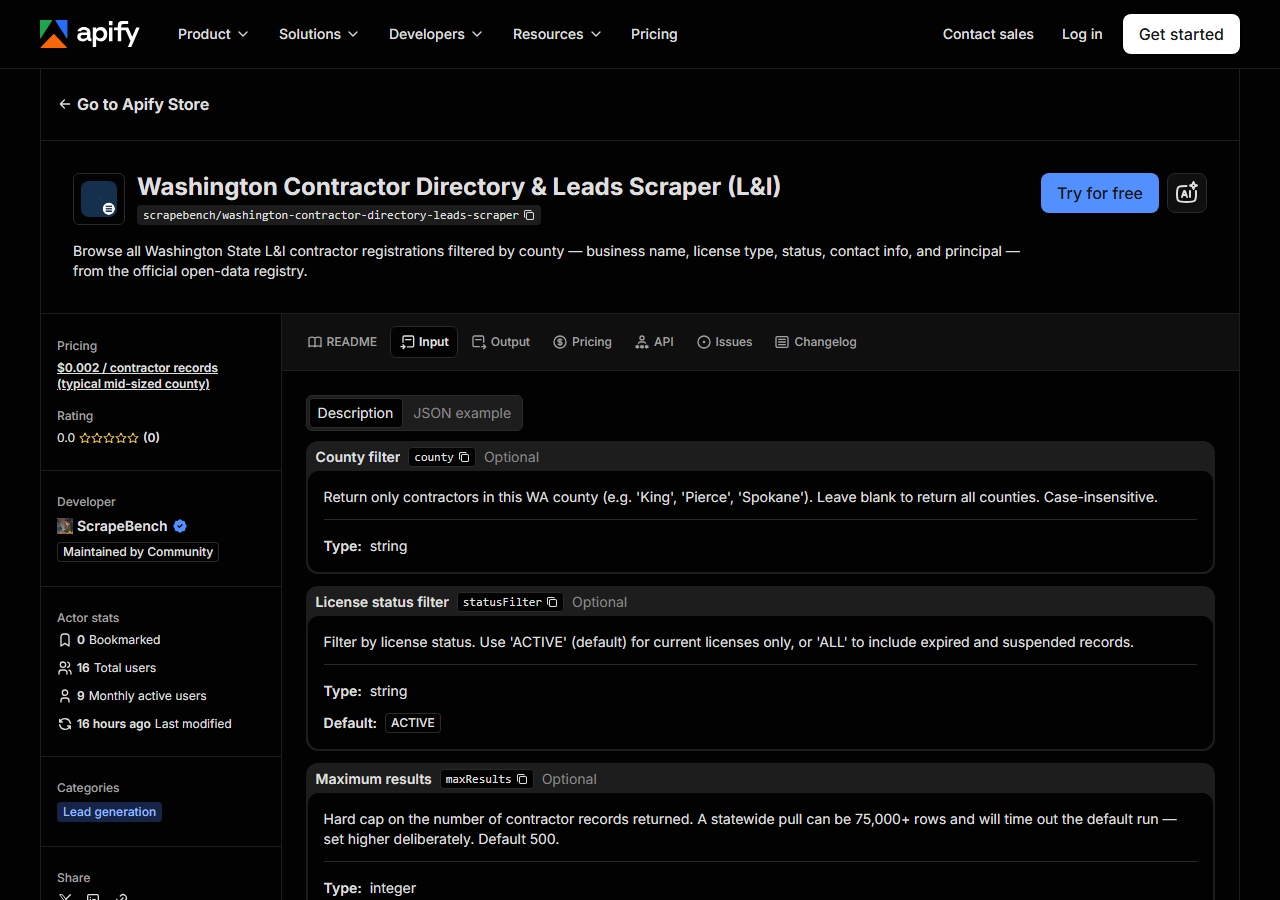
county | string | no | Return only contractors in this WA county (e.g. ‘King’, ‘Pierce’, ‘Spokane’). Leave blank to return all counties. Case-insensitive. |
statusFilter | string | no | Filter by license status. Use ‘ACTIVE’ (default) for current licenses only, or ‘ALL’ to include expired and suspended records. (default ACTIVE) |
maxResults | integer | no | Hard cap on the number of contractor records returned. A statewide pull can be 75,000+ rows and will time out the default run — set higher deliberately. Default 500. (default 500) |
county and maxResults decide almost everything.
county is the bare county name — King, not King County, and not WA-King. Matching is
case-insensitive, so king is fine. The important thing to understand is where that county comes
from: the L&I dataset does not have a county field. The actor derives it from each contractor’s
ZIP code using a static WA ZIP→county table. That has two consequences. First, a contractor with an
out-of-state or unrecognised ZIP gets county: null and will never match a county filter — some
genuinely WA-licensed businesses are registered to an Idaho or Oregon address. Second, the filtering
happens after the rows are fetched, not in the API query, so a county-filtered run still pages
through the registry to find its matches. A county run is not faster or cheaper in compute than a
statewide one; it is only smaller in the dataset you get back (and the per-result charge is on what
comes back).
maxResults is a hard cap, not a filter, and it defaults to 500 for a reason. The full registry is
around 160,000 rows, and even the ACTIVE-only slice is 75,000+ — asking for all of it will page for
several minutes and can time out the default run configuration. Raise it deliberately, and if you
genuinely want the whole state, give the run more time and memory rather than assuming the default
will carry it.
statusFilter is the one field that is pushed to the server: ACTIVE (the default) becomes a
Socrata $where clause, so the API sends back fewer rows in the first place. ALL keeps expired and
suspended registrations, which is what you want for a historical roster and not what you want for an
outreach list.
A working input:
{
  "county": "King",
  "statusFilter": "ACTIVE",
  "maxResults": 500
}
Step 3 — Run it
Press Start. Rows are pushed to the dataset as they’re found, so the run log fills in as it works.
A healthy run walks the registry a thousand rows at a time and logs its progress as it goes — you will see lines like “Scanned 12,000 source row(s), matched 480…”. That counter is the tell: the first number is how much of the registry it has read, the second is how many rows survived your county filter. A dense county like King fills a 500-row cap quickly; a rural one may scan a large part of the registry and still return only a few hundred rows, because it has to look at everything before it knows what matched. Run times are not measured here, so no number is quoted — but the log tells you within seconds whether it is working.
An empty run is almost always the input, not the actor. King County instead of King matches
nothing. A county name that is misspelled matches nothing. And a statusFilter value that is neither
ACTIVE nor ALL is passed straight to the API as a status to match, so a typo there returns zero
rows too. Empty runs are free — the actor charges per record returned — so getting a filter wrong
costs you nothing but the time. Prove the filter works by running the same input with the county
blank and a small maxResults; if rows come back, the plumbing is fine and it is the county string.
Step 4 — Read the output
Each run returns a labelled table, not raw JSON:
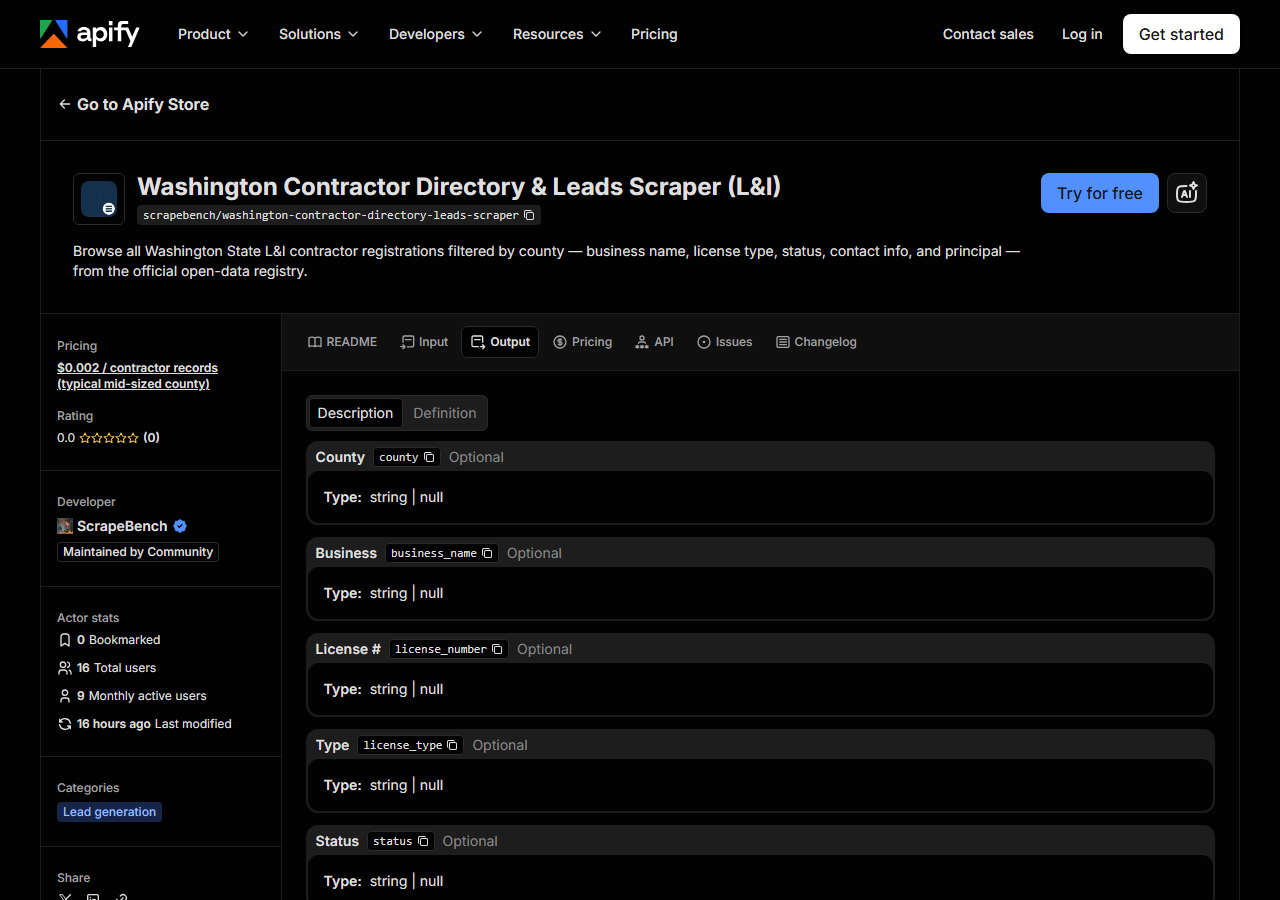
Every row looks like this — a real row from a real run:
{
  "county": "King",
  "business_name": "SEATTLE ROOFING LLC",
  "license_number": "SEATTRL123AA",
  "license_type": "CONSTRUCTION CONTRACTOR",
  "status": "ACTIVE",
  "address": "1234 Pike St",
  "address2": null,
  "city": "SEATTLE",
  "state_code": "WA",
  "zip_code": "98101",
  "phone": "2065551234",
  "license_effective_date": "2020-01-15T00:00:00.000",
  "license_expiration_date": "2026-01-15T00:00:00.000",
  "business_type": "Limited Liability Company",
  "specialty": "GENERAL",
  "specialty_2": null,
  "ubi": "601234567",
  "primary_principal": "SMITH, JOHN A.",
  "source_url": "https://data.wa.gov/Business/Washington-Contractors/m8qx-ubtq"
}| Field | Example value | Meaning |
|---|---|---|
county | King | WA county derived from the contractor’s ZIP code (null for out-of-state addresses or unrecognised ZIPs) |
business_name | SEATTLE ROOFING LLC | Licensed business name |
license_number | SEATTRL123AA | L&I contractor registration number |
license_type | CONSTRUCTION CONTRACTOR | License type description (e.g. CONSTRUCTION CONTRACTOR, ELECTRICAL CONTRACTOR) |
status | ACTIVE | License status (e.g. ACTIVE, EXPIRED, SUSPENDED) |
address | 1234 Pike St | Business street address line 1 |
address2 | — | Business street address line 2 (when present) |
city | SEATTLE | Business city |
Most people came for phone plus the address block and primary_principal — that is the outreach
list, a named human at a mailable address. A smaller group came for license_type, specialty and
license_expiration_date, which is the qualification list: who is licensed to do what, and until
when.
Things to watch. county is the field this actor adds and the field to be most careful with — it is
derived from the ZIP, not published by L&I, so a null means “ZIP not in the mapping or not in
Washington”, not “no county”. If a row’s address is out of state, expect county: null. phone
arrives unformatted, as a bare digit string (2065551234), and it is only there when the licensee
published one — treat it as nullable. Dates come back as Socrata timestamps with a midnight time
component (2026-01-15T00:00:00.000), so slice or parse them before you put them in a spreadsheet.
address2, specialty_2 and phone are routinely empty; every field in the schema is nullable and
you should code for that. And the text is as L&I stores it — business names shouted in capitals,
principals as SMITH, JOHN A. — so normalise before you mail-merge.
One thing this data does not contain: email addresses. L&I does not publish them in this dataset, so no scraper can produce them from it. Bond, workers’ compensation and insurance details also live in separate L&I datasets and are not joined here.
Step 5 — Export it
Open the Dataset tab and export to CSV, JSON, or Excel — or pull the same rows from the API, which is what you want if this is going to run on a schedule.
What it costs
$0.002 per record returned. A 500-row King County run costs $1.00; a 5,000-row pull across a mid-sized county costs $10.00. Runs that return zero records are free, so a misspelled county or a filter that matches nothing costs nothing. Apify’s own platform usage (compute) is billed separately under your plan, on top of the per-result fee — and note that because the county filter is applied after the fetch, a small county run uses roughly the same compute as a large one even though it charges for far fewer rows.
The comparison to make is not against zero. The underlying data is free and public, and for a one-off download data.wa.gov is the right answer. The per-result fee buys the county derivation, the typed schema, and a run that is repeatable, schedulable and API-addressable without a person in the loop.
Where the data comes from
This reads WA L&I (Socrata) directly. The target is Socrata SODA JSON API (data.wa.gov, L&I contractor registrations) - paged 1,000 rows at a time. Every night a canary runs this actor against that live source and diffs the result against a frozen fixture — what “verified” means.
There is no anti-bot wall here and no login: data.wa.gov is a Socrata instance serving the L&I
contractor-registration dataset as public JSON, and this actor simply pages it 1,000 rows at a time.
That makes it the easiest target in the portfolio, and it would be dishonest to sell you access to
something that is already open. The awkwardness is on the client side. The registry is flat and
county-less, so “contractors in Pierce County” is not a query you can send — it is a ZIP→county table
you have to build, maintain across all 39 counties, and apply to every row after you have already
paid to download it. On top of that, the field names are the state’s own (contractorlicensetypecodedesc,
specialtycode1desc, primaryprincipalname), and they are exactly the kind of thing that gets
renamed in a dataset refresh without an announcement. The nightly canary exists to notice that
before your scheduled run quietly starts emitting nulls.
See it used
Build a King County Active Contractor List pulls every actively registered contractor in one Washington county.
If you already know which contractor you care about, this is the wrong tool. Washington Contractor License Lookup & Verify (L&I) checks a single registration by number or business name — reach for that when you are verifying a bid you just received, rather than building a list of people to send bids to. And if your territory crosses the Columbia, Oregon Contractor Directory & Leads Scraper (CCB) is the same job on the other side of the border.
Last updated 2026-07-13