How-to
How to run Virginia Contractor License Lookup (DPOR Bulk)
Step-by-step: the exact input, what each field does, and the rows that come back from VA DPOR.
The honest version first: if you have one Virginia contractor to check, and you need to know their status today, do not use this actor. Go to DPOR’s own license lookup, type the name, and read the answer. It’s free and it’s current. This actor reads a different DPOR product — the bulk “Regulant Lists” the department publishes as downloadable tab-delimited files — and those files are refreshed only every five business days or so. That gap is the whole trade-off, and it’s the first thing you should know: a licence revoked yesterday can still read as current here. What you get in exchange is the entire roster. Not one contractor at a time, but tens of thousands of Class A, B and C firms and tradespeople as structured rows, filtered by name or city, in a single run — the job where the manual portal collapses, because it is one search, one detail page and one copy-paste per contractor, and there are fifty thousand of them.
What you’ll need
Nothing but an Apify account. The actor talks to VA DPOR directly.
No API key, no CAPTCHA solver, no proxy subscription, no account with the state. This is the least hostile target in the whole suite: DPOR puts the regulant lists on a public URL as plain text files, and the actor simply downloads them over HTTPS and parses them. There is no search form to defeat, no session to hold, and no third-party bill hiding behind the run — just the actor’s per-result fee and Apify’s compute.
Step 1 — Open the actor
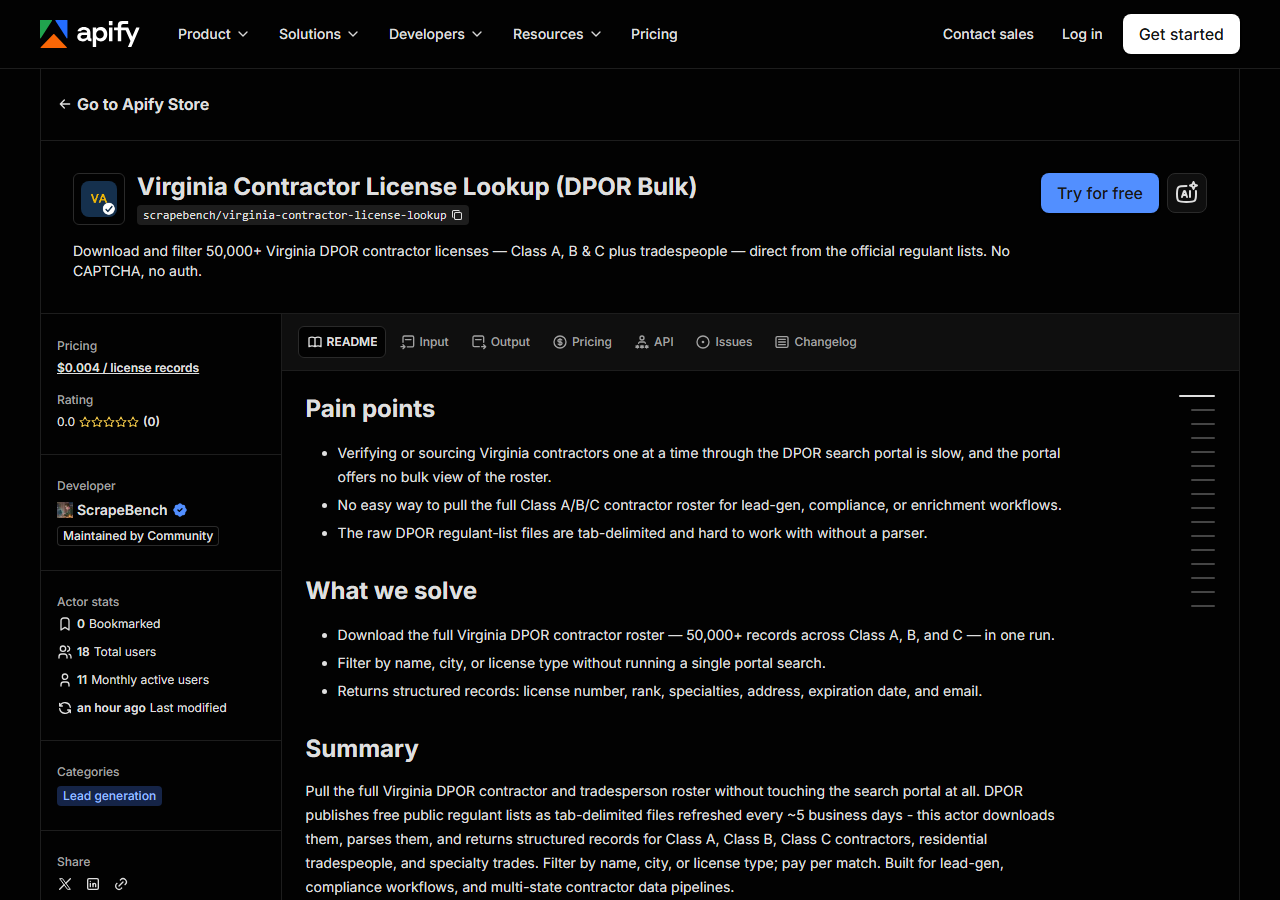
Open Virginia Contractor License Lookup (DPOR Bulk) on the Apify Store and press Try for free. The actor’s own page on this site lists its live health and pricing.
Step 2 — Fill in the input
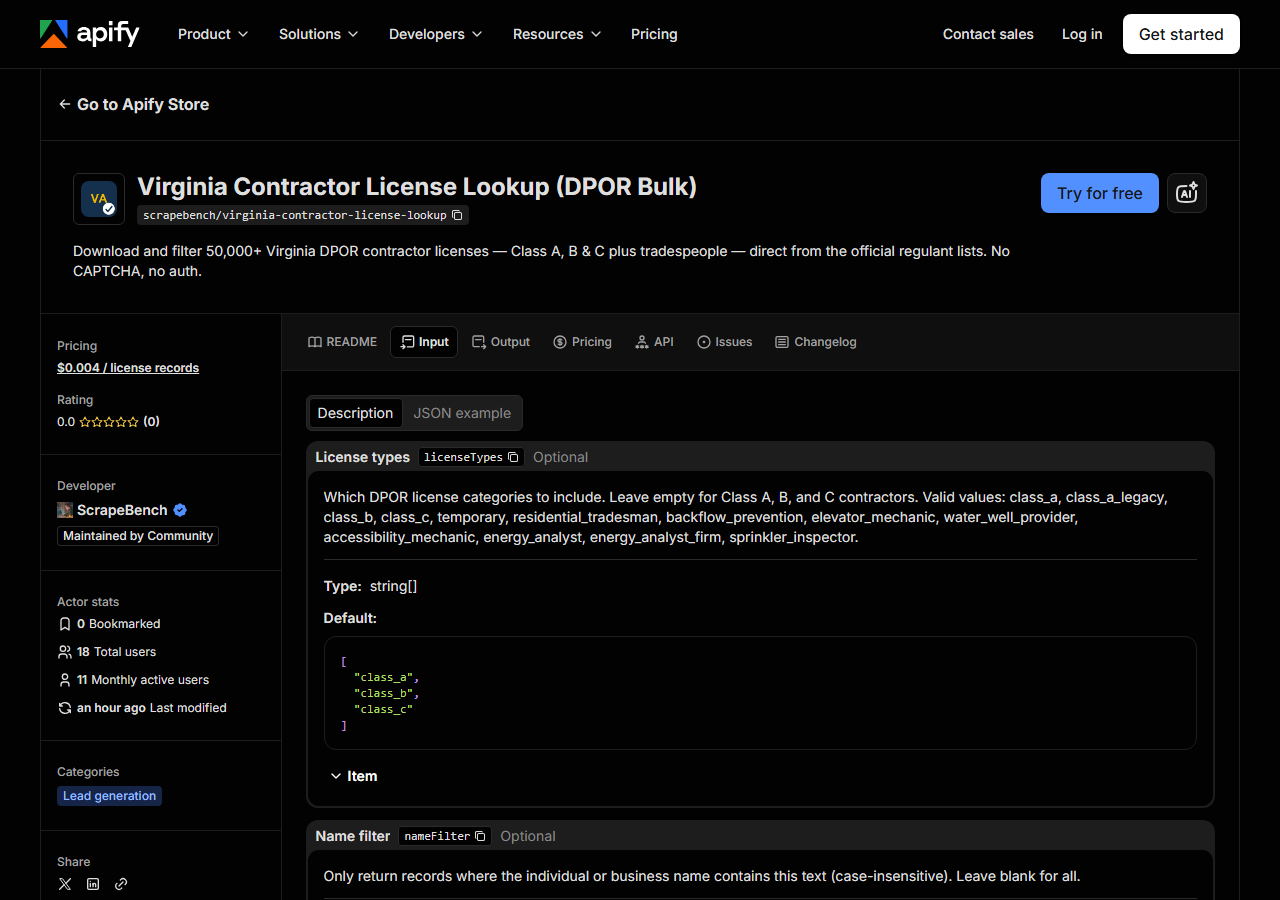
| Field | Type | Required | What it does |
|---|---|---|---|
licenseTypes | array | no | Which DPOR license categories to include. Leave empty for Class A, B, and C contractors. Valid values: class_a, class_a_legacy, class_b, class_c, temporary,… (default ['class_a', 'class_b', 'class_c']) |
nameFilter | string | no | Only return records where the individual or business name contains this text (case-insensitive). Leave blank for all. |
cityFilter | string | no | Only return records where the city contains this text (case-insensitive). Leave blank for all. |
maxResults | integer | no | Cap on the number of unique license records to return per run. (default 500) |
Two fields decide what you get back, and they interact in a way that catches people on the first run.
licenseTypes picks which files get downloaded. One entry, one file, one HTTP GET. The default
(class_a, class_b, class_c) is the three main contractor classes; the rest of the list —
class_a_legacy, temporary, residential_tradesman, backflow_prevention, elevator_mechanic,
water_well_provider, accessibility_mechanic, energy_analyst, energy_analyst_firm,
sprinkler_inspector — are the specialty rosters, and they’re the reason to touch this field at
all. If you want elevator mechanics, ask for elevator mechanics; nothing else will surface them.
maxResults (default 500) is a hard stop, not a sample. The actor walks the requested types in
order and stops the moment it has that many records, so with no filters and the default input you do
not get a cross-section of Virginia contractors — you get the first 500 rows of the Class A file and
nothing else. That is almost never what someone meant. Either narrow with nameFilter /
cityFilter (both plain case-insensitive substring matches against, respectively, the individual or
business name, and the city) so the cap is never reached, or raise maxResults to something that
actually covers the roster you asked for. There are tens of thousands of records behind the default
three types.
A working input:
{
  "licenseTypes": [
    "class_a",
    "class_b",
    "class_c"
  ],
  "nameFilter": "",
  "cityFilter": "",
  "maxResults": 500
}
Step 3 — Run it
Press Start. Rows are pushed to the dataset as they’re found, so the run log fills in as it works.
The work is one download per requested licence type, then parsing in memory — so the run is short
and its length barely depends on how many rows you keep. A default run stops at 500 rows because
that’s the cap; a filtered run returns however many records in Virginia actually match, which for a
city filter like RICHMOND is a few thousand and for a specific firm name is a handful.
An empty run is nearly always the filter, not the actor. The filters are literal substring matches
against DPOR’s own spelling, which is upper-case and legal: a firm you know as “Smith & Sons” may be
filed as SMITH AND SONS INC, so the ampersand kills the match. Type a short, distinctive fragment
(SMITH AND SONS, or just NELLIE) rather than the full name off an invoice. The same goes for
city — it matches the city field as printed, so a suburb is not the same string as the metro it sits
in. And check licenseTypes: a residential tradesperson will never appear in a Class A search, no
matter how you spell them.
Step 4 — Read the output
Each run returns a labelled table, not raw JSON:
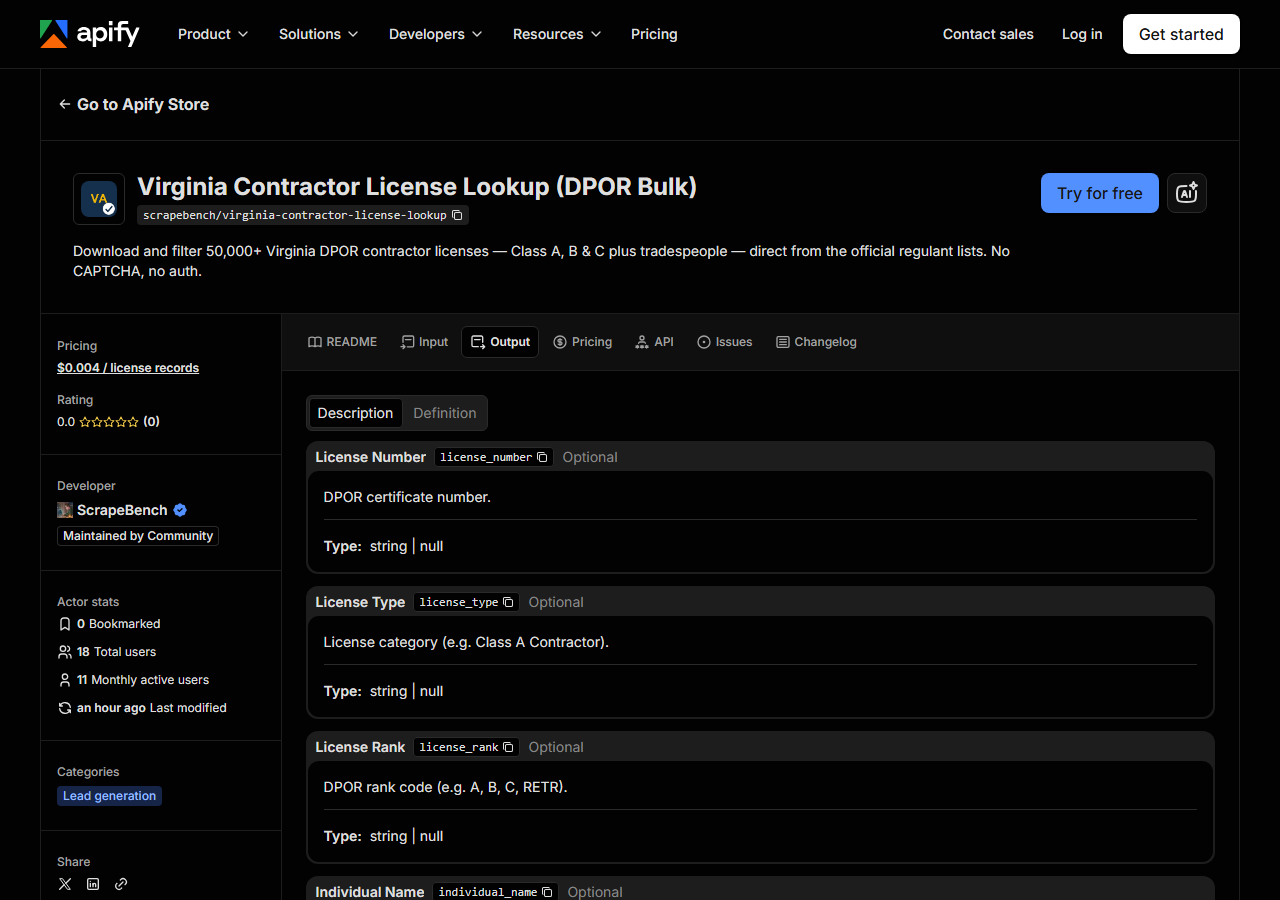
Every row looks like this — a real row from a real run:
{
  "license_number": "082040",
  "license_type": "Class A Contractor",
  "license_rank": "A",
  "business_name": "CORNERSTONE ENGINEERING AND CONSULTING SERVICES PLLC",
  "individual_name": null,
  "address": "1272 NELLIE JONES RD",
  "city": "LA CROSSE",
  "state": "VA",
  "zip_code": "23950",
  "country": null,
  "expiration_date": "02/29/2028",
  "certification_date": "02/03/2004",
  "specialties": [
    "EMW",
    "ENV"
  ],
  "email": "bdougherty@cornerstoneusa.net",
  "source_url": "https://www.dpor.virginia.gov/RegulantLists"
}| Field | Example value | Meaning |
|---|---|---|
license_number | 082040 | DPOR certificate number (e.g. 082040) |
license_type | Class A Contractor | License category (Class A Contractor, Class B Contractor, etc.) |
license_rank | A | DPOR rank code (A, B, C, RETR, BPDW, CEM, etc.) |
business_name | CORNERSTONE ENGINEERING AND CONSULTING SERVICES PLLC | Licensed business name (for firm licenses) |
individual_name | — | Licensee personal name (for individual licenses) |
address | 1272 NELLIE JONES RD | Street address |
city | LA CROSSE | City |
state | VA | State code |
Most people came here for a status field, and this is where you need to read carefully: there
isn’t one. DPOR’s regulant lists carry no status column at all. The nearest thing is
expiration_date (MM/DD/YYYY), and it is a proxy, not an answer — it tells you when the licence
was set to lapse, not whether it has since been suspended, revoked, or surrendered. Layer the
five-business-day refresh on top and the conclusion is plain: this dataset is fine for building a
list, and it is not sufficient for a compliance decision about a named contractor on a given day.
If the answer matters legally, confirm that one licence against DPOR’s live lookup before you act on
it.
The rest of the columns behave as the file does. A record is either a firm or a person, so exactly
one of business_name / individual_name is populated and the other is null — the sample row above
is a firm. specialties is a list of DPOR’s internal codes (EMW, ENV, CBC, ELE, H/H), not
readable labels; DPOR publishes the legend, and you’ll want it beside you. email is present for
many but not all licensees, and there are no phone numbers anywhere — DPOR deliberately excludes
them from these files, so no scraper can produce them. license_number is a zero-padded string
(082040), so keep it as text; the moment a spreadsheet reads it as a number you lose the leading
zero and the key no longer joins.
Step 5 — Export it
Open the Dataset tab and export to CSV, JSON, or Excel — or pull the same rows from the API, which is what you want if this is going to run on a schedule.
What it costs
$0.004 per licence record returned. A run that matches nothing returns nothing and is not
charged. The default 500-row run is $2.00. Filtering the Class A/B/C files down to one city — call
it 2,000 contractors — is $8.00. Pulling a full roster of tens of thousands of records is priced
the same way, so decide what you actually need before you raise maxResults. Apify’s platform
compute is billed separately, per your plan.
And be clear about what you’re paying for, because the underlying files are free. DPOR gives them away; anyone can download them. You’re paying for the parsing, the filtering, the deduplication and the schedulability — not for access. If you’re comfortable pulling tab-delimited text files yourself and joining them, do that instead; nothing here is gated.
Where the data comes from
This reads VA DPOR directly. The target is Official bulk data files - DPOR publishes a tab-delimited regulant list per licence type; each is downloaded and filtered client-side. There is no search form at all. Every night a canary runs this actor against that live source and diffs the result against a frozen fixture — what “verified” means.
DPOR’s Regulant Lists are exactly what they sound like: for each licence type the department dumps
its register to a tab-delimited text file and puts it on a URL. No auth, no CAPTCHA, no form, no
anti-bot wall — which makes this the gentlest target in the suite and, honestly, the least clever
actor in it. The annoyance isn’t getting the data, it’s using it. The files are one-per-licence-type,
so a question spanning classes A, B and C is three downloads before you can even start; the columns
are DPOR’s internal names (CERTIFICATE #, FIVE DIGIT ZIP CODE, LICENSE SPECIALTY) with the
address split across two lines and the ZIP across two fields; and the specialties arrive as a
space-separated string of codes. The actor’s whole value is that it normalises all of that into one
flat, typed row per licensee.
The freshness caveat belongs here too, one last time, because it is a property of the source and no actor can fix it: DPOR regenerates these files roughly every five business days. Every run fetches whatever file DPOR is currently serving. That is current-as-of-the-last-refresh, not live.
See it used
List Class A Contractors in a Virginia City filters DPOR’s published list down to Class A contractors in one city.
Two neighbours worth knowing about. Reach for Multi-State Contractor & Trade License Lookup when Virginia isn’t the whole question — it checks the same contractor across several states in one run, which is what you want when a firm works across a border. And if you need a live, per-contractor verification rather than a bulk roster — the thing this actor deliberately cannot give you — a state lookup that queries the registry at request time, like California Contractor License Lookup & Verify (CSLB), is the shape of tool to use.
Last updated 2026-10-06