How-to
How to run Texas Contractor Directory & Leads Scraper (TDLR)
Step-by-step: the exact input, what each field does, and the rows that come back from TDLR (Socrata).
You want every licensed A/C contractor in Travis County, or every electrician in Harris, as rows you
can filter and load into a CRM. Be clear about one thing before you spend anything: this is the
easiest target in the whole suite. TDLR publishes its full licensee roster as open data on
data.texas.gov, and the Socrata API behind it is public, documented and free — you can query it with
curl right now, no account, no key. If a single ad-hoc pull is all you need, do that; nothing here
is gated. The manual alternative that actually hurts is the other one — searching TDLR’s public
lookup page licensee by licensee, which returns one record at a time and has no county export at
all. This actor sits between the two: it turns the county-scoped query into an input form, maps
Socrata’s raw columns onto a stable named schema, and re-runs on a schedule, and a nightly canary
checks the columns still mean what they meant yesterday. You’re paying for the schema and the
verification, not for access.
The scope caveat, up front, because it decides whether this actor is any use to you: there is no
statewide Texas general-contractor licence. TDLR licenses regulated trades — A/C contractors,
electricians, appliance installers, boiler operators and dozens of others — and if you go looking
for “general contractors in Dallas County” you will find none, because Texas does not license them.
Plumbers are also absent: they are licensed by the Texas State Board of Plumbing Examiners, a
different agency with a different dataset, and they are not in this one. (The input hints and the
field descriptions mention “Plumber” as an example license type; treat that as a placeholder, not a
promise — a licenseType of Plumber will come back empty.) If your list has to include GCs or
plumbers, this dataset cannot give them to you at any price.
What you’ll need
Nothing but an Apify account. The actor talks to TDLR (Socrata) directly.
No API key, no proxy, no CAPTCHA credentials, nothing to sign up for. Socrata rate-limits anonymous callers, and there is an optional app token that would raise that limit, but it is unset by default and you do not need to supply one — county-scoped runs are small enough that the anonymous throttle is not something you’ll hit. Retries and backoff on a 429 are handled inside the actor.
Step 1 — Open the actor
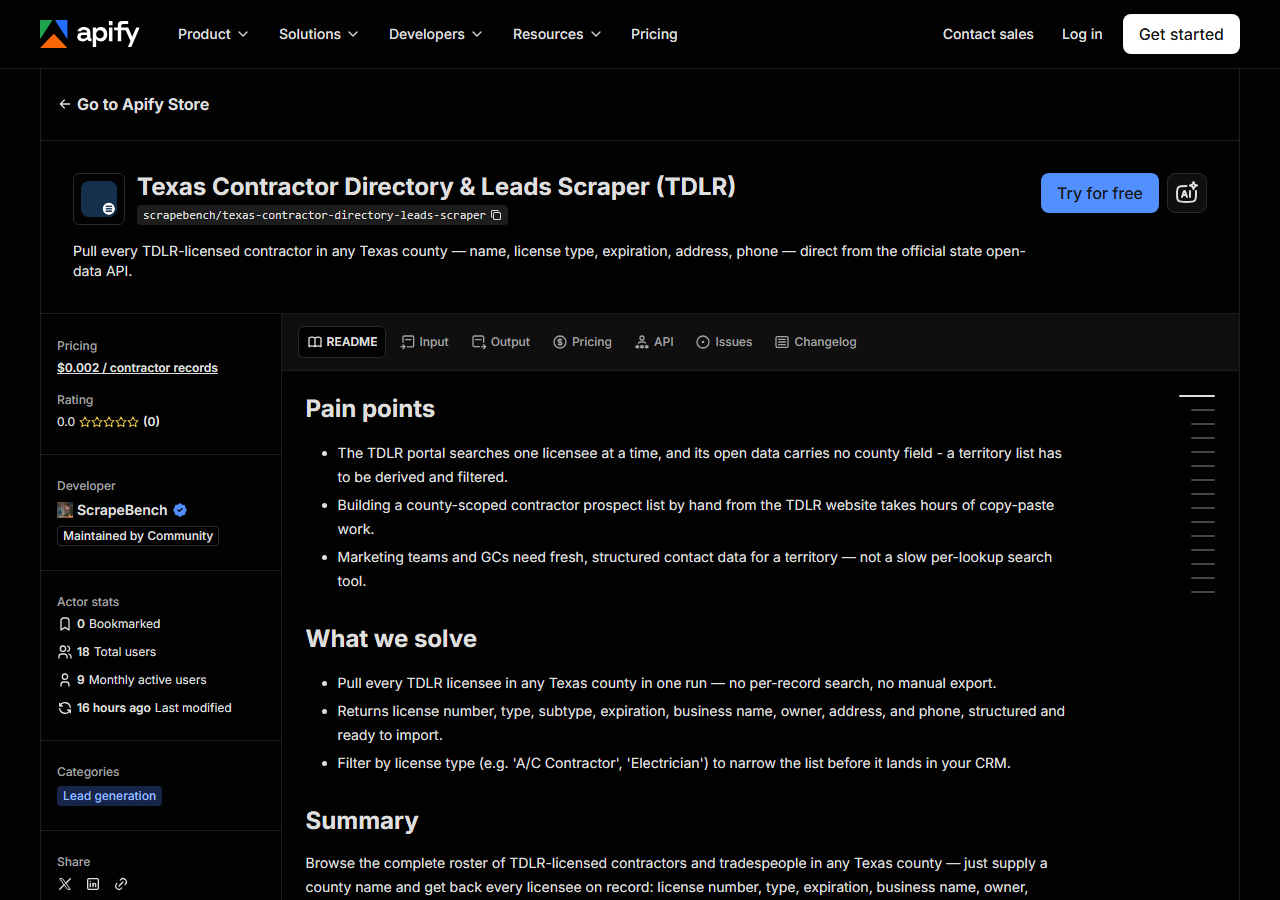
Open Texas Contractor Directory & Leads Scraper (TDLR) on the Apify Store and press Try for free. The actor’s own page on this site lists its live health and pricing.
Step 2 — Fill in the input
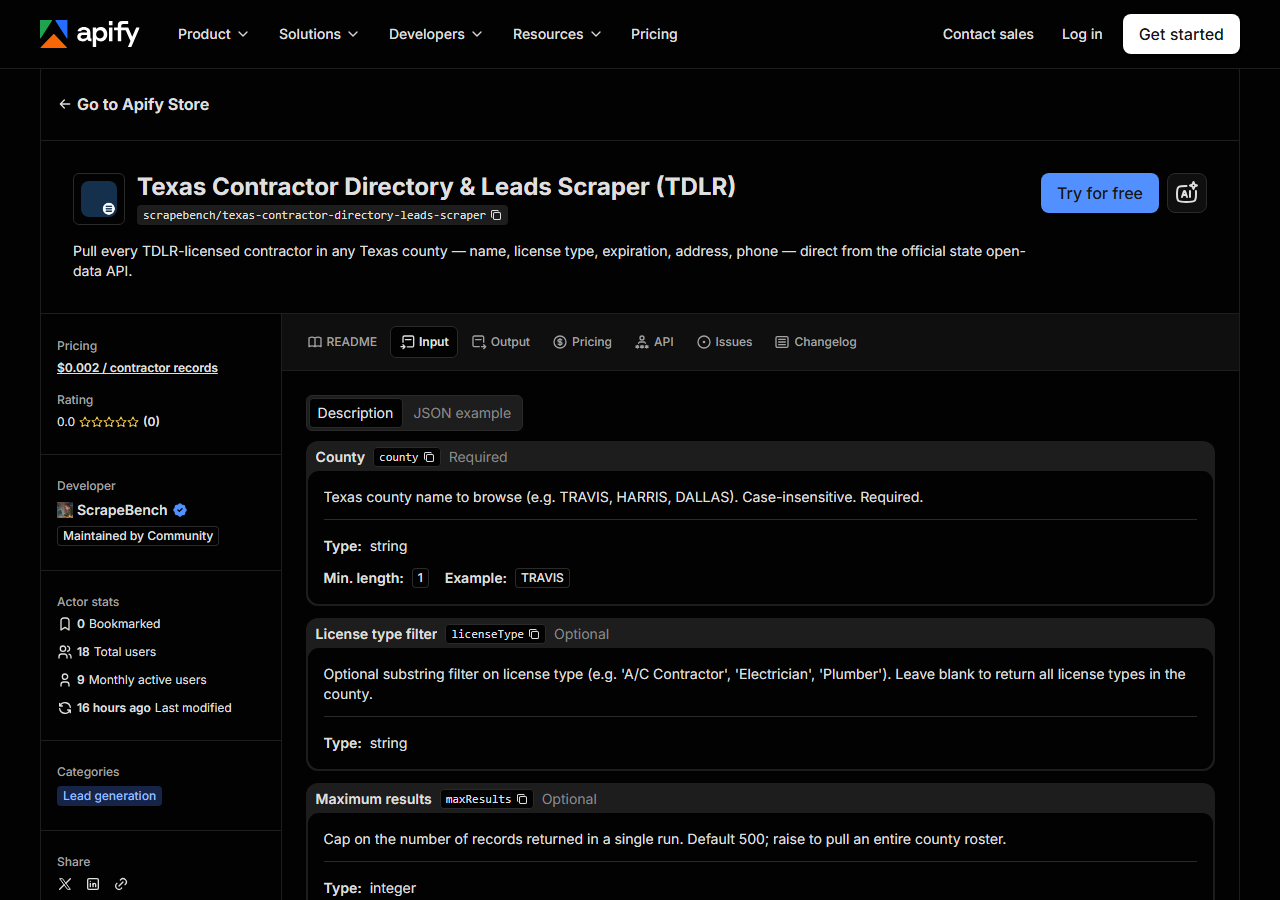
| Field | Type | Required | What it does |
|---|---|---|---|
county | string | no | Texas county name to browse (e.g. TRAVIS, ‘Harris County’, DALLAS). Case, spacing and a trailing ‘County’ do not matter. If it is missing or is not a Texas county, the run returns the free county list instead of failing. |
licenseType | string | no | Optional substring filter on TDLR’s license-type text (e.g. ‘Electrical Contractor’, ‘A/C Contractor’). Decides whether you get contact data — see below. Leave blank to return all license types in the county. |
maxResults | integer | no | Cap on the number of records returned per county entry, not per run. Default 500; raise to pull an entire county roster. (default 500) |
county does most of the work — it becomes a server-side filter on the Socrata query, so the API
only ever sends back the county you asked for. Give it a county name (TRAVIS, Harris County,
dallas — case, spacing and the “County” suffix are folded before matching), not a city: Austin is
not a county and will not resolve. A name that matches no Texas county doesn’t fail the run and
doesn’t come back empty either — you get the county list, free, so you can pick the exact name and
re-run. Leaving county empty does the same. The county recorded is the county of the
licensee’s business address on file, so a contractor who works in Travis but registers a mailing
address in Williamson shows up under Williamson.
licenseType is where first-timers go wrong. It is a substring match against TDLR’s own license-type
string, not a trade name of your choosing — A/C Contractor and Electrician match, HVAC and
aircon match nothing, and Plumber matches nothing because plumbers aren’t in this dataset at all.
Leave it blank the first time and look at the license_type values that come back; that’s the
authoritative list of what you can filter on. Because it’s a substring, a short one is broad on
purpose: Electric will pull master electricians, journeymen, apprentices and electrical
contractors together.
It also decides whether the run produces an outreach list or a roster, which is the one thing to get
right before you spend anything: the establishment and company licence types carry a phone and
address on effectively every row, and the individually held trade licences carry none at all.
Electrical Contractor gives you 13,911 phones out of 13,917 rows statewide; A/C Contractor gives
you 0 out of 20,323. There is more on this under Step 4.
maxResults is a cap, not a filter, and it defaults to 500 — far below a full county roster in
any of the big metros. Leave the default in place on an unfiltered county run and you’ll get the
first 500 rows by license number and nothing else, which is a cheap way to see what a county contains
before you commit. Raise it deliberately when you actually want the whole roster; the actor pages
through Socrata 1,000 rows at a time until it has them or hits your cap.
A working input:
{
  "county": "TRAVIS",
  "licenseType": "Electrical Contractor",
  "maxResults": 200
}
Step 3 — Run it
Press Start. Rows are pushed to the dataset as they’re found, so the run log fills in as it works.
A healthy run is quick and quiet — it’s a JSON API, not a browser, so there is no page to render and no session to hold. The log tells you how many rows came back from the county query, and then the rows land in the dataset. Run times and row counts aren’t measured here, so they’re not quoted: a filtered trade in a rural county is a single request, an unfiltered run against a metro county is many pages of a thousand rows. You’ll see the real number in the log within seconds.
An empty run is almost always the input. A county name that isn’t a Texas county, a licenseType
string TDLR doesn’t use, or a trade TDLR simply doesn’t license (general contractor, plumber) all
return zero rows. Zero rows is free — the actor charges per record — so a wrong filter costs you
nothing but the compute. Re-run with licenseType blank to confirm the county itself returns rows;
if it does, the filter string was the problem.
A run can’t leave you guessing between “nothing matched” and “the state’s API was down”, because
those two are not allowed to look alike. If data.texas.gov doesn’t answer, the actor doesn’t crash
and doesn’t hand back a quiet empty dataset — it returns a single free notice row saying so, with
notice_type: "source_unavailable". Notice rows are never charged. Likewise, a county name the
dataset doesn’t recognise (or a missing one) comes back as the free list of valid county names
rather than a failed run, so you can see the exact spelling and re-run.
Step 4 — Read the output
Each run returns a labelled table, not raw JSON:
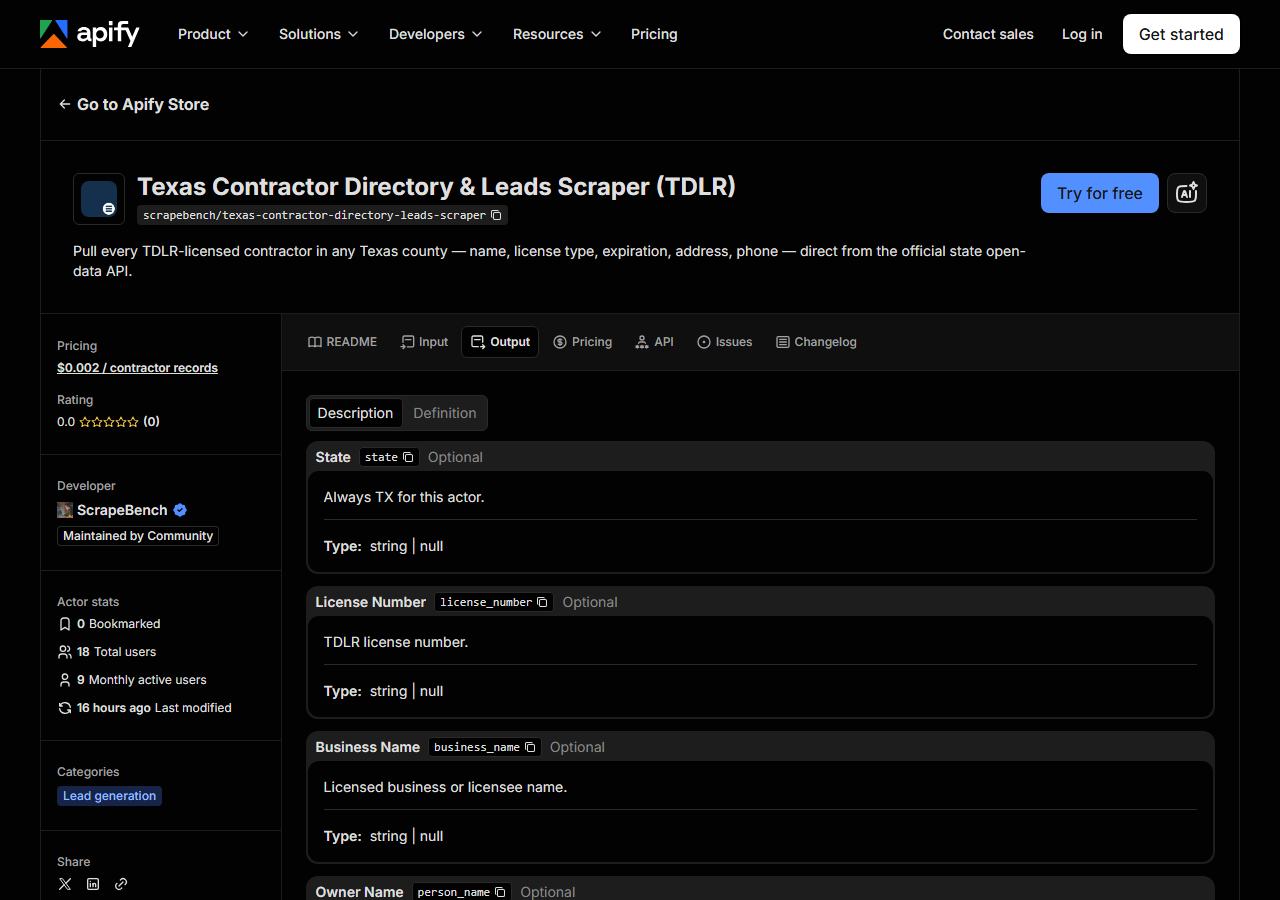
Every row looks like this — a real row from a real run:
{
  "state": "TX",
  "license_number": "18028",
  "business_name": "DEAN JOHNSTON, INC",
  "person_name": "DEAN JOHNSTON, INC",
  "license_type": "Electrical Contractor",
  "license_subtype": "EC",
  "expiration_date": "08/04/2026",
  "county": "TRAVIS",
  "address": "515 S CONGRESS AVE",
  "address_line2": "SUITE 106",
  "city_state_zip": "AUSTIN TX 78704",
  "phone": "5124773747",
  "source_url": "https://data.texas.gov/dataset/Texas-Department-of-Licensing-and-Regulation/7358-krk7"
}| Field | Example value | Meaning |
|---|---|---|
state | TX | Always ‘TX’ for this actor |
license_number | 18028 | TDLR license number |
business_name | DEAN JOHNSTON, INC | Licensed business or licensee name |
person_name | DEAN JOHNSTON, INC | Owner or individual licensee name |
license_type | Electrical Contractor | TDLR license type (e.g. Electrical Contractor, A/C Contractor, Master Electrician) |
license_subtype | EC | TDLR subtype code (e.g. EC, BE, REG, CER, RAIC) |
expiration_date | 08/04/2026 | License expiration date (MM/DD/YYYY) |
county | TRAVIS | Texas county of the business address |
address / address_line2 | 515 S CONGRESS AVE / SUITE 106 | Business street address and suite, when TDLR publishes them |
city_state_zip | AUSTIN TX 78704 | City, state and ZIP as one glued string |
phone | 5124773747 | Business phone, bare digits |
Most people came for phone and the address block — that’s the outreach list. The compliance readers
came for license_number, license_type and expiration_date, which is the “is this contractor
current” set. Both come out of the same run.
Read this before you pick a licenseType, because it decides whether you get an outreach list or
a roster. TDLR publishes contact details for about 40 of its licence types, and they are the
establishment and company registrations — Electrical Contractor, Full Service Establishment, Mini
Establishment, Appliance Installation Contractor, Water Well Driller/Pump Installer, Elevator
Contractor and similar. On those, coverage is effectively total: 13,911 of 13,917 Electrical
Contractor rows statewide carry a phone, measured 2026-08-21. Individually held licences carry
none at all. All 20,323 A/C Contractor rows have a blank phone, address and city/ZIP; so do A/C
Technicians, every grade of electrician, and the cosmetology trades. Statewide it works out at
99,720 of 983,494 rows — about 10%. A pull of an individual licence type coming back with null
contact columns is the state’s data, not a failed scrape, and no setting changes it.
Things to watch. Every field except state is nullable. business_name and
person_name are not reliably both populated: an individual licensee may carry only a person name,
a company only a business name. Text arrives exactly as TDLR stores it — names shouted in capitals,
person_name in LAST, FIRST order, phones as bare digits with no formatting, dates as MM/DD/YYYY
strings — so normalise before you mail-merge or dedupe. license_subtype is a raw TDLR code (BE,
REG, CER, RAIC); it means something to TDLR and nothing on its own, so don’t build logic on it
without checking what the code means for that licence type. And there are no email addresses in
this dataset — TDLR doesn’t publish them, so nothing here can produce them.
No coordinates either, and that one is deliberate. The state’s file carries a latitude/longitude
column that looks like a free geocode and is actually a city centroid: Travis County’s 468 Electrical
Contractors have 432 distinct addresses and 17 distinct points between them, 347 of them identical.
Passing it through would put a city’s worth of contractors on one pin, so the actor drops it —
city_state_zip says the same thing with a ZIP attached. Geocode address yourself if you need to
map the results.
Step 5 — Export it
Open the Dataset tab and export to CSV, JSON, or Excel — or pull the same rows from the API, which is what you want if this is going to run on a schedule.
What it costs
$0.002 per record. A run that pulls 500 contractors out of Travis County costs $1.00; an
unfiltered pull of a large metro county runs into thousands of rows and you should set maxResults
with that in mind. Empty runs are free — no rows, no charge — so getting a county name or a licence
type wrong costs nothing. Apify’s own platform usage (compute) is billed separately under your plan,
on top of the per-record fee, though this actor is a plain API pull and about as cheap as compute
gets.
The comparison to make is not against zero, and it would be dishonest to pretend otherwise: the underlying Socrata API is free and open, and a developer willing to read the dataset’s column names and write the paging loop can have this data for nothing. The fee buys the named schema, the county/type filtering wired to an input form, and the nightly check that TDLR hasn’t quietly renamed a column under you. If none of that is worth $0.002 a row to you, go query data.texas.gov directly — that is a legitimate answer.
Where the data comes from
This reads TDLR (Socrata) directly. The target is Socrata SODA JSON API (data.texas.gov, TDLR licensee export) - county filtered server-side, paged 1,000 rows at a time. Every night a canary runs this actor against that live source and diffs the result against a frozen fixture — what “verified” means.
TDLR publishes its licensee export on data.texas.gov through Socrata, the same open-data platform a
lot of states use, and there is no anti-bot wall, no session, no browser and no proxy in the path —
this actor is the easiest target in the portfolio and pretending otherwise would be a lie. The
awkward part isn’t access, it’s the dataset. Column names are Socrata’s, not English; a county filter
has to be expressed as a SoQL $where clause with the county upper-cased to match how it’s stored;
results come back a page at a time and have to be walked to the end. And the boundary of the dataset
is the thing that catches people out — TDLR is a Texas licensing board, not the Texas licensing
board, so “every contractor in Texas” is not a query this or any other source can answer. What the
nightly canary is really watching for here is a schema change: an open-data publisher renaming or
dropping a column is a quiet break, the run still succeeds and the rows just come back emptier.
See it used
Build a Travis County HVAC Contractor List builds a county HVAC contractor list from TDLR’s open data.
If you already know which contractor you care about, this is the wrong tool. Texas Contractor & Trade License Lookup & Export (TDLR) verifies a single TDLR licence by number or business name — reach for that when you’re checking a bid you just received rather than building a list of people to send bids to. And if the territory you’re prospecting isn’t Texas, California Contractor Directory by Trade & County (CSLB) does the same county-scoped roster job against CSLB, where — unlike Texas — general building contractors are licensed and are in the data.
Last updated 2026-08-21