How-to
How to run Tennessee Contractor License Lookup & Verify (TN DOCI)
Step-by-step: the exact input, what each field does, and the rows that come back from TN DOCI.
The honest starting point: if you have exactly one Tennessee contractor to check, you don’t need this actor. TN DOCI’s own licence search at search.cloud.commerce.tn.gov is public, free, and takes about twenty seconds. This actor is for the case where the lookup is not one lookup — you’re onboarding a list of subs and every one of them needs a status, a licence type and an expiry date in a spreadsheet; you re-check the same roster each quarter because a licence that was current in March expires in June; or you’re enriching a CRM where all you hold is a licence number and a company name. Done by hand that’s one portal search per contractor, a click into the detail record, and a dozen fields copy-pasted into a sheet — then the whole thing redone from scratch the next time somebody asks. This turns the same registry into rows a system can read.
What you’ll need
Nothing but an Apify account. The actor talks to TN DOCI directly.
No API key, no proxy subscription, no CAPTCHA-solving service — TN DOCI’s portal has neither a CAPTCHA nor an anti-bot wall, and its search endpoint takes anonymous requests with no token at all. There is nothing to register for and nobody bills you for access. So the only cost is the actor’s own per-result fee plus Apify compute, with no third-party bill hiding behind it.
Step 1 — Open the actor
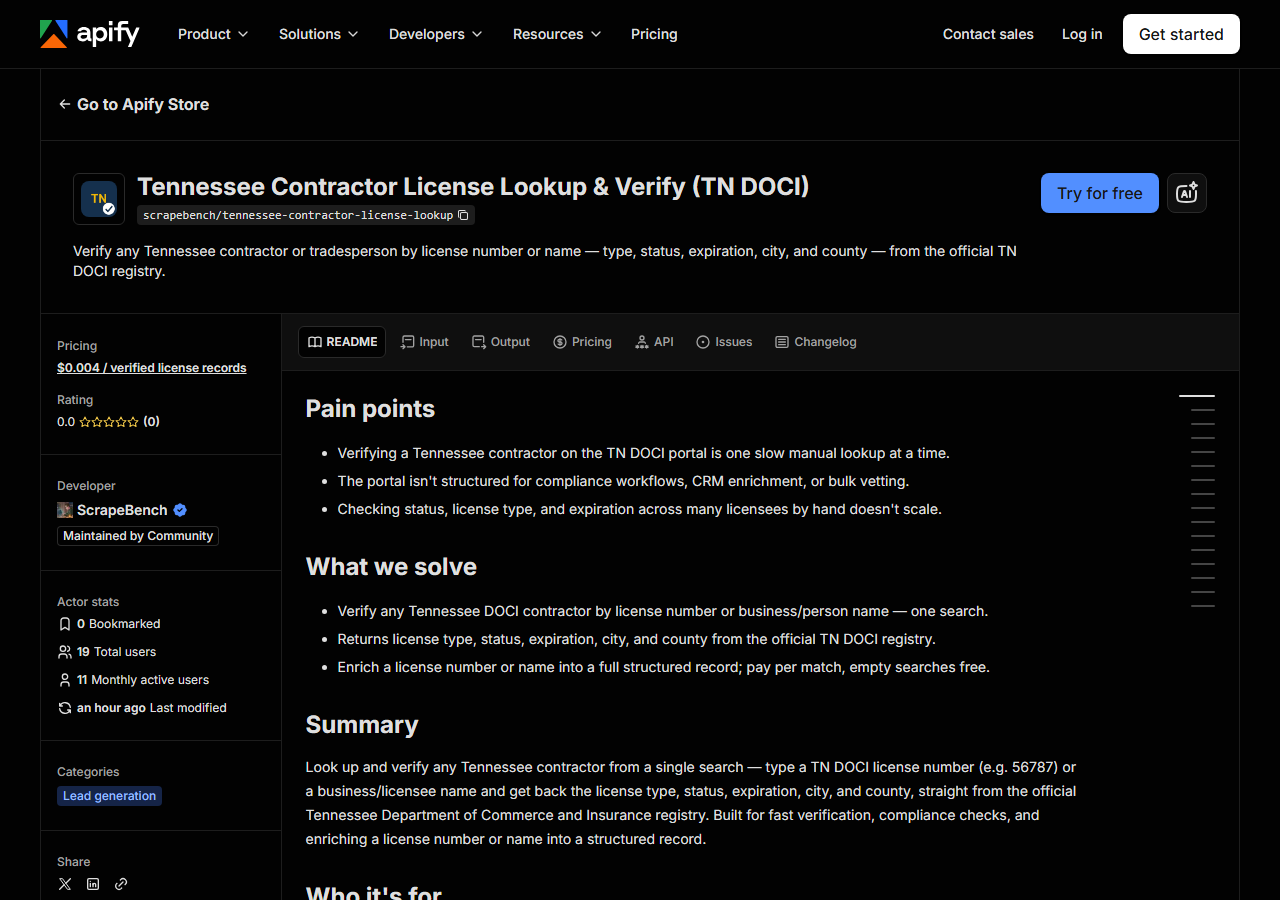
Open Tennessee Contractor License Lookup & Verify (TN DOCI) on the Apify Store and press Try for free. The actor’s own page on this site lists its live health and pricing.
Step 2 — Fill in the input
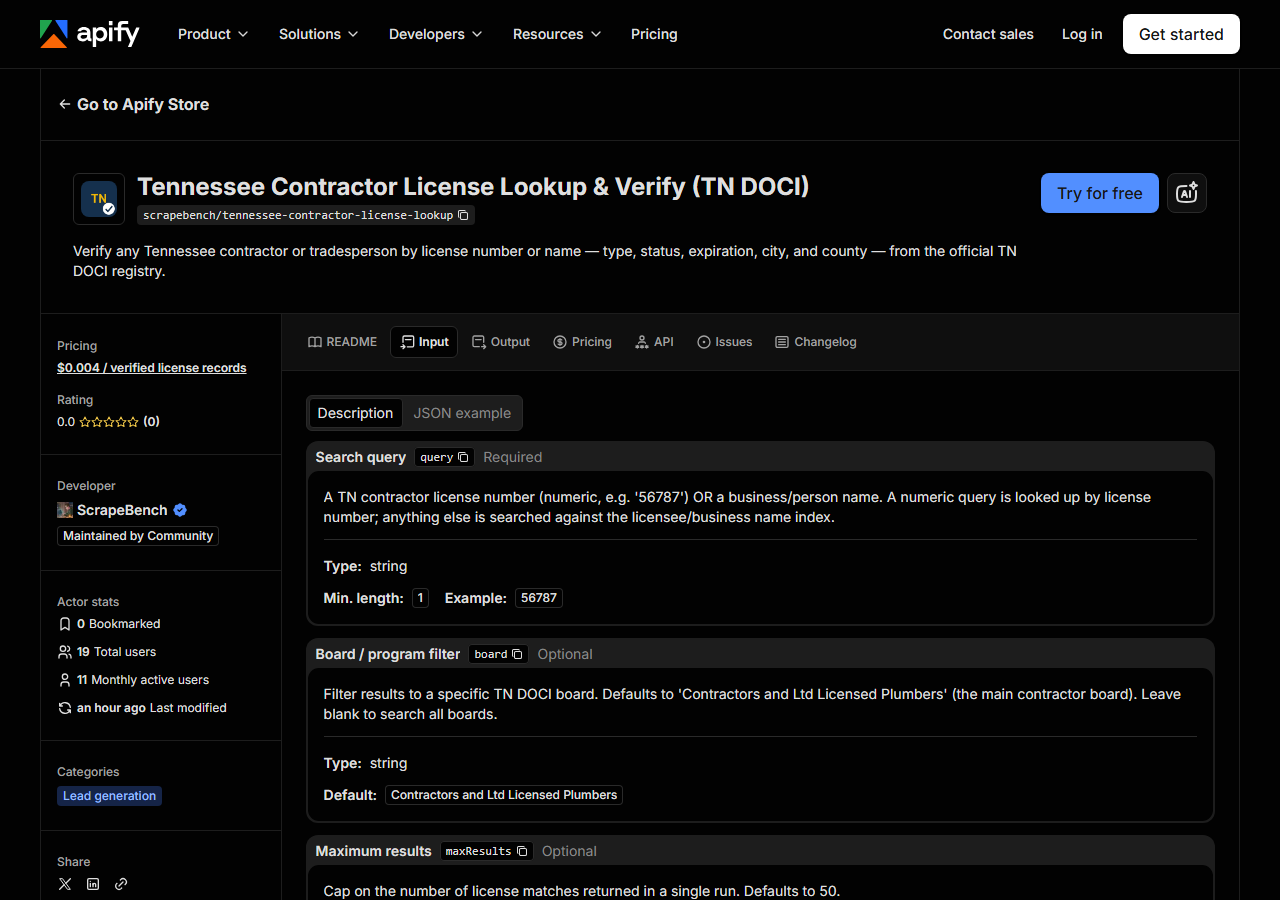
| Field | Type | Required | What it does |
|---|---|---|---|
query | string | no | A TN contractor license number (numeric, e.g. ‘56787’) OR a business/person name. Leave it (and queries) empty to export the board instead. |
board | string | no | The TN DOCI board to search. Defaults to ‘Contractors and Ltd Licensed Plumbers’ (the main contractor board), which is also what a blank value means. |
status, licenseType, county, city | string | no | Statewide-export filters, used only when there is no query. Each has a plural list key too. |
maxResults | integer | no | With a query: cap per entry (empty = 50). With no query: cap for the whole export (empty = 500, up to 100,000). |
The actor has two modes, and query picks between them. Fill it in to look a contractor up; leave
it empty to export the board (see “Export the whole board” below). In lookup mode the rule is mechanical: if
the string is nothing but digits, the actor treats it as a TN licence number and looks it up by
number; anything else is treated as a business or licensee name and searched against the registry’s
name index. TN licence numbers are purely numeric — 56787, no prefix, no letters — so there’s no
ambiguity to resolve, but it does mean a name with a stray digit in it will still be searched as a
name, and a licence number typed with a leading letter will be searched as one too, and find
nothing. The matched_by column in every output row tells you which of the two searches produced
that match.
board is the field first-timers get wrong. It defaults to Contractors and Ltd Licensed Plumbers
— the main contractor board — and that default is a filter, so if the person you’re checking is
licensed under a different DOCI board (home-improvement contractors, for instance), the default
quietly returns nothing. Blanking the field does not widen the search — a blank board means the
same main contractor board — so if a search you expected to hit comes back empty, set board to the
board that person is actually licensed under.
In lookup mode maxResults (default 50) is just a bound on how many matches each query returns —
the actor pages through results 50 at a time and stops there, so raise it if you’re searching a
common name like “Smith” and want the whole set.
A working input:
{
  "query": "Johnson Construction",
  "board": "Contractors and Ltd Licensed Plumbers",
  "maxResults": 25
}
Step 3 — Run it
Press Start. Rows are pushed to the dataset as they’re found, so the run log fills in as it works.
A healthy run is short. This is a JSON API talking to another JSON API, with no browser to boot and
no pages to render, so a licence-number lookup is a single row and finishes in seconds. A name
search returns as many licences as DOCI holds under that name — often one or two, sometimes a
handful for a company that carries licences on several boards — capped by maxResults. Rows land in
the dataset as they’re parsed, so you watch the count climb rather than wait on a silent finish.
An empty run is nearly always the query, not a broken actor. In order of likelihood: the board
filter excluded the licensee (blank it and try again — see above); the name in the registry is not
the name on the invoice in front of you, because DOCI stores the legal entity name and “Johnson
Construction Co.” may be filed as JOHNSON CONSTRUCTION COMPANY LLC, so try a shorter distinctive
fragment; or the licence number has a transposed digit. Genuine actor failure looks different — the
run errors out rather than returning zero rows.
Step 4 — Read the output
Each run returns a labelled table, not raw JSON:
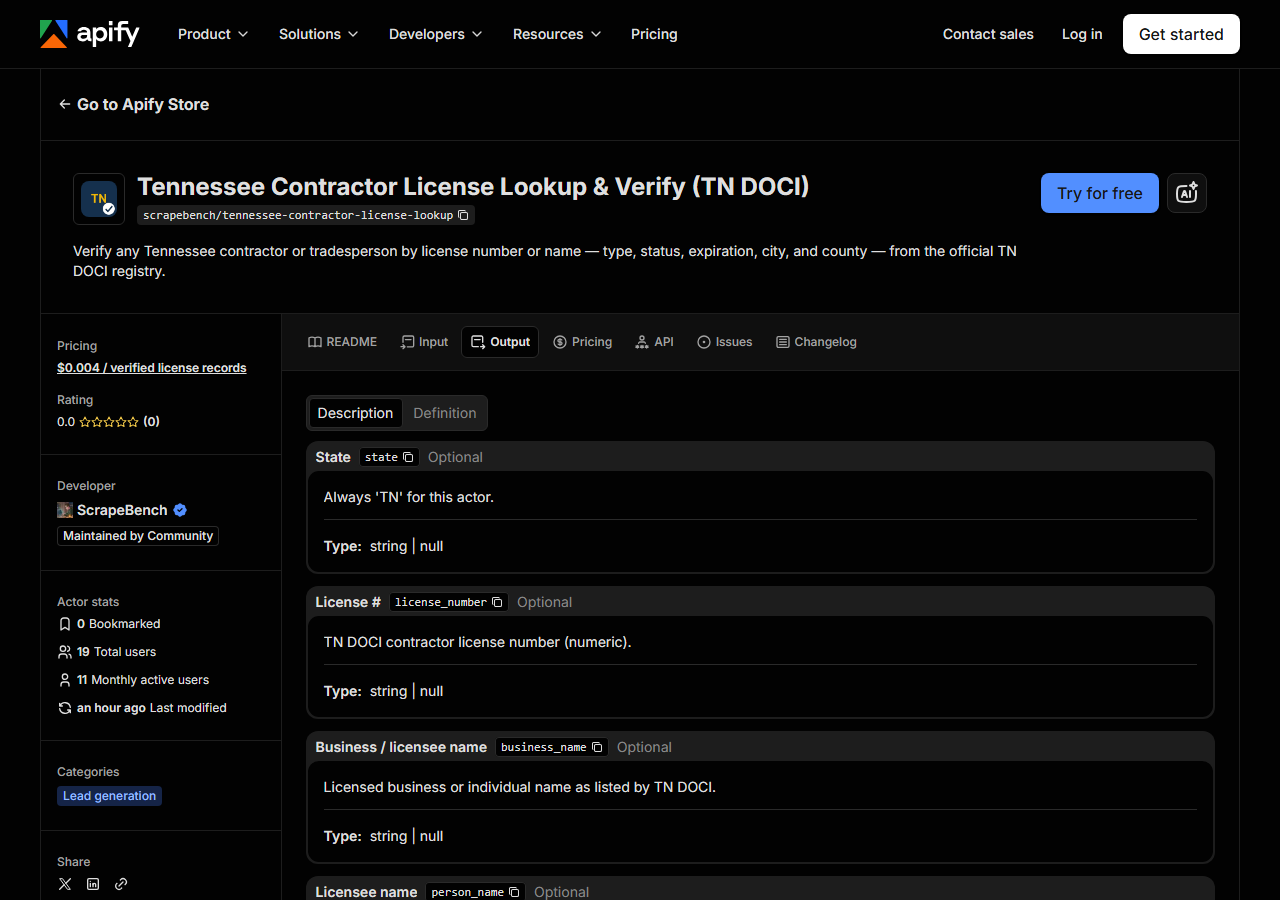
Every row looks like this — a real row from a real run:
{
  "state": "TN",
  "license_number": "56787",
  "business_name": "JOHNSON PLUMBING",
  "person_name": null,
  "license_type": "Contractor",
  "status": "Expired",
  "issue_date": null,
  "expiration_date": "03/31/2016",
  "city": "JOHNSON CITY",
  "county": "Washington",
  "address": null,
  "zip_code": "37605",
  "phone": null,
  "bond_amount": null,
  "bond_company": null,
  "insurance_company": null,
  "matched_by": "business_name",
  "source_url": "https://search.cloud.commerce.tn.gov/search/C49031/detail"
}| Field | Example value | Meaning |
|---|---|---|
state | TN | Always ‘TN’ for this actor |
license_number | 56787 | TN DOCI contractor license number (numeric) |
business_name | JOHNSON PLUMBING | Licensed business or individual name |
license_type | Contractor | License classification (e.g. Contractor) |
status | Expired | License status (e.g. Active, Expired, Revoked) |
expiration_date | 03/31/2016 | License expiration date |
city | JOHNSON CITY | Licensee city |
county | Washington | Tennessee county |
Most people came for status and expiration_date, and they belong together. status is DOCI’s own
word for the licence — Active, Expired, Revoked and friends — and expiration_date is a
MM/DD/YYYY string exactly as the registry prints it, not an ISO date, so parse it before you sort
or compare on it. The sample row above is a real one and it’s a useful warning: it’s Expired, with
an expiry in 2016. A licence existing in the registry is not the same as a licence being current,
and the two fields are the whole point of the check.
Watch the nulls, because several are structural rather than accidental. TN DOCI’s public search
results don’t publish a street address or a phone number, so address and phone come back null on
every row — if you need to reach the contractor, this registry won’t give you the number. person_name
and issue_date are likewise not surfaced by this search, and bond_amount, bond_company and
insurance_company exist in the schema so every actor in the licence suite shares one row shape;
Tennessee doesn’t publish them, so they stay null here. That’s the registry’s limit, not a gap in
the scrape. What you do reliably get is license_number, business_name, license_type, status,
expiration_date, city, county and zip_code — and source_url, a direct link to the official
DOCI record, so any row you put in front of an auditor is one click from its source. Names arrive
upper-cased (JOHNSON PLUMBING) because that’s how DOCI stores them; normalise before you match
against your own data.
Step 5 — Export it
Open the Dataset tab and export to CSV, JSON, or Excel — or pull the same rows from the API, which is what you want if this is going to run on a schedule.
Export the whole board
Leave query empty and the actor stops searching and pages through TN DOCI’s own roster instead,
using the portal’s filters for status (default active), licence type and county. Measured on
2026-10-07:
| Input | Rows | Time |
|---|---|---|
{"maxResults": 100000} — every active record | 23,955 | 110–132 s |
{"status": "all", "maxResults": 100000} — the whole board, every status | 72,118 | 372 s |
{"county": "Davidson", "licenseType": "Contractor", "maxResults": 100000} | 1,598 | 13 s |
The portal serves 50 rows a page, which is why a full export takes minutes rather than seconds. Every
row has a licence number and nearly every one an expiry date (99.98% of active rows), city (99.9%),
ZIP (96.6%) and county (96.5%). Street address and phone are not published by TN DOCI at all, so they
are empty in every row — if you need to call these firms, this is the wrong source. At $0.004 a
record, the full active export is about $96; maxResults defaults to 500 in this mode so nobody runs
it by accident.
What it costs
$0.004 per licence record returned. A search that finds nothing costs nothing — you are never
charged for an empty result, which matters here because a board filter that’s too narrow is the
most common way to get one. Verifying a single contractor by licence number is one record: four
tenths of a cent. Running a 100-vendor onboarding roster through it is 100 records, about $0.40.
Apify’s platform compute is billed separately, per your plan, and this actor is cheap on it — no
browser, no rendering, just JSON.
The honest comparison: against DOCI’s free public search, this is not cheaper. It’s zero-effort and schedulable. If your volume is one lookup, use the free page.
Where the data comes from
This reads TN DOCI directly. The target is Portal REST JSON API - each search POSTs JSON to the portal’s own same-origin search endpoint, with no token and no credentials. Every night a canary runs this actor against that live source and diffs the result against a frozen fixture — what “verified” means.
Tennessee’s licence portal is one of the friendlier targets in this suite — a clean, undocumented
JSON API with no CAPTCHA and no anti-bot wall, which is why the actor is httpx and nothing else,
no browser anywhere in the stack. The two wrinkles are the plumbing and the shape. Until September
2026 every search had to carry a bearer token minted anonymously per run; on 2026-09-20 DOCI started
minting empty tokens and moved search behind a same-origin endpoint that needs none. The canary
went red on the first night, and the actor now calls the endpoint the portal’s own page uses. The
shape is the part that keeps you honest: results come back not as named fields but as positional arrays — the licence type,
number, status and expiry are simply items 0, 2, 3 and 4 of a list, with no key to tell you so. That
parse is correct today and would break silently the day DOCI reorders a column. Which is exactly why
the nightly canary exists: it runs this actor against the live portal and diffs the result against a
frozen fixture, so a reordered column shows up as a failed check rather than as a wrong row in your
spreadsheet.
See it used
Look Up Tennessee Contractors by Name searches the DOCI boards by business name.
If you don’t know which state the contractor is licensed in, or you need the same company checked in several states at once, reach for Multi-State Contractor & Trade License Lookup instead — it runs one query across several state registries in a single run, where this one goes deep on Tennessee alone. For a neighbouring state, North Carolina Contractor License Lookup & Verify (NCLBGC) does the same job against the NC general-contractor board, which is the other lookup you’ll want if your subs work both sides of the state line.
Last updated 2026-10-07