How-to
How to run Oregon Contractor License Lookup & Verify (CCB)
Step-by-step: the exact input, what each field does, and the rows that come back from OR CCB (Socrata).
The honest version first: Oregon publishes this data itself, in the open, as JSON. The CCB’s license search is free and instant, and the register behind it is a public Socrata open-data dataset on data.oregon.gov that anyone can query with a URL and no key. If you have one Oregon contractor to check before signing with them, go and check them there — you do not need an Apify account for that, and this page is not going to pretend otherwise.
This actor is for the case where the lookup is not one lookup. You’re onboarding ninety subcontractors
and each one’s bond company, bond amount, insurance carrier and expiration date has to land in a
spreadsheet. You re-verify your active subs every quarter, because a registration that was current in
January can lapse by April. You’re enriching a CRM where all you have is a name or a number and you
want a full record back. Done by hand that’s one CCB search per contractor and a dozen fields of
copy-paste each; done against the raw Socrata endpoint yourself, it’s your job to learn its column
names (orig_regis_date, ins_company, rmi_name), handle the two different search shapes, and
notice when Oregon changes something. What you’re buying here is not access — access is free. It’s
the normalised schema, the two-way search, and a nightly check that the shape hasn’t moved.
What you’ll need
Nothing but an Apify account. The actor talks to OR CCB (Socrata) directly.
No API key, no CAPTCHA-solving service, no proxy subscription, and no third-party bill hiding behind the price. This is the easiest target class there is: an official government open-data API, served as plain JSON, with no anti-bot wall in front of it. (An optional Socrata app token raises the API’s rate limit, but the actor runs unauthenticated by default and that is fine at this volume.) Your only costs are the actor’s per-result fee and Apify’s own compute.
Step 1 — Open the actor
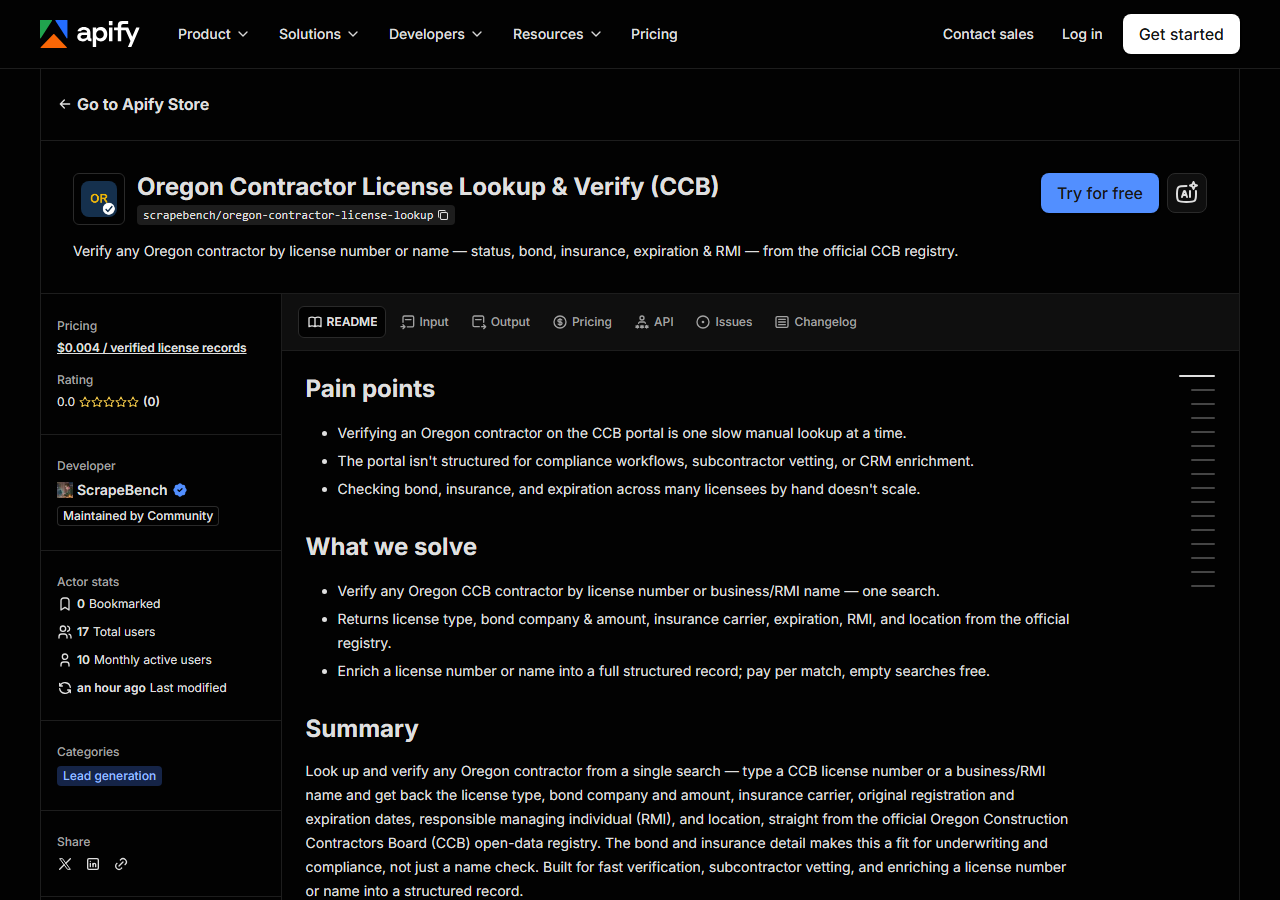
Open Oregon Contractor License Lookup & Verify (CCB) on the Apify Store and press Try for free. The actor’s own page on this site lists its live health and pricing.
Step 2 — Fill in the input
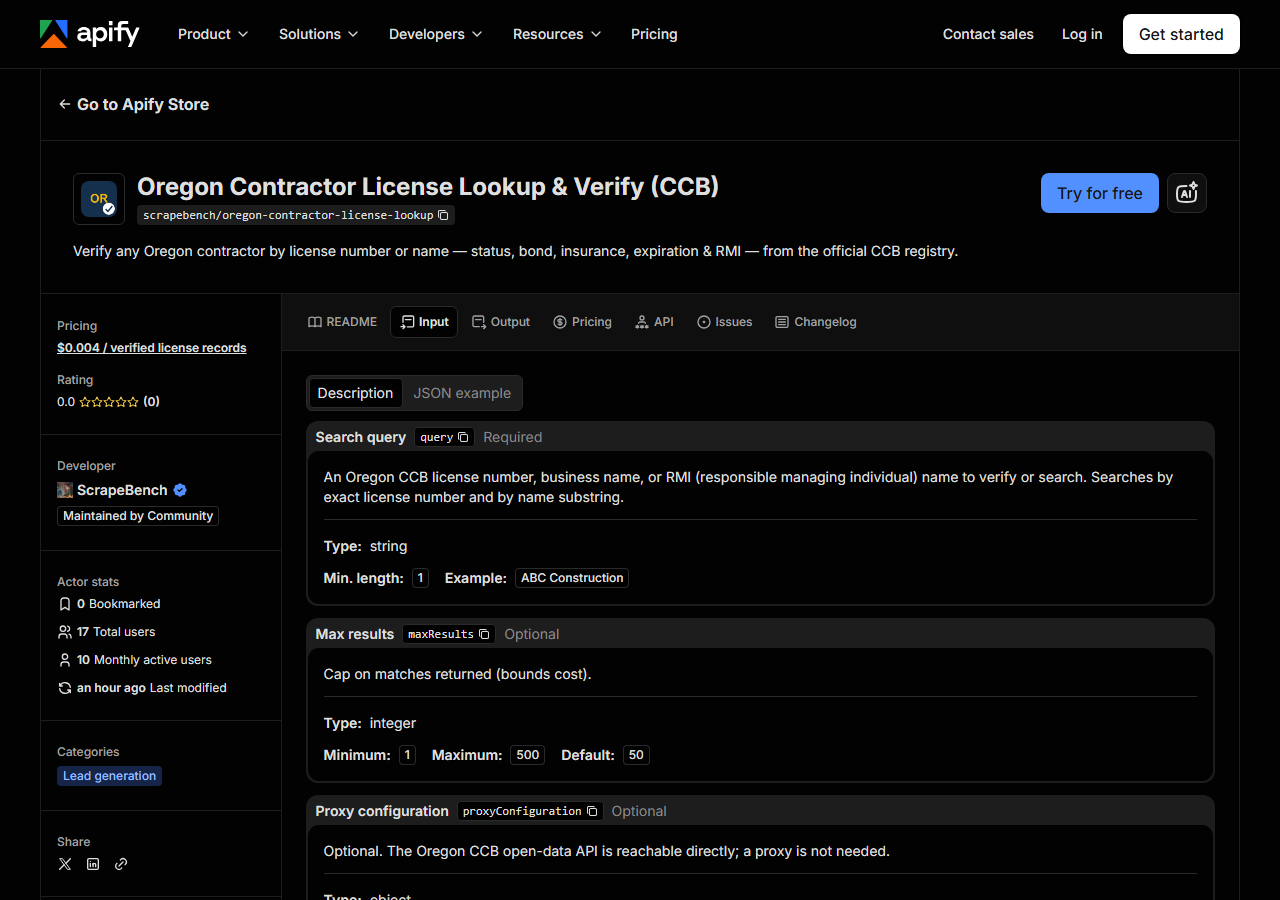
| Field | Type | Required | What it does |
|---|---|---|---|
query | string | yes | An Oregon CCB license number or business name. Searches by exact license number and by business-name substring; the RMI name is returned on the row but is not searchable. |
maxResults | integer | no | Cap on matches returned (bounds cost). This is now honoured end to end - the Socrata query is issued for this many rows. (default 50) |
There are only two fields, and query decides everything. The actor runs your query both ways,
in order: first as an exact CCB license number (case-insensitive, but otherwise exact — no partial
numbers), then as a substring of the CCB full-name field, which holds business names and individual
registrants alike. The two result sets are unioned and deduped by license number, so you never see
the same licence twice, and the matched_by column on each row tells you which pass produced it
(license_number or business_name). That’s why 156789 and Cascade Roofing are both valid
inputs to the same field.
The trap is that the name pass is a plain substring match. CONSTRUCTION matches every registrant
with that word anywhere in its name, which is thousands of them — a broad word is not a search, it’s
a sample. Give it the most distinctive fragment you have.
maxResults (default 50) caps how many matches come back, which is how you bound the cost, since you
pay per row — and it is now honoured end to end, so raising it really does widen the sweep of a common
name (it used to silently stop at 50). Set it deliberately: it is the number of rows you pay for. This
is still a lookup tool, not a bulk exporter — if you want the whole Oregon roster rather than specific
licensees, that’s a different job (see the end of this page).
A working input:
{
  "query": "CONSTRUCTION",
  "maxResults": 25
}
Step 3 — Run it
Press Start. Rows are pushed to the dataset as they’re found, so the run log fills in as it works.
Runs are short, because there is barely any work to do: at most two JSON requests to Oregon’s API, a
parse, and the rows are out. A license-number lookup is a single row. A name search returns as many
matches as the register holds for that fragment, up to maxResults. There is no page-by-page crawl
to sit through.
An empty run usually means one of three things, and only the third is interesting. It can be a typo —
a license number the CCB doesn’t have. It can be a spelling mismatch: the register stores the legal
name in capitals as filed, so “Cascade Roofing Co.” may sit there as CASCADE ROOFING COMPANY, and a
shorter fragment (CASCADE ROOFING) will find it. Or the licence exists but is no longer active —
and that is the one thing you must not misread. Read the next paragraph before you conclude anything
from a zero-row run.
A “not found” here is not “not licensed.” The dataset this actor reads is the CCB’s Active Licenses register: by construction it contains only licences that are currently active. A registration that has lapsed, expired, been suspended or been revoked is simply absent from it — it doesn’t come back marked “Expired”, it doesn’t come back at all. So an empty result tells you “not currently active in this register”, which is a genuinely useful signal, but it does not distinguish between never licensed, lapsed last month, and you spelled it differently. If the distinction matters — and in an enforcement or dispute context it does — take the name to the CCB’s own search, which can show you the inactive record.
Step 4 — Read the output
Each run returns a labelled table, not raw JSON:
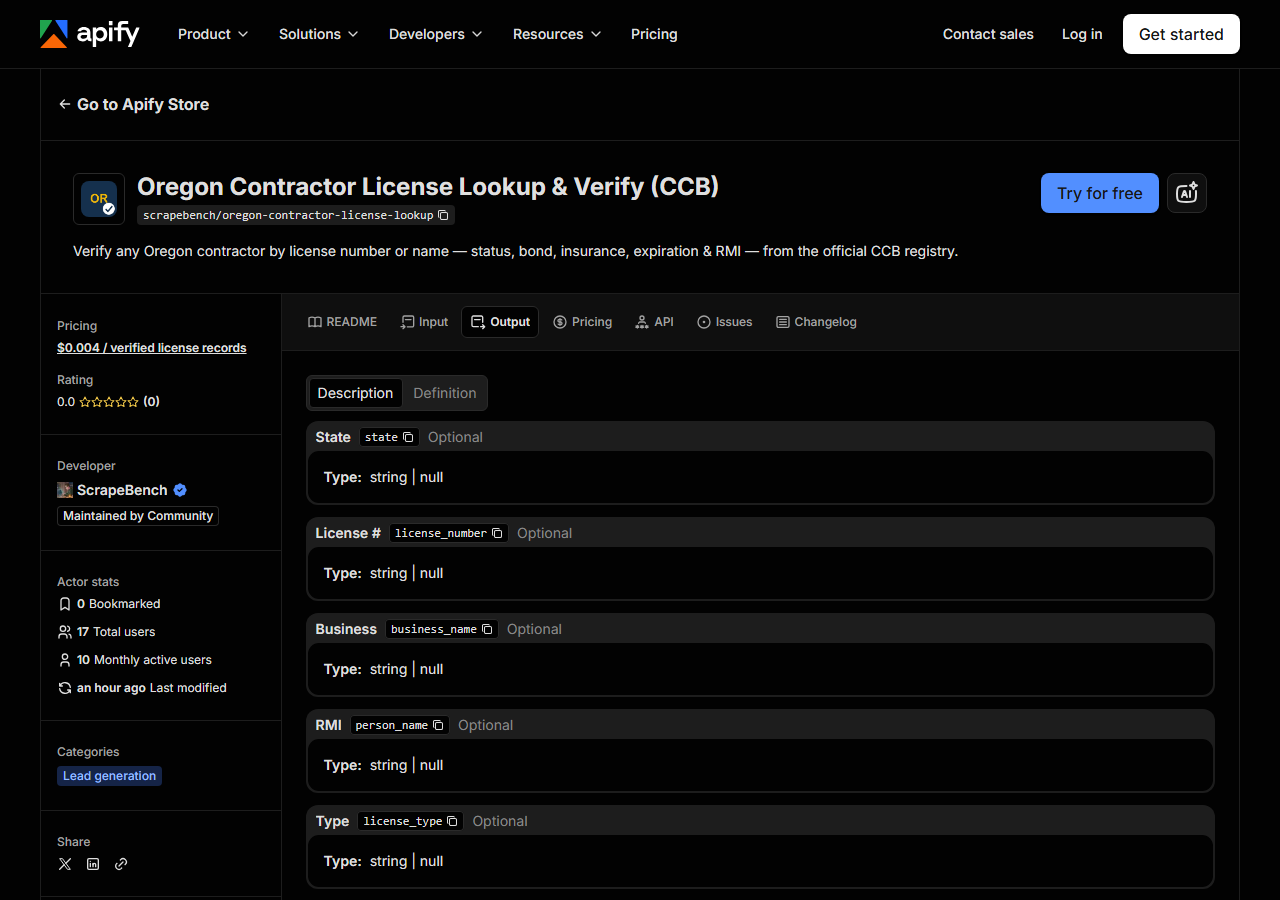
Every row looks like this — a real row from a real run:
{
  "state": "OR",
  "license_number": "100215",
  "business_name": "BRUCE HUIE",
  "person_name": "BRUCE HUIE",
  "license_type": "RGC",
  "status": "Active",
  "issue_date": "06/20/1994",
  "expiration_date": "02/06/2028",
  "bond_amount": "25000",
  "bond_company": "WESTERN SURETY COMPANY",
  "insurance_company": "SCOTTSDALE INDEMNITY CO",
  "city": "BROOKINGS",
  "county": "Curry",
  "address": "PO BOX 543",
  "zip_code": "97415",
  "phone": "5412150829",
  "matched_by": "license_number",
  "source_url": "https://search.ccb.state.or.us/search/"
}| Field | Example value | Meaning |
|---|---|---|
state | OR | Always ‘OR’ for this actor |
license_number | 100215 | CCB license number |
business_name | BRUCE HUIE | Licensed business / full name |
person_name | BRUCE HUIE | Responsible Managing Individual (RMI) |
license_type | RGC | CCB license type / endorsement |
issue_date | 06/20/1994 | Original registration date |
expiration_date | 02/06/2028 | License expiration date |
bond_amount | 25000 | Surety bond amount |
Most people came for status — and status is the field to be most careful about. It reads Active
on every row, always, because every row in this register is an active licence. It is a property of the
dataset, not a result of checking that particular contractor. The field that actually carries
information is expiration_date: it tells you how much runway the registration has left, which is
what you want in an onboarding file. Treat status as a label, expiration_date as the fact.
After that, the reason to use this actor rather than a name-and-number check is the money detail:
bond_company, bond_amount and insurance_company come straight from the register, which is
unusual — most state boards don’t publish the carrier. Watch the formatting before you compute on it.
bond_amount is a string of digits ("25000", no currency symbol, no comma). Dates are MM/DD/YYYY
strings, not ISO. phone arrives as raw digits ("5412150829") with no punctuation. Any field the
CCB doesn’t publish for a given registrant comes back null rather than empty string — that includes
person_name (the RMI) and the insurance and bond fields, which are blank for some registrant types.
Note too that business_name and person_name are frequently identical, because a sole registrant is
filed under their own name; that’s the register being accurate, not the actor duplicating a column.
source_url points at the CCB search tool rather than a per-licence page, because the open-data API
doesn’t publish deep links to individual records.
Step 5 — Export it
Open the Dataset tab and export to CSV, JSON, or Excel — or pull the same rows from the API, which is what you want if this is going to run on a schedule.
What it costs
$0.004 per license record returned — four tenths of a cent. A search that matches nothing costs nothing; you are never charged for an empty result. So verifying one contractor by license number is one record, $0.004. Pushing a 90-vendor onboarding list through it is about $0.36. Apify’s platform compute is billed separately, per your plan, and it is small here because the actor does two API calls and no rendering.
And the honest comparison, again: the underlying data is free and the CCB’s page is free. Nobody should pay four tenths of a cent for a lookup they could do in a browser tab in thirty seconds. What the fee buys is not the data — it’s the same record arriving as a typed row, on a schedule, without anyone opening a tab.
Where the data comes from
This reads OR CCB (Socrata) directly. The target is Socrata SODA JSON API (data.oregon.gov, CCB licences) - filtered server-side with SoQL. Every night a canary runs this actor against that live source and diffs the result against a frozen fixture — what “verified” means.
This one is at the easy end, and it’s worth being straight about that: the Oregon Construction
Contractors Board publishes its Active Licenses register as a Socrata dataset on data.oregon.gov, and
the actor queries it server-side with a SoQL $where clause over plain HTTPS. No browser, no
anti-bot wall, no proxy, no session to keep alive — the same request you could make with curl.
The annoyance isn’t getting in, it’s what you find once you’re there. The columns are the CCB’s, not
anyone’s idea of a schema (orig_regis_date, lic_exp_date, ins_company, rmi_name), so every
consumer of the raw feed writes the same mapping layer; the actor’s job is to have written it once,
into the same ContractorLicense shape every state actor in this suite emits, so an Oregon row and a
Washington row can sit in the same table. Two searches — exact number, substring name — have to be run
and deduped rather than one. And the scope limit above is a property of the source, not a shortcut:
Oregon publishes the active register here, so what you get is a snapshot of who is currently
registered, refreshed as the state refreshes it — never a licence history.
See it used
Check an Oregon Contractor’s Bond and Insurance reads the bond and liability insurance CCB holds on a licence.
Reach for Multi-State Contractor & Trade License Lookup instead when you don’t know which state the contractor is registered in, or when the same name needs checking across Washington, Oregon, Texas and Connecticut in a single run — it answers “is this contractor licensed anywhere I care about” rather than “what does Oregon hold on this one”.
If your problem is the opposite one — you don’t have a name yet, you want the list — use Oregon Contractor Directory & Leads Scraper. That one pulls whole slices of the Oregon register for prospecting; this one verifies a licensee you can already name. And for the neighbouring state’s equivalent check, there’s Washington Contractor License Lookup & Verify (L&I), which is the same job against Washington L&I — the usual pairing when a contractor works both sides of the Columbia.
Last updated 2026-07-13