How-to
How to run Oregon Contractor Directory & Leads Scraper (CCB)
Step-by-step: the exact input, what each field does, and the rows that come back from OR CCB (Socrata).
You want a call list: every CCB-registered contractor in Multnomah County, or every residential
general contractor in Washington County, as rows with a phone number and an address that you can
dedupe and push into a CRM. Be clear about the honest baseline first — this is the easiest tier of
target there is. Oregon publishes the CCB active-licence register as open data on data.oregon.gov
(Socrata dataset g77e-6bhs), and that portal is free: you can filter it in the browser, export a
CSV, or hit the SODA API yourself with curl and nobody will stop you. If a one-off spreadsheet is
all you need, go and take it. What you are paying this actor for is not access. It is the county and
endorsement filter pushed into the query so you are not downloading the whole state, a normalised
schema with stable field names instead of CCB’s raw column names, the run being schedulable and
API-addressable so next quarter’s list arrives without you, and a nightly canary that tells you when
the source shape changes underneath it. The manual path costs nothing but your attention, and it
gives you a file in your Downloads folder rather than a pipeline.
What you’ll need
Nothing but an Apify account. The actor talks to OR CCB (Socrata) directly.
No API key, no CAPTCHA credentials, no proxy, nothing to enable. This is a public JSON endpoint that
answers ordinary datacenter requests, so there is nothing to configure and nothing to pay for beyond
the run itself. The actor will pick up a SOCRATA_APP_TOKEN if one exists in its environment — that
is Socrata’s way of raising your rate limit — but it is unset by default and you do not need one for
a normal county pull.
Step 1 — Open the actor
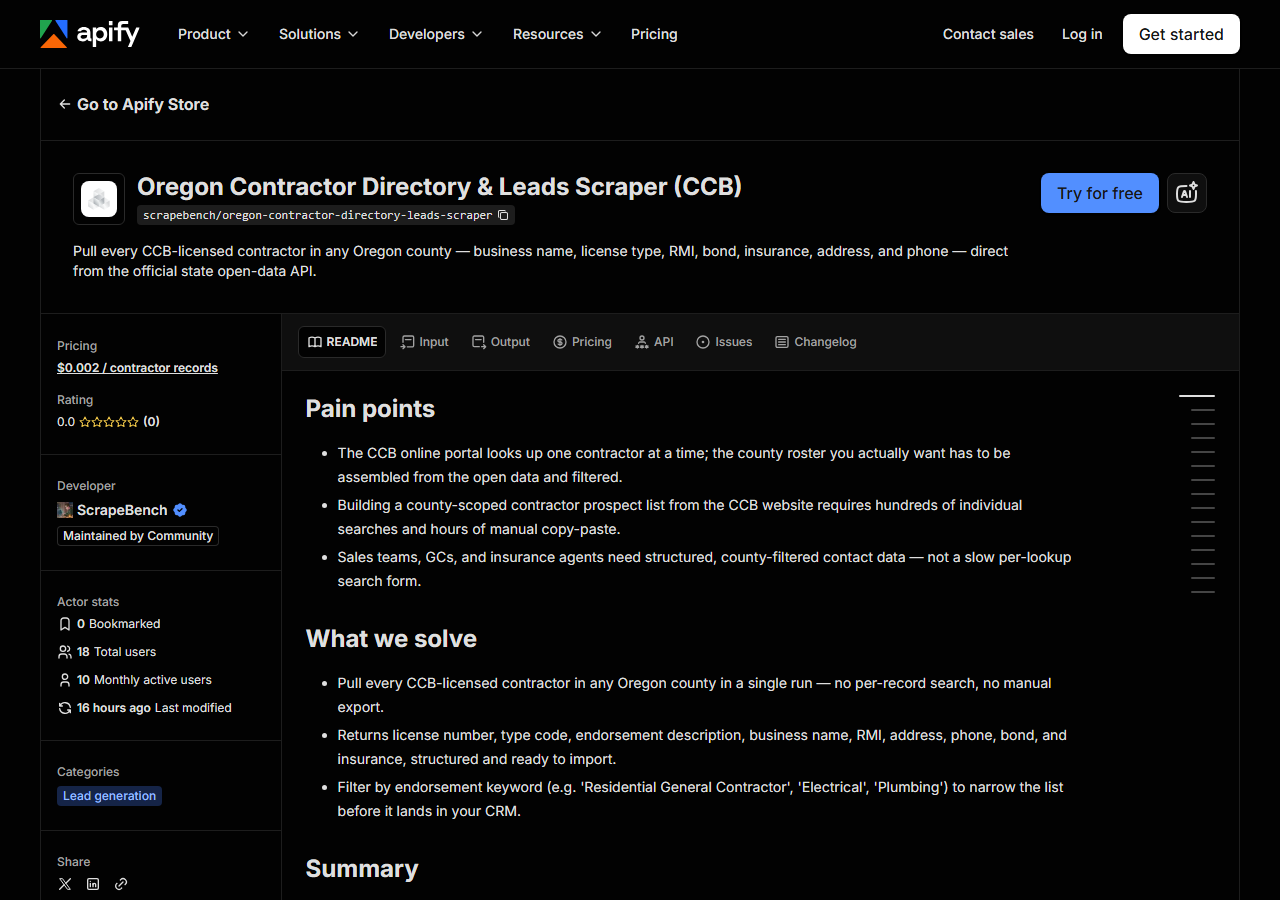
Open Oregon Contractor Directory & Leads Scraper (CCB) on the Apify Store and press Try for free. The actor’s own page on this site lists its live health and pricing.
Step 2 — Fill in the input
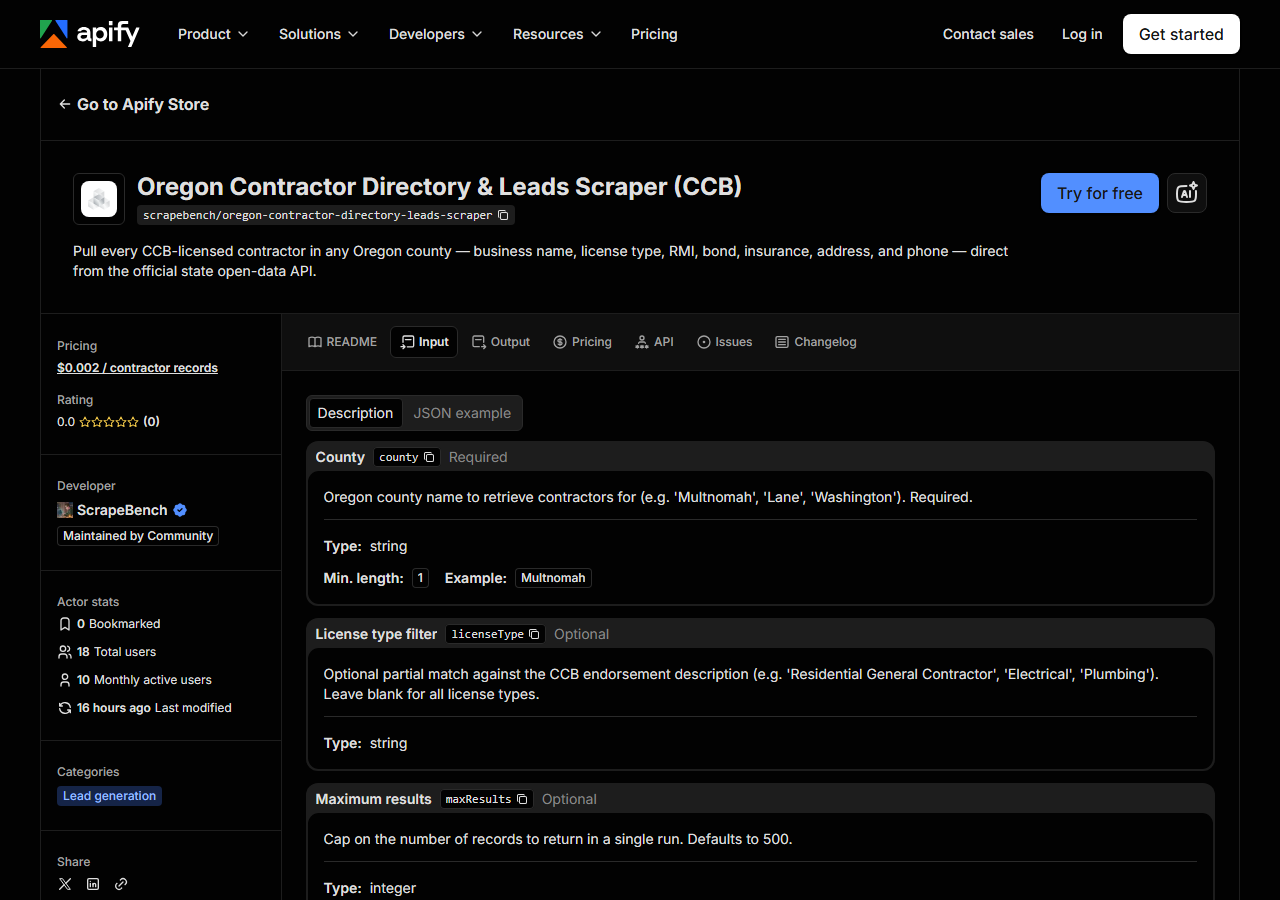
| Field | Type | Required | What it does |
|---|---|---|---|
county | string | no | Oregon county name to retrieve contractors for (e.g. ‘Multnomah’, ‘Lane County’, ‘Washington’). Case, spacing and a trailing ‘County’ do not matter. If it is missing or is not an Oregon county, the run returns the free county list instead of failing. |
licenseType | string | no | Optional partial match against the CCB endorsement description (e.g. ‘Residential General Contractor’, ‘Electrical’, ‘Plumbing’). Leave blank for all license types. |
maxResults | integer | no | Cap on the number of records to return in a single run. Defaults to 500. (default 500) |
county decides the whole run. Give it an Oregon county name — Multnomah, Lane, Washington,
Clackamas. Case, spacing and a trailing “County” are folded before matching, so multnomah,
MULTNOMAH and Multnomah County all resolve to the string CCB stores. A name that matches no
Oregon county returns the county list, free, instead of failing or coming back empty; so does
leaving the field blank. The filter runs server-side against the business address county, which is worth knowing: a
contractor headquartered in Clark County, Washington and working all over Portland is not in the
Multnomah roster.
licenseType is the field people get wrong. It is a case-insensitive substring match against the
endorsement description — the human-readable text, Residential General Contractor,
Commercial Specialty Contractor, Lead-Based Paint Renovation Contractor — not against the
short type code you see in the license_type column. Passing RGC returns nothing. Passing
Residential returns every residential endorsement, general and specialty both. Because it is a
substring match, broad words cut broadly: Contractor matches nearly everything, which is the same
as leaving the field blank.
maxResults is a cap, not a filter, and it defaults to 500. A dense county has more registered
contractors than that, so the default will silently give you the first 500 by licence number rather
than the whole county. Set it deliberately: leave it low while you are checking that your filter
does what you think, then raise it when you want the full roster.
A working input:
{
  "county": "Multnomah",
  "licenseType": "Residential General Contractor",
  "maxResults": 200
}
Step 3 — Run it
Press Start. Rows are pushed to the dataset as they’re found, so the run log fills in as it works.
A healthy run pages through the API a thousand rows at a time and stops when the county is exhausted
or maxResults is reached, logging each page as it goes. Run times and row counts are not measured
here so they are not quoted, but this is a filtered JSON pull with no browser and no page rendering
in it — the log will show you the real numbers within seconds of pressing Start, and the volume is
set almost entirely by how big the county is and how tight your endorsement filter is.
An empty run is almost always the input rather than a broken actor. The two usual causes are a
county name that CCB does not spell the way you typed it, and a licenseType string that matches no
endorsement description — a type code where the description belongs is the classic one. Empty costs
you nothing: the actor charges per record returned, so zero rows is a free run. Clear licenseType
first and re-run; if the county alone returns rows, the filter was the problem. One more thing worth
knowing: if the Socrata API throttles or errors mid-pull, the actor logs the failure and returns the
pages it already has rather than dying. That means a short run is possible on a bad day — check the
log for a fetch error before you conclude a county is small, and just run it again.
Step 4 — Read the output
Each run returns a labelled table, not raw JSON:
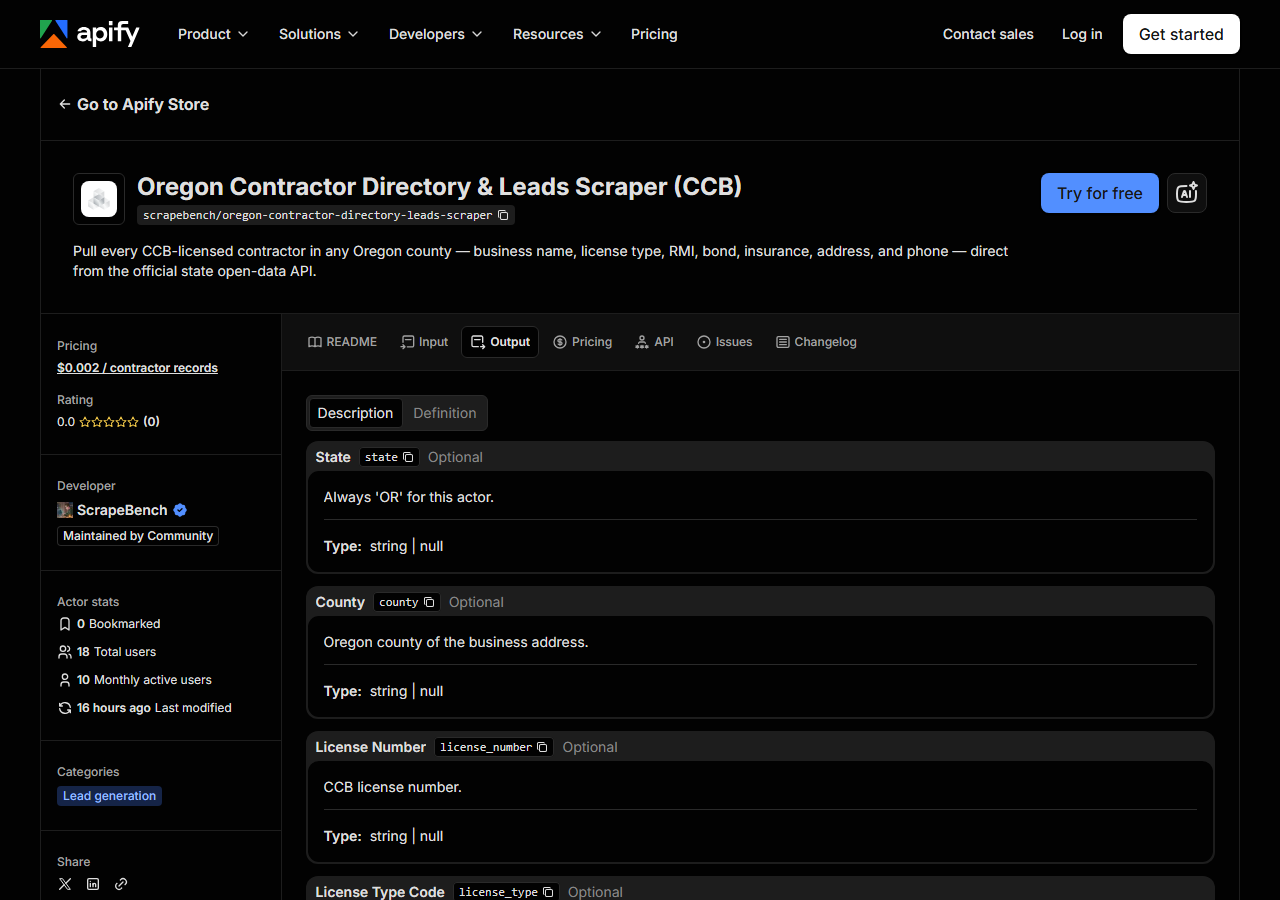
Every row looks like this — a real row from a real run:
{
  "state": "OR",
  "county": "Multnomah",
  "license_number": "100260",
  "license_type": "RSC",
  "license_endorsement": "Residential Specialty Contractor",
  "business_name": "THE FOXGLOVED PAINTERS & DESIGNERS INC",
  "rmi_name": "CICELY W KEIRNAN",
  "address": "8737 NE THOMPSON ST",
  "city": "PORTLAND",
  "zip_code": "97220",
  "phone": "5032552327",
  "issue_date": "06/30/1994",
  "expiration_date": "05/14/2027",
  "bond_amount": "20000",
  "bond_company": "WESTERN SURETY COMPANY",
  "insurance_amount": "1000000",
  "insurance_company": "TWIN CITY FIRE INS COMPANY",
  "source_url": "https://search.ccb.state.or.us/search/"
}| Field | Example value | Meaning |
|---|---|---|
state | OR | Always ‘OR’ for this actor |
county | Multnomah | Oregon county of the contractor’s business address |
license_number | 100260 | CCB license number |
license_type | RSC | CCB license type code (e.g. RSC, RGC, CGC, LBPR) |
license_endorsement | Residential Specialty Contractor | Human-readable CCB endorsement description (e.g. Residential General Contractor, Commercial Specialty Contractor) |
business_name | THE FOXGLOVED PAINTERS & DESIGNERS INC | Licensed business or entity name |
rmi_name | CICELY W KEIRNAN | Responsible Managing Individual (RMI) name (when on file) |
address | 8737 NE THOMPSON ST | Business street address |
If you are building a call list, the fields you came for are business_name, phone, rmi_name
and the address block — the RMI is the Responsible Managing Individual, which is as close as this
data gets to naming a human being you can actually ask for on the phone. If you are qualifying
rather than prospecting, it is license_endorsement, expiration_date, and the bond and insurance
pairs. Both come out of the same run; there is no second call to make.
Things to watch. Bond, insurance and RMI are null whenever nothing is on file with CCB — those
columns come straight from the state register, and the actor does not invent, infer or enrich them.
A contractor with a blank bond_company is not necessarily unbonded; it means CCB has nothing
published for that field, and treating a null as a finding is how you end up with a wrong sales
pitch. phone is the same: it appears when CCB publishes it and is null when it does not. There are
no email addresses in this data at all, because CCB does not publish them.
Formatting comes as the state stores it. Business names are shouted in capitals. Phones are bare
digits (5032552327, no punctuation), so format them before a mail-merge. Dates are MM/DD/YYYY
strings, not ISO dates. bond_amount and insurance_amount are strings too — "20000",
"1000000" — so cast them before you sort or compare. And source_url is a link to the CCB search
front door, not a deep link to that specific licence; use license_number if you want to look a
record up by hand.
Step 5 — Export it
Open the Dataset tab and export to CSV, JSON, or Excel — or pull the same rows from the API, which is what you want if this is going to run on a schedule.
What it costs
$0.002 per record returned. A 500-record county pull — the default cap — costs $1.00. Runs that return nothing cost nothing, so a misspelled county or an endorsement filter that matches no rows is free. Apify’s own platform usage (compute) is billed separately under your plan, on top of the per-record fee; for a JSON pull with no browser in it, that is a small number.
The comparison to be honest about is not against zero. Oregon’s open-data portal is free and always will be, and for one county, once, the free export is the right answer. The per-record fee buys the filtering, the stable schema, the schedule, and the nightly check that the source has not moved — not the data, which is yours already.
Where the data comes from
This reads OR CCB (Socrata) directly. The target is Socrata SODA JSON API (data.oregon.gov, CCB licences) - county filtered server-side, paged 1,000 rows at a time. Every night a canary runs this actor against that live source and diffs the result against a frozen fixture — what “verified” means.
There is no anti-bot wall here and no cleverness to claim: the Oregon CCB register is published as a
Socrata dataset (g77e-6bhs on data.oregon.gov) and it answers plain JSON over HTTPS. The actor
builds a SoQL $where clause so the county and endorsement filters run on Socrata’s side, pages
through the results a thousand rows at a time, and maps CCB’s raw column names (full_name,
orig_regis_date, ins_amount) onto the stable field names in the table above. That mapping is the
part that quietly rots — a renamed column in the state’s export turns a populated field into silent
nulls, which looks exactly like “this contractor has no bond on file” until you check. That is the
specific failure the nightly canary is there to catch.
See it used
Build a Multnomah County Residential Contractor List builds a county residential-GC list with bond and insurance attached.
If you already know which contractor you care about, this is the wrong tool. Oregon Contractor License Lookup & Verify (CCB) checks a single licence by number or business name — reach for that when you are verifying a bid you just received, and for this one when you are building the list of people to send bids to. If your territory is further south, California Contractor Directory by Trade & County (CSLB) does the same county-scoped list-building against CSLB, filtered by classification code rather than endorsement text.
Last updated 2026-07-13