How-to
How to run Nail Salon & Spa Scraper: Email, Phone & Address
Step-by-step: the exact input, what each field does, and the rows that come back from Google Maps.
You sell to nail shops (polish and supplies, booking software, card terminals, insurance) and you need a list of every nail salon, nail spa and nail studio in a territory, with a phone number and, where the shop publishes one, an email. The manual route is Google Maps: search “nail salon in Houston”, scroll, copy each shop into a spreadsheet, repeat for every suburb, then remove the duplicates the overlapping searches produce. Google also stops a single search at about 150 places, so a big city never comes back complete however long you scroll. This actor does the searching, the de-duplicating and the email lookup in one run.
What you’ll need
Nothing but an Apify account. The actor talks to Google Maps directly.
There is no API key to get and nothing to configure. Searches go through Apify’s datacenter proxy, which is already on in the input. Apify bills that as ordinary platform usage on your plan, like compute.
Step 1 — Open the actor
Open Nail Salon & Spa Scraper: Email, Phone & Address on the Apify Store and press Try for free. The actor’s own page on this site lists its live health and pricing.
Step 2 — Fill in the input
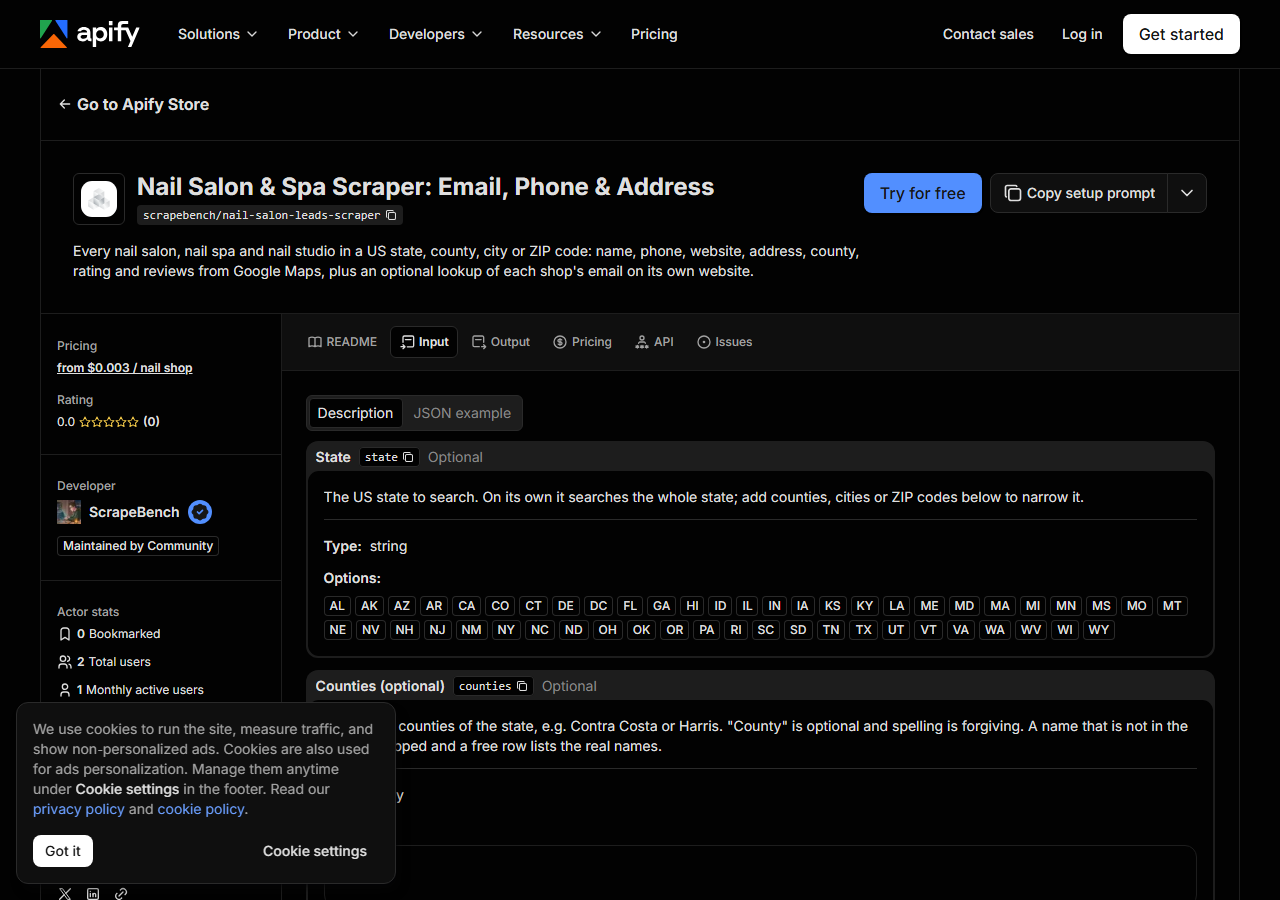
| Field | Type | Required | What it does |
|---|---|---|---|
state | string | no | The US state to search. On its own it searches the whole state; add counties, cities or ZIP codes below to narrow it. |
counties | array | no | Only these counties of the state, e.g. Contra Costa or Harris. “County” is optional and spelling is forgiving. A name that is not in the state is skipped and a free row lists… (default []) |
cities | array | no | Only these cities, by their postal name, e.g. Lafayette or Houston. A big city is searched ZIP code by ZIP code, so nothing is lost to Google’s limit on one search. (default []) |
zipCodes | array | no | Only these 5-digit ZIP codes. Combined with counties and cities if you fill more than one. (default []) |
includeEmails | boolean | no | On by default: visit each shop’s own website and return the email published there. Charged separately, only for shops where an email is found. Adds a few seconds per website;… (default True) |
maxResults | integer | no | Cap on the number of shops returned for the WHOLE run (not per city or county). A spend cap: the run stops once it has this many. (default 1000) |
maxPagesPerSite | integer | no | How many pages of each shop’s website the email lookup reads: the homepage plus its contact and about pages. (default 6) |
Two fields decide what you get back. The area: a state on its own means the whole state, so
pick a state and then narrow it with counties, cities or ZIP codes; they add together, so
"cities": ["Lafayette"] plus "zipCodes": ["94556"] searches both. Maximum shops is a cap
for the whole run, not per city. Leave it at 1,000 for a county, raise it for a state, and lower it
to a few dozen for a first look at the rows. Turn Look up each shop’s email off if phone and
address are all you need; the run is faster and there is no email charge.
A working input:
{
  "state": "CA",
  "cities": [
    "Lafayette"
  ],
  "includeEmails": true
}
Step 3 — Run it
Press Start. Rows are pushed to the dataset as they’re found, so the run log fills in as it works.
In our runs on 2026-10-30 the search for Lafayette, CA took about 13 seconds and returned 20 shops; all of Contra Costa County (52 ZIP codes) returned 452 shops in about the same time; and the whole of Oregon (481 ZIP codes) returned 1,371 shops in under a minute. The email lookup then adds a few seconds per shop website. The log reports how many ZIP codes were searched and how many shops were found. If a search is refused, or the run reaches its time limit, you still get every shop found so far plus a free row naming the ZIP codes to run again. An empty result with no such row means Google lists no nail shop there; check the spelling of the city or county first.
Step 4 — Read the output
Each run returns a labelled table, not raw JSON:
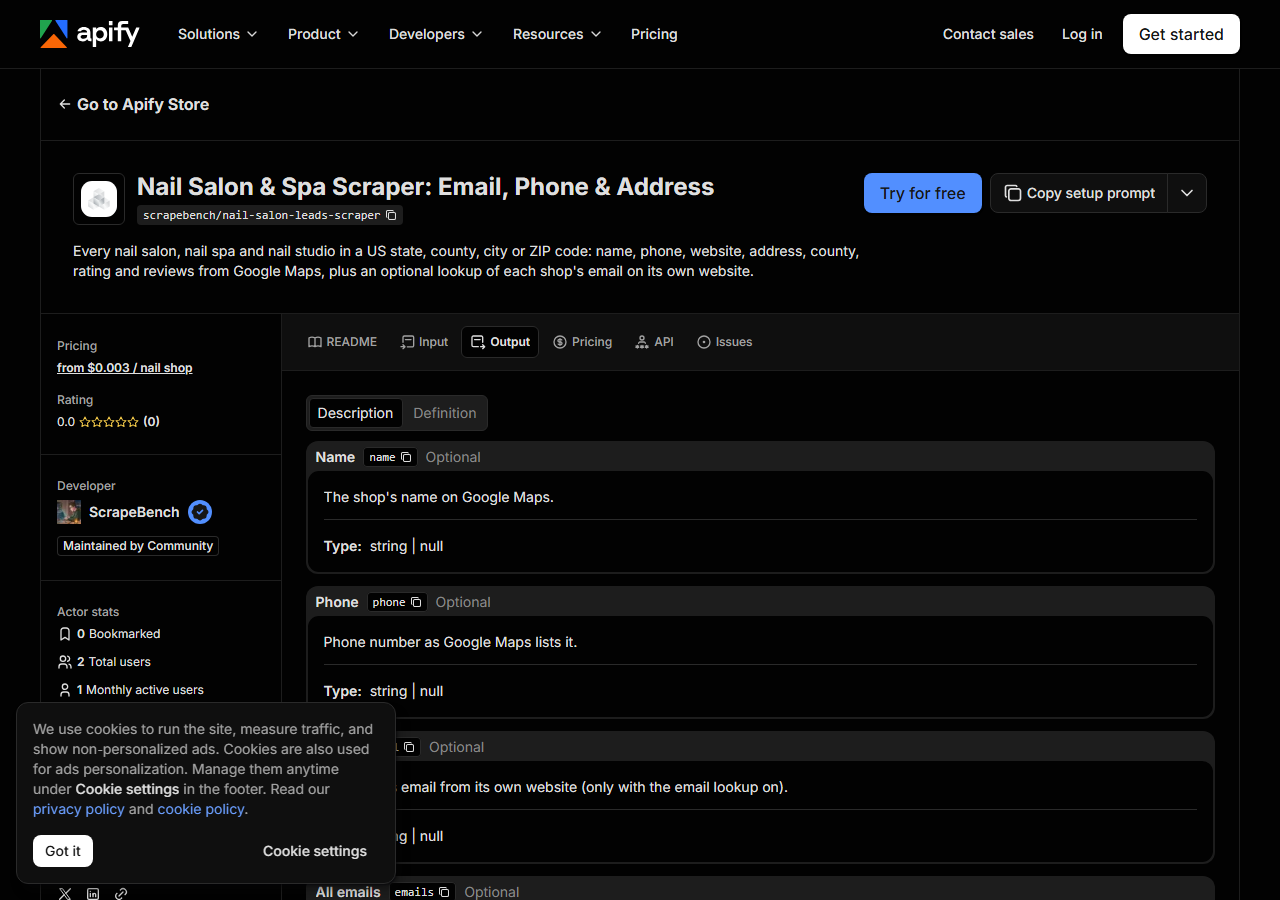
Every row looks like this — a real row from a real run:
{
  "name": "Chloe Nails Lounge",
  "phone": "(925) 299-6779",
  "email": "chloetran112@gmail.com",
  "emails": [
    "chloetran112@gmail.com"
  ],
  "website": "https://chloenailslounge.com/",
  "address": "3570 Mount Diablo Blvd, Lafayette, CA 94549",
  "street": "3570 Mount Diablo Blvd",
  "city": "Lafayette",
  "county": "Contra Costa",
  "state": "CA",
  "zip_code": "94549",
  "rating": 4.6,
  "review_count": 117,
  "categories": [
    "Nail salon"
  ],
  "latitude": 37.8920232,
  "longitude": -122.1210429,
  "place_id": "ChIJTaBKdlpihYARTMjamFFwOwY",
  "google_maps_url": "https://www.google.com/maps/search/?api=1&query=Chloe%20Nails%20Lounge&query_place_id=ChIJTaBKdlpihYARTMjamFFwOwY",
  "source_url": "https://www.google.com/maps/search/?api=1&query=Chloe%20Nails%20Lounge&query_place_id=ChIJTaBKdlpihYARTMjamFFwOwY"
}| Field | Example value | Meaning |
|---|---|---|
name | Chloe Nails Lounge | The shop’s name on Google Maps |
phone | (925) 299-6779 | Phone number as Google Maps lists it |
email | chloetran112@gmail.com | The shop’s email from its own website (null when none was found or the lookup is switched off) |
emails | ["chloetran112@gmail.com"] | Every address of the shop’s own found on its website |
website | https://chloenailslounge.com/ | The website the shop lists on Google Maps |
address | 3570 Mount Diablo Blvd, Lafayette, CA 94549 | Full street address |
street | 3570 Mount Diablo Blvd | Street line(s) |
city | Lafayette | City |
Phone is the field you can count on: 430 of the 452 Contra Costa shops had one. Email is the
scarce one. Only about half of nail shops list a website on Google Maps, and some of those are a
Facebook page (skipped). Of the shop websites we could reach in Contra Costa, about a third
published an email, which came to 17% of all shops. Most of those addresses are Gmail or Yahoo,
because that is the inbox the owner actually reads; the actor keeps them on purpose. Use
place_id as the key when you merge runs: it is Google’s own ID and is unique per row.
Step 5 — Export it
Open the Dataset tab and export to CSV, JSON, or Excel — or pull the same rows from the API, which is what you want if this is going to run on a schedule.
What it costs
$0.003 per nail shop returned, plus $0.002 per shop where the email lookup finds an email. A shop with no email found costs nothing extra, and the free notice rows are never charged. Lafayette’s 20 shops with 5 emails comes to $0.07; Contra Costa’s 452 shops cost $1.36 before emails, and about $1.51 with them at the email rate we measured there (17% of shops, about 77 emails). Set Maximum shops to cap a run’s spend.
Where the data comes from
This reads Google Maps directly, the same listings you see when you search there, and each shop’s own website for the email. Every night a canary runs this actor against that live source and diffs the result against a frozen fixture — what “verified” means.
Google Maps is the most complete public list of nail shops, because nearly every shop claims its listing for walk-in traffic. The state cosmetology boards license the shops, but their rosters carry no phone or email, and many shops are licensed under a name that never says “nail” (in Contra Costa, 284 of the board’s 1,444 establishments had a nail word in the name; Google Maps listed 452 nail shops). Google’s own search, meanwhile, caps out and overlaps between neighbouring towns, which is the copy-paste problem this actor exists to remove.
See it used
For a worked territory list, see Find every nail salon in a sales territory, with phone numbers: one county, exported straight into a call list.
Already have a list of shop websites from somewhere else? The Business Email, Phone & Contact Details Scraper takes a list of URLs and returns email, phone and social links for each.
Last updated 2026-10-30