How-to
How to run Minnesota Contractor License Lookup & Leads Scraper (DLI)
Step-by-step: the exact input, what each field does, and the rows that come back from MN DLI, for one licence or the whole state.
You have a Minnesota residential contractor in front of you — on a bid, on an onboarding form, on a
list of subs someone else vetted — and you need to know whether their DLI licence is real, what
subtype it is, whether it has expired, and whether the state has ever taken an enforcement action
against them. Minnesota makes this unusually easy, and you should know that up front: DLI publishes
its entire residential-contractor roster as one public CSV, refreshed nightly, no login and no key.
You can download it right now. What you get if you do is a ~12MB file in a Windows encoding that
Excel will happily mangle, with the name split across a business column and a DBA column, the
address across two, and an enforcement flag hiding as a bare 1 in a column named for a database.
This actor fetches that same file, filters it, and hands you back the matching licences as clean,
typed rows — one search instead of one download, one import and one afternoon of column-wrangling
per question you want to ask. Since 2026-10-07 it also exports the roster itself: leave the search
box empty and you get every active licence in the state, 25,359 of them when we ran it that day.
What you’ll need
Nothing but an Apify account. The actor talks to MN DLI directly.
No API key, no CAPTCHA solver, no proxy. The roster is a static file the department serves to
anyone who asks, so the actor is a single plain HTTP GET. There’s a proxyConfiguration field in
the input, but it is off by default and there is no reason to touch it.
Step 1 — Open the actor
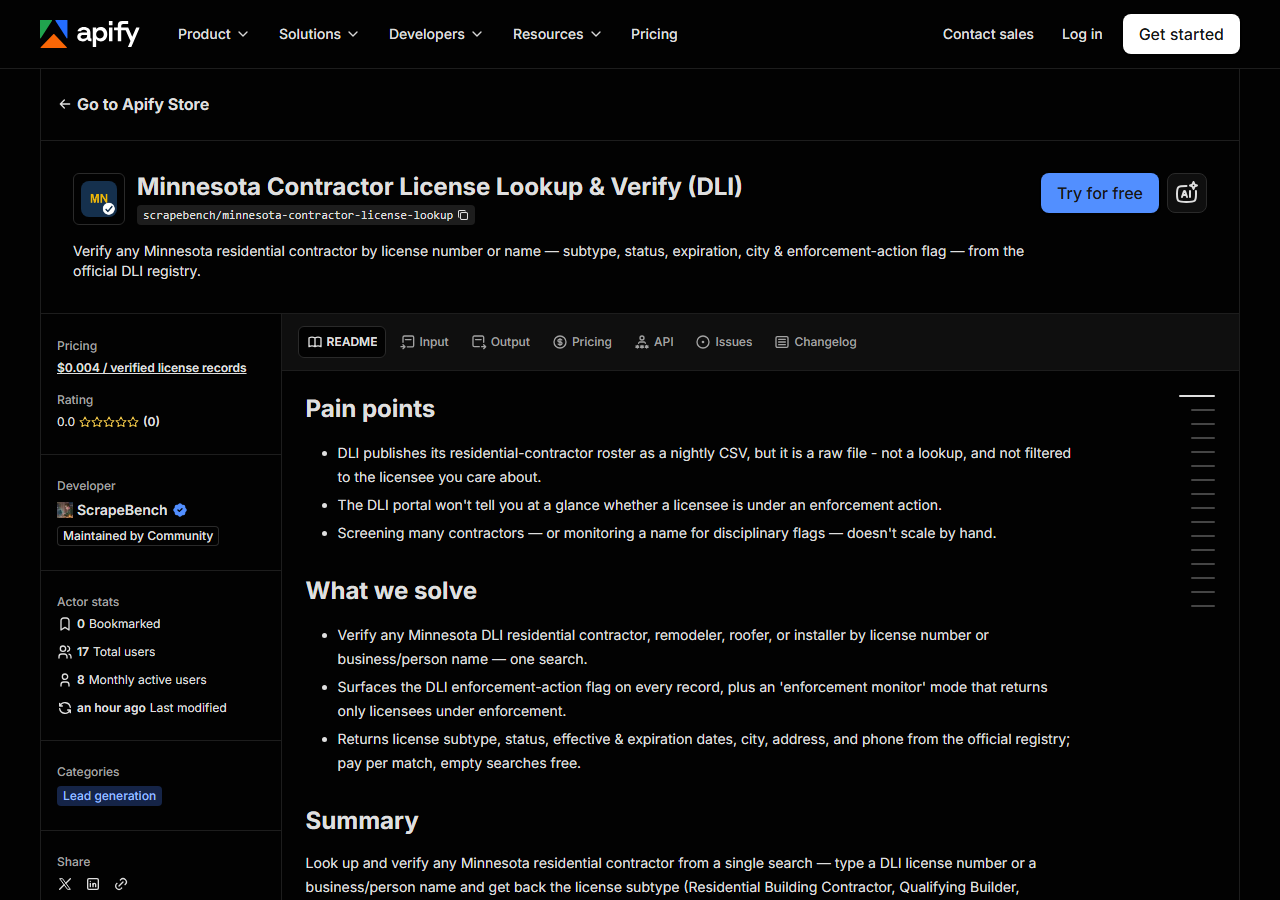
Open Minnesota Contractor License Lookup & Leads Scraper (DLI) on the Apify Store and press Try for free. The actor’s own page on this site lists its live health and pricing.
Step 2 — Fill in the input
| Field | Type | Required | What it does |
|---|---|---|---|
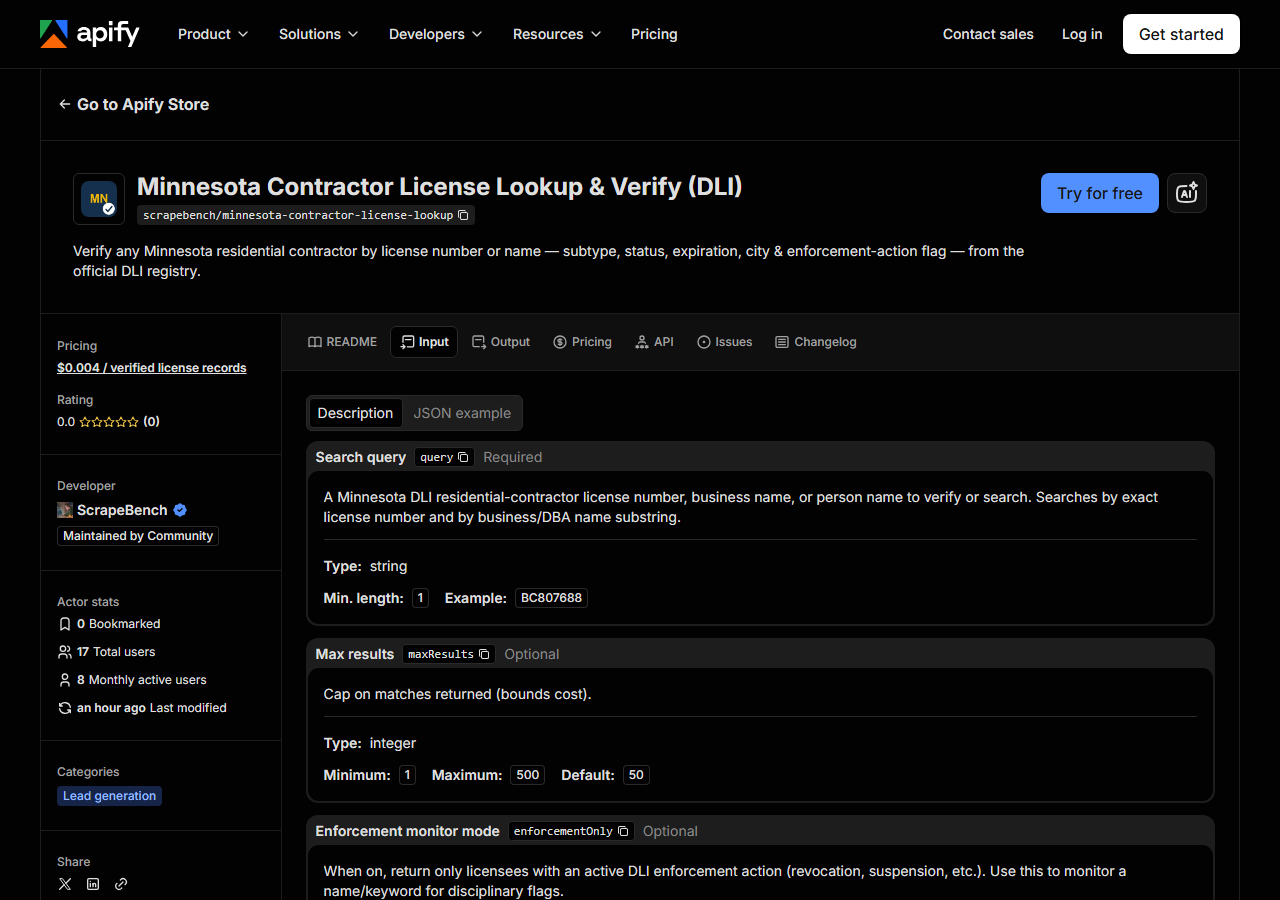
query | string | no | A Minnesota DLI residential-contractor license number, business name, or person name to verify or search. Searches by exact license number and by business/DBA name substring. Leave this and queries empty to export the statewide roster instead. |
queries | array | no | Look up many in ONE run. Takes the same values as query. (default []) |
licenseSubtype / licenseSubtypes | string / array | no | One or more DLI subtypes, e.g. ‘Residential Building Contractor’, or a short word: ‘builder’, ‘remodeler’, ‘roofer’, ‘installer’, ‘exemption’. Empty = every subtype. |
status / statuses | string / array | no | active (DLI ‘Issued’), expired, voluntary_termination, revoked, suspended, withdrawn, or all. Empty = active when exporting statewide, every status when you give a query. |
city / cities | string / array | no | Business city, exact match ignoring case and punctuation; St Paul, St. Paul and Saint Paul are the same city. |
zip / zips | string / array | no | Business ZIP, 5 digits. |
maxResults | integer | no | With a query: cap PER QUERY (default 50). Statewide export: cap for the whole run (default 500, up to 100,000). |
enforcementOnly | boolean | no | When on, return only licensees with a DLI enforcement action on record (revocation, suspension, etc.). Works with a query or statewide. |
When you search, query is the field that decides everything, and it does two different things depending on what you
type. If what you type matches a licence number exactly (case-insensitive — BC807688, RR531208),
you get that one licence. Anything else is treated as a case-insensitive substring of the
business name or the DBA name. Substring, not fuzzy search: SMITH ROOFING finds SMITH ROOFING LLC
and AAA SMITH ROOFING, but it will not find SMITH ROOFING, INC if you typed SMITH ROOFING INC,
because that comma is in the middle of the string DLI stored. When a name search comes back empty,
shorten it — type the distinctive word and let the substring do the rest. The matched_by column on
every row tells you which of the two paths produced it.
The consequence of substring matching is that broad queries match a lot. CONSTRUCTION matches
several thousand Minnesota businesses. That is what maxResults is for: it caps how many matches
come back per query (default 50) and therefore caps what the run costs. It is a cap, not a ranking —
the actor stops at the first N matches in the file’s own order, so a broad query with a low cap
gives you an arbitrary slice, not the best one. Narrow the query rather than trusting the cap to
choose for you.
enforcementOnly is a filter applied after the search: leave it off and every match comes back with
its enforcement flag in the row; turn it on and only the licensees carrying an enforcement action
come back. That is the difference between “tell me about this contractor” and “tell me if anyone
matching this name is in trouble” — the second is what you want on a schedule.
A working input:
{
  "query": "CONSTRUCTION",
  "maxResults": 25
}
Step 3 — Run it
Press Start. Rows are pushed to the dataset as they’re found, so the run log fills in as it works.
The first thing every run does is pull the whole roster down — one ~12MB file — before it filters a single row. So there is a pause at the start that has nothing to do with how many matches you asked for, and a licence-number lookup that returns exactly one row does the same download as a name search that returns fifty. Once the file is in memory the filtering is instant. Actual wall-clock depends on DLI’s server on the day, so start it once and watch the log rather than trusting a number quoted here.
An empty run is nearly always the query, not the actor. A licence number with a typo matches nothing (there is no near-miss matching), and a full legal name typed the way you’d write it rarely survives contact with the way DLI punctuates it. Shorten the query and try again. Empty runs are free — the actor charges per match returned — so getting it wrong twice costs nothing.
Step 4 — Read the output
Each run returns a labelled table, not raw JSON:
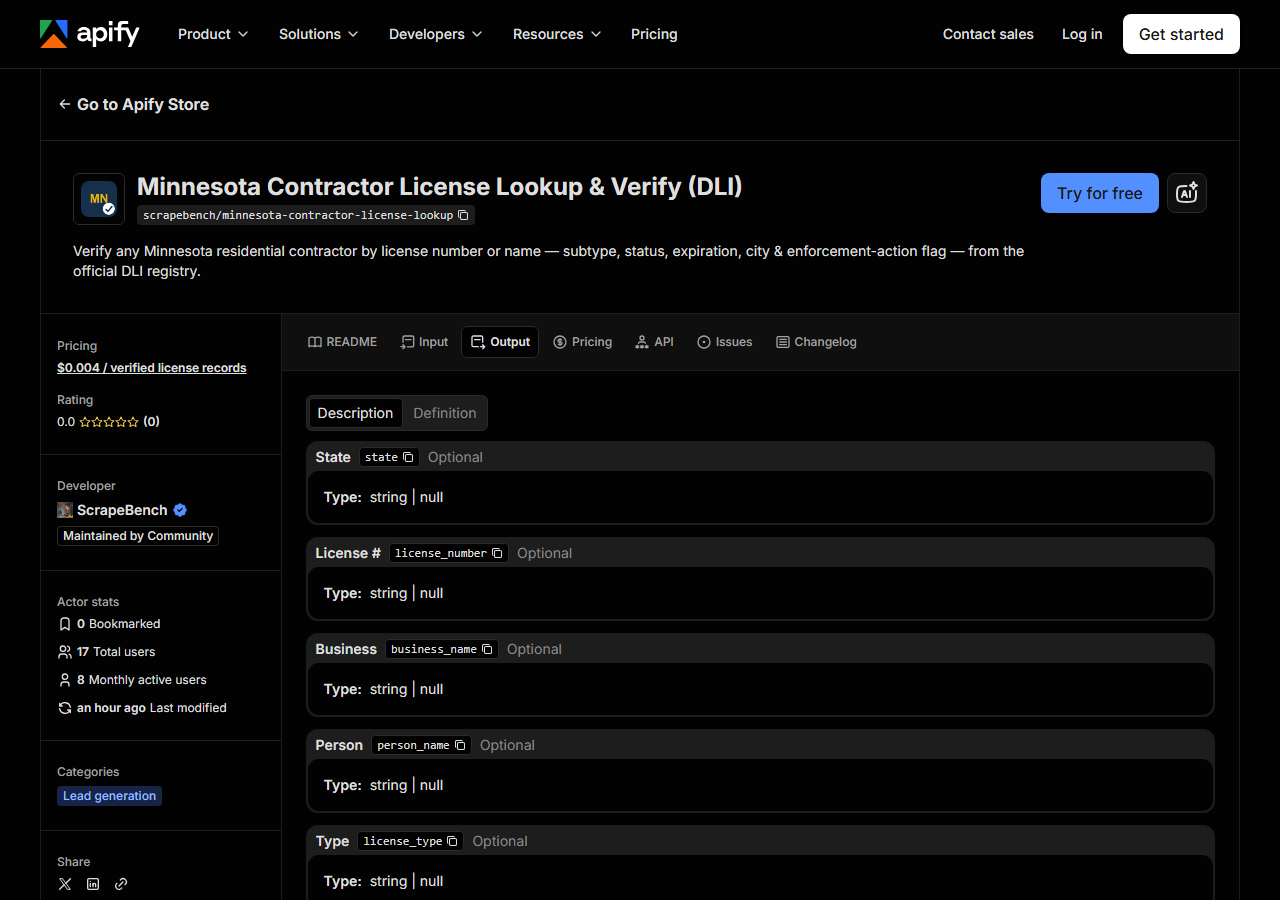
Every row looks like this — a real row from a real run:
{
  "state": "MN",
  "license_number": "RR531208",
  "business_name": "RASSMUSSEN METAL ROOFING AND CONSTRUCTION INC (dba RMR CONSTRUCTION INC)",
  "person_name": null,
  "license_type": "Residential Contractors - Residential Roofer Contractor",
  "status": "REVOKED",
  "issue_date": "06/20/2005",
  "expiration_date": "03/31/2008",
  "city": "MINNEAPOLIS",
  "address": "5536 27TH AVE S",
  "zip_code": "55417",
  "phone": null,
  "enforcement_action": "1",
  "renewal_in_progress": null,
  "matched_by": "business_name",
  "source_url": "https://secure.doli.state.mn.us/ccld/data/MNDLILicRegCertExport_Residential_Contractors.csv"
}| Field | Example value | Meaning |
|---|---|---|
state | MN | Licensee’s registered state (usually ‘MN’) |
license_number | RR531208 | DLI license number (e.g. BC807688) |
business_name | RASSMUSSEN METAL ROOFING AND CONSTRUCTION INC (dba RMR CONSTRUCTION INC) | Licensed business name (DBA appended when present) |
person_name | — | Individual’s name when the licensee is a person, else null |
license_type | Residential Contractors - Residential Roofer Contractor | License type + subtype (e.g. ‘Residential Contractors - Qualifying Builder’) |
status | REVOKED | License status (e.g. Issued, EXPIRED, REVOKED, SUSPENDED) |
issue_date | 06/20/2005 | Original license date |
expiration_date | 03/31/2008 | License expiration date |
Most people came for two columns: status and enforcement_action. Read them together, and read
them carefully — the sample row above is a good warning. It matched a name search, it has a licence
number, it looks like a licensee, and it is REVOKED with an expiry date in 2008 and an enforcement
action against it. A match is not a licence. The roster carries historical and inactive records
alongside live ones, so “this contractor is in the file” tells you nothing on its own; status is
the field that tells you whether they can legally take the job.
enforcement_action is DLI’s own flag, and it is exactly that — a flag. It comes through as the raw
value the department set (a 1 in the sample) and is null when there is no action on record. It
means an enforcement action exists, not what it was, when, or how it resolved; the case detail is
not in this file, so treat the flag as a prompt to go and read DLI’s enforcement record, not as a
verdict.
Things to watch in the rest of the columns. business_name folds the DBA in when DLI has one —
RASSMUSSEN METAL ROOFING AND CONSTRUCTION INC (dba RMR CONSTRUCTION INC) is one field, not two, so
split on (dba if you need them apart. person_name is only populated when DLI classifies the
licensee as an individual rather than a business, so it is null on most rows and that is correct,
not missing data. license_type is the department’s type and subtype joined — the type is
Residential Contractors on essentially every row, so the part you actually want is after the dash
(Residential Roofer Contractor, Qualifying Builder). Dates are MM/DD/YYYY strings, names shout
in capitals, and phone is empty wherever DLI has none on file: 1,234 of the 25,359 active licences
on 2026-10-07, and more on old records (8,828 of all 59,302). There are no
email addresses: the roster has an email column and this actor deliberately skips it.
Step 5 — Export it
Open the Dataset tab and export to CSV, JSON, or Excel — or pull the same rows from the API, which is what you want if this is going to run on a schedule.
Export the whole state
Leave query and queries empty and the actor stops searching and exports the roster instead. With
nothing else set and maxResults raised to 100000, our local run on 2026-10-07 returned all 25,359
active licences (DLI status “Issued”) in 3.9 seconds, and every licence number in it was distinct.
Set status to all and the same run returns the full file, 59,302 rows, including 26,370 marked
EXPIRED and 858 REVOKED.
The filters narrow it from there. licenseSubtype: "roofer" returned 362 active licences that day
(222 qualifying roofers and 140 roofer contractors); city takes Saint Paul in any of DLI’s
spellings. There is no county filter, because DLI’s file has no county column, so use city or
zip. Leave maxResults alone and a statewide run stops at 500 rows, with a log line saying how
many matched; that default is a spend control, not the size of the roster.
Of the 25,359 active licences, 24,125 had a phone number and all but a handful had a street address, city and ZIP. 815 carried an enforcement flag, which is worth knowing if you are building a lead list rather than screening one.
What it costs
$0.004 per licence record returned. A licence-number verification returns one row and costs $0.004. A name search capped at the default 50 matches costs at most $0.20. The 362 active roofers are $1.45, and the full active export of 25,359 licences is $101.44. Searches that match nothing are not charged at all, so a typo costs you nothing. Apify’s platform compute is billed separately, per your plan.
Be honest with yourself about the comparison. The data is free and the file is one click away — if you have one contractor to check, once, go and use DLI’s own site and pay nothing. The fee buys the parts the file doesn’t give you: the filtering, the normalised columns, and the run being repeatable from an API or a schedule without a person opening a spreadsheet.
Where the data comes from
This reads MN DLI directly. The target is Official bulk data file - one GET of the department’s nightly ~12MB roster CSV (cp1252-encoded), filtered in memory. Every night a canary runs this actor against that live source and diffs the result against a frozen fixture — what “verified” means.
This is the easiest target in the suite, and pretending otherwise would be silly: DLI publishes the roster itself, as a static CSV, with no anti-bot wall, no session, no form to drive and no key to hold. There is nothing to beat here. The annoyance is entirely in the file. It is a whole-state dump — you take all of it or none of it, because there is no query API behind it, so every question you want to ask means downloading the lot and filtering it yourself. It is encoded in cp1252 rather than UTF-8, which is the kind of detail that silently corrupts a name with an accent in it and shows up three steps later as a mismatch. And the schema is the department’s internal one: split names, split addresses, a licence type that says the same thing on every row, and an enforcement flag encoded as a bare digit. The nightly canary exists for exactly the part that is not under anyone’s control — DLI renaming a column or moving the file — because when a bulk file changes shape, nothing errors, it just quietly stops matching.
See it used
Find Minnesota Roofing Contractors with Enforcement Actions screens the DLI roster down to the licences carrying an enforcement action.
If the Minnesota roster isn’t the file you need, Michigan Contractor License Lookup & Verify (LARA) is the one to reach for when the contractor you’re checking is licensed next door rather than in Minnesota; if you don’t know which state issued the licence at all, the Multi-State Contractor & Trade License Lookup checks the same name across several states in one run.
Last updated 2026-10-07