How-to
How to run Google Ads Transparency Center & Competitor Ad Scraper
Step-by-step: the exact input, what each field does, and the rows that come back from Google Ads Transparency Center.
You want to see what a competitor is actually running: which creatives, in which country, and for how long. Google publishes all of it in the Ads Transparency Center, and for one advertiser you should just go and look — it is free, and it is the same data. The problem starts at scale. The site paginates an advertiser’s library forty ads at a time, and a large advertiser’s library is enormous: Google stated 8,000 to 9,000 creatives for a single advertiser in the US alone on 7 September 2026. Scrolling that, for several competitors, across several countries, is not an afternoon’s work — and the site gives you no way to export what you saw.
What you’ll need
Nothing but an Apify account. The actor talks to Google Ads Transparency Center directly.
No Google account, no Ads account, no API key. There is one thing to know, though, and it is the opposite of the usual advice: leave the proxy on. It is on by default here, alone among the actors on this site, and the reason is measured rather than precautionary — see “Where the data comes from” below. Apify’s proxy is included in your plan; you are not paying a third party for anything.
Step 1 — Open the actor
Open Google Ads Transparency Center & Competitor Ad Scraper on the Apify Store and press Try for free. The actor’s own page on this site lists its live health and pricing.
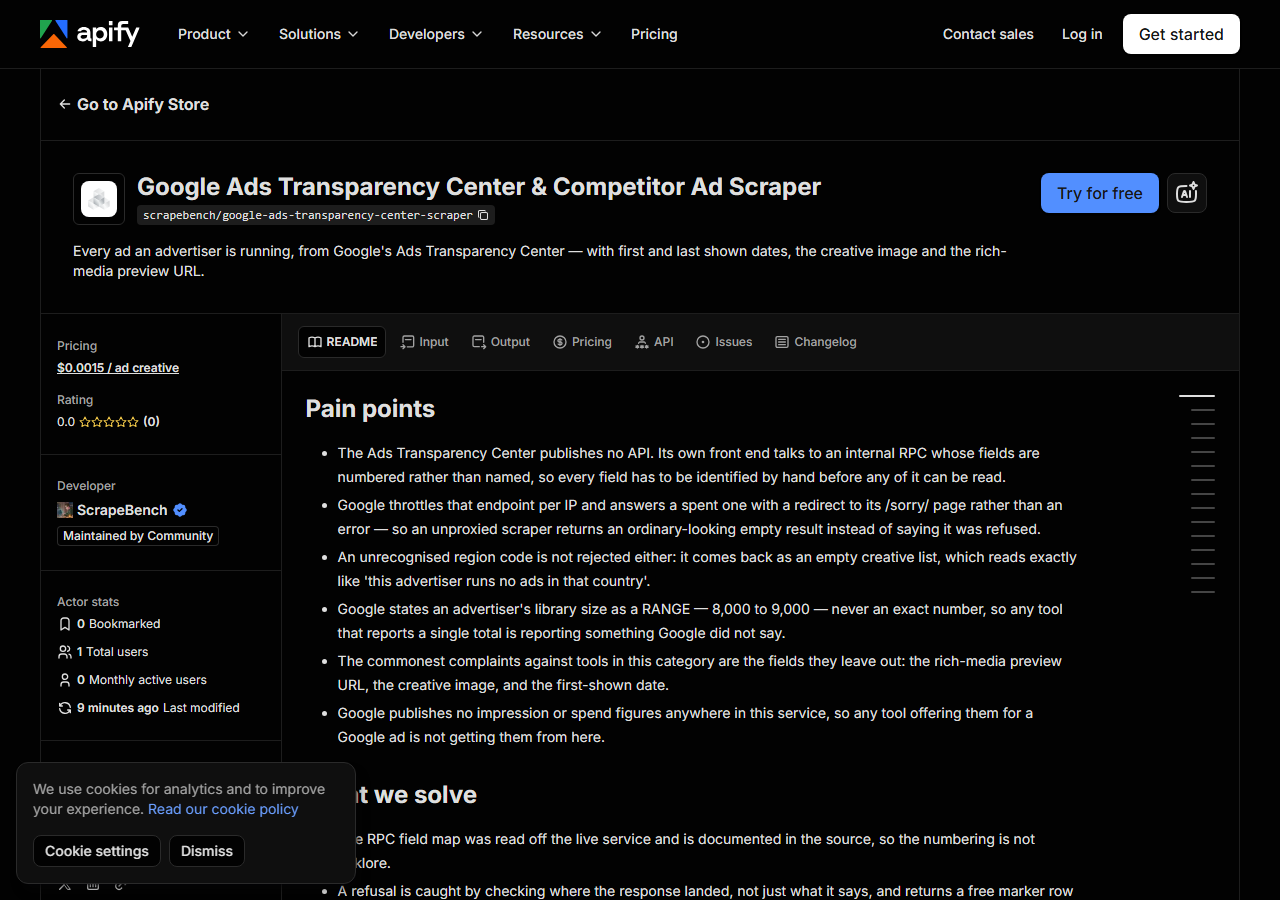
Step 2 — Fill in the input
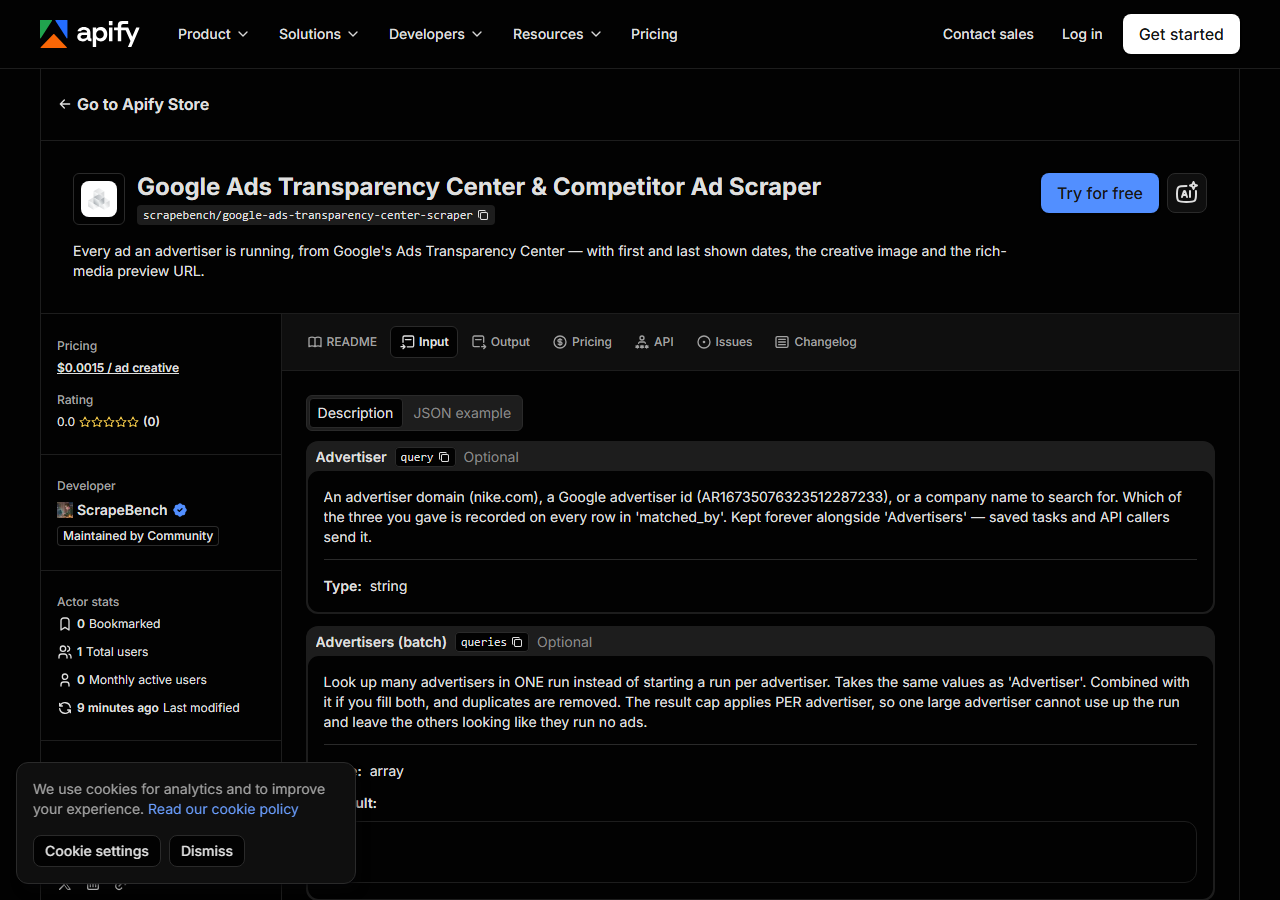
| Field | Type | Required | What it does |
|---|---|---|---|
query | string | no | An advertiser domain (nike.com), a Google advertiser id (AR16735076323512287233), or a company name to search for. Which of the three you gave is recorded on every row in… |
queries | array | no | Look up many advertisers in ONE run instead of starting a run per advertiser. Takes the same values as ‘Advertiser’. Combined with it if you fill both, and duplicates are… (default []) |
region | string | no | The country whose ad library to read, as an ISO country code — US, GB, DE, FR, JP, BR and so on. This is not cosmetic: Google keeps a separate library per country and the same… (default US) |
maxResults | integer | no | Cap on creatives returned PER advertiser, not per run. Large advertisers run enormous libraries — Google stated 8,000-9,000 creatives for one of them in the US alone on… (default 200) |
query accepts three different things, and which one you give changes how exact the answer is.
A domain (nike.com) and an advertiser id (AR16735076323512287233) are both exact. A company
name is not: it goes through Google’s own advertiser search and the best match is used. Searching
“Nike” on 7 September 2026 returned NIKE SRL in Italy, Nike Klara, Nikel Kola and several
unrelated advertisers alongside Nike, Inc. The actor picks the top match and logs how many
candidates it considered, and every row records which route was used in matched_by — so if an
advertiser looks wrong, you can see immediately whether a name search guessed for you. Where you
know the domain, use the domain.
region is not cosmetic — it selects a different library. Google keeps a separate ad library
per country, and the same advertiser’s volume varies enormously between them. On 7 September 2026,
one advertiser was stated at 8,000–9,000 creatives in the US, 9,000–10,000 in the UK,
20,000–30,000 in Germany and 400–500 in Japan. Running “a competitor’s ads” without deciding the
country is answering a question you did not mean to ask.
Give a two-letter country code; 48 are supported and each was verified against the live service. An unrecognised code is refused up front with a free row naming valid ones, and that guard matters: Google answers an unknown region with an empty list rather than an error, which reads exactly like “this advertiser runs no ads there.”
A working input:
{
  "queries": [
    "nike.com",
    "geico.com"
  ],
  "region": "US",
  "maxResults": 200
}
Step 3 — Run it
Press Start. Rows are pushed to the dataset as they’re found, so the run log fills in as it works.
Ads come back in pages of forty. Two advertisers at 200 creatives each returned 400 rows in about 8.7 seconds on Apify, so this is a quick actor unless you deliberately ask for a whole library.
The run log states, per advertiser, how many creatives it returned and what Google says the advertiser’s library holds in that region — the second number being a range rather than a count, because that is how Google publishes it. Reading the two together is how you know whether you took a sample or the lot.
An empty result has three distinct causes here and the actor names which:
input_error for a region it will not send (or no advertiser given at all), no_results when
Google genuinely has no ads for that advertiser in that country, and blocked when Google
throttled the request. That last one is the important distinction — see below — because it is the
one that would otherwise look identical to “this competitor isn’t advertising.”
Step 4 — Read the output
Each run returns a labelled table, not raw JSON:
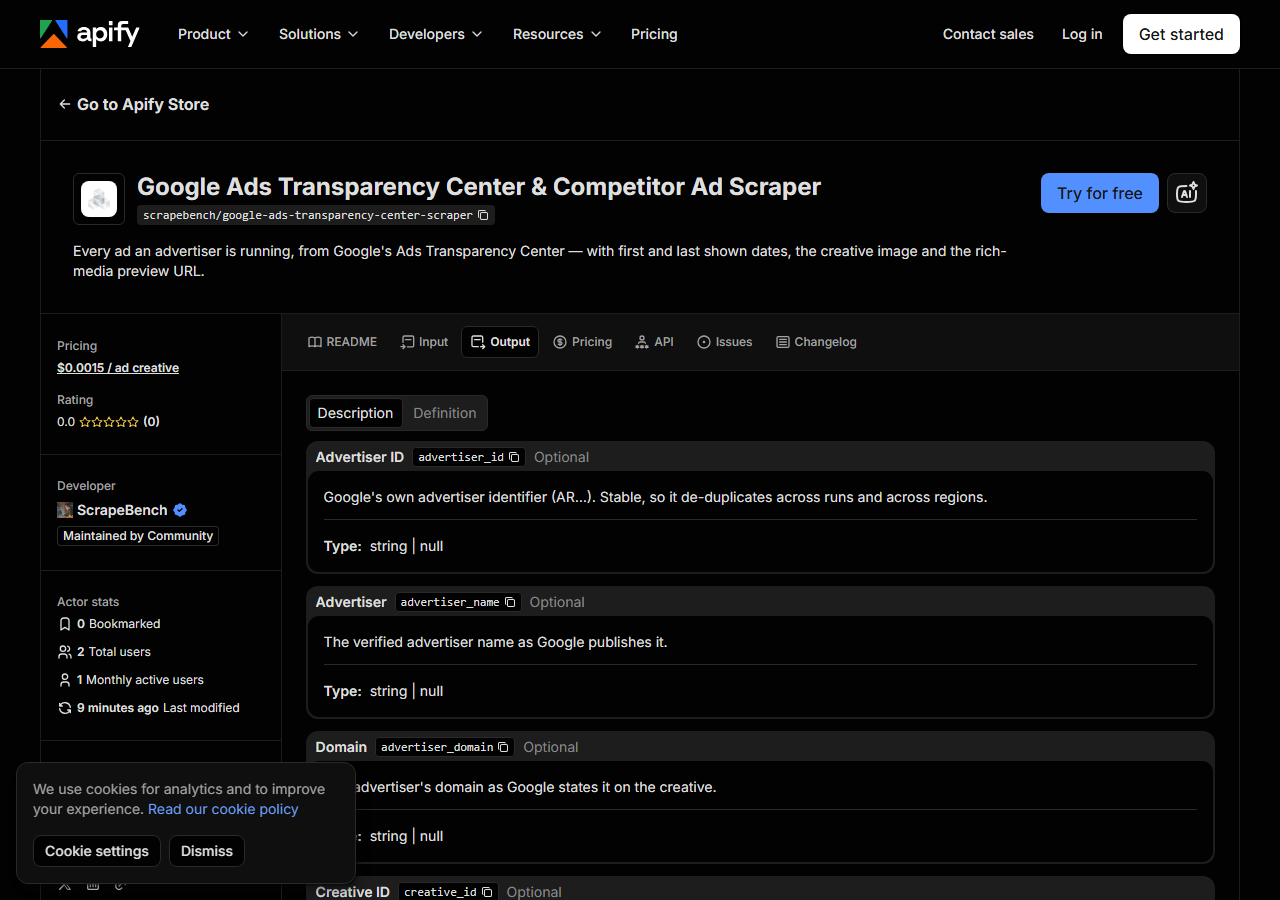
Every row looks like this — a real row from a real run:
{
  "source_url": "https://adstransparency.google.com/advertiser/AR16735076323512287233/creative/CR10365997061744099329?region=US",
  "advertiser_id": "AR16735076323512287233",
  "advertiser_name": "Nike, Inc.",
  "advertiser_domain": "nike.com",
  "creative_id": "CR10365997061744099329",
  "format_code": 1,
  "creative_type": "image",
  "creative_image_url": "https://tpc.googlesyndication.com/archive/simgad/2588413232821661199",
  "creative_preview_url": null,
  "display_width": 348,
  "display_height": 180,
  "first_shown": "2023-11-16T22:59:37Z",
  "last_shown": "2026-09-07T05:25:23Z",
  "days_running": 1025,
  "region": "US",
  "advertiser_creatives_low": 8000,
  "advertiser_creatives_high": 9000,
  "matched_by": "domain",
  "advertiser_url": "https://adstransparency.google.com/advertiser/AR16735076323512287233?region=US"
}| Field | Example value | Meaning |
|---|---|---|
advertiser_id | AR16735076323512287233 | Google’s own advertiser identifier (AR…) — stable across runs and regions |
advertiser_name | Nike, Inc. | The verified advertiser name as Google publishes it |
advertiser_domain | nike.com | The advertiser’s domain as stated on the creative |
creative_id | CR10365997061744099329 | Google’s identifier for this specific ad (CR…) |
format_code | 1 | Google’s own numeric format code, passed through unlabelled |
creative_type | image | image or rich_media — derived from what the payload contains, not from the format code |
creative_image_url | https://tpc.googlesyndication.com/archive/simgad/2588413232821661199 | Google’s own hosted image for the ad, taken verbatim from the response |
creative_preview_url | — | For rich-media ads, Google’s renderable preview URL |
first_shown and last_shown are what most people came for, and they are more useful together
than apart. The gap between them is how long a creative has been running, and an advertiser who
keeps a creative live for two years is telling you it works far more reliably than any engagement
metric you could infer. The row above has been running since November 2023.
creative_image_url and creative_preview_url are alternatives, not a pair: an image creative has
the first, a rich-media creative has the second, and creative_type tells you which. One caveat on
the image URL — Google serves those assets to browsers and refuses plain command-line clients, so a
curl at one will hang rather than return an error. The URL is real and is taken verbatim from
Google’s response; open it in a tab, or send browser-style headers if you are fetching them
programmatically. Note also that display_width and display_height are the size the ad is shown
at, not the asset’s own resolution — one creative checked at 348×489 in the ad slot is a 696×458
image.
advertiser_creatives_low and advertiser_creatives_high are a range because Google refuses to
publish an exact count. Any tool that reports a single total for an advertiser’s library is
reporting something Google did not say.
The one thing that is genuinely not here: impressions, spend and reach. Google publishes none of them in this service for a normal commercial ad, so no tool reading this source can give them to you. There is one undocumented integer on each creative row that this actor deliberately does not return — it sits between 5 and 1,737 across the ads sampled, matches neither the image area nor its dimensions, and shipping it labelled “impressions” would be inventing a number.
Step 5 — Export it
Open the Dataset tab and export to CSV, JSON, or Excel — or pull the same rows from the API, which is what you want if this is going to run on a schedule.
What it costs
$0.0015 per creative returned — $1.50 per 1,000. Two advertisers at 200 creatives each is 400 rows and $0.60.
You are charged per creative, not per advertiser: ten advertisers holding 1,000 creatives between them cost the same as one advertiser with 1,000. Marker rows are free — a throttled run, an unusable region, an advertiser with no ads in that country, all cost nothing. Pulling a large advertiser’s full library is the case to think about before you press start: at Google’s stated 8,000–9,000 creatives, that one advertiser is $12–13.50, which is why the cap is per advertiser and defaults to 200. Apify’s platform usage is billed separately and is pennies here.
Where the data comes from
This reads Google Ads Transparency Center directly. The target is An UNDOCUMENTED internal RPC (POST /anji/_/rpc/SearchService/SearchCreatives) that the Transparency Center’s own Angular front end calls. Form-encoded f.req carrying protobuf-as-JSON, so every field is a NUMBER rather than a name and the map had to be read off live traffic. Every night a canary runs this actor against that live source and diffs the result against a frozen fixture — what “verified” means.
The Transparency Center publishes no API. Its front end talks to an internal endpoint that carries
protobuf-as-JSON, which means every field arrives numbered rather than named — the advertiser id is
field 1, the creative id is field 2, the timestamps are 6 and 7. Nothing announces that, so the map
has to be read off the live service and then checked. It also creates an unusually quiet failure
mode: if Google ever renumbers those fields, the response stays valid JSON of exactly the right
shape and every value lands in the wrong column. This actor asserts that the rows it got still
carry a creative id where one belongs, and stops with a source_changed row rather than emitting a
dataset that looks fine and is wrong.
The other thing worth knowing is why the proxy default is inverted here. Google throttles this
endpoint per IP, and a spent IP is not given a 429 — the request is redirected to
google.com/sorry/, so a scraper that only inspects the response body sees a valid page and
reports an empty result. That was measured on 7 September 2026 rather than assumed: from an
unproxied Apify container the run was blocked, and the identical run through Apify’s datacenter
proxy returned real data. This actor checks where each response landed rather than only what it
contains, so a throttled run says blocked instead of quietly claiming the advertiser has no ads.
See it used
How long has that ad been running? Creative longevity from the Transparency Center
uses first_shown against last_shown to separate the creatives a competitor is committed to from
the ones they tested and dropped.
If the advertisers you are tracking run Shopify storefronts, Shopify App & Theme Detector covers the store side — reach for it when you want to know what they sell rather than what they say.
Last updated 2026-09-07